
Commercial Intercom System Buyer’s Guide for Businesses
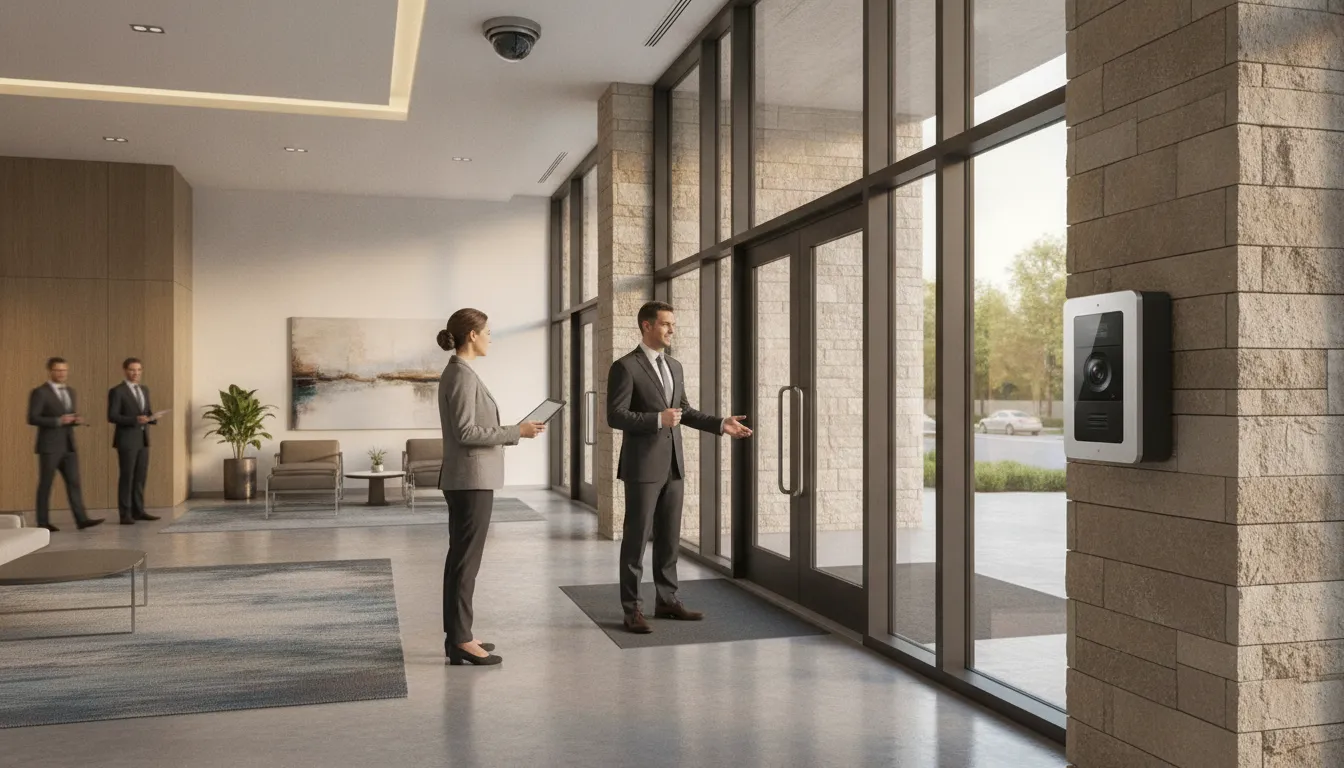
The front door is often a business’s first security decision. When visitors, deliveries, employees, and tenants arrive at different times, staff need a reliable way to communicate, verify identity, and control entry without sending someone to every entrance.
A commercial intercom system connects an entry point with the people and security tools responsible for it. Depending on the building, that may mean two-way audio, video verification, remote access from a phone or web portal, and integration with access control and cameras. Cloud-based options can also help property managers handle visitors across multi-tenant buildings while supporting straightforward entry workflows in single-tenant facilities.
The right design depends on more than choosing an audio or video station. Placement, lighting, network infrastructure, tenant needs, and the relationship between communication and door hardware all affect how well the system performs. Understanding those components makes it easier to evaluate options before selecting equipment or planning an installation.
Request your free commercial security assessment now
What Is a Commercial Intercom System and How Does It Work?
A commercial intercom system is a communication and security device that helps a business communicate with visitors and manage access at an entry point. Instead of allowing unknown visitors to walk directly into a lobby, office, warehouse, or multi-tenant property, staff can verify who is requesting entry and decide how to respond. Depending on the building and its operating needs, the system may provide two-way audio, video identification, remote door release, or a combination of these functions.
For businesses evaluating IP phone entry and commercial intercom systems, the most important distinction is how the entry station communicates with the people and devices inside the facility.
How network-based entry works
In a network-based setup, an exterior or interior entry station connects to the building’s Ethernet network rather than relying only on a dedicated central intercom panel. A visitor presses a call button or selects a tenant. The request then reaches an authorized employee through an indoor station, desk phone, computer, or mobile application, depending on the system design. The employee can speak with the visitor, view a camera image when video is included, and release the door if the person should be admitted.
Cloud-based systems extend this process beyond the property. Property managers can manage entry points through a web portal or mobile application from any location. That can be useful when a manager is off-site, when a building has more than one entrance. Or when a multi-tenant property needs a consistent way to handle visitors without staffing a reception desk at every hour.
Why design and placement matter
The hardware is only one part of the solution. An installer should assess where visitors approach, how employees receive calls, and which doors require controlled release. Intercom placement should be tailored for both usability and security, so the station is easy for authorized visitors to find while still covering the relevant vulnerability point. Lighting conditions, ceiling heights, sightlines, traffic patterns, and the distance between the entry station and controlled door can all affect performance.
For example, a camera positioned too high may not provide a useful view of a visitor’s face. A call station placed behind a vehicle lane or in a poorly lit vestibule may create confusion and missed calls. A professional site assessment helps align the entry experience with the property’s actual layout instead of forcing an off-the-shelf configuration into an unsuitable space.
Once the call is answered, the intercom can become part of a broader security workflow. It may connect with access control, cameras, or monitoring so staff can communicate, verify, and authorize entry through coordinated systems. The result is a more deliberate process for managing visitors at single-tenant offices, industrial facilities, and multi-tenant buildings.
Should Your Business Choose an Audio or Video Intercom?
Audio-only intercoms can be a practical choice when staff need to speak with visitors before unlocking a door. They are straightforward, familiar, and often sufficient for a small office with one controlled entrance. However, an audio conversation leaves an important question unanswered: who is actually waiting outside?
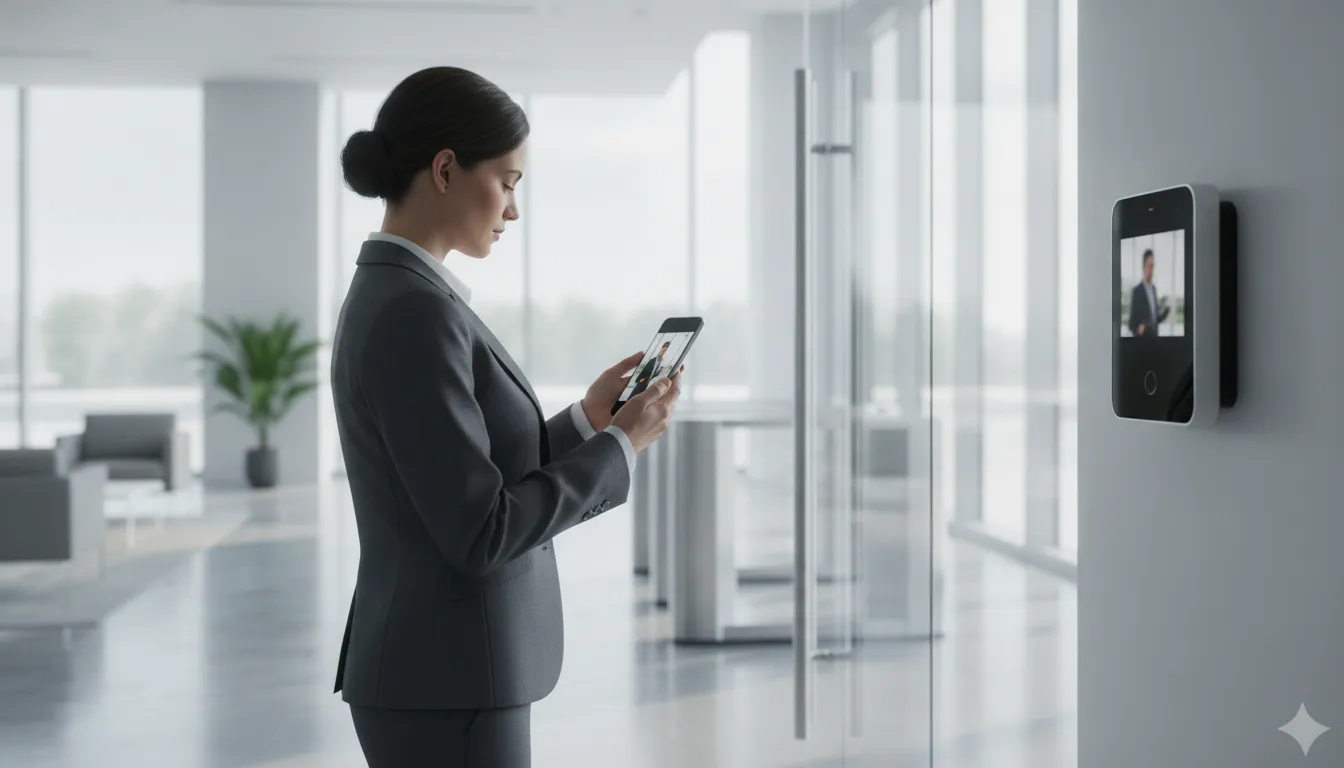
Video intercoms add visual verification before access is granted. Staff can see whether the visitor is an expected delivery driver, a known tenant, or someone who should not enter. That extra context supports more deliberate access decisions, especially at entrances that are unattended, busy, or exposed to the public. Visual verification is a central security benefit of video intercoms for commercial properties.
When audio-only entry may be enough
An audio system can make sense for a single-tenant business with a clear reception process, limited visitor traffic, and good visibility around the entrance. It may also fit a back entrance used primarily by employees who already know the communication procedure. In these situations, the priority may be reliable two-way communication rather than identifying every visitor on screen.
Audio can be less useful when the entrance is shared by several businesses or when employees must make decisions from different locations. Without a visual feed, staff may need to rely entirely on a visitor’s description and voice. That can slow down entry decisions and create uncertainty during deliveries, after-hours visits, or unexpected arrivals.
Why video is often the stronger commercial option
Modern IP intercoms generally provide better video quality, greater scalability, and easier integration with other security devices than traditional analog, audio-only systems. Higher-resolution video helps staff identify relevant details at the entry point, while an IP platform can connect communication with cameras, access control, and monitoring. These capabilities make the system more useful as a security tool, not just a door-release device.
Video is particularly valuable for multi-tenant properties, warehouses, medical offices, and businesses with entrances that cannot be continuously staffed. A manager can verify the visitor visually, communicate through the intercom, and then authorize entry according to the property’s procedures. The system can also provide a more consistent experience for visitors without requiring a receptionist at every door.
Scalability should also influence the decision. A network-based platform can support expansion as a business adds doors, readers, or additional controlled areas, rather than forcing a complete replacement when the property grows. That flexibility is useful for organizations planning renovations, additional suites, or multiple sites.
The right choice depends on the building, entrance layout, traffic patterns, lighting, and security objectives. A professional assessment can determine whether audio meets the need or whether video verification and IP integration provide a more appropriate long-term foundation.
How IP Intercom Systems Integrate with Access Control and Security Cameras
An IP commercial intercom system connects entry communication, identity checks, door hardware, and video on the same network. Instead of treating the call station, door reader, and camera as separate tools. An integrated design lets staff respond to a visitor, review live video, and manage entry through a coordinated workflow. Modern intercoms can also integrate directly with existing access control software, which helps businesses improve security without replacing every component at once.
Network-based infrastructure can use existing Ethernet, reducing the need for dedicated wiring back to a central controller. The approach can be flexible and scalable, particularly when a building needs additional doors or readers over time. A structured wiring review is still important for new construction or major renovations, because dependable connectivity is foundational to IP intercom, access control, and camera performance. Research on IP-enabled access control also identifies the flexibility of network-based installations compared with proprietary, hard-wired approaches.
| Consideration | Integrated IP approach | Standalone approach |
|---|---|---|
| Visitor verification | Staff can communicate with a visitor and view live video from the intercom or connected camera before deciding whether to grant access. | Communication and video may require separate devices or manual coordination, making verification less consistent. |
| Door management | The intercom can work with access control software and door hardware, linking the conversation to the entry decision. | The call station may operate independently from readers, locks, and access permissions. |
| Security visibility | Managers can coordinate entry-point monitoring, camera streams, and access activity through a unified security workflow. | Operators may need to move between systems to understand what happened at an entry point. |
| Expansion | Network infrastructure can support incremental growth, such as adding a door or reader as the facility’s needs change. | Expansion may involve duplicating equipment or upgrading systems that were not designed to communicate with one another. |
The practical benefit is not simply having more devices. It is giving staff better context at the moment access is requested. A visitor can use the intercom, staff can confirm the person’s identity through video, and authorized personnel can use the access control system to release the appropriate door. Integrated cameras may provide live streaming through a video intercom, while properly planned IP surveillance can deliver high-resolution monitoring without overwhelming the shared network. IP video surveillance guidance emphasizes the importance of a proper network framework and planning for both IT and security needs.
For a commercial property, the design should match the building rather than follow a generic device list. InVision Systems can coordinate an access control system with commercial security cameras, considering entry-point vulnerabilities, lighting, placement, and the way employees and visitors actually move through the site.
How Does a Commercial Intercom System Improve Visitor Management?
Visitor management is often the first point where convenience and physical security meet. A commercial intercom system gives staff a consistent way to communicate with people at an entrance, confirm why they are there, and decide whether access is appropriate. Instead of relying on an unlocked lobby, a propped-open door, or an employee recognizing someone from a distance, businesses can establish a clear process for each arrival.
Verify visitors before opening the door
Video intercoms add visual verification before access is granted, allowing staff to see who is requesting entry and assess the situation before releasing a door. This is especially useful at side entrances, loading areas, employee entrances, and facilities where the front desk does not have a direct view of every access point. Better visibility can help staff distinguish a scheduled visitor, delivery driver, tenant, employee, or unfamiliar person who needs additional screening. Modern IP intercoms can also provide higher video quality than traditional analog systems, supporting more reliable identification when lighting and distance make recognition difficult. Visual verification is a core benefit of IP phone entry and video intercom systems, but it works best when the camera, intercom, and entry point are positioned for the actual conditions of the property.
Support a more accountable entry process
When the intercom is connected with access control, visitor activity can be handled as part of a broader building-entry process rather than as an isolated phone call. Staff can communicate with the visitor, verify authorization, and release the appropriate door through the connected system. Where the platform supports access logging, the business can maintain a clearer record of entry events and review activity when a question arises. This accountability helps create consistent procedures across shifts and reduces dependence on informal handoffs.
The same controlled process can make tailgating more difficult. Staff are prompted to grant access for a specific interaction instead of opening a door for an unknown group. While no intercom can eliminate every security risk, deliberate verification and controlled release reduce opportunities for unauthorized people to follow an approved visitor into a secured area. Businesses can strengthen that protection further through a coordinated access control system and properly managed door hardware.
Reduce front-desk interruptions
A well-planned visitor system also improves the daily workflow for reception and property-management teams. Staff can handle routine arrivals without walking away from their post, searching for a key, or calling multiple departments to confirm an appointment. In a multi-tenant property, cloud-based entry tools can support remote visitor management, giving authorized managers a way to respond even when they are not physically at the entrance. That can be valuable when different tenants have different schedules, access rules, or designated contacts.
- Visitors can be directed to the correct person or tenant before entry.
- Staff can manage secondary entrances without leaving the main desk.
- Property managers can apply clearer procedures across multiple tenants or buildings.
- Access decisions can be coordinated with cameras, monitoring, and door controls.
The strongest results come from designing the system around the building’s traffic patterns, lighting, staffing, and vulnerable points. A customized installation makes visitor management easier to follow, which improves both usability and security in everyday conditions.
Why Do Businesses Choose Cloud-Based Entry for Multi-Tenant and Single-Tenant Properties?
Cloud-based entry gives property managers a practical way to oversee building access without being tied to a desktop at the property. Authorized users can manage entry points through a web portal or mobile application from virtually any location. Which is especially useful when a manager oversees multiple buildings, works off-site, or needs to respond to an access request outside normal office hours. InVision Systems provides cloud-based access control and phone entry systems that support remote visitor management in multi-tenant environments.
For a multi-tenant building, the cloud platform can help organize access across tenants, common areas, and designated entry points. A property manager may need to coordinate visitors for several businesses, update permissions when tenants change, or provide access without sending staff to the lobby. Centralized management reduces that administrative burden while keeping entry decisions connected to the building’s broader security plan. A commercial access control system can be planned alongside the intercom so communication, authorization, and door release work together.
Why cloud entry works well for multi-tenant properties
Multi-tenant facilities often have changing users, varied schedules, and more than one entrance. Cloud-based management makes it easier to handle those moving parts from a single interface rather than relying on separate, isolated devices. It can also support remote visitor management, helping property managers and facility owners keep entry procedures consistent across suites and shared spaces.
The architecture is also easier to scale than a system built around a fixed, proprietary central panel. IP-based access control can use existing Ethernet infrastructure, reducing wiring requirements and supporting flexible expansion. Network-based systems can be enlarged one door and one reader at a time, rather than requiring a full panel upgrade whenever the property adds a controlled opening. That approach can help a growing building avoid overbuilding on day one while preserving a clear path for future improvements. See the discussion of IP infrastructure from EDUCAUSE Review for additional technical context.
How single-tenant businesses benefit
Single-tenant offices, dealerships, warehouses, and other commercial facilities may have fewer occupants, but they still benefit from remote control and centralized visibility. A facilities leader can manage the main entrance, employee doors, delivery access, and restricted areas without maintaining an on-site server for the entry application. If the business expands, adds a new wing, or needs to secure another door, an IP-based design can provide a more straightforward growth path.
Cloud entry should not be treated as a one-size-fits-all product. Network conditions, door hardware, tenant workflows, visitor volume, and the location of vulnerability points all affect the right design. New construction may also require structured wiring to provide dependable connectivity for intercoms and other networked security devices. A professional assessment helps align the cloud platform with the building’s actual use, rather than simply adding remote access to an unsuitable entry layout.
What to Look For When Choosing a Commercial Intercom System Installer
The installer you choose can matter as much as the intercom equipment itself. A capable integrator should help you solve a specific entry, communication, and security problem, not simply recommend a device from a product catalog. Before accepting a proposal, ask how the company will evaluate your property, plan the system, connect it to other security tools, and support it after installation.
Will you assess the building before recommending equipment?
A site assessment should be more than a quick measurement of the lobby. Ask the installer to examine entrances, employee and visitor traffic, door hardware, sightlines, lighting, ceiling heights, network availability, and locations where unauthorized entry could occur. Intercom placement needs to support clear communication and practical use while also addressing security needs. Poorly placed equipment can create blind spots, make conversations difficult, or force staff to manage visitors from an inconvenient location.
InVision Systems designs IP intercom systems around a building’s vulnerability points, including environmental details that an off-the-shelf recommendation may overlook. That customized approach is especially important for warehouses, manufacturing facilities, dealerships, offices, and multi-tenant properties with different entrance and visitor patterns.
Can you explain how the system will work with our existing security?
A commercial intercom should not operate as an isolated speaker and call button if your property already uses access control or security cameras. Ask whether the installer can connect the intercom to door hardware, credential systems, cameras, and monitoring workflows. Modern systems can integrate with access control software to manage building entry, while video intercoms may provide live visual verification before staff grant access. A unified design can help your team communicate with visitors, view an entry point, and release a door through a coordinated process.
Request a clear explanation of what your staff will see and do during a normal visitor call, an after-hours request, and a suspected unauthorized-entry attempt. Also ask whether the proposed system can use your existing network responsibly. IP-based security infrastructure can leverage Ethernet and reduce reliance on proprietary central wiring, but the installer should still account for bandwidth, network segmentation, power, and future maintenance. The principles of IP-enabled access control emphasize flexibility and expansion without requiring a complete panel replacement.
What network and expansion plan is included?
Ask what happens when you add a door, tenant, building, or remote entry point. A scalable design should allow the system to grow without forcing an unnecessary replacement of functioning equipment. Discuss device capacity, licensing, cabling, power, software updates, and compatibility with future cameras or access-control components. If the property is being renovated or built out, ask whether the installer provides structured wiring. Running properly planned Ethernet and internet wiring for a new business can provide the connectivity foundation an IP intercom and related security systems require.
What experience do you have with properties like ours?
Experience should be specific to your building type and operating conditions. Ask for examples involving similar entrances, tenant arrangements, traffic volumes, and security concerns. A company with more than two decades of industry knowledge should be able to explain its decisions in practical terms. Identify tradeoffs, and coordinate installation with your staff and other contractors. It should also define training, warranty coverage, service response, and system documentation before work begins.
- Request a documented site assessment, not a one-size-fits-all quote.
- Confirm integration with access control, cameras, and monitoring.
- Ask how structured wiring, network capacity, and future expansion are handled.
- Verify experience with your property type and a clear post-installation support plan.
The strongest installer connects equipment choices to real workflows, building conditions, and long-term security goals. That is the standard to use when comparing proposals.
Request your free commercial intercom assessment now
Frequently Asked Questions
Can a commercial intercom system work with existing access control?
Yes. Many modern IP intercoms integrate with access control software, allowing authorized staff to communicate with visitors and manage building entry through a connected system. The right configuration depends on the current readers, doors, controllers, credentials, and network infrastructure. A site assessment can identify which components can remain in place and where upgrades are needed.
Should a business choose an audio or video intercom?
Audio systems can be a practical choice when voice communication is the primary need or when the entry environment is straightforward. Video adds visual verification, which can help staff assess a visitor before granting access. IP video systems also tend to offer stronger scalability and integration options than traditional audio-only systems, making them useful for businesses planning broader camera or access control improvements.
How does a cloud-based intercom help multi-tenant buildings?
A cloud-based system lets property managers handle entry points and visitor requests through a web portal or mobile application rather than relying on a single on-site station. This can simplify remote management across tenant spaces, support changing user permissions, and give staff a more consistent way to respond to visitors. Single-tenant businesses can use the same approach to manage remote offices, deliveries, or controlled entrances.
Can an intercom connect with security cameras?
Yes. A video intercom can connect with security cameras to provide live views of entry areas and support visual visitor verification. Linking cameras, intercom communication, access control, and monitoring creates a more coordinated view of activity at the door. The installation should account for lighting, camera placement, network capacity, and the building’s specific vulnerability points.
What should businesses consider before installing an IP intercom?
Start with the building layout, entry traffic, tenant or employee workflows, accessibility needs, existing security equipment, and future expansion plans. Professional design should also evaluate network connectivity, structured wiring, lighting, and the placement of stations and cameras. A customized plan helps ensure the system is easy to use while supporting the property’s actual security requirements.
Design a Commercial Intercom System That Fits Your Building
A modern commercial intercom system does more than buzz people through a door. Chosen and installed correctly, it becomes the front layer of your building’s security, giving your team a fast. Reliable way to screen visitors, manage entry, and keep a record of who comes and goes.
The right system starts with a site-specific plan, not a one-size-fits-all package. An experienced integrator reviews your entry points, foot traffic, lighting, ceiling heights, and how you want staff to verify visitors. Then designs an audio or video IP intercom setup that fits the way your business actually operates.
Request your free commercial security assessment now
At InVision Systems, we design and install IP phone entry and intercom systems for commercial, industrial, and multi-tenant properties throughout the Chicago area and the surrounding region. With more than two decades of security integration experience and a client retention rate above 95 percent. We take the time to understand your building before we recommend a solution.