
How to Choose a Door Access Control System for Office
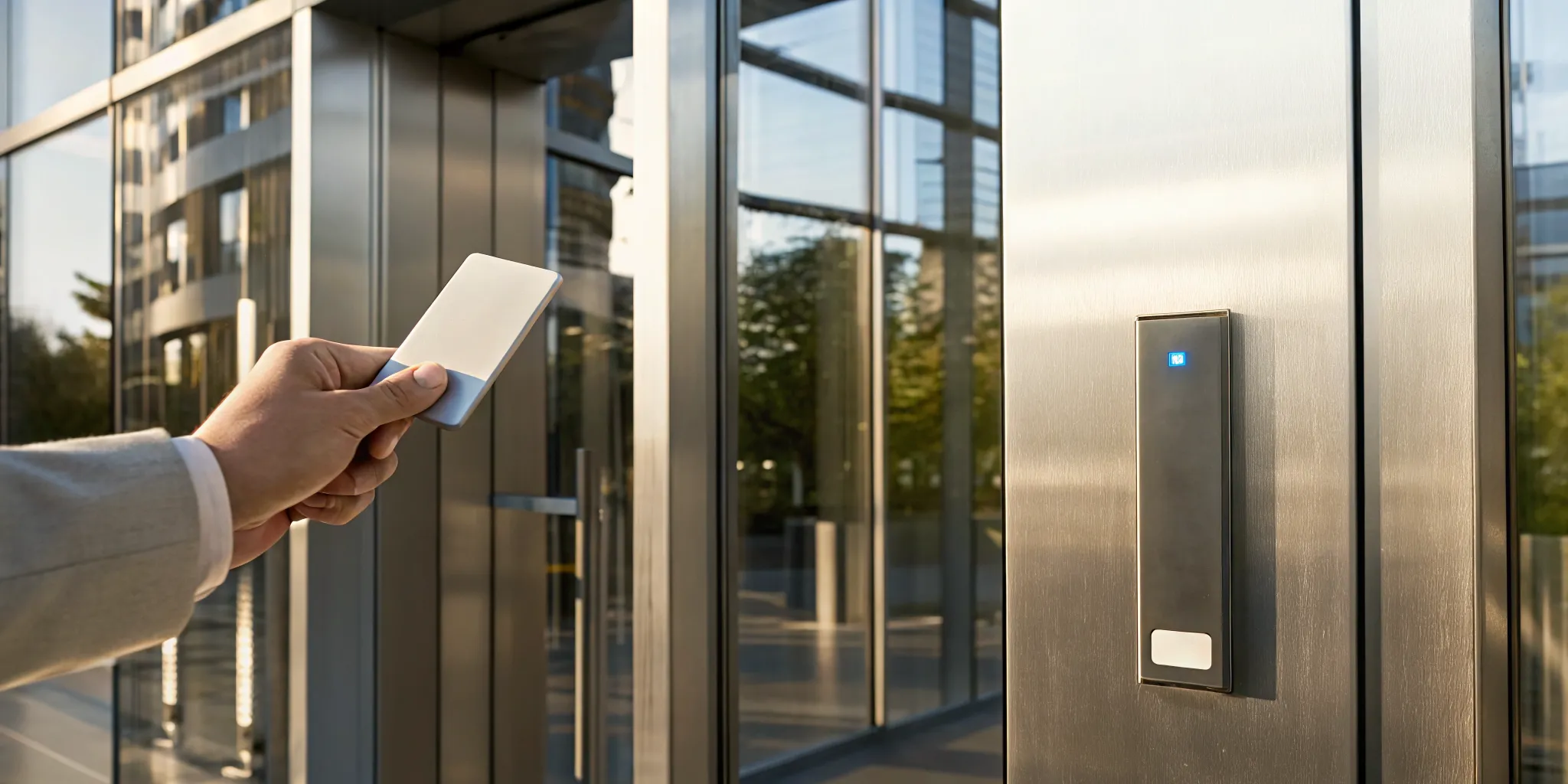
As your business grows, so does the complexity of managing who has access to your facility. Adding new team members, opening new departments, or moving to a larger space can turn key management into a logistical nightmare. A scalable door access control system for office use is designed to grow with you. You can easily add new users, secure additional doors, and adjust permissions without overhauling your entire setup. This forward-thinking approach ensures your security infrastructure can adapt to your changing needs, making it a foundational investment that protects your business today and prepares you for tomorrow’s expansion.
Key Takeaways
- Match the technology to your business: The right access control system is tailored to your unique operations, not a generic solution. Consider your company size, industry rules, and daily workflow to find a scalable system that protects your business now and supports its future growth.
- Prioritize integration and remote management: A truly effective system works with your other security tools, like cameras and alarms, to create a unified defense. Look for cloud-based options that allow you to manage access, monitor activity, and review reports from anywhere.
- Plan beyond the initial purchase: A successful implementation depends on more than just the hardware. Factor in professional installation, comprehensive team training, and a long-term maintenance plan to ensure your system operates reliably and securely for years to come.
What Is an Office Door Access Control System?
Think of an office door access control system as a digital gatekeeper for your business. Instead of relying on traditional metal keys that can be lost, copied, or kept by former employees, this technology lets you manage exactly who can enter your building or specific rooms, and when. It’s a smarter, more secure way to protect your property, assets, and people, giving you peace of mind without the hassle of rekeying locks every time an employee leaves.
At its core, an access control system replaces a standard lock and key with an electronic one. Employees use a credential, like a key card, a fob, or even their smartphone, to request entry. The system then verifies their identity and permission level before unlocking the door. This gives you complete oversight of your facility’s traffic, allowing you to grant access to the entire office for some team members while restricting sensitive areas like server rooms or executive offices to others. You can even set time-based permissions, so a cleaning crew can only enter after hours. It’s a flexible solution that adapts to your operational needs, making it a cornerstone of any modern commercial security strategy.
What Are the Core Components?
An access control system is made up of a few key parts working together. First, you have the credentials, which are the unique identifiers for each person, like a key card, fob, or biometric data. Next is the reader, the device mounted by the door that scans the credential. The system also includes an electric lock, such as a magnetic lock or an electric strike, that physically secures the door. Finally, the control panel acts as the brain of the operation, storing all the access rules and user data to decide who gets in.
How Does It Work?
The process is simple and nearly instant. When an employee presents their credential to the reader, the reader sends that information to the control panel. The panel checks its database to confirm if that person is authorized to enter that specific door at that particular time. If everything matches up, the panel sends a signal to the electric lock, which releases and allows the door to open. Some advanced systems even use biometric scanners that verify a person’s identity through unique biological features, like a fingerprint, for an even higher level of security.
What Are the Different Types of Office Access Control?
When you start looking into access control, you’ll quickly see there isn’t just one way to secure a door. The right system for your office depends on your security needs, your budget, and how your team operates. Some businesses need the high-tech security of biometrics, while others might find a simple keypad system does the job perfectly. Understanding the main types of access control is the first step toward finding a solution that fits your workplace like a glove. From traditional key cards to using your smartphone as a key, each option offers a unique blend of security, convenience, and control. Let’s walk through the most common systems so you can get a clear picture of what’s available.
Key Card and Fob Systems
This is probably what comes to mind when you think of office access. Key card and fob systems are a classic for a reason. Instead of a traditional metal key, employees use a programmable card or a small fob to tap a reader and unlock a door. The real advantage here is control. If an employee leaves the company, you can deactivate their card in seconds without the hassle or expense of changing the locks. These systems are incredibly efficient for managing access for different roles, allowing you to decide who can enter specific areas and at what times, making them a flexible choice for any growing business.
Biometric Scanners
For businesses that require a higher level of security, biometric scanners are the gold standard. These systems use unique biological traits to verify a person’s identity, like a fingerprint, facial scan, or even an iris scan. Because these identifiers are unique to each individual, they are nearly impossible to duplicate, share, or lose. This technology provides advanced control over who enters and exits your facility, eliminating the risk of stolen key cards or shared PINs. While they represent a bigger investment, biometric systems offer peace of mind for securing sensitive areas, making them ideal for many of our commercial security clients.
Keypad Entry
Keypad entry systems offer a straightforward, keyless solution for securing your office. Employees simply enter a numeric code, or PIN, to gain access. These systems can be standalone, operating independently on a single door, or networked for more advanced control. The main benefit is that there are no physical credentials to issue, track, or replace. Much like modern phone entry systems, they add convenience for visitors and staff. However, it’s important to have a strong policy for managing PINs, as codes can be forgotten or shared. They are a great fit for areas with lower security requirements or for businesses looking for a simple, cost-effective option.
Mobile App Access
In an increasingly connected world, it only makes sense that your smartphone can also be your key. Mobile access control systems allow employees to unlock doors using an app on their phone, typically through Bluetooth or Wi-Fi. This approach is incredibly convenient, as most people always have their phones with them. For managers, it offers powerful remote capabilities. You can grant or revoke access from anywhere, check entry logs in real-time, and even unlock a door for a delivery person when you’re not on-site. These systems often rely on cloud services for management, making them scalable and easy to update.
Smart Locks
While you might associate smart locks with homes, commercial-grade versions offer robust security for businesses. These locks go beyond simple keyless entry; they are designed to be part of a larger, integrated security ecosystem. A smart lock can work in tandem with your video surveillance, automatically recording when a door is accessed. It can also connect to your alarm system, triggering an alert during an unauthorized entry attempt. This integration provides a comprehensive view of your office security. By combining different services, you create a layered defense that is much stronger than any single component on its own.
What Features Should You Look For?
When you start comparing different office door access control systems, you’ll quickly realize they aren’t all built the same. The right system for your business goes beyond just locking and unlocking doors. It should be a flexible, intelligent tool that adapts to your needs, works with your other security measures, and gives you clear insights into what’s happening at your property. A great system doesn’t just solve today’s problems; it prepares you for tomorrow’s growth.
To find a solution that truly fits your office, focus on four key areas: how the system scales and manages users, its ability to integrate with other technology, options for remote access, and the quality of its reporting. These features are the foundation of a modern, effective access control system that provides both security and operational efficiency. Let’s look at what makes each one so important.
Scalability and User Management
Your business is built to grow, and your security system should be able to grow with you. A scalable access control system allows you to easily add new doors, locations, and users without having to replace the entire setup. Just as important is how the system manages those users. Look for a platform that simplifies adding or removing employees and adjusting their access levels. Many modern systems use a Role-Based Access Control (RBAC) model, which lets you grant permissions based on a person’s job function. This ensures employees only have access to the areas they need, which is both efficient and secure.
Integration With Existing Security
Your door access control system shouldn’t operate in a silo. For the best protection, it needs to work seamlessly with your other security components. Imagine a system where swiping a card at an entrance automatically brings up the feed from a nearby security camera or disarms a specific zone of your alarm system. This level of integration creates a powerful, unified security network where each part supports the others. When your systems communicate, you get a much clearer picture of activity on your property and can respond to events more effectively.
Remote Access and Monitoring
In a world where work can happen from anywhere, managing your office security shouldn’t tie you to the building. Modern, cloud-based access control systems give you the power to manage your doors from a smartphone, tablet, or computer. You can lock or unlock doors, grant temporary access to a visitor, or change an employee’s permissions without having to be on-site. This feature provides incredible flexibility and peace of mind, ensuring you have full control over your office security no matter where you are.
Detailed Audit Trails and Reporting
Knowing who accessed which area and when is critical for accountability and incident investigation. A system with detailed audit trails provides a complete, time-stamped log of every access event, from successful entries to denied attempts. These reports are invaluable for reviewing security protocols, tracking movement through sensitive areas, and providing clear evidence if an issue arises. You can quickly see if a former employee’s credential was used or confirm that a restricted area remained secure overnight. This data gives you the insights needed to maintain a truly secure environment.
How Access Control Improves Security and Efficiency
An access control system does more than just replace old-fashioned keys. It’s a strategic investment that strengthens your security posture while also making your daily workflow much smoother. By giving you precise control over who can go where and when, these systems protect your people and assets while simplifying operations for everyone involved.
Prevent Threats and Secure Your Space
The primary job of an access control system is to keep unauthorized people out. Unlike traditional keys that can be lost or copied, modern credentials like key cards or biometrics provide a much higher level of security. Biometric scanners, for example, use unique physical traits like fingerprints, ensuring only the approved individual can gain entry. This technology is incredibly reliable for securing sensitive areas like server rooms or inventory storage. By implementing a system that verifies identity instead of just a key, you create a powerful barrier against potential threats and gain valuable peace of mind.
Streamline Your Day-to-Day Operations
Think about the time spent managing physical keys: tracking who has them, rekeying locks when an employee leaves, or manually unlocking doors. An access control system automates these tasks. You can manage all permissions from a single platform, granting or revoking credentials with a few clicks. You can also set schedules for doors to automatically lock and unlock, ensuring your building is secure after hours. This consistent, automated approach saves time for your administrative staff and reduces the risk of human error, making your entire commercial security plan more effective.
Add Convenience for Your Employees
A secure workplace doesn’t have to be inconvenient. A well-designed access control system makes life easier for your team. Instead of fumbling with keys, employees can use a single card, fob, or their smartphone to access all the areas they need. This creates a seamless experience as they move through the building. For administrators, modern cloud-based systems allow for remote management, so you can add a new user or unlock a door from anywhere. These systems are designed to be user-friendly and scalable, adapting to your business as it grows.
What Factors Into the Cost?
Figuring out the budget for a new door access control system can feel a bit like asking, “How much does a car cost?” The answer is always, “It depends.” The final price tag is shaped by your office’s specific needs, size, and security goals. A simple, single-door keypad for a small office will have a very different cost than a multi-site system with biometric scanners and cloud-based management for a large corporation.
Think of it as an investment. You’re not just buying locks; you’re investing in the safety of your team, the security of your assets, and the overall efficiency of your workplace. The key is to understand the different components that contribute to the total cost so you can make an informed decision that fits your budget and your security requirements. The main factors that will influence your final quote are the type and complexity of the system, the hardware and installation involved, any ongoing maintenance plans, and whether you choose a cloud-based or on-premises solution. Breaking it down this way helps you see where your money is going and what you’re getting in return.
System Type and Complexity
The kind of access control system you choose is the biggest driver of cost. A basic keypad entry system for one or two doors is the most budget-friendly option. As you add more advanced features and credentials, the price increases. For example, key card or fob systems are a step up, requiring readers, cards, and software to manage permissions. Biometric systems, which use fingerprints or facial recognition, are at the higher end due to the sophisticated technology involved.
When you’re planning, it’s important to understand the needs of your facility. How many doors do you need to secure? How many employees need access? Do you need to integrate with other security systems like cameras or alarms? The more complex your requirements, the more robust and feature-rich your system will need to be, which will be reflected in the cost.
Hardware and Installation Needs
Beyond the readers and credentials, there’s a lot of physical hardware that goes into an access control system. This includes electric locks, door controllers, power supplies, and all the necessary wiring to connect everything. The number of doors you’re securing will directly impact the amount of hardware you need.
Installation is another significant part of the budget. Every building is different, and the process can present unique challenges that affect labor costs. Installing a system in a new construction project is often more straightforward than retrofitting one into an older building with thick concrete walls or outdated wiring. A professional installation ensures everything is connected properly and works seamlessly from day one, preventing costly issues down the road.
Ongoing Maintenance and Support
Your investment doesn’t stop after installation. To keep your system running smoothly and securely for years to come, you’ll need to plan for ongoing maintenance and support. This is a long-term operational cost, not a one-time expense.
Essential maintenance practices include regular software updates to protect against new security threats, hardware inspections to make sure readers and locks are functioning correctly, and database management to keep user permissions current. Many providers offer support packages that give you access to technical help when you need it. While it might seem like an extra cost, a good maintenance plan is crucial for protecting your initial investment and ensuring your system remains effective and reliable.
Cloud vs. On-Premises Pricing
You’ll also need to decide where your access control system’s data will live: on a server in your office (on-premises) or in the cloud. This choice affects both the initial cost and how you pay over time. An on-premises system requires a larger upfront investment in servers and software licenses. You own the hardware, but you’re also responsible for maintaining it.
In contrast, cloud-based solutions typically have lower upfront costs and operate on a subscription model, much like other software-as-a-service (SaaS) products. You pay a recurring fee for the service, which includes hosting, software updates, and often support. This model offers great flexibility, allowing you to manage access from anywhere with an internet connection, and can be a more predictable operating expense.
How to Handle Common Implementation Challenges
Switching to a new access control system is a big step, and like any upgrade, it can come with a few challenges. But with a little foresight and planning, you can sidestep the common hurdles and ensure a smooth transition for your entire team. Thinking through potential issues ahead of time saves you from frustrating and costly fixes down the road.
The key is to approach the implementation process methodically. This means considering how the new system will fit with your existing infrastructure, how your employees will adapt to it, and what the true long-term costs will be. By tackling these questions early, you set your business up for a successful launch. Let’s walk through some of the most common challenges and how you can handle them like a pro.
Ensuring System Compatibility
One of the first things to consider is how a new access control system will play with your existing technology. You need a solution that integrates smoothly with your current infrastructure, including your doors, wiring, and any other security measures you have in place, like alarm systems or security cameras. A compatibility mismatch can lead to technical glitches, unexpected costs, and major headaches.
This is where professional guidance is invaluable. An expert can assess your current setup and recommend a system that works from day one. By choosing a compatible access control solution, you ensure all the pieces of your security puzzle fit together perfectly, creating a more reliable and effective defense for your office.
Planning for User Training and Adoption
A security system is only as strong as the people who use it. If your team finds the new system confusing or inconvenient, they might resist it or try to find workarounds, which defeats the whole purpose. To prevent this, make user training a priority from the very beginning. Explain the benefits of the new system, like enhanced security and convenience, and provide clear, hands-on instructions for how to use it.
Involving your team in the process can also make a huge difference. When employees feel heard and understand the “why” behind the change, they are much more likely to embrace it. A little bit of targeted education and open communication can turn potential resistance into enthusiastic adoption, making the transition seamless for everyone.
Budgeting for Installation and Maintenance
When you’re thinking about cost, it’s important to look beyond the initial price tag of the hardware. The total investment in an access control system includes the initial installation, any ongoing software or cloud service fees, and a plan for long-term maintenance. Factoring these elements into your budget from the start helps you avoid surprise expenses later on.
Think of it as an investment in your business’s long-term health and security. Proper installation and regular maintenance ensure your system runs reliably for years to come, providing consistent protection and peace of mind. Many providers also offer flexible financing options to make this essential security upgrade more manageable for your budget.
Clearing Up Common Misconceptions
A common myth is that access control systems are only for large corporations with massive budgets. The reality is that modern security solutions are scalable and can be tailored to fit businesses of any size. Whether you have a small office or a sprawling campus, there’s a system that can meet your needs without breaking the bank.
Another point to consider is that a robust security system can actually save you money. Many insurance providers offer discounts for businesses that invest in high-quality commercial security, which can help offset the initial cost. Don’t let outdated ideas prevent you from securing your space; the right system is more accessible and affordable than you might think.
Finding the Right Partner for Your Access Control System
Choosing the right technology is just one piece of the puzzle. The success of your access control system heavily depends on the partner you choose for design, installation, and support. A great partner doesn’t just sell you a box of hardware; they work with you to build a security solution that fits your space, your team, and your future goals. They take the time to understand your operations and deliver a system that truly protects your assets.
Why a Custom Solution Matters
Every business is different, so your security shouldn’t come from a one-size-fits-all box. A custom solution starts with understanding the unique needs of your facility, from the flow of people to your specific security risks. A well-designed access control system is both scalable and customizable, meaning it can grow and adapt right alongside your business. This flexibility allows you to integrate with other security measures, like video surveillance, to create a truly smart and responsive system. Instead of forcing your operations to fit a rigid system, a tailored approach ensures your security works for you, not the other way around.
How InVision Systems Can Help
Working with a professional security company gives you access to expertise and commercial-grade technology you simply can’t find on your own. At InVision Systems, we design and install customized security solutions built around your specific challenges. We know that technology is only effective when people can use it confidently, which is why we prioritize comprehensive training and ongoing support for your team. From the initial consultation to long-term maintenance, we handle every detail to ensure your system runs smoothly and your data remains protected. Our goal is to give you a reliable, easy-to-use system that provides true peace of mind.
How to Choose the Right System for Your Business
Selecting the right access control system isn’t about finding a single “best” product. It’s about finding the solution that fits your company’s unique size, daily operations, and industry requirements. A system that works for a small five-person office will look very different from one designed for a multi-site industrial facility. The key is to assess your specific needs for security, convenience, and scalability. By understanding what to look for based on your business profile, you can invest in a system that protects your assets and supports your growth for years to come.
Solutions for Small Offices
It’s a common misconception that access control systems are only for large corporations with massive budgets. The truth is, security is not a luxury, and modern solutions are designed to be both scalable and affordable. For a small office, you can start with a simple, effective system, like smart locks or a single-door keypad entry, to secure your main entrance and sensitive areas like a server room. A well-designed commercial security plan grows with you. As your team expands, you can easily add more controlled doors or upgrade your features without having to replace the entire system. It’s a practical investment in protecting your business from the very beginning.
Systems for Medium-to-Large Companies
As your company grows, so do your security complexities. Medium-to-large businesses often manage multiple entry points, a larger number of employees, and various visitor types. Your ideal system should integrate seamlessly with your other security measures, like surveillance cameras and alarm systems, to create a unified defense. Look for a platform that offers robust user management and detailed audit trails, allowing you to easily grant or revoke access and track movement throughout your facility. An open platform access control system is often the best choice, as it allows for future integrations and automations, ensuring your security infrastructure can adapt to new technologies and evolving threats.
Meeting Industry-Specific Security Needs
Different industries face unique security challenges and regulatory requirements. A healthcare clinic must protect patient data to comply with HIPAA, while a manufacturing plant needs to restrict access to hazardous areas. This is where role-based access control (RBAC) becomes essential. An RBAC model allows you to grant permissions based on an individual’s job function, ensuring employees only have access to the areas and information necessary for their roles. This granular control is critical for maintaining compliance and securing sensitive assets. Customizing your system to meet these industry-specific needs is not just a best practice; it’s a fundamental part of a strong security posture.
Follow These Best Practices for Implementation
Choosing the right access control system is a huge step, but making sure it works flawlessly for years to come depends on how you implement it. A great system with a poor rollout can cause more headaches than it solves. To get the most out of your investment, it’s important to focus on a solid installation, proper team training, and a clear plan for ongoing maintenance. These three steps will ensure your new system not only secures your space but also integrates smoothly into your daily operations.
Start With Professional Installation
While it might be tempting to handle installation yourself, setting up a commercial access control system is complex. It involves working through potential compatibility issues, network limitations, and specific security protocols that require a professional touch. An expert installer brings the experience needed to design and implement a system that’s tailored to your building’s unique layout and security needs. Professional commercial security companies have access to high-quality, commercial-grade technology that you simply can’t find in a big-box store. By working with a professional, you can be confident your system is installed correctly and securely from day one.
Train Your Team Effectively
Your new access control system will only be effective if your team knows how to use it properly. Getting everyone on board is key, so take the time to explain the benefits and walk them through the new process. If you’re introducing something like biometric scanners, some employees might be hesitant. You can address this by being transparent, demonstrating the security advantages, and involving them in the rollout. A good training plan starts with a clear assessment of your security needs, which helps you show your team exactly why these changes are being made and how it helps protect them and the company.
Create a Long-Term Maintenance Plan
An access control system is not a “set it and forget it” solution. To keep it running smoothly and securely, you need a long-term maintenance plan. This should include regular software updates to protect against new threats, routine hardware inspections to catch wear and tear, and clear protocols for managing user data. For example, you’ll need a process for adding new employees and promptly removing access for those who leave. Partnering with a security provider for ongoing support services ensures you have an expert on call to handle maintenance, troubleshoot issues, and keep your system up-to-date with the latest technology and security measures.
Related Articles
- Access Control Chicago, Access Control Installation | InVision Systems | Security Systems Chicago IL
- Access Control Oak Park | Oak Park IL | InVision Systems
- Access Control Elk Grove Village | Elk Grove Village IL | InVision Systems
- Access Control Downers Grove | Downers Grove IL | InVision Systems
- Phone Entry in Chicago, IL | InVision Systems | Security Systems Chicago IL
Frequently Asked Questions
How do I know which type of access control is right for my business? The best way to decide is to think about your biggest day-to-day challenge. If you’re constantly dealing with lost keys or employee turnover, a key card or fob system offers a simple solution by letting you deactivate credentials instantly. If you need to protect a highly sensitive area like a server room, the advanced security of a biometric scanner is a great fit. For businesses that need to grant temporary access to visitors or contractors, a mobile app system provides incredible flexibility. Start by identifying your main pain point, and the right technology will naturally follow.
What happens to my access control system if the power goes out? This is a critical question, and professional systems are designed for this exact scenario. Most systems include a battery backup that keeps the readers and control panel running during a power outage. The locks themselves are typically set to either “fail-safe” (unlocking when power is lost) for fire exits or “fail-secure” (remaining locked) for high-security areas. A professional installer will help you determine the right configuration for each door to ensure your building is both safe and secure.
Can an access control system be installed in an older building? Yes, absolutely. While installing a system during new construction is straightforward, retrofitting one into an existing building is a very common project. An experienced installer can work with your building’s unique architecture and wiring to create a seamless plan. There are also many wireless options available that can reduce the need for extensive new wiring, making them an excellent choice for historic buildings or offices where drilling through walls isn’t ideal.
How secure is a cloud-based access control system? Reputable cloud-based systems are extremely secure. Your data is protected using strong encryption, similar to the technology used for online banking, both when it’s stored and when it’s being transmitted. A major benefit is that the service provider manages all the security updates and server maintenance for you. This often results in a more secure environment than an on-premises server that might not be updated as frequently, giving you enterprise-level security without the IT headache.
Is an access control system really necessary for a small business? It provides more value than you might think. Security is about more than just preventing theft; it’s about control, efficiency, and professionalism. For a small business, the cost and hassle of rekeying the entire office after one key is lost can be significant. An access control system eliminates that problem completely. It also provides a clear record of who enters your space and when, giving you peace of mind that your assets are protected, especially after hours.