
Fleet Cameras: A Practical Guide for Business Vehicle Safety
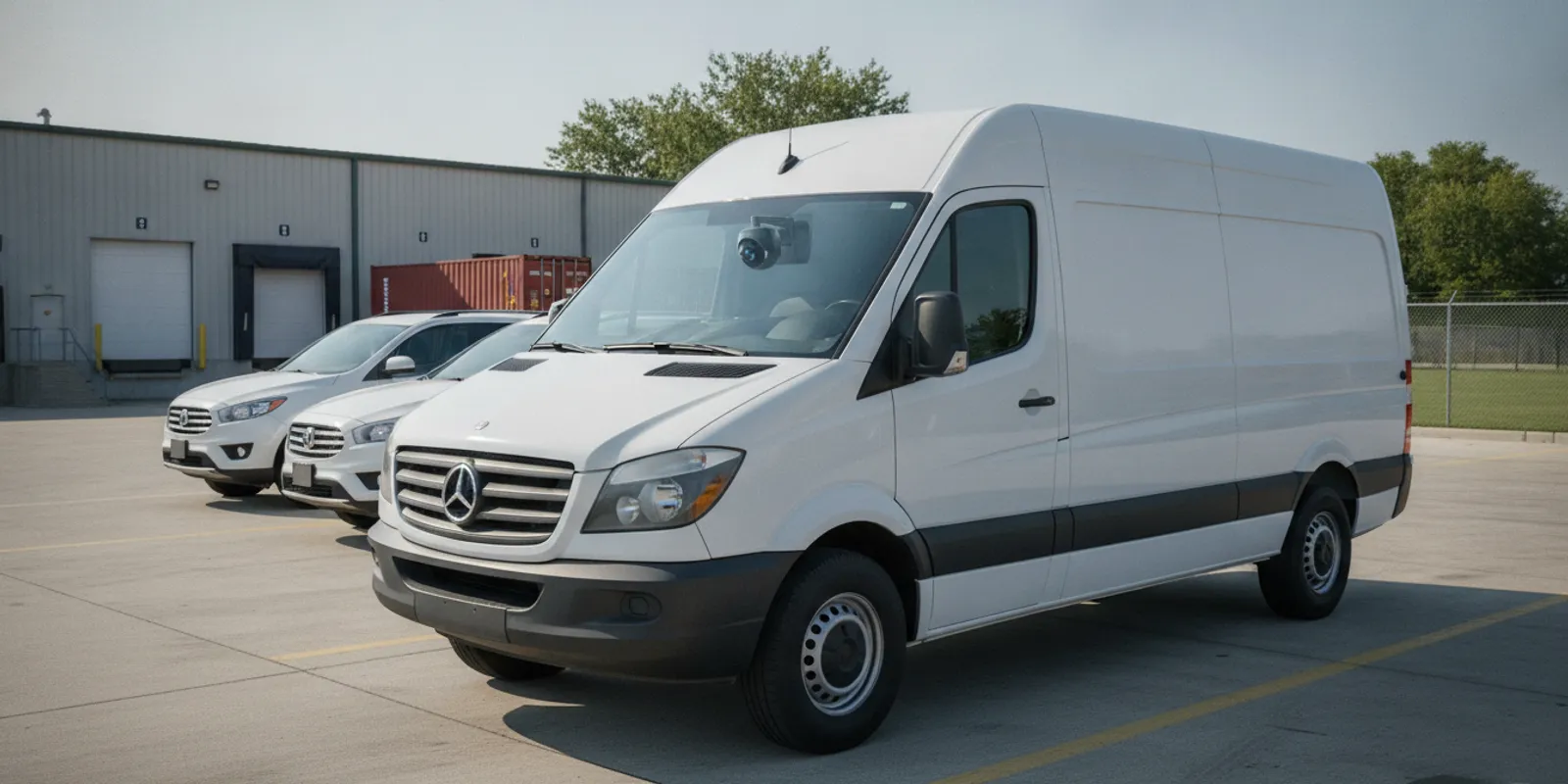
Fleet cameras can give a Chicago-area business a clearer view of what happens on the road and around its vehicles. A service van in Ravenswood does not need the same views as a box truck running a Northwest Indiana route. A pickup crossing into southeast Wisconsin may need a different retrieval speed too. The right setup depends on the questions you need to answer, how quickly you need footage, and how you will manage it. This guide covers camera types, recording and access choices, installation, retention, and operational use so you can compare options before choosing a system.
Request your free security assessment now
What can fleet cameras help a Chicago business see?
A vehicle camera system records video from one or more views. Depending on the camera layout, that may include the road ahead, the cabin, a side area, or the space behind a vehicle. The purpose is to make relevant activity easier to review. That might follow a reported incident, a vehicle complaint, or a question about a delivery.
Chicago commercial and industrial fleets face a mix of tight streets, loading docks, and long highway runs. A forward-facing camera may help a supervisor review the events immediately around a reported collision on the Kennedy or a local arterial. A rear or side view may help document a maneuver in a tight yard in Elk Grove or Hammond. A cabin camera answers a different set of questions, and it also raises more sensitive privacy and access considerations. No single placement covers every angle.
Fleet cameras are most useful when they address a defined operational need. Before comparing models, write down the decisions video should support. A company may want to:
- Review a specific event involving a vehicle on a Chicago street or a regional highway.
- Understand what happened during loading, parking, or a yard maneuver.
- Give an authorized reviewer a consistent way to find and view recordings.
- Use a documented event review to improve procedures or coaching.
Video adds context. It does not replace safe driving, supervision, or maintenance. The camera’s field of view, lighting, lens position, storage condition, and the moment recording begins all affect what a reviewer can see.
Define a successful review before buying. Suppose vans keep scraping a loading door in a Chicago industrial park. Decide whether you need a rear view, a fixed camera on the dock, or both. If the concern is a road incident, decide how quickly a supervisor must retrieve the clip and whether it needs to be preserved. Concrete local scenarios keep proposals easier to compare.
Which fleet camera views should you compare?
Start with the view that matches the business question. A forward-facing camera is a common starting point for road events. Additional cameras can cover other areas, but each adds equipment, installation decisions, recording volume, and footage that someone may need to review.
- Forward-facing: Records a view through the windshield. Confirm the lens can capture the intended area without being blocked by vehicle equipment or placed where it interferes with the driver’s view.
- Cabin-facing: Records inside the vehicle. Consider who may appear, why this view is needed, who can review it, and how drivers in Illinois and neighboring states will be informed.
- Rear-facing: May help document activity behind the vehicle. Check whether the goal is road context, reversing into a dock, or another use, because those needs can call for different placement.
- Side or multi-camera coverage: Can add views around a vehicle when a single forward view is not enough. Confirm which cameras record continuously and whether they can be reviewed as one event.
Do not treat a higher camera count as automatically better. More views mean more video to store and manage. Map the important positions on each vehicle type. A city service van, a pickup, and a heavy truck may have different windshield shapes, blind areas, power options, and mounting constraints.
Before adding a view, ask what question it will answer that the existing cameras cannot. If a side camera is proposed for curbside deliveries, check its actual framing on a representative vehicle rather than a generic diagram. If the camera will face the cabin, explain its purpose and handling rules to the people who may be recorded. A short vehicle-by-vehicle sketch shows where one standard layout works and where a different mount is needed.
For a vehicle lot, loading area, or building entrance, a separate site camera system may cover gaps that vehicle cameras cannot cover while parked. InVision Systems describes its business security camera systems for Chicago premises. The two types of coverage can work together, but they solve different visibility problems. Vehicle cameras travel with the fleet. Site cameras stay with the building.
How should you choose recording and footage access?
A camera’s recording and retrieval method affects how useful it is after an event. Some systems rely primarily on storage in the vehicle. Others transmit footage through a network or provide cloud-based access. A design may also combine local recording with remote access. Ask what happens when a vehicle is outside network coverage, when power is interrupted, or when a recording needs to be preserved.
| Approach | What to ask | Potential fit |
|---|---|---|
| Local vehicle storage | How is footage retrieved, protected, and retained if a device is damaged or removed? | Operations that can retrieve video after a vehicle returns to a Chicago-area depot |
| Remote or cloud access | What connection is needed, who can log in, and when is video available? | Teams that need authorized access while a truck is still on a regional route |
| Hybrid recording | Which footage stays on the vehicle, which is transmitted, and what happens during a connection loss? | Buyers balancing local recording with selected remote access |
These labels do not guarantee a particular feature. Capabilities differ by system and configuration. Ask a provider to demonstrate the actual retrieval workflow, not just describe an app or dashboard. Have them show how an authorized employee locates a vehicle, selects a time or event, plays the footage, and exports or preserves it.
Connectivity is another point to clarify. Live viewing and remote retrieval generally depend on a suitable connection and system configuration. A camera that records locally may still capture video when an online connection is unavailable, but remote access may wait until the vehicle reconnects. Confirm how a vendor handles outages, data use, alerts, account security, and any recurring service arrangements.
Walk through a realistic retrieval test before you buy. Use a shift that ends while the vehicle is still between Chicago and a Northwest Indiana stop.
- Name the vehicle and time. Ask whether an authorized manager can identify the unit and the reported minute without calling the driver first.
- Check the network need. Confirm what connection is required to open the clip while the vehicle is still on the road.
- Protect the original. Confirm the original recording stays intact while a copy is reviewed or exported.
- Test the offline case. If the vehicle cannot transmit, learn when the clip becomes available after it returns and who retrieves it.
- Match the urgency. Compare that timeline with how fast the business actually needs an answer after an incident.
If the offline answer is “tomorrow morning at the yard,” do not buy the system for same-shift decisions. Location data and video are different kinds of information, and one does not automatically provide the other. This guide covers vehicle video only. If the business also needs to locate vehicles or review routes, treat that as a separate requirement. Give it its own purpose, access rules, and vendor questions. Do not assume a camera proposal includes location history.
What should you plan for installation?
Installation should account for the vehicle, the camera view, power, and the people who will use the system. A setup that works on one van may not transfer neatly to every vehicle in a mixed Chicago-area fleet. Before installation, inventory vehicle makes and types, the number of units, their normal routes, and where they are parked or serviced.
InVision Systems designs and installs customized security systems for commercial and industrial customers, with a client retention rate of over 95 percent. For a fleet camera project, that work starts with the vehicles and the questions the video must answer, not a generic package.
- Define the use case. Identify the event or task the system is meant to document. Keep the scope specific enough to guide camera placement and access rules.
- Review each vehicle. Check windshield layout, obstructions, interior trim, available power, and the intended mounting position. Note variations between models.
- Choose views and recording behavior. Specify which cameras record, when recording starts and stops, and whether any event-based recording or alerts are needed.
- Plan data handling. Decide who can find, view, download, and preserve footage. Identify how a request or incident review will be recorded internally.
- Test before broad deployment. Review sample footage in daylight and, where relevant, at night. Check framing, vibration, glare, and whether the recording can be retrieved as expected.
- Train users and set a review process. Give authorized staff clear instructions. Explain how to report an event, preserve relevant video, and escalate technical problems.
Mounting and wiring need care. A poorly positioned camera can be obstructed or capture an unhelpful view. Improvised wiring can create avoidable service problems. Ask who installs the cameras and who checks the setup. Also ask how changes are handled when a vehicle is repaired, replaced, or reassigned.
A small pilot can uncover issues before a fleet-wide rollout. Choose representative vehicles, including a different body style if one exists. Review footage at the times and places that matter, such as an early dock arrival or a dusk highway return. Have the employees who will retrieve clips complete a practice search, and note where instructions are unclear.
Record the adjustments so the next installation uses the lesson instead of repeating the trial. Plan for the vehicle lifecycle, too. A unit may be serviced, loaned, sold, or reassigned. Decide who checks camera operation after maintenance and how stored media and account access are handled when a vehicle leaves the fleet.
For businesses that need a broader site design alongside vehicles, compare the requirements with the company’s commercial security solutions or its industrial security systems. A facility and its vehicles have distinct coverage needs. Planning both together shows where one system ends and the other begins. Industrial buyers such as manufacturers and door plants in the region often need both a yard view and a view that travels with the truck.
How long should fleet camera footage be kept?
There is no single retention period that fits every organization or purpose. The practical period depends on how recordings are used, available storage, system settings, and the organization’s policies and applicable obligations. Decide the period before deployment. Otherwise routine footage may already be overwritten, or large volumes may be kept without a defined purpose.
Write down a simple retention plan that answers these questions:
- How long is routine footage retained before it is overwritten or deleted?
- Who can request that a relevant recording be preserved?
- How is a clip identified by vehicle, date, time, or event?
- Where is a preserved copy stored, and who can access it?
- When and how is a preserved copy reviewed for deletion?
Set a clear process for incidents. A supervisor should know how to stop routine deletion for relevant footage. They should document why it was preserved and limit access to people with a legitimate role. Keep preservation separate from routine retention so an important clip is not lost because a standard overwrite period passed.
Also consider whether audio or cabin footage is collected. These recordings can be more sensitive than an exterior road view. Establish a written purpose, notice, access controls, and retention rules that fit the organization. Requirements can differ by jurisdiction and situation, so consult qualified legal or compliance advice for workplace monitoring and privacy questions.
Make the retention rule operational rather than leaving it as a policy statement. Name the role that receives incident reports, the information needed to locate a clip, and the method for flagging it before routine overwrite.
For example, a report might identify vehicle number, shift, approximate time, and the reason for preservation. A periodic check can confirm that routine deletion works as configured and that preserved files are not kept indefinitely without review. Chicago-area operators with vehicles in more than one state should confirm that one retention rule still fits every place those vehicles operate.
How can a business use footage responsibly?
Reliable use depends on more than the camera. Employees need to know the system’s purpose and how it is used. Access should be limited to authorized roles, with individual accounts where supported and a process for removing access when responsibilities change. Avoid sharing clips through informal channels when a controlled, documented method is available.
Make event review consistent. For each review, record the vehicle, approximate time, reason for access, reviewer, and any action taken. Keep conclusions tied to what the recording actually shows. Video may lack context outside the camera’s view. Poor lighting, weather, obstruction, or a wrong time setting can limit interpretation.
Use findings to improve operations, not to assume every issue has a simple video answer. A review may reveal a need to revisit a route, a parking procedure, a loading practice, driver coaching, or vehicle maintenance. Set expectations for respectful, proportionate use and give employees a channel to ask questions or raise concerns.
For commercial motor carriers, camera planning should sit alongside broader safety procedures. The Federal Motor Carrier Safety Administration provides federal motor-carrier safety information. Check current guidance that applies to your operation, and consult appropriate professionals when interpreting obligations. A camera system alone does not establish compliance.
A written review checklist can help two managers handle similar reports in a similar way. It might ask whether the clip covers the relevant time and whether the clock looks accurate. It should also ask whether the view is obstructed and what remains outside the frame.
Separate what you can see from why you think it happened. “The vehicle stopped before the turn” describes visible footage. A claim about why someone acted may need context the recording does not contain. That distinction supports fairer operational decisions for local fleets and for drivers who cross into Indiana or Wisconsin on the same shift.
What should you compare before choosing a system?
Use a consistent checklist when you compare systems or proposals. This makes it easier to distinguish the equipment from the services, data practices, and ongoing work needed to keep the system useful.
- Coverage: Which views are included for each vehicle type, and what remains outside the frame?
- Recording: Is recording continuous, event-triggered, or configurable? What happens when vehicle power or connectivity is interrupted?
- Retrieval: How do authorized users find and view a clip? Is access available only after a vehicle returns, or can it be remote?
- Storage: Where is video kept, how long is routine footage retained, and what can be preserved?
- Security: How are accounts, permissions, system updates, and exported video handled?
- Installation: Who installs and tests the equipment, and how are vehicle variations addressed?
- Support: Who handles troubleshooting, configuration changes, and replacement when a vehicle changes?
- Full cost: Ask for a written breakdown of equipment, installation, connectivity or hosting, storage, and support. Costs depend on scope. Do not compare only the camera price.
A proposal should be specific about assumptions. It should identify the number and type of vehicles, camera views, recording approach, access method, storage expectations, installation responsibilities, and exclusions. If a proposal uses broad terms such as “remote access” or “AI alerts,” ask for a demonstration and the conditions required for those capabilities.
Assign one person to score each proposal against the same written requirements. Mark each item as included, optional, dependent on another service, or not specified. That comparison keeps a feature name from hiding a missing detail, such as whether footage can be retrieved after a vehicle returns from a route. Ask follow-up questions in writing and keep the responses with the proposal.
InVision Systems, based in Chicago and licensed as Alarm Agency Lic #127.001456, uses a consultation and custom design process for security projects. A buyer exploring vehicle video can discuss the intended application and which services are relevant. For ongoing and hosted video needs, review the company’s cloud-based services as a separate consideration, and confirm what applies to the specific proposed system. Virtual guarding and fixed-site cameras remain different services from cameras mounted on the vehicles themselves.
Schedule your free security assessment today
Frequently asked questions about fleet cameras
Do fleet cameras record all the time?
It depends on the system configuration. Some systems can record continuously, while others may use event-based recording or different settings. Ask what is recorded, when recording begins and ends, and how long video remains available.
Can managers watch a live feed from every vehicle?
Do not assume so. Live viewing depends on the equipment, configuration, connectivity, permissions, and service plan. Ask a provider to demonstrate whether live viewing is supported, what connection it needs, and what happens when a vehicle is offline.
Are fleet cameras the same as location tracking?
No. Cameras provide video from selected views. Location history is a different kind of information and is outside the scope of this guide. Define the purpose and access rules for video on its own, and do not assume a camera system includes vehicle location.
How many cameras does each vehicle need?
There is no universal number. Start with the event or area you need to document, then select views that address that need. More cameras can add coverage, but they also increase installation and footage management requirements.
Can one layout serve a mixed Chicago-area fleet?
Often no. A city service van, a dock truck, and a highway tractor can need different mounts and views. Pilot the layout on each body style before you roll it out across the fleet.
Make the camera plan fit the fleet
A practical fleet camera plan begins with a clear purpose, not a feature list. Match camera views to the vehicles and questions at hand, including the Chicago streets, regional highways, and yards those vehicles actually use. Decide how footage will be recorded and retrieved, and establish access and retention rules before rollout. Test the installation and review process with real examples, then adjust the system as vehicles and business needs change.
When the equipment, policies, and day-to-day workflow work together, camera footage becomes a useful record instead of another unread archive. InVision Systems can help Chicago-area commercial and industrial buyers sort vehicle video from fixed-site cameras and decide which questions each system should answer.