
Healthcare Facility Security Systems: A Practical Guide
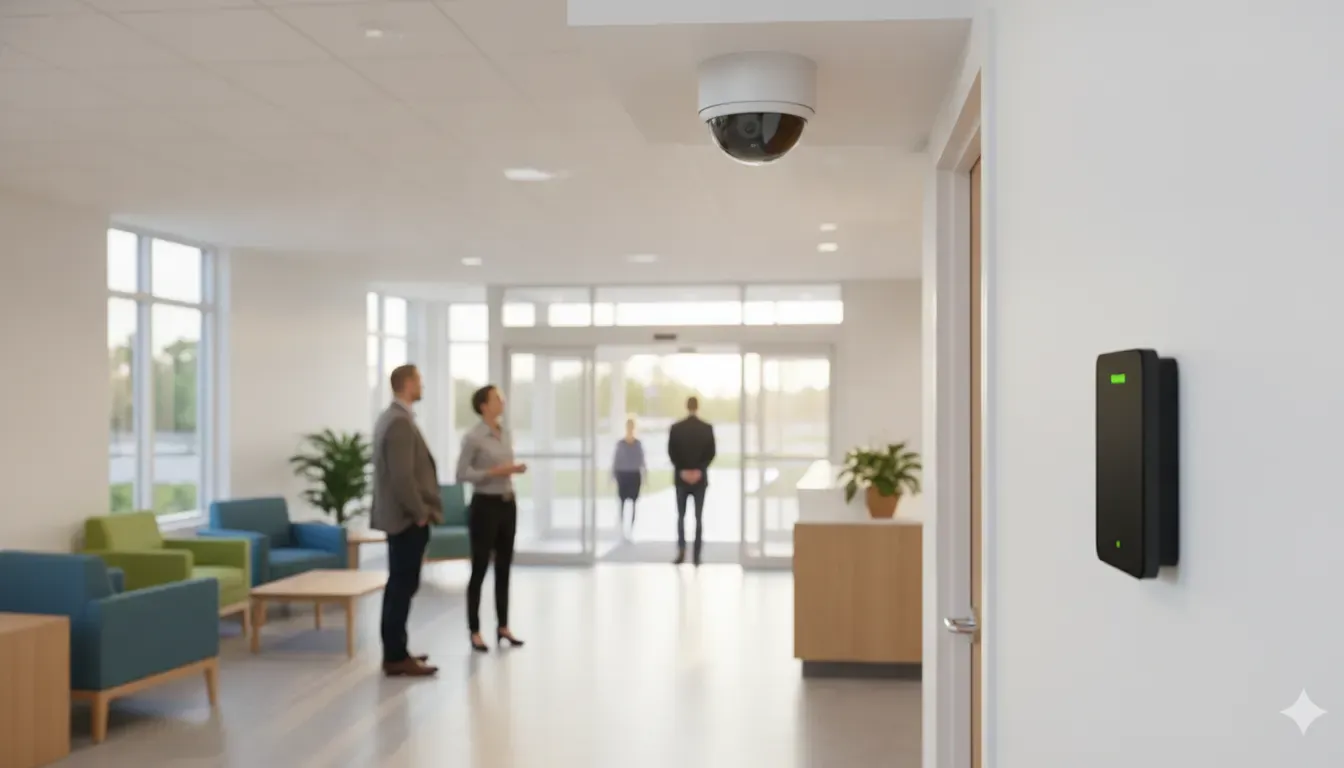
Healthcare facility security systems must protect patients, staff, visitors, equipment, and sensitive areas without making care feel intimidating. The right plan connects entry control, visitor flow, cameras, alarms, communications, and after-hours response to the way a clinic, medical office, assisted-living community, or larger care facility actually operates.
Request a free on-site security assessment
What Are Healthcare Facility Security Systems?
Healthcare facility security systems are coordinated layers of video surveillance, access control, alarms, visitor communication, monitoring, and operating procedures tailored to a care environment. They help teams see what is happening, limit entry to restricted areas, verify events, document incidents, and support a calm, patient-centered experience.
A system should be designed around the facility rather than selected as a standard package. A small medical office may need reception-controlled entry, staff-only credentials, cameras at public approaches, and an after-hours alarm. An assisted-living community may need a different balance of common-area visibility, controlled exits, resident safety procedures, and staff duress communication. A hospital or multi-building campus may require many access zones, centralized video, emergency communication, and coordinated response procedures. Learn more about access control systems when entry permissions are part of the plan.
The objective is not to place a camera or reader on every surface. It is to connect the right controls to the risks, workflows, and privacy expectations of each space.
What Security Systems Does a Healthcare Facility Need?
A practical healthcare security plan usually combines five core system categories: video surveillance, access control, alarms, visitor and emergency communication, and monitoring or remote response. The appropriate mix depends on the building, patient or resident population, restricted areas, operating hours, existing equipment, and response plan.
| System layer | What it supports | Planning questions |
|---|---|---|
| Video surveillance | Live visibility, event review, and documented evidence in lawful common areas | Which approaches, corridors, parking areas, and service routes need useful coverage? |
| Access control | Role-based entry for staff-only and sensitive spaces | Who needs access, at what times, and how quickly can credentials be changed? |
| Intrusion, panic, and duress alarms | Alerts for unauthorized entry or urgent staff situations | Who receives each event, and what is the response sequence? |
| Intercom and visitor management | Controlled entry, reception communication, delivery handling, and emergency messaging | How can the facility welcome visitors while keeping restricted doors controlled? |
| Monitoring and remote response | Event verification, escalation, and after-hours awareness | Which events need local action, remote review, or escalation to an approved contact? |
Integration is valuable when it reduces confusion. For example, an access event can help an authorized reviewer understand video activity at a staff entrance, while an alarm can direct attention to a specific zone. Integration should be tested with the people who will use it, not treated as complete merely because devices appear in the same dashboard.
How Should Security Planning Change by Facility Type?
Facility type changes the security priorities, acceptable visitor experience, and response workflow. A clinic prioritizes a clear front-door process and staff-only access. Assisted living adds resident safety and routine movement considerations. A hospital or larger campus may need multiple zones, higher traffic capacity, and centralized coordination across buildings.
Healthcare offices and outpatient clinics
Start with the public entrance, reception desk, staff entrance, medication or supply storage, records and technology areas, parking approaches, and any side or rear doors. Visitor procedures should be simple enough for patients and families to follow. Staff credentials should be separated from visitor access, and after-hours doors should match the actual schedule.
Camera placement should emphasize entrances, reception approaches, exterior doors, parking, and other lawful common areas where an incident can be reviewed without unnecessarily intruding on private care. A small footprint does not remove the need to document who receives alarms and what happens when the office is closed.
Assisted-living and senior-care environments
Care communities need a security approach that supports dignity and independence while addressing access, resident movement, visitors, deliveries, and staff safety. Begin by mapping common areas, entrances, exits, elevators, service corridors, and spaces that require staff oversight. Any controlled-door strategy should be reviewed against resident needs, emergency egress, accessibility, and facility policy.
Use clear procedures for visitor entry, temporary credentials, lost badges, contractor access, and after-hours deliveries. Cameras should support common-area awareness and incident review, not replace resident-care practices or staff judgment.
Hospitals, laboratories, and larger care campuses
Larger facilities often need a zone-based design. Public lobbies, emergency entrances, pharmacies, laboratories, records areas, loading zones, parking, staff corridors, and network rooms may each require a different combination of cameras, credentials, alarms, communication, and response ownership.
Plan for continuity. A design review should address network and power dependencies, local recording or cloud options, system failover, maintenance access, and how staff will operate during an outage or renovation. An expandable architecture can also help a facility add doors or buildings without rebuilding the entire program.
How Does Access Control Protect Patients, Staff, and Assets?
Access control limits and records entry by person, role, time, and zone. In a healthcare setting, it can separate public, staff, vendor, and emergency access while supporting restricted areas such as pharmacies, laboratories, records rooms, storage, server rooms, and staff-only corridors. It should support care workflows and emergency egress, not create avoidable barriers.
- Map door groups: Separate public entries, staff entries, sensitive rooms, service doors, and emergency routes.
- Use least-privilege permissions: Give each role only the access needed for its responsibilities and schedule.
- Control temporary access: Define how visitors, vendors, contractors, and temporary staff are issued and removed from the system.
- Review events: Retain access logs according to the facility’s documented policy and make them available to authorized reviewers.
- Plan exceptions: Document lost credentials, tailgating concerns, emergency unlock procedures, and access during network downtime.
- Coordinate with cameras: Where appropriate, use video and access events together to make incident review more useful.
The credential lifecycle matters as much as the reader. A facility should know who approves access, who changes it, who reviews exceptions, and how quickly access is removed when a role changes. Ask the integrator to demonstrate these workflows before installation is considered complete.
Where Should Cameras Be Placed in a Healthcare Facility?
Camera placement should follow a documented risk and privacy review. Start with entrances, reception approaches, exterior doors, parking and service areas, loading routes, corridors, and other lawful common areas where visibility or incident documentation matters. Avoid private care spaces by default, and control who can view, export, and retain footage.
A useful camera plan answers four questions for every proposed view:
- What event or condition is the view intended to document? Define the purpose before selecting a camera.
- What scene must be visible? Consider faces at an entry, vehicle approaches, door activity, packages, or movement through a corridor.
- What lighting and environmental conditions affect the image? Account for glare, shadows, low light, weather, ceiling height, and mounting position.
- Who may access the footage and for how long? Set permissions, export controls, retention rules, and review procedures with the facility’s privacy and security leads.
Do not assume the highest resolution is always the best answer. A camera must be aimed, lit, maintained, and stored in a way that makes its footage useful. A well-positioned camera at a controlled entrance can be more valuable than a higher-resolution camera pointed at glare or an obstructed view.
Analytics may help prioritize attention, but an alert is not a finding. If analytics are used, define human review, alert escalation, testing, false-alert handling, and appropriate-use limits. Facial or vehicle-identification features require additional legal, privacy, and governance review before adoption.
How Should Alarms, Intercoms, and Monitoring Work Together?
Alarms, intercoms, and monitoring become more useful when every event has a clear owner and next step. A door alarm, panic signal, video event, or visitor call should identify the affected zone, provide enough context for verification, and route to the people or service responsible for response during and after operating hours. Review how Virtual Guarding may fit into an after-hours response plan when remote human verification is appropriate.
Ask the design team to document:
- Which doors, rooms, equipment areas, and perimeter points receive alarm coverage.
- How reception staff, clinical leaders, facilities teams, and security contacts are notified.
- When video verification or remote review is appropriate.
- How a visitor or delivery is communicated with before a controlled door is released.
- What happens if the network, power, camera, alarm communicator, or cloud service is unavailable.
- How events are documented, reviewed, and used to improve procedures.
InVision Systems documents capabilities that can support this layered approach, including security cameras, access control, burglar alarms, cloud services, and Virtual Guarding. Its Virtual Guarding offering uses camera analytics, remote human verification, and live audio intervention through on-site speakers where the design calls for those functions. Availability, configuration, and response responsibilities should be confirmed for the specific facility.
How Do Privacy and Healthcare Safeguards Shape System Design?
Privacy should be part of the design brief, not a cleanup step after installation. Camera views, access permissions, retention, exports, remote access, signage, and visitor procedures should be reviewed by the facility’s privacy, compliance, legal, and security stakeholders. Security technology can support safeguards, but installing a system does not by itself establish regulatory compliance.
The U.S. Department of Health and Human Services describes the HIPAA Privacy Rule and HIPAA Security Rule as separate requirements with different purposes. A facility should ask its qualified privacy or compliance lead how those requirements apply to its own operations, systems, policies, and vendors.
Use the following design questions as a starting point:
- Are cameras limited to a documented purpose and appropriate common-area locations?
- Are views of exam rooms, treatment spaces, restrooms, sleeping areas, and changing areas excluded unless a qualified review establishes a specific lawful need?
- Are user roles, exports, remote logins, and audit records limited to authorized personnel?
- Are storage, transmission, backups, retention, and deletion decisions documented?
- Are connected cameras, panels, intercoms, and cloud services inventoried, patched, segmented, and monitored by the responsible technology team?
- Do staff know how to report a privacy concern, lost credential, suspicious event, or system outage?
Do not use a vendor’s broad compliance language as a substitute for facility-specific review. The security integrator can explain system functions and implementation options, while the facility’s qualified leaders determine applicable policy and regulatory requirements.
What Does a Healthcare Security Assessment Include?
A healthcare security assessment turns a broad concern into a prioritized plan. It should document the facility’s layout, people and visitor movement, restricted areas, assets, operating hours, existing equipment, privacy boundaries, network and power conditions, response contacts, and maintenance capacity before anyone finalizes a device list.
- Walk the property: Map public entrances, staff doors, service routes, parking, loading, corridors, restricted rooms, and emergency exits.
- Trace movement: Follow patients, residents, staff, visitors, vendors, deliveries, and after-hours personnel through the spaces they actually use.
- Identify exposure: Note blind spots, unsecured doors, poor lighting, sensitive assets, unclear ownership, and changes between occupied and closed conditions.
- Define response: Assign alarm recipients, verification steps, escalation contacts, documentation duties, and outage procedures.
- Set privacy rules: Mark camera exclusions, role-based access, retention expectations, export controls, signage needs, and review ownership.
- Design the layers: Match cameras, access control, alarms, intercoms, wiring, storage, monitoring, and support to the findings.
- Test and train: Demonstrate normal, after-hours, emergency, credential-change, and system-outage scenarios with the people who will use the system.
InVision Systems describes a four-stage delivery model of assessment, custom design and planning, professional installation, then training and support. The company also reports experience across commercial, industrial, and residential environments, plus a documented healthcare client reference for Home Healthcare Solutions. Healthcare-specific scope, integrations, and outcomes should be confirmed during the assessment rather than assumed.
How Much Do Healthcare Facility Security Systems Cost?
There is no responsible universal price for healthcare facility security systems. The estimate depends on the facility’s size, cameras, doors, alarm zones, intercom points, cabling, network and power work, storage, user count, integrations, monitoring, and maintenance. It also depends on whether the project is new construction, a retrofit, or a phased expansion.
When reviewing a proposal, separate one-time and ongoing costs. One-time work may include assessment, design, equipment, wiring, mounting, configuration, testing, and training. Ongoing costs may include cloud storage, software or service licenses, monitoring, maintenance, support, replacement planning, and future additions. Ask what is included, what is optional, and what assumptions could change the scope.
A site-specific assessment is more useful than a per-camera estimate because a camera count alone does not describe door permissions, privacy controls, network readiness, recording needs, alarm response, or staff training. Request a written scope that connects each recommended layer to a documented facility need.
What Questions Should You Ask a Security System Integrator?
Choose a security integrator that can explain the design, installation, integration, training, support, and ownership model in plain language. The strongest proposal should show how the system fits the facility’s workflows and privacy requirements, not simply list equipment. Ask for assumptions, exclusions, test procedures, and the people responsible after installation.
- How will you assess patient, resident, staff, visitor, asset, and after-hours risks before recommending equipment?
- How will the design protect privacy while preserving useful coverage in lawful common areas?
- Which existing cameras, alarms, access readers, networks, or intercoms can be retained, and what compatibility testing is required?
- How are user permissions, temporary credentials, audit logs, exports, retention, and remote access managed?
- What happens when an alarm, camera event, door event, or intercom call occurs outside normal hours?
- What network, power, storage, failover, cybersecurity, and maintenance responsibilities belong to the facility?
- How will staff be trained, and how will emergency and outage procedures be tested?
- What support, service documentation, upgrade path, and ownership information will be provided after installation?
InVision Systems is a Chicago-founded integrator established in 2002. The company reports more than 95% client retention and emphasizes custom design, professional installation, training, and ongoing support. Its documented process considers site factors such as lighting, ceiling height, layout, and vulnerability points. These are useful criteria to discuss with any integrator, and each claim or proposed capability should be confirmed for the facility in question.
Schedule your free healthcare security assessment today
Frequently Asked Questions
Do hospitals and clinics have security systems?
Yes. Hospitals, clinics, medical offices, assisted-living communities, and other care facilities may use layered security that includes cameras, access control, alarms, intercoms, visitor procedures, monitoring, and documented response workflows. The scale should match the facility’s layout, operating hours, risks, privacy requirements, and available staff.
What are the five core healthcare security systems?
The five core layers are video surveillance, access control, intrusion or duress alarms, visitor and emergency communication, and monitoring or remote response. Fire and life-safety systems may also need coordination, but their requirements should be evaluated separately by qualified facility professionals.
How can security cameras protect patient privacy?
Use purpose-driven placement, avoid private care areas by default, restrict viewing and export permissions, document retention and deletion, and review remote access and signage policies. A facility’s qualified privacy, compliance, and legal leaders should determine how applicable requirements affect its cameras and recorded information.
Can an existing healthcare security system be upgraded?
Often, an upgrade can reuse some cameras, cabling, readers, alarms, or network infrastructure, but compatibility and condition must be checked. A professional assessment should identify what can remain, what needs replacement, how systems will integrate, and how the facility can continue operating during the work.
What is the best security system for a healthcare facility?
The best system is the one that fits the facility’s actual risks, people flow, restricted areas, privacy rules, operating schedule, technology environment, and response capability. A custom design with clear ownership, training, support, and testing is more useful than a generic package chosen without a site assessment.