
Security Camera Resolution 1080p vs 4K Guide
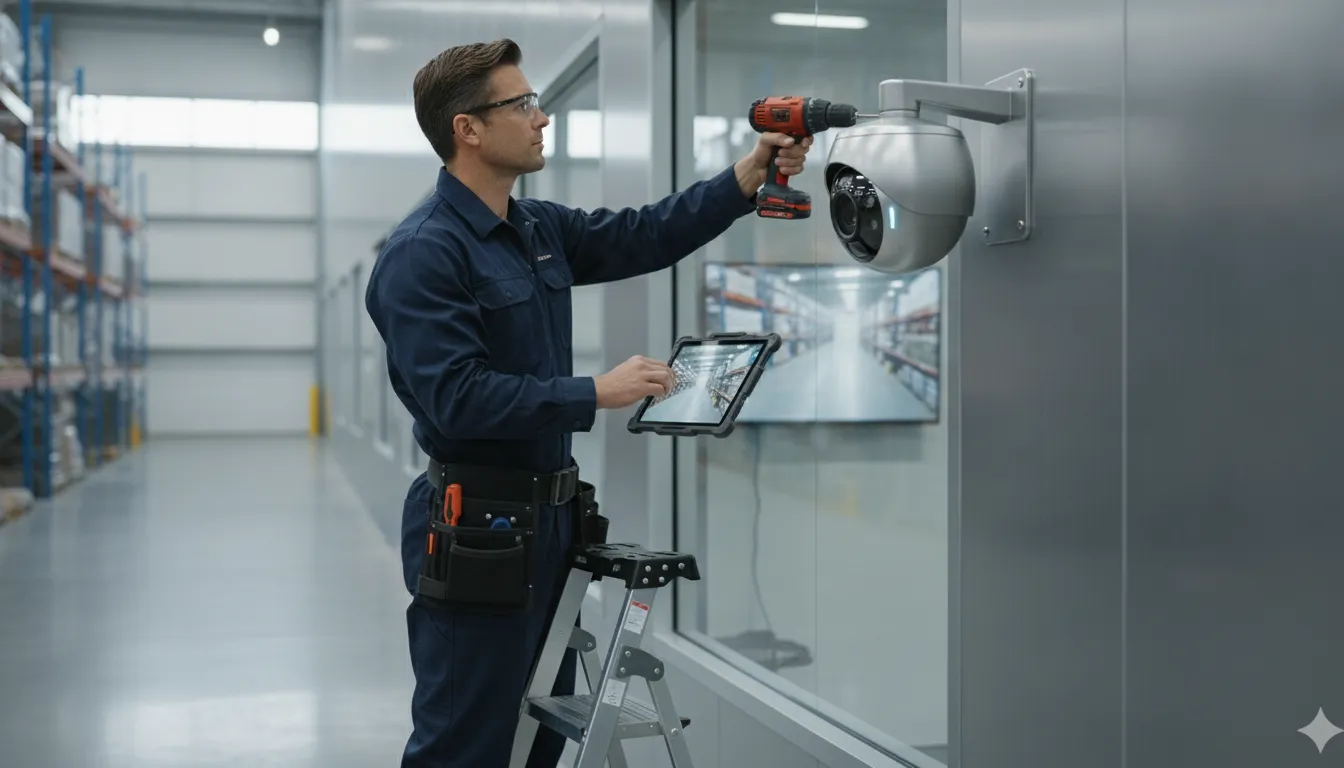
Choosing a commercial security camera is not simply a contest between the biggest numbers on a product sheet. A loading dock, parking lot, warehouse aisle, and office entrance each demand a different level of detail, viewing distance, and coverage.
The right security camera resolution 1080p vs 4k choice depends on what you need the video to prove. 1080p can provide cost-effective monitoring and detection with lower network demands, while 4K offers more detail for wide scenes, digital zoom, faces, or license plates. However, lens quality, lighting, sensor performance, and camera placement can matter just as much as resolution.
Overspending on 4K everywhere can increase storage and bandwidth requirements without improving the footage that matters most. A better approach starts by defining the business outcome for each camera, then matching the image detail to the scene. That requires understanding what resolution measures and how it affects usable video.
Get a free security camera resolution assessment today
What Security Camera Resolution Actually Means
Resolution describes how much visual information a camera captures. It is measured in pixels, the small points that form a digital image. More pixels can preserve more detail when you review footage, but the practical value depends on what you need the camera to do. A camera used to observe activity across a warehouse does not have the same requirement as one aimed at a doorway where you may need to identify a person.
The distinction matters because video quality should match the security objective for each location. The National Institute of Standards and Technology separates general monitoring, detection, recognition, and identification into different levels of video discrimination. Identification means confirming a known individual with high confidence, while detection may only require showing that movement or an event occurred.
What 1080p captures
1080p, also called Full HD, produces an image that is 1,920 pixels wide by 1,080 pixels tall. That equals roughly 2.1 megapixels. For many general surveillance views, this provides a practical balance of usable detail, storage, and cost. It can be a strong fit for an interior hallway, a small office. Or another scene where the camera is relatively close to the activity and the goal is dependable monitoring.
What 4K adds
4K, or Ultra HD, measures 3,840 by 2,160 pixels, or approximately 8.3 megapixels. That is about four times the pixel data of 1080p. The additional information can preserve more detail across a broad scene and give investigators a better result when digitally cropping footage after an incident. In practice, 4K can help when a single camera must cover a large area or when faces and license plates may appear at a distance. The benefit is meaningful only when the camera is positioned correctly and the lighting supports a usable image.
Those numbers describe the image at the camera, not necessarily the detail available at every point in the scene. A useful planning concept is pixels per foot: how many pixels cover the specific target at its expected distance. As a person moves farther from the lens, the same face occupies fewer pixels. A 4K camera may therefore outperform 1080p across a wide loading dock, while a well-placed 1080p camera may provide sufficient detail at a nearby entrance. Lens selection, sensor quality, field of view, lighting, and placement all influence the result, so resolution should be selected as part of a complete system design.
Explore professional security camera system installation
Security Camera Resolution 1080p vs 4K at a Glance
| Consideration | 1080p | 4K |
|---|---|---|
| Pixel count | 1,920 x 1,080, about 2.1 megapixels | 3,840 x 2,160, about 8.3 megapixels |
| Detail level | Clear general coverage and detection | About four times the pixel detail |
| Storage need | Lower recording-data demand | Significantly higher demand for NVR storage |
| Bandwidth need | Easier to support on existing networks | Requires more network capacity and careful planning |
| Low-light performance | Some high-quality sensors perform better in dim conditions | May need stronger lighting and a well-designed sensor |
| Ideal use | General aisles, rooms, and nearby activity | Wide areas, entry points, loading docks, and detail at distance |
The practical difference is not simply that one image looks sharper. A 4K camera captures about four times the detail of 1080p. Which can make a meaningful difference when one camera must cover a broad warehouse floor, parking area, or loading zone. More pixels also give investigators greater flexibility during a digital crop. A properly positioned 4K image can retain useful clarity after zooming into a face. Vehicle, or other important area, while a comparable crop from 1080p may become less informative. See the guidance on choosing business security camera resolution for additional planning context.
That extra detail has operating costs. 4K footage creates substantially more data, so the system may require additional NVR capacity, retention planning, and network bandwidth. Compression can help, but it does not remove the need to design the system around its recording load. For a property with limited network capacity or a large number of cameras, 1080p may deliver dependable coverage without overbuilding the infrastructure.
Lighting is another important trade-off. Some high-quality 1080p sensors use larger pixels and can produce cleaner images in low light than certain 4K models. Finally, the display matters: viewing 4K footage on a 1080p monitor limits the visible benefit of the higher-resolution camera. The camera, lens, lighting, recorder, network, and monitor should be planned as one system, not selected by resolution alone. Resolution comparisons from Optiview reinforce these storage, display, and low-light considerations.
Detection vs Identification: Why Resolution Is Only Half the Story
The right camera depends on what you need the video to prove. Detection answers, “Is something happening here?” It may be enough to show that a person entered a restricted area. A vehicle stopped at a loading dock, or movement occurred after hours. Identification goes further: the image must provide enough detail to determine who or what the subject is. Recognition is the highest discrimination level, used when you need to confirm a known person with high confidence. The National Institute of Standards and Technology distinguishes these purposes because each requires a different level of usable detail.
That distinction matters when comparing security camera resolution 1080p vs 4k. A 4K camera can capture substantially more pixel data, but more pixels do not automatically produce an identifiable face or readable plate. The question is not simply how many pixels the camera creates. It is how many pixels reach the subject at the distance where the important event will occur.
Pixels per foot determine usable detail
Pixels per foot describes the pixel density across the area you are trying to examine. A camera may produce a sharp image near the lens while spreading those same pixels too thinly across a wide parking lot or warehouse aisle. In that situation, the video can detect movement but may not identify the person responsible. Research on surveillance image quality emphasizes that identification depends on the number of pixels available at the target distance, not resolution in isolation. Pixel density at the target area is a critical factor in identification.
Recognition generally demands even greater pixel density than basic detection. If the goal is to confirm a known employee, visitor, or subject. The camera must preserve meaningful facial features rather than only show a silhouette or general body shape. That is why an entry door, cash-handling point, or loading dock may need a tighter field of view than a camera used to monitor general movement.
Placement can make or break any resolution
Camera height, angle, distance, lens selection, lighting, infrared range, and sensor size all affect the result. A high-resolution camera pointed at the wrong angle, mounted too far away, or facing glare can be useless for identification. The NIST video-quality guidance identifies lens quality, infrared capability, and positioning as part of overall video usability. Sensor size also influences image quality, especially in low-light areas.
For that reason, 1080p can be sufficient for identification indoors when the camera is placed close enough and the scene is properly illuminated. Conversely, upgrading to 4K will not solve a poor mounting location. A site assessment should begin with the event or identity you need to establish, then work backward to the lens, placement, lighting, and pixel density required.
When Is 1080p the Right Choice?
For many commercial properties, 1080p is the practical starting point for a reliable video surveillance system. It provides enough detail for general area surveillance and event detection while keeping camera, storage, and infrastructure costs under control. That balance makes it a strong fit when the goal is to watch activity across a property rather than digitally zoom into a distant face or license plate.
1080p works well for aisles, entrances, hallways, parking areas, and other locations where the camera has a defined viewing distance and the business needs dependable awareness of movement. It is also less demanding on network infrastructure than 4K, which can make it easier to integrate with an existing commercial network, switches, and recording equipment. The lower data load can simplify planning in facilities with limited bandwidth or older infrastructure. Learn more about choosing business security camera resolution.
A sensible fit for general coverage
The right question is not whether 4K produces a sharper image. It does. The question is whether that additional detail changes the security outcome at a specific camera location. If a camera is monitoring general activity in an aisle or recording movement through a common area, 1080p may provide all the usable information a manager needs. A well-designed system can then reserve higher-resolution cameras for zones where distance, wide coverage, or identification makes extra detail valuable.
1080p can also meet necessary security compliance requirements for general surveillance at a lower overall cost, according to resolution guidance from Optiview. That does not mean every 1080p installation is automatically effective. The lens, lighting, angle, and target distance still matter. Video usability depends on the complete camera setup, not the resolution label alone. In fact. A properly placed 1080p camera can be sufficient for facial identification in an indoor setting when it is positioned close enough to provide the needed pixel density.
For businesses comparing security camera resolution 1080p vs 4k, 1080p is often the cost-effective workhorse: efficient for broad coverage, easier to support. And capable of strong results when the security objective and camera placement are properly matched.
When Does 4K Pay for Itself?
4K earns its place when a camera must do more than show that activity occurred. It is most valuable where the recorded image may need to answer a specific question later: Who entered through that door? Which vehicle used the loading dock? What was printed on a license plate? In these situations, extra pixels can become useful evidence rather than an expensive specification.
High-detail coverage is especially useful at main entrances, employee or visitor access points, cash registers, loading docks, drive lanes, and large parking lots. These areas often combine distance, movement, and business consequences. A camera may need to capture a face, recognize an object, or preserve enough detail for post-event review. According to the National Institute of Standards and Technology, the required level of video discrimination depends on the intended use, including monitoring, detection, identification, or recognition. That distinction should guide camera selection.
More detail at distance
A 4K image contains substantially more pixel data than a 1080p image. That gives an operator more usable detail when digitally zooming into a portion of the scene after an incident. A wide-angle camera can cover more ground while retaining detail farther from the lens, which is helpful in an expansive parking lot or warehouse approach. In some layouts, one carefully positioned 4K camera can cover a zone that would otherwise require several lower-resolution cameras. The result may be fewer devices to install and maintain, but only when the lens, angle, lighting, and target distance are planned correctly.
Better evidence for plates, faces, and analytics
License plate recognition benefits directly from additional pixel detail, particularly when plates are captured at a distance. High-resolution footage can also provide more feature detail for AI video analytics that detect or classify people and objects. At a cash register or entry point, that additional information can support a closer review of faces and actions. At a loading dock, it can help connect a person, vehicle, or package movement to a specific time.
4K is not automatically the right choice for every camera. Poor placement, inadequate lighting, or the wrong lens can undermine a high-resolution image. A professional assessment should determine which zones require identification and which only need general monitoring. For more planning guidance, see our guide to choosing business security camera resolution.
The Hidden Trade-offs: Storage, Bandwidth, and Low-Light Performance
More pixels can produce more useful evidence, but they also create more work for the rest of the system. A 4K camera generates substantially more video data than a 1080p camera, which increases both storage consumption and network bandwidth requirements. Before upgrading, confirm that the cameras, switches, cabling, internet connection, and recorder can support the added load. Otherwise, the system may deliver impressive specifications on paper while creating slow playback, dropped streams, or shorter-than-planned retention.
Compression is one of the practical tools that makes higher-resolution surveillance manageable. Modern standards such as H.265 can reduce the bandwidth required to transport and record video while preserving useful detail. Compression settings still need to be selected carefully, because aggressive compression can remove fine image information that matters during an investigation. Your installer should balance resolution, frame rate, image quality, and retention goals rather than treating 4K as an isolated camera specification. The Department of Homeland Security video-quality guidance emphasizes defining requirements around the intended use of each camera.
Low light can change the resolution decision
Resolution is not the same as image quality after sunset. Some 4K sensors use smaller pixels because more pixels are packed onto the sensor. Those smaller pixels may capture less light than the larger pixels in a high-quality 1080p sensor. So a well-designed 1080p camera can produce a cleaner nighttime image in the right conditions. This is a trade-off, not a universal rule. Sensor size and sensor quality are important contributors to low-light performance, alongside lens selection, infrared capability, shutter settings, and camera placement.
Lighting deserves special attention when selecting high-resolution cameras. 4K footage often needs better illumination to preserve usable detail, especially at entrances, loading areas, parking lots, and other locations where faces or license plates must be examined. Improving a light fixture or adjusting the camera angle may deliver more practical value than increasing resolution alone. Review the scene at the time when security incidents are most likely, not only during a bright daytime walkthrough.
Plan the viewing and storage environment
A 4K camera also needs a compatible viewing path. If operators view the footage on a 1080p monitor, they will not see the full clarity captured by the camera. The recorder, client software, and display should be evaluated together, because the viewing platform must match the camera output to deliver the expected benefit.
Finally, switching from 1080p to 4K requires deliberate NVR storage planning. Estimate the number of cameras, recording schedule, frame rate, compression, and desired retention period, then allow for future growth. Storage systems also need regular maintenance as high-resolution data accumulates. A periodic review can confirm that retention targets remain achievable, drives have adequate capacity, and network performance has not degraded. Planning these requirements before installation prevents an expensive upgrade from becoming a capacity problem.
How to Choose the Right Resolution for Your Business Without Overspending
- Define the security objective for each location. Start by deciding what the camera must accomplish, rather than selecting the highest available resolution. A back hallway may only need detection, while a main entrance, loading dock, or point of sale may require identification of a person or a readable license plate. The Department of Homeland Security recommends tailoring video quality requirements to the specific security objective of each camera location. Review the DHS guidance on defining video quality requirements before finalizing specifications.
- Measure the scene and target distance. Record the width of the area, the distance from the camera to the subject, the expected direction of travel, and the height and angle of the camera. These details help estimate pixels per foot at the point where evidence matters. A camera can have a high pixel count yet produce weak identification if the target occupies too little of the image. Measure the farthest doorway, vehicle lane, counter, or aisle that must be covered, not just the area directly below the camera.
- Mix resolutions by area instead of standardizing every camera. In a warehouse, 4K is often the better fit for loading docks and entry points, where distance and identification matter. 1080p can provide practical general aisle coverage when the objective is monitoring movement or detecting an event. This targeted approach follows the principle of matching camera capability to the area, rather than paying for 4K detail where it will not improve the result. InVision Systems explains this mixed-resolution approach in its guide to business security camera systems.
- Account for storage, bandwidth, and recorder capacity. Higher-resolution video creates larger data demands. Before choosing 4K, confirm that the network can carry the streams, the NVR has adequate capacity, and the retention period still meets your operational needs. Include lighting and sensor performance in this review, because more pixels do not compensate for an image that is poorly lit or affected by an unsuitable camera position.
- Use a professional site assessment to finalize the design. A security integrator can verify field of view, lighting, mounting height, target distance, recorder capacity, and the right resolution for each location. That assessment helps prevent both under-specification and unnecessary equipment costs. Schedule your free security assessment today to develop a practical camera plan for your business.
Talk to a security system specialist about camera resolution today
Frequently Asked Questions
Is 4K resolution better than 1080p for security cameras?
Not automatically. 4K captures more detail and can support clearer digital zoom, but it also requires more storage and bandwidth. A well-placed 1080p camera with a quality sensor may be the better choice in a dim area or for general activity monitoring. Select the resolution based on what the camera must prove, such as identifying a person, reading a plate, or detecting movement.
Does 4K improve facial or license plate identification?
It can, especially when the camera covers a large area or the subject is far away. The additional pixel detail gives investigators more usable information when reviewing a face or license plate. However, resolution cannot correct poor placement, glare, insufficient lighting, or an unsuitable lens. The camera must be aimed and configured for the target area.
How much more bandwidth and storage does 4K require?
4K commonly requires substantially more network capacity and recording storage than 1080p, with roughly four times the pixel data. The actual requirement depends on frame rate, compression, motion, retention period, and the number of cameras. Your recorder and network should be sized before installation, rather than adding high-resolution cameras first and discovering that retention or performance suffers.
When should a business choose 1080p instead of 4K?
1080p is often a practical choice for general coverage, interior aisles, and areas where detection matters more than detailed identification. It is also useful when lighting or network capacity limits the value of 4K. Many commercial properties get the best balance by using 4K at entry points, loading docks, cash-handling areas, or large outdoor zones, and 1080p for routine coverage.
Put the Right Resolution to Work at Your Property
Choosing between 1080p and 4K does not have to be a gamble on specs. The right answer comes from matching resolution to each camera’s job, the scene, and the evidence you may need later. Our team designs commercial security systems around your actual coverage and identification needs, so you never pay for detail that will not be used.
We serve industrial, commercial, and residential clients throughout Chicago and the surrounding areas. A licensed, professional assessment helps you identify exactly which zones need 4K detail and where 1080p will deliver dependable coverage at a reasonable cost.
Request your free security assessment now
Speak with an experienced security professional, get clear recommendations for every camera location, and build a plan that fits your budget and your coverage goals.