
What to Look For in Business Security Systems with Cameras
Your business isn’t a template, so your security solution shouldn’t be either. A retail store has completely different vulnerabilities than a large industrial warehouse or a quiet office park. Grabbing a generic kit off the shelf often leaves critical blind spots that can put your entire operation at risk. A custom-designed approach is the only way to ensure every angle is covered. This article breaks down the key considerations for choosing the right business security systems with cameras for your specific industry, from camera placement and video resolution to integrating access control, ensuring you get a tailored system that truly fits your needs.
Key Takeaways
- Build a Cohesive Security System: The most effective security comes from integrating your cameras with other tools like access control and alarms. A custom-designed system tailored to your property’s unique layout and risks provides comprehensive protection that standalone devices cannot match.
- Prioritize High-Impact Features: Focus on features that deliver real results, including high-resolution video for clear identification, smart analytics to minimize false alerts, and remote access to monitor your property from anywhere. These core functions are the foundation of a reliable system.
- Invest in Professional Installation and Support: A security system is a long-term investment, not a one-time purchase. Professional installation ensures correct camera placement and network security from the start, while ongoing maintenance keeps your system reliable and up-to-date.
What Is a Business Security System with Cameras?
Think of a business security system as a team of digital lookouts working together to protect your property. It’s not just one device, but a network of connected components like cameras, sensors, and alarms that create a complete safety net for your business. The goal is to deter potential threats, detect unauthorized activity, and provide clear evidence if an incident occurs. While older systems might have just sounded an alarm, modern solutions offer much more. They give you real-time insights, remote control, and a smarter way to keep your employees, assets, and customers safe.
A well-designed system acts as your eyes and ears when you can’t be there. High-definition security cameras are a core part of this, providing visual verification of events. But their true strength comes from how they connect with other security measures. When all the pieces work in harmony, you get a system that not only reacts to problems but can also help prevent them. This integration turns a collection of individual gadgets into a proactive security strategy tailored to your business’s specific needs.
Key Components of a Camera System
A modern business security system is built from a few essential parts that function as a cohesive unit. At the center, you have the cameras themselves, which capture video footage of key areas. But they don’t work alone. Door and window sensors act as the first line of defense, triggering an alert the moment a secured entry point is breached. Motion detectors add another layer, identifying movement in sensitive areas after hours.
All of this information flows into a central control panel or recorder, which is the brain of the operation. This is where you can manage settings and review footage. Finally, a mobile app gives you the power to arm or disarm the system, view live video feeds, and receive alerts directly on your phone, no matter where you are.
How Cameras Integrate with Your Other Security Measures
The real power of a security system is in how its components communicate. When your cameras are integrated with other security measures, they become much more effective. For instance, if a door sensor is tripped, the system can automatically direct the nearest camera to start recording and send you a real-time alert. This immediate visual confirmation helps you quickly determine if it’s a genuine threat or a false alarm.
This synergy extends to other tools like access control systems. You can sync your cameras to capture a snapshot every time an employee uses their keycard, creating a clear visual log of who enters and exits sensitive areas. Modern systems also use smart analytics to distinguish between people, vehicles, and other movements, which drastically reduces unnecessary notifications. Everything is managed from one platform, giving you a single, clear view of your business’s security.
What Features Should You Prioritize in a Business Security Camera System?
When you start looking at business security cameras, the sheer number of options can feel overwhelming. It’s easy to get lost in technical specs, but a handful of key features truly make a difference in protecting your property. Focusing on these priorities will help you build a system that doesn’t just record events, but actively helps you secure your business.
Think of your camera system as a tool. What job do you need it to do? Do you need to identify faces clearly from a distance? Do you want to reduce the number of false alarms you get on your phone? Or is your main goal to keep an eye on things while you’re away from the office? The right features will give you a system that’s reliable, easy to use, and tailored to your specific security needs. From video clarity to smart alerts and storage options, let’s walk through the features that matter most.
Why Video Resolution Matters
If you can’t make out important details in your security footage, your cameras aren’t doing their job. That’s why video resolution is at the top of the list. High-resolution cameras provide crisp, clear images, which are essential for identifying faces, reading license plates, or seeing exactly what happened during an incident. Grainy, pixelated video won’t be much help when you need it most.
For any professional setting, you should look for security cameras that offer at least 1080p HD video quality. This resolution ensures you capture detailed footage that can serve as useful evidence. For areas that require even more detail, like cash registers or large parking lots, upgrading to 4K resolution can provide an even clearer picture, leaving no room for doubt.
Smart Features: Motion Detection and Analytics
Modern security cameras are much more than simple recording devices. Thanks to artificial intelligence, they can now analyze video in real time. This allows for smart features like human and vehicle detection, which helps eliminate the frustration of false alarms caused by swaying trees or passing animals. Instead of getting a notification for every little movement, you’ll only be alerted to what actually matters.
These built-in video analytics can also automate your security. For example, you can set up alerts for when someone crosses a virtual line or loiters in a sensitive area after hours. This proactive approach is a core component of advanced services like virtual guarding, which can help stop an incident before it even happens.
Monitor from Anywhere with Remote Access
As a business owner, you can’t be on-site 24/7. Remote access gives you the peace of mind that comes with being able to check on your property from anywhere, at any time. With a modern security system, you can manage everything from a single app on your phone or computer. This allows you to watch live or recorded video, respond to alerts, and ensure your business is running smoothly, whether you’re at home or on vacation.
This feature is invaluable for day-to-day operations and critical during an emergency. If you receive an alert, you can immediately view the live feed to assess the situation and decide on the next steps. It puts control right in the palm of your hand, making your commercial security system a more active and useful tool.
Choosing Your Storage: Local vs. Cloud
Your security footage needs to be stored somewhere, and you generally have two options: local or cloud. Local storage means your video is saved on-site to a device like a Network Video Recorder (NVR). The main benefit is a one-time hardware cost without monthly fees. However, if the recorder is damaged or stolen during a break-in, you could lose all your footage.
On the other hand, cloud services store your recordings online. This typically involves a monthly subscription but offers the huge advantage of keeping your footage safe from physical damage or theft. It also makes it easy to access your video from anywhere. Many businesses today opt for a hybrid approach, using local storage as a primary and the cloud as a secure backup.
What Are the Best Types of Business Security Cameras?
Choosing the right security camera isn’t a one-size-fits-all decision. The best camera for a small retail shop will be different from what’s needed for a sprawling industrial warehouse. Understanding the main types of cameras available is the first step toward building a system that truly protects your property, assets, and people. Let’s look at some of the most effective options for businesses.
IP Cameras: The Network-Based Choice
If you want sharp, clear video footage, IP (Internet Protocol) cameras are the modern standard for business security. They connect directly to your network to send and receive data, which allows for incredibly high resolution, with many models recording in 4K. This level of detail is crucial when you need to identify a face, read a license plate, or see exactly what happened during an incident. Unlike older analog cameras, the digital signal from an IP camera doesn’t degrade over distance. Because they operate on a network, they also integrate smoothly with other security cameras and systems, making your entire setup smarter and more cohesive.
PTZ Cameras: Cover More Ground
For large areas like parking lots, warehouses, or event spaces, a Pan-Tilt-Zoom (PTZ) camera is an excellent choice. A single PTZ camera can do the work of multiple fixed cameras, giving you a wider field of view without blind spots. You can control them remotely to pan across a scene, tilt up and down, and zoom in on specific points of interest. This active monitoring capability allows you to follow activity as it happens, providing dynamic coverage that static cameras just can’t match. They are also built to be durable, making them a reliable option for outdoor environments where they might be exposed to the elements or potential tampering.
Wireless Cameras: For Easy, Flexible Setups
When running cables is difficult, impractical, or too expensive, wireless cameras offer a perfect solution. They are ideal for historic buildings with thick walls, properties where you can’t drill holes, or businesses that need to change their layout frequently. Because they are easy to install and move, you can adapt your security coverage as your needs change without calling in an installer every time. This flexibility makes them a popular choice for many commercial security applications, from temporary job sites to retail stores that rearrange their floor plans. They connect to your network via Wi-Fi, simplifying the setup process significantly.
Specialty Cameras for Specific Needs
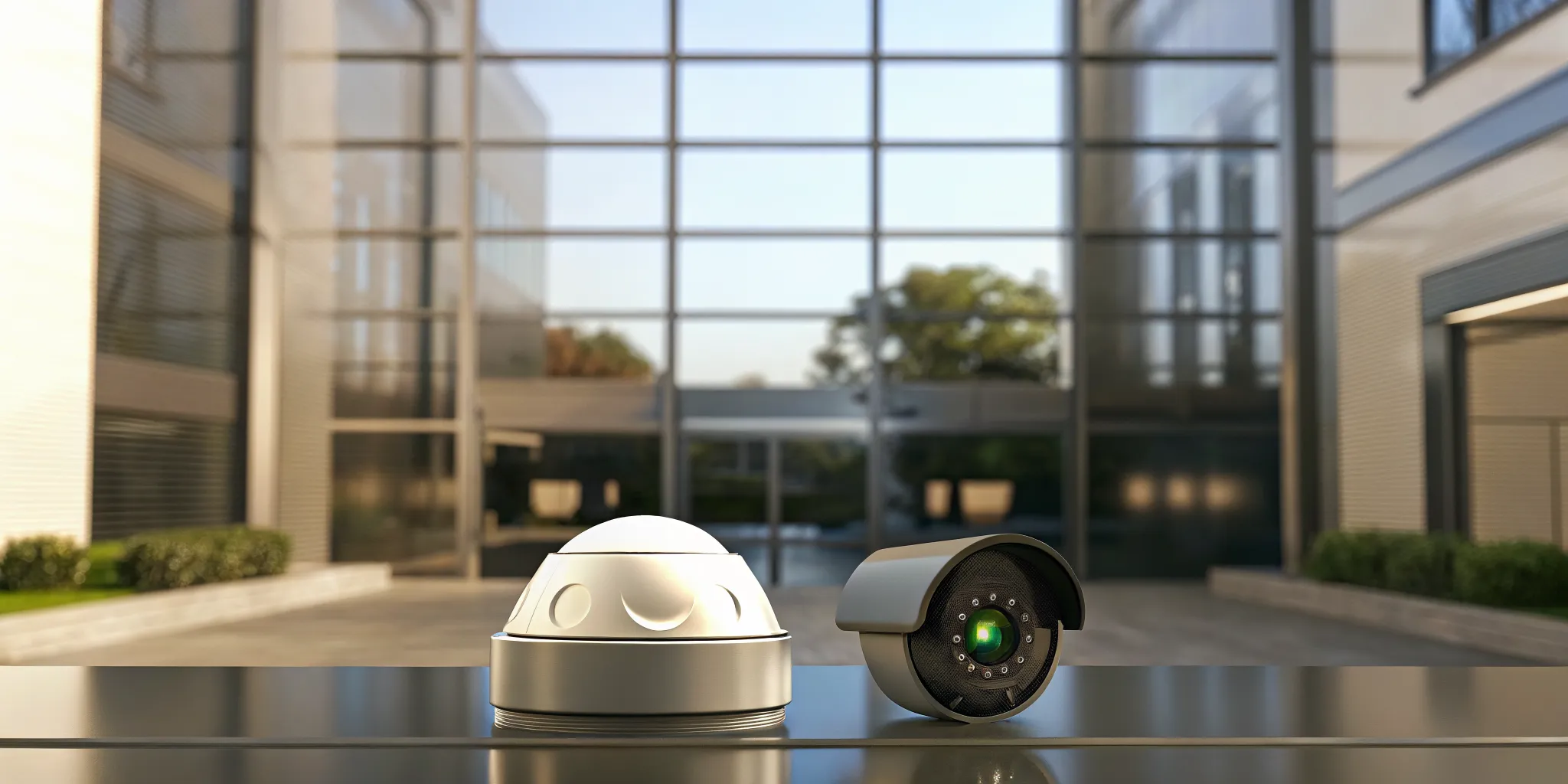
Sometimes, a standard camera just won’t cut it. That’s where specialty cameras come in. Dome cameras are discreet and vandal-resistant, making them great for public-facing areas where you want security without being obtrusive. In contrast, bullet cameras are more visible and act as a strong deterrent to potential intruders. You can also find cameras designed for specific tasks, like protecting the perimeter of your property or monitoring entryways with video doorbells. For large-scale operations, a custom mix of these cameras often provides the most comprehensive industrial security, ensuring every angle and vulnerability is covered.
Who Should You Trust with Your Business Security?
Choosing a security partner is one of the most important decisions you’ll make for your business. It’s not just about buying cameras; it’s about building a relationship with a team that understands your unique challenges and is there for you when you need them most. The right provider will act as an extension of your team, offering expertise and support that goes beyond the initial installation. So, how do you find that perfect fit? It comes down to a few key factors: their ability to customize, their connection to your community, and their commitment to quality.
Custom-Designed Systems from InVision
Your business isn’t a template, so your security system shouldn’t be either. Investing in a commercial security camera system is a smart way to protect your property, but only if it’s designed for your specific layout and risks. A custom-designed system considers everything from your building’s entry points and high-traffic areas to your operational hours and specific security concerns. At InVision, we start by listening to your needs. We then design a solution that fits your business perfectly, ensuring every angle is covered and every potential vulnerability is addressed. This tailored approach means you get effective protection without paying for features you don’t need.
National vs. Local Security Providers
When you start your search, you’ll likely see big national brands and smaller local companies. National providers can seem appealing, especially if you have multiple locations. As businesses grow, scaling security can become a challenge. However, a local provider offers distinct advantages that a large corporation often can’t match. A local team understands the specific security landscape of your area and can provide faster, more personalized service when you need it. We’re your neighbors, invested in the safety of our shared community. This local focus allows us to build stronger relationships and offer more responsive support services for your business.
The Role of Professional-Grade Equipment
Even the best-laid plans can fail without the right tools. The quality of your security equipment is just as important as the provider you choose. Common problems with business security systems often stem from low-quality cameras that produce grainy, unusable footage or unreliable hardware that fails when you need it most. Beyond the equipment itself, choosing the optimal places to install security cameras is essential for effective surveillance. A professional team not only supplies durable, high-performance equipment but also has the expertise to place it strategically for maximum coverage. This ensures you get clear, reliable video and a system that truly protects your assets.
How Much Do Business Security Camera Systems Cost?
Figuring out the budget for a security system is a top priority for any business owner. The final cost can vary quite a bit because a system that works for a small retail shop won’t be the right fit for a large industrial warehouse. The best approach is to think about the cost in three parts: the initial investment for equipment and installation, the recurring fees for services like monitoring, and the specific factors that will shape the price for your unique business.
Upfront Costs: Equipment and Installation
Your initial investment covers the physical hardware and the expertise needed to get it running. The equipment itself, which includes security cameras, recorders, and wiring, is the first piece of the puzzle. A very basic DIY setup might only cost a few hundred dollars in hardware. However, for a professional, custom-designed system, the installation is just as important as the equipment. Professional installation ensures cameras are placed correctly for maximum coverage and that the entire system works together seamlessly. This can range from a few hundred to several thousand dollars, depending on the size and complexity of your property. Many providers also offer financing options to make this initial investment more manageable.
Ongoing Costs: Monitoring and Storage
Once your system is installed, you’ll have recurring costs to keep it operating effectively. Professional monitoring is a common one, where a dedicated team watches for alerts from your system. This service often starts at around $50 per month and provides peace of mind that a potential threat will be addressed immediately. For more active protection, services like virtual guarding offer live surveillance to deter incidents before they happen. You also need to consider data storage. You can store footage locally on a hard drive or use secure cloud services that allow you to access video from anywhere. Finally, it’s wise to budget for occasional maintenance to keep your system in top condition.
What Influences the Final Price?
Several key factors determine the final price tag for your security system. The biggest drivers are the number and type of cameras you need. A simple dome camera costs less than a pan-tilt-zoom (PTZ) camera with advanced analytics. The complexity of your site also plays a huge role; a multi-building industrial facility will have different requirements than a single commercial office. High-definition video, night vision, and smart motion detection are features that add value but also affect the cost. Choosing the right system can feel like a big decision, but it all comes down to your specific security goals. It’s also worth remembering that a security system is a business expense, so you should talk to your accountant about potential tax deductions.
How Do You Choose the Right System for Your Business?
The right security system for a bustling retail store will look very different from one designed for a sprawling manufacturing plant. Every business has unique vulnerabilities, layouts, and operational needs, which means a one-size-fits-all security camera system just won’t cut it. The key is to find a solution that addresses your specific challenges, whether that’s protecting high-value inventory, monitoring employee safety around heavy machinery, or securing sensitive client data.
Choosing the right system starts with a clear understanding of what you need to protect and what you want to achieve. Are you primarily concerned with deterring external threats like theft, or do you also need to monitor internal processes and ensure compliance with safety regulations? Do you need a handful of cameras covering key entry points, or a complex network of cameras integrated with access control and alarm systems?
Thinking through these questions will help you identify the features and camera types that are most important for your environment. A customized approach ensures you get the coverage you need without paying for features you don’t. Let’s look at the specific considerations for different types of businesses to help you find the perfect fit.
Security for Retail and Commercial Spaces
In retail and commercial settings, you’re managing a constant flow of people, from customers and employees to vendors. Your security system needs to be a multitasker. High-quality security cameras are essential for monitoring your sales floor, cash registers, and stockrooms to deter theft and keep an eye on inventory.
Beyond preventing loss, video surveillance is a powerful tool for improving safety for both your staff and customers. Visible cameras can discourage crime, while recorded footage provides a clear record of events if an incident occurs. A well-designed commercial security system helps you monitor daily operations, reduce liability risks, and create a safer environment for everyone who walks through your doors.
Protecting Industrial and Manufacturing Sites
Industrial sites present a unique set of security challenges. These large, often complex facilities require robust systems to protect valuable equipment, raw materials, and finished products. Perimeter security is a top priority, so you’ll need durable, weatherproof cameras to monitor fences, gates, and loading docks. Inside, cameras can help ensure employees follow safety protocols around heavy machinery and in hazardous areas.
Choosing the optimal places to install cameras is essential for effective surveillance without overwhelming your team. As your business grows, an on-site security team can become difficult to scale. That’s where modern solutions like virtual guarding come in, offering a more flexible and cost-effective way to monitor multiple locations. A tailored industrial security plan ensures every critical area is covered.
Considerations for Offices and Professional Services
For offices and professional service firms, security is often about protecting people and sensitive information. Your system should focus on monitoring entrances, reception areas, and server rooms without infringing on employee privacy. It’s important to map out the areas that require constant monitoring and position cameras accordingly to cover blind spots.
Integrating your cameras with an access control system is a great way to add another layer of security. This allows you to see exactly who is entering and exiting restricted areas and when. The goal is to create a security solution that is specifically designed for your office’s unique layout and workflow, providing peace of mind for you, your employees, and your clients.
Why Integrate Your Security Systems?
Having security cameras, alarms, and access control is a great start, but what happens when these systems don’t talk to each other? You end up with a collection of separate tools instead of a single, smart security strategy. Integrating your systems means they work together as one cohesive unit. When one component detects an issue, it can trigger an action in another, creating a faster, more effective response. This approach gives you a complete picture of your property’s security at all times, eliminating blind spots that can occur when systems operate in isolation.
An integrated system streamlines everything. Instead of checking one app for camera feeds and another for door access logs, you can see it all in one place. This not only saves you time but also reduces the chance of missing a critical event. For example, if a door is forced open, an integrated system can automatically turn the nearest camera to face the door, begin recording, and send you an alert with a live video clip. This level of automation and intelligence is what separates a basic setup from a truly proactive security solution. By connecting your various security services, you build a powerful network that protects your property more effectively than any single device could on its own.
Combining Cameras with Access Control
Pairing your security cameras with an access control system gives you visual proof for every entry event. Think about it: when an employee swipes a key card or a visitor uses an intercom, the camera at that entrance can automatically capture a video clip. This makes it incredibly easy to verify who is coming and going. If an issue arises, you won’t have to spend hours searching through footage. You can simply look up the access event in your log and instantly view the associated video. This creates a clear, indisputable record that is invaluable for security audits and investigations, ensuring you always know exactly who was on your property and when.
Syncing Alarms and Cameras for Faster Response
When your burglar alarms and cameras are synced, you get immediate visual verification the moment a sensor is tripped. If a window is broken or a motion detector goes off after hours, the system doesn’t just sound an alarm. It can also direct the closest camera to the trigger point and send a real-time video alert to you or your monitoring service. This allows you to instantly confirm whether it’s a genuine threat or a false alarm, like an animal triggering a sensor. This immediate confirmation leads to a much quicker and more accurate response from law enforcement and helps reduce the frustration and potential fines associated with false alarms.
Managing Everything from One Platform
One of the biggest advantages of an integrated system is the ability to manage everything from a single, user-friendly interface. Instead of juggling multiple apps and logins for your cameras, alarms, and access points, you can monitor and control your entire security network from one dashboard. This unified approach simplifies daily operations, from granting or revoking access permissions to reviewing event footage. With modern cloud services, you can access this platform from anywhere, on any device. This streamlined management saves significant time, reduces complexity, and makes it much easier to train your team on security procedures, ensuring everyone is on the same page.
How to Prepare for Common Installation Challenges
Installing a new security system is a big step, but a little planning makes the process much smoother. Thinking through a few key areas before installation day helps you avoid common hiccups and ensures your system is effective from the start. By addressing network security, camera placement, and future needs upfront, you create a security solution that works for you now and in the future. Let’s walk through how to prepare.
Protecting Your Network and Data
Modern security cameras generate a lot of video data, and since they connect to your network, they must be properly secured. An unsecured camera can be a backdoor for cyber threats, putting your business data at risk. It’s important to consider how you’ll manage and protect that footage. A professional can ensure your system is configured correctly to prevent unauthorized access. They can help you set up secure cloud services for storage and integrate your camera system safely with your existing network, protecting both your physical property and your digital information.
Getting Camera Placement Right
Where you place your cameras is just as important as their technical specs. The goal is to cover your most critical areas without leaving obvious blind spots. Before installation, walk through your property and map out the key zones you need to monitor, like entrances, exits, cash registers, and inventory storage. Think about the most likely paths an intruder might take. A professional installer offers an expert perspective, helping you find the optimal angles and positions for your security cameras to create a comprehensive surveillance field that leaves no room for error.
Planning for Future Growth
Your business isn’t static, and your security system shouldn’t be either. A solution that fits you perfectly today might not be enough after you expand to a new building or add more staff. Consider a system that can easily scale with your company. You might need to add more cameras, integrate new locations, or add features like access control down the line. Choosing a flexible, modular system from the beginning saves you from having to start over later. This foresight ensures your security investment continues to meet your needs as your business grows.
Professional Installation vs. DIY: Which Is Better?
Deciding between professional installation and a do-it-yourself setup is one of the first big choices you’ll make for your business security. While the appeal of saving money with a DIY kit is understandable, it’s important to weigh that against the expertise and reliability that comes with a professional installation. The right path for you depends on your business’s size, the complexity of your property, and how much you’re willing to manage yourself. Let’s break down what each option really means for your security.
The Benefits of Professional Installation
When it comes to complex systems like multi-camera setups or integrated access control, professional installation is the most reliable choice. A professional team does more than just mount cameras; they design a system tailored to your property’s unique layout, ensuring there are no blind spots. They understand how to place equipment for optimal coverage and how to hardwire it for a stable, secure connection that isn’t vulnerable to Wi-Fi outages. A professional installation gives you a complete security plan, ensuring every component works together seamlessly from day one. This expertise provides peace of mind, knowing your system is set up correctly and built to last.
Is a DIY Setup Right for You?
DIY security systems have become popular, and for good reason. They are typically wireless, which makes them easier to set up, and the upfront cost is often lower. If you run a very small business, like a single-room office or a small pop-up shop, a DIY kit might seem like a good fit. However, this approach puts the responsibility for design, installation, and troubleshooting squarely on your shoulders. You’ll need to figure out camera placement, manage data storage, and fix any issues that arise. While some DIY systems can be more affordable, they often lack the robust features and reliability needed for most commercial and industrial properties.
Factoring in Maintenance and Support
Your security system is not a “set it and forget it” purchase. Like any technology, security cameras and access control systems require routine maintenance to perform at their best. Lenses need cleaning, software needs updating, and connections need to be checked. With a DIY system, you are the IT department. When a camera goes offline or a recording fails, it’s up to you to diagnose and solve the problem. Partnering with a professional security provider means you have a dedicated team for ongoing support and maintenance. This ensures your investment continues to protect your business effectively, giving you one less thing to worry about.
How to Maintain and Optimize Your Security Camera System
Installing a security system is a huge step, but the work doesn’t stop there. To get the most out of your investment and ensure it’s always ready to protect your property, regular maintenance and optimization are key. Think of it as a tune-up for your peace of mind. A well-maintained system not only works better but also lasts longer, saving you from unexpected issues down the road. Taking a proactive approach helps you stay ahead of potential problems, from a blurry lens to a critical software vulnerability.
Keeping Your System in Top Shape
Your security cameras are your eyes on the property, so you want to make sure their vision is always clear. Routine maintenance is essential for keeping your system operating correctly. This includes simple tasks like cleaning camera lenses of dust and debris, checking that all connections are secure, and confirming that cameras haven’t been knocked out of position. It’s also important to ensure your network infrastructure can handle the system’s demands. A strong network prevents lag and ensures your footage is transmitted and recorded smoothly. Regular check-ups on your security cameras will help you catch small issues before they become big problems, ensuring reliable performance day in and day out.
Monitoring Performance and Applying Updates
Just like your computer or smartphone, your security system’s software needs to be kept up-to-date. Manufacturers release firmware and software updates to patch security vulnerabilities, fix bugs, and sometimes even add new features. Regularly applying these updates is one of the most important things you can do to protect your system from cyber threats. You should also monitor your data storage. High-resolution cameras generate a lot of data, which can quickly fill up your storage. Whether you use on-site recorders or flexible cloud services, make sure you have a plan for managing and retaining footage so you don’t run out of space when you need it most.
Staying Compliant with Privacy Laws
When you install security cameras, you’re also taking on the responsibility of protecting people’s privacy. It’s crucial to be aware of and comply with local and federal laws regarding video surveillance, which can dictate where you can place cameras and whether you need to post signage. Beyond the law, it’s good practice to create clear internal policies. Define who has permission to view live and recorded footage and under what circumstances. Integrating your cameras with an access control system can help enforce these rules. Training your team on these policies and the proper use of the security system helps build a culture of awareness and ensures everyone understands their role in keeping your business secure and compliant.
Related Articles
- Commercial and Business Security System Chicago IL | Invision Systems
- Extreme Weather & Your Security Cameras Invision Systems
- Security Cameras Installed in Chicago IL | InVision Systems
- Security Cameras in Chicago, IL | InVision Systems
- Security Camera Installation Chicago IL | Invision Systems
Frequently Asked Questions
How do I figure out how many cameras my business actually needs? There isn’t a magic number; the right quantity depends entirely on your property’s layout and specific risks. A good starting point is to walk through your space and identify the most critical areas. Think about all entry and exit points, places where transactions occur, and spots where valuable assets are stored. The goal is to create overlapping fields of view that eliminate blind spots. A professional assessment can help you map out these vulnerabilities to ensure you get complete coverage without installing more cameras than you need.
Is storing my security footage in the cloud actually safe? It’s a valid concern, but professional cloud storage is designed with multiple layers of security. Your video footage is encrypted both as it travels to the cloud and while it’s stored there, which protects it from unauthorized access. The main advantage is that your recordings are kept safe off-site. If a fire, flood, or break-in damages your on-site equipment, your evidence is still secure and accessible from anywhere.
What’s the biggest advantage of integrating my cameras with other systems like access control? The biggest advantage is context. When your systems work together, you get a much clearer picture of what’s happening on your property. For example, instead of just having a log that a keycard was used, an integrated system can show you the exact video clip of the person who used it. This immediate visual verification saves you from searching through hours of footage and creates a powerful, undeniable record of events.
Can I add more cameras to my system later on? Absolutely, as long as you plan for it. The key is to choose a system that is designed to be scalable from the very beginning. A modular system allows you to easily add more cameras, connect a new building, or integrate other security features as your business grows. This foresight prevents you from having to replace your entire setup down the road, making your initial investment much more valuable over the long term.
Besides theft, how else can a camera system help my business? A security system can do much more than just deter crime. It can be a valuable tool for improving safety by helping you ensure employees are following correct procedures, especially around heavy machinery. It also helps reduce your liability by providing a clear, unbiased record of any accidents or incidents that occur on your property. This footage can be invaluable for resolving disputes and protecting your business.