
Security Cameras for Business Installation: A Pro Guide
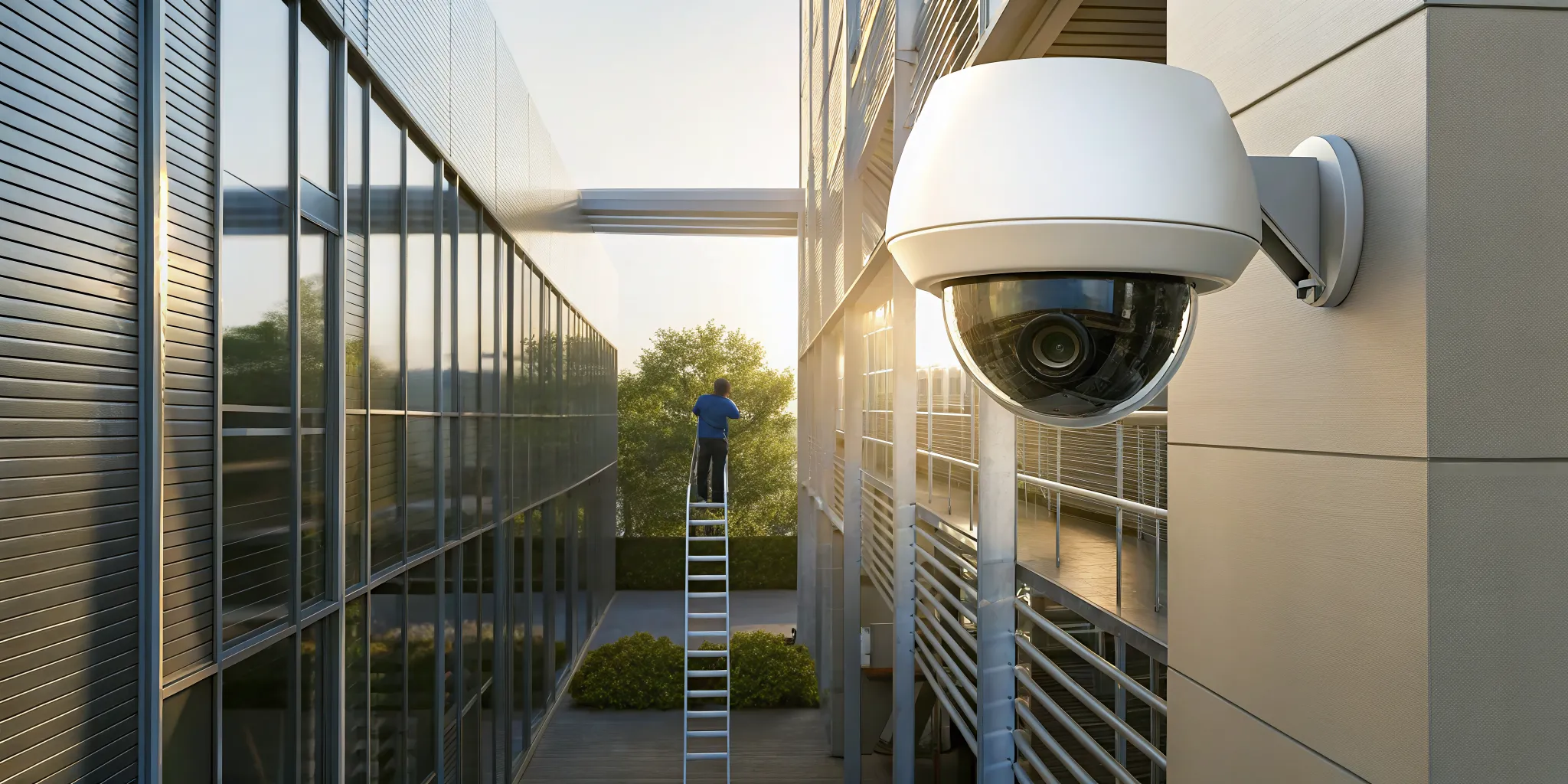
When you think of security footage, you might picture grainy, unhelpful images. But today’s technology is on another level. Modern cameras deliver crystal-clear HD video, even in near-total darkness. They use artificial intelligence to distinguish between a real threat and a stray animal, sending you smarter alerts that actually matter. You can monitor your property in real-time from your phone, no matter where you are. This guide explores the powerful features available with a modern security cameras for business installation. We’ll explain how these advancements do more than just record events; they give you a proactive tool for protecting and managing your business effectively.
Key Takeaways
- Use your camera system as a business tool: A professional security system does more than record incidents; it actively deters crime, creates a safer environment for staff and customers, and provides data to help you streamline daily operations.
- Plan your installation with an expert: The most effective systems begin with a professional site assessment to identify vulnerabilities. A qualified installer will help you map camera placement to eliminate blind spots and ensure you have the right hardware for your specific environment.
- Prioritize system maintenance and security basics: Keep your system reliable by performing regular cleaning, updating software, and testing your equipment. Simple steps like creating strong passwords and using a backup power supply prevent common failures and protect your investment.
Why Install a Professional Security Camera System?
A security camera system isn’t just for catching thieves after a break-in. A professionally installed system is a proactive tool that works for you 24/7, protecting your property, your people, and your bottom line. Here are the key reasons why a professional security camera system is a smart move for any business.
Deter Crime and Lower Your Liability
The most obvious benefit of visible security cameras is their power to deter crime. Studies show that a surveillance system can lead to a 50% reduction in crime or more. When potential criminals see cameras, they are far less likely to target your property, making it your first line of defense. Beyond deterring theft, a camera system also helps lower your liability. Clear video footage provides indisputable evidence in the event of a fraudulent slip-and-fall claim or other disputes. This protects your business from false accusations and potentially costly legal battles, adding a crucial layer of financial protection.
Protect Your Team and Customers
Your people are your most valuable asset, and creating a safe environment is essential. Professional security cameras play a huge role in protecting both your employees and your customers. By monitoring entrances, parking lots, and other vulnerable areas, you can discourage harassment and other incidents. This visibility gives everyone peace of mind, which can lead to higher employee morale and increased customer loyalty. A professional installer helps you identify key locations for cameras, ensuring comprehensive coverage that protects people where they need it most. When your team and customers feel secure, they can focus on having a positive and productive experience at your business.
Improve Day-to-Day Operations
Modern security cameras do more than just record video; they provide valuable insights that help you run your business more efficiently. Advanced features like Smart Video Analytics can automatically detect people, recognize license plates, and monitor customer traffic patterns. This data can help you optimize staffing, improve your store layout, and ensure safety protocols are followed. You can also use remote viewing to check in on your property from anywhere, giving you a clear picture of daily operations. By using your camera system as a management tool, you can streamline workflows and make smarter, data-driven decisions that contribute to your success.
Which Security Cameras Are Right for Your Business?
Once you’ve decided to install a security system, the next step is choosing the right hardware. With so many options on the market, it’s easy to feel overwhelmed. The best camera for your business depends on your property’s layout, your security goals, and your budget. Let’s walk through the main types of cameras so you can make an informed decision.
IP vs. Analog: What’s the Difference?
The first major choice you’ll face is between IP (Internet Protocol) and analog cameras. Analog cameras are the traditional standard, sending video through a cable to a digital video recorder (DVR). They are typically less expensive upfront. IP cameras, on the other hand, are fully digital. They connect to your network and offer much higher resolution, remote access, and advanced features.
While some business owners worry about the cost of modern surveillance, technology has made high-quality security cameras more accessible than ever. An IP system is a smart long-term investment, providing clearer footage and more flexibility to adapt as your business grows. The detailed images from an IP camera are far more useful for identifying people or reading license plates if an incident occurs.
Fixed, PTZ, and Dome: Choosing Your Camera Type
Next, consider the camera’s physical shape and function. The three most common types are fixed, dome, and PTZ. Fixed cameras, often called bullet cameras, point in a single direction. Their visible presence is a great deterrent for would-be intruders. Dome cameras are more discreet and are often built to be vandal-proof, making them ideal for areas within reach.
For monitoring large areas like parking lots or warehouses, a Pan-Tilt-Zoom (PTZ) camera is an excellent choice. These cameras can be operated remotely to scan a wide area, tilt up and down, and zoom in on specific activity. A professional installer can help you create a commercial security plan that uses a mix of these camera types to cover all your critical vantage points effectively.
Do You Need a Specialized Camera?
Your business might have unique needs that standard cameras can’t meet. That’s where specialized cameras come in. For example, outdoor cameras need to be weatherproof to withstand rain, snow, and extreme temperatures. If a camera is in a vulnerable location, a vandal-proof model with a hardened casing is essential. For monitoring areas with little to no light, cameras with infrared (IR) night vision provide clear black-and-white footage.
Modern cameras also come with powerful software. Features like Smart Video Analytics can automatically detect people, recognize license plates, and even create heat maps to show foot traffic patterns. This technology turns your security system into a powerful business tool, and it’s a core component of advanced services like virtual guarding.
What Modern Camera Features Should You Look For?
Today’s security cameras are much more than simple recording devices. The technology has advanced significantly, offering powerful features that provide clearer evidence, smarter alerts, and greater peace of mind. When you’re planning a new system, it’s helpful to know what capabilities are available so you can choose a solution that truly meets your business needs. From crystal-clear night vision to intelligent detection, modern cameras act as a proactive part of your security strategy.
Focusing on the right features ensures your investment is effective for years to come. Instead of just capturing footage, the best systems help you understand what’s happening on your property and respond faster. Think about your biggest security challenges. Do you struggle with false alarms? Need to identify faces or license plates from a distance? Want to check in on your property while you’re away? There’s a camera feature designed to solve each of these problems. Let’s look at the key features you should consider for your business.
Get Clear Footage with HD and Low-Light Tech
Grainy, pixelated footage isn’t helpful when you need to identify a person or read a license plate. That’s why high-definition (HD) resolution is a standard for modern security cameras. Clear video is essential for providing useful evidence if an incident occurs. But what happens when the sun goes down? Advanced low-light technology, sometimes called starlight sensors, allows cameras to capture crisp, full-color video in near-dark conditions. This means you get the same level of detail at night as you do during the day, ensuring your property is protected 24/7.
Use AI for Smarter Detection
One of the biggest complaints about older security systems is the constant stream of false alarms from things like swaying trees or passing animals. Modern cameras use artificial intelligence (AI) to be more discerning. AI-powered analytics can tell the difference between people, vehicles, and other moving objects. This intelligent detection means you only get notified about events that actually matter, reducing notification fatigue and allowing you to respond more quickly to genuine threats. This technology is a core component of advanced services like Virtual Guarding, where real-time alerts are critical.
Monitor Your Property from Anywhere
As a business owner, you can’t be on-site all the time. Remote monitoring gives you the freedom to check on your property from anywhere with an internet connection. Whether you’re at home, in a meeting, or on vacation, you can view live and recorded video feeds directly from your smartphone, tablet, or computer. This immediate access provides incredible peace of mind and control. Many systems use secure Cloud Services to store footage, making it easy and safe to review past events without needing to be physically present at your business location.
Integrate Cameras with Your Other Security Systems
Your security cameras shouldn’t operate in a silo. For the most effective protection, they should be part of a larger, integrated security ecosystem. A modern camera system can connect with your other security tools, such as access control and burglar alarms. For example, you can set up a rule where a door being forced open automatically triggers nearby cameras to record and sends an alert to your phone. This creates a seamless, responsive system where each component works together to provide comprehensive coverage and a faster, more informed response to any security event.
How to Plan Your Security Camera Installation
A successful security camera system starts long before the first camera is mounted. A solid plan is the foundation for a system that truly protects your property, assets, and people. It ensures you get the right coverage without wasting money on equipment you don’t need. Taking the time to map out your needs, consider your environment, and understand your responsibilities will pay off with a more effective and reliable security solution. Here’s how to approach the planning process step by step.
Start with a Professional Site Assessment
Every property is different, which is why a one-size-fits-all approach to security just doesn’t work. The first step in any installation should be a thorough site assessment. This is where a professional walks through your facility to identify key vulnerabilities, from hidden entry points to poorly lit corridors. They’ll evaluate your property’s unique layout and operational flow to recommend the right types of cameras and features. A professional site assessment provides the technical expertise needed to design a system that meets your specific security goals, ensuring you get the job done right from the very beginning.
Map Camera Placement to Eliminate Blind Spots
Once you know your vulnerabilities, you can start mapping out where to place each camera. The goal is to eliminate blind spots in critical areas. Think about entryways, exits, reception desks, cash registers, loading docks, and areas where valuable assets are stored. Experts in commercial security systems emphasize mapping out these zones to ensure constant monitoring. By strategically positioning cameras, you create overlapping fields of view that leave no area unobserved. This detailed plan acts as a blueprint for your installers and guarantees comprehensive coverage across your entire property.
Factor in Lighting and Environmental Conditions
A camera’s effectiveness can be completely undermined by poor lighting or harsh weather. When planning placement, consider how light changes throughout the day. A camera pointed directly at a window might capture perfect footage in the morning but be washed out by sun glare in the afternoon. Similarly, outdoor cameras need to withstand rain, snow, and extreme temperatures. Choosing the right camera with features like Wide Dynamic Range (WDR) for tricky lighting and a durable, weatherproof housing for outdoor use is critical. Factoring in these environmental conditions prevents common installation mistakes that can render your footage useless.
Understand Legal and Privacy Requirements
Before you install cameras, you need to understand the rules that govern their use. Video surveillance is regulated by privacy laws that balance security needs with an individual’s expectation of privacy. Generally, you can monitor public-facing areas and common spaces, but you cannot place cameras in areas where people have a reasonable expectation of privacy, like restrooms or employee break rooms. It’s also a good practice to inform employees and visitors that they are being recorded with clear signage. Understanding these legal requirements not only fosters trust but also protects your business from potential legal issues down the road.
How to Choose a Security Camera Installer
Choosing the right security cameras is only half the battle. The installer you hire is just as crucial to your business’s safety. A great installation partner does more than just run wires and mount hardware; they become a long-term asset for your security strategy. They ensure your system is designed correctly from the start and continues to protect your property effectively for years. When you’re vetting potential installers, you’re looking for a true partner. Focus on three key areas: their specific expertise, their professional credentials, and the long-term support they offer.
Find an Expert in Commercial and Industrial Security
Not all security installers are created equal. The skills needed to set up a few cameras at a home are very different from what’s required for a sprawling industrial facility or a multi-location retail business. You need a team that specializes in commercial security. A true expert does more than just set up cameras. They act as a consultant, helping you choose the right products, strategically map out camera placement to cover all your vulnerabilities, and clearly explain the costs and timeline. They should be able to answer tough questions and design a system that’s tailored to your unique operational needs, not just a generic, out-of-the-box solution.
Verify Licenses, Insurance, and Certifications
Before you let anyone work on your property, it’s essential to do your homework. A professional installer will have no problem providing proof of their credentials. Start by asking for their state licenses and certifications from camera manufacturers. This proves they have the training to install your specific equipment correctly. Most importantly, verify that they carry liability insurance. This protects your business in the unlikely event that something goes wrong during the installation. Think of it as a safety net. Asking about warranties on both the hardware and the installation work itself is also a smart move. A reputable company will stand behind their security solutions and offer clear terms.
Ask About Ongoing Support and Maintenance
Your security system is a long-term investment, and it needs regular attention to perform at its best. Before you sign any contracts, ask potential installers what happens after the installation is complete. A reliable partner will offer ongoing technical support, maintenance plans, and system updates to keep everything running smoothly. Security camera maintenance is one of the most important, and often overlooked, factors in video surveillance. You want a team that can help you troubleshoot issues and keep your software current to protect against cyber threats. This ongoing relationship ensures your security camera system remains a reliable asset, not a frustrating liability.
What Does a Business Security Camera System Cost?
Figuring out the budget for a security camera system can feel like a huge task, but it doesn’t have to be. The total cost depends entirely on your specific needs, like the size of your property, the number of cameras you need, and the features you want. Think of it less as a single price tag and more as a combination of three key areas: the initial hardware investment, the cost of professional installation, and the ongoing expenses for services like monitoring and maintenance.
Understanding these components will help you build a clear picture of the investment required to protect your business. It’s also helpful to know that many providers offer financing options to make securing your property more accessible. By breaking down the costs, you can make an informed decision that fits your security goals and your budget.
The Initial Investment: Hardware and Equipment
Your first major expense will be the hardware itself. This includes the security cameras, which come in a wide range of types and prices. You can find everything from basic fixed cameras to advanced models with pan, tilt, and zoom (PTZ) capabilities, 4K resolution, and weatherproof or vandal-proof designs. The good news is that advancements in technology have made even high-quality video surveillance much more affordable.
Beyond the cameras, your initial investment also covers the central recording device (either a Network Video Recorder for IP cameras or a Digital Video Recorder for analog ones), monitors for viewing footage, and all the necessary cabling and power supplies. The final hardware cost will scale with the size and complexity of your system.
The Price of Professional Installation
While a DIY approach might seem tempting for a small setup, a commercial security system requires technical expertise to be truly effective. Professional installation is an investment in getting the job done right the first time. The cost covers the labor of trained technicians who understand how to strategically place cameras for maximum coverage and run wiring cleanly and safely.
An expert installer does more than just mount cameras. They perform a site assessment to map out critical areas, identify potential blind spots, and ensure each camera is positioned correctly for the lighting and environmental conditions. This careful planning is what turns a collection of hardware into a cohesive and reliable security solution that protects your assets, employees, and customers.
Ongoing Costs: Monitoring, Storage, and Maintenance
After your system is installed, you’ll have some recurring costs to keep it running smoothly. One of the main ongoing expenses is data storage. You can store footage locally on a recorder, but many businesses opt for cloud services for secure, remote access to their video. Cloud storage typically involves a monthly or annual subscription fee.
You should also budget for monitoring and maintenance. Some businesses choose to monitor their own cameras, while others invest in professional services like virtual guarding for 24/7 oversight. Regular maintenance, including software updates, security patches, and camera cleaning, is also essential to ensure your system records clear, usable footage when you need it most.
Common Installation Mistakes to Avoid
Even the best security camera system can fail if it’s not installed correctly. A professional setup helps you sidestep common issues that can compromise your security. Here are a few key mistakes to watch out for.
Placing Cameras with Poor Coverage
It’s tempting to think a couple of cameras pointed at the main entrances are enough, but effective surveillance is more complex than that. One of the most common pitfalls is improper camera placement. Mounting a camera too high can make it impossible to identify faces, while placing it too low makes it an easy target for vandals. The wrong angle can create significant blind spots or result in unusable footage due to glare from the sun or indoor lighting. A professional installation maps out a comprehensive layout, ensuring every critical area is covered without gaps. This strategic approach to security camera placement is what separates a real security asset from a purely cosmetic one.
Forgetting Cybersecurity Basics
Your security camera system is only as secure as its network. Unfortunately, many businesses install their cameras and never change the default username and password. This is a critical mistake, as default credentials are often publicly available, making your system an easy target for hackers. Once they gain access, they can not only view your live feed but also disable your cameras or use them as a gateway into your entire network. To protect your business, always create a strong, unique password for your system during setup. Secure cloud services can also add another layer of protection, keeping your footage safe and encrypted off-site, away from digital and physical threats.
Overlooking Power Backups and Weatherproofing
A security camera can’t protect your property if it doesn’t have power. A simple power outage, whether from a storm or a deliberate act, can knock your entire system offline, leaving you completely vulnerable. That’s why connecting your cameras and recording equipment to an uninterruptible power supply (UPS) is essential. A UPS provides backup power to keep your system running during an outage. It also protects your sensitive equipment from power surges that can cause permanent damage. For outdoor cameras, especially in the Midwest, proper weatherproofing is also non-negotiable. A robust commercial security plan ensures your cameras can withstand whatever the weather throws at them, from summer heat to winter ice.
How to Maintain Your Security Camera System
Installing your security cameras is a huge step, but the work doesn’t stop there. Just like any other piece of technology, your system needs regular attention to perform at its best. Consistent maintenance ensures your cameras are reliable, functional, and ready to capture clear footage when an incident occurs. A proactive approach not only extends the life of your equipment but also gives you peace of mind that your property is truly protected.
Think of it as a simple check-up. By spending a little time on upkeep, you can prevent small issues from turning into major problems, like a camera going offline right before a break-in or discovering your recordings are too blurry to be useful. A well-maintained system is a dependable one. From cleaning lenses to updating software, these simple habits are the key to getting the most out of your security investment. Partnering with a professional for ongoing support can also take the guesswork out of keeping your security cameras in top shape.
Schedule Regular Inspections and Cleaning
Over time, camera lenses can get covered in dust, pollen, and grime, which can seriously obscure the view. Make it a habit to regularly inspect and clean your equipment. Gently wipe the lenses with a microfiber cloth to remove any buildup. While you’re there, check the camera housings and mounts for any signs of damage, rust, or loose connections. It’s also a good idea to inspect the power supplies and cables to ensure everything is securely plugged in. A quick visual check every few months can make a world of difference in your footage quality and system reliability.
Keep Your Software and Firmware Updated
The software and firmware are the brains of your security camera system. Manufacturers release updates to patch security vulnerabilities, fix bugs, and sometimes even add new features. Keeping your system updated is crucial for protecting it from cyber threats. Many modern systems can be set to update automatically, but it’s always smart to check periodically. These updates ensure your cameras function correctly and remain secure. Neglecting them can leave your entire network exposed, so make this a non-negotiable part of your maintenance routine for your commercial security system.
Test Your System and Document Everything
Don’t wait for an incident to find out a camera isn’t recording. Regularly test your system to confirm everything is working as it should. Pull up the live feed for each camera and review recent recordings to check for clarity and consistency. Test your motion detection alerts and verify that your system has enough storage space. It’s also helpful to keep a simple maintenance log. Documenting when each camera was cleaned, updated, or serviced helps you track its performance over time and spot any recurring issues before they become serious. This simple record-keeping makes troubleshooting much easier for you or your security provider.
Related Articles
Frequently Asked Questions
Is a professional installation really necessary, or can I just install some cameras myself? While a DIY approach might seem like a way to save money, a professional installation is an investment in reliability. An expert performs a site assessment to find your property’s unique weak spots and designs a layout that eliminates blind spots. They also handle the technical details, like ensuring the system is secure from hackers and has a backup power source, which are common points of failure in DIY setups.
My business has never had a break-in. Are there other reasons to get a security camera system? Absolutely. A camera system does much more than just record crime. Visible cameras are a powerful deterrent that can prevent incidents from happening in the first place. The footage can also protect you from fraudulent liability claims, like a staged slip-and-fall. Plus, modern systems provide data on customer traffic and employee activity that can help you improve your day-to-day operations.
What’s the difference between IP and analog cameras, and which one is better for my business? The main difference is how they transmit video. Analog cameras send video over a cable to a recorder, while IP cameras are fully digital and connect to your network. For most businesses, an IP system is the smarter long-term choice. It provides much higher resolution video, which is crucial for identifying faces or license plates, and offers advanced features like remote viewing and intelligent analytics.
With all the new technology, what’s the single most important feature I should look for? If you have to pick just one, look for a system with AI-powered analytics. This is the technology that can tell the difference between a person, a vehicle, and a stray cat. It dramatically reduces the number of false alarms you get from things like wind or shadows, so when you do get an alert, you know it’s something that actually needs your attention.
How much maintenance does a security camera system actually need after it’s installed? Ongoing maintenance is fairly straightforward but very important. You should plan to clean the camera lenses every few months to ensure the view is clear. It’s also critical to keep the system’s software updated to protect against security vulnerabilities. Finally, you’ll want to periodically test your system to make sure every camera is recording correctly and that you can access the footage when you need it.