
Security Camera Cybersecurity: A Business Guide

A business video system can protect a facility while also creating another connected environment to manage. IP cameras, NVRs, cloud video platforms, remote viewing accounts, and access-control devices all depend on software, networks, credentials, and vendors. Security camera cybersecurity is the practice of reducing those exposures without losing the visibility your team needs.

Request a custom security assessment for your business

The goal is not to promise that any camera system is impossible to compromise. A better goal is to make unauthorized access harder, limit the damage if one device or account is affected, and give your team a clear way to detect and respond to unusual activity.

Why does security camera cybersecurity matter to a business?

Security camera cybersecurity matters because a video system is more than a collection of lenses. It may connect to a business network, store sensitive footage, expose remote-management accounts, and exchange data with access control or cloud services. Weak settings can affect confidentiality, system availability, and confidence in recorded evidence.

Businesses also have different risk profiles. A retail store may prioritize customer privacy and point-of-sale areas. A manufacturer may need to protect production floors, loading areas, and intellectual property. A multi-location company may need consistent permissions and reporting across sites. The safeguards should follow the facility, the people who use the system, and the way the system is connected.

  • Confidentiality: limit who can watch live video, review recordings, export clips, or change system settings.
  • Integrity: protect camera configuration, timestamps, user permissions, and recorded evidence against unauthorized changes.
  • Availability: keep cameras, recording, alerts, and remote access usable when the business needs them.

The peer-reviewed review of IP-based video surveillance security describes these systems as connected environments with distinct assets, deployment models, attack paths, and consequences. That is why a cybersecurity review should include the camera, recorder, client applications, network, cloud account, and related devices rather than focusing on only one component.

What should a business inventory before hardening its video system?

A useful security camera cybersecurity program begins with an accurate inventory. Record every camera, NVR or DVR, VMS server, cloud tenant, mobile application, remote-access method, switch, wireless bridge, access-control connection, and administrator account. Include the model, firmware version, location, owner, support status, and whether the device is reachable from outside the site.

Use the inventory to answer practical questions:

  • Which devices record locally, and which send footage to a cloud platform?
  • Which accounts can view video, export evidence, change settings, or create users?
  • Does any camera, recorder, or management interface have direct internet exposure?
  • Which devices share a network with employee computers, point-of-sale systems, building controls, or production equipment?
  • Where are backups stored, how long are they retained, and who can restore them?
  • Which vendor or integrator receives support access, and how is that access approved and removed?

An inventory also exposes abandoned equipment. A former recorder, unused remote-viewing account, or unsupported camera can remain connected after the original project has been forgotten. If a device has no clear owner or business purpose, document it for isolation, replacement, or removal.

How should businesses control accounts and permissions?

Account controls are often the fastest security improvement because they reduce the chance that an old, shared, or overpowered credential opens the entire video environment. Give each person an individual account, assign the least privilege needed for the job, and review access when roles change. Avoid treating the installer, manager, operator, and auditor as the same user.

Use individual accounts and strong authentication

  • Replace default usernames and passwords before a camera or recorder is placed in service.
  • Use long, unique passwords for local administrator accounts and cloud tenants.
  • Enable multifactor authentication for cloud accounts, remote-access portals, and administrator identities when the product supports it.
  • Do not share administrator credentials through email, text messages, or informal notes.
  • Use a documented break-glass account only when necessary, and protect its use with approval and logging.

Match permissions to responsibilities

An operator may need live view and limited playback. A manager may need evidence export. A technician may need configuration access during an approved service window. An employee who only needs a door credential should not automatically receive access to every camera feed. When video and access control are connected, review permissions in both systems so one broad role does not bypass the intended separation.

The Federal Trade Commission’s camera security guidance also recommends strong unique passwords, software updates, built-in security features, and careful management of remote viewing and livestream sharing. Its audience is consumers, but the account principles apply to business systems as well.

Should cameras and NVRs be isolated on the network?

In most business environments, cameras and recording equipment should be placed on a carefully controlled network segment instead of sharing unrestricted access with ordinary user devices. Segmentation can limit how far an attacker moves if one device, account, or workstation is compromised. It is a risk-reduction measure, not a guarantee that a system is secure.

Work with the business’s IT or network provider to evaluate a dedicated VLAN or equivalent segment for cameras, recorders, and related devices. Define only the traffic that is required, such as camera-to-recorder communication, approved management access, time synchronization, DNS, vendor services, and authorized remote viewing. Block unnecessary inbound connections and avoid exposing camera or NVR administration pages directly to the public internet.
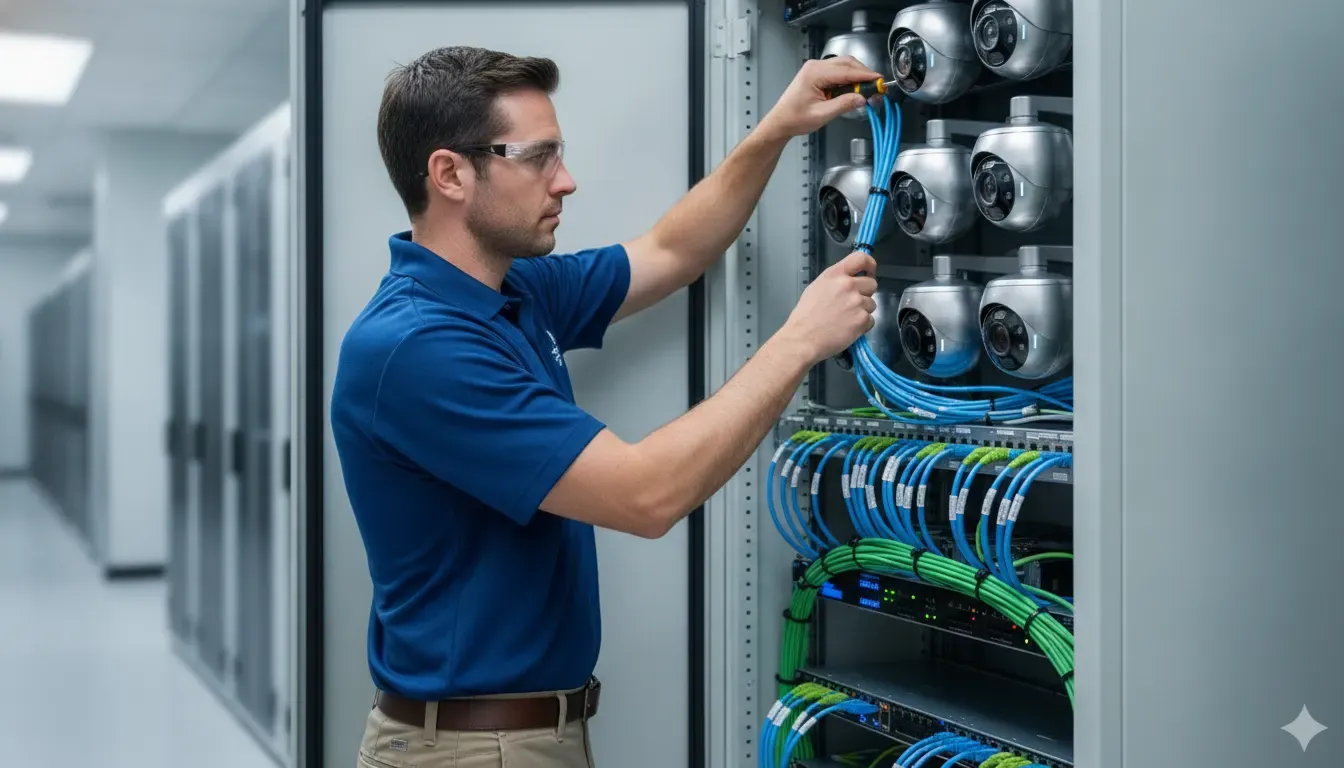
Technician organizing network cabling for a business security camera system

The Cybersecurity and Infrastructure Security Agency’s segmentation guidance explains how separate network segments create boundaries that can reduce the impact of threats moving between environments. For a business camera deployment, the exact design should account for the existing firewall, switches, wireless links, recorder architecture, and operational requirements.

Review remote access carefully

Remote viewing can be valuable for managers and security teams, but convenience should not mean universal exposure. Prefer vendor-supported secure access methods, VPN connections, or a managed remote-access design that does not publish an administration port directly to the internet. Remove unused port forwards, review remote-access logs, and require approval for third-party support sessions.

How do firmware and vendor practices affect camera security?

Firmware and vendor planning are part of security camera cybersecurity because a device can be correctly installed yet become exposed after a vulnerability is discovered. Maintain a record of current firmware, supported versions, update procedures, release notes, and the person responsible for reviewing vendor advisories. Updates should be tested and scheduled so the business does not lose needed recording or coverage unexpectedly.

Ask vendors and integrators practical questions before choosing or expanding a system:

  • How are security advisories communicated?
  • How long does the manufacturer support each model and firmware branch?
  • Can updates be staged, rolled back, or scheduled during a maintenance window?
  • Are administrator actions, login events, configuration changes, and remote support sessions logged?
  • What happens to accounts, footage, and configurations if a cloud service or vendor relationship ends?
  • Which functions require internet access, and which can operate locally?

Do not assume that automatic updates are always available or appropriate for every camera, NVR, VMS, or access-control controller. At the same time, do not leave unsupported devices connected indefinitely because replacement planning was never assigned. A lifecycle plan should identify equipment that needs an update, compensating controls, isolation, or replacement.

What should businesses know about encryption and stored video?

Encryption helps protect video and management traffic while it moves across networks, and it can help protect stored data when supported by the platform. Confirm what the specific camera, recorder, cloud service, mobile app, and remote-access method actually encrypt. Avoid assuming that a product’s general security label means every connection, recording, export, or integration has the same protection.

During a system review, document:

  • Whether browser and mobile connections use HTTPS or another vendor-supported protected channel.
  • Whether remote connections use a VPN or an approved secure gateway.
  • Whether local storage, cloud recordings, exported clips, and backups are encrypted at rest.
  • Who controls encryption keys or recovery credentials, where applicable.
  • How exported evidence is transferred, stored, shared, and eventually deleted.
Control area Primary purpose Business review question
Access control Limits who can view, export, or change video Are users individual, current, and limited to the access they need?
Network segmentation Reduces unnecessary paths between devices Can cameras and recorders communicate only with approved systems?
Encryption Protects supported traffic and stored data Which connections, recordings, exports, and backups are actually encrypted?

Encryption does not replace access control, segmentation, patching, or monitoring. It is one layer in a larger design. InVision Systems’ cloud video surveillance service information describes options such as local and off-site recording, encrypted transmission and storage, and centralized management. Confirm the selected configuration and its responsibilities in the final system plan.

How should a business log, monitor, and back up video systems?

Logging turns a security control into something a team can review. Collect available records for successful and failed logins, new users, permission changes, configuration edits, firmware changes, remote support, camera disconnections, recording failures, and unusual exports. Send important events to a monitored location when the system supports it, and define who reviews them and how often.

A backup plan should cover more than recorded footage. Protect configuration exports, camera maps, recorder settings, access-control data, recovery codes, and documented network rules. Test restoration on a schedule. A backup that has never been restored is an assumption, not verified resilience.

Set retention based on business needs, legal advice, customer privacy requirements, storage capacity, and the system’s purpose. Keep evidence access narrow, document exports, and remove old copies according to the approved retention policy. Do not retain sensitive video indefinitely simply because storage is available.

For broader governance, the NIST Cybersecurity Framework 2.0 offers a flexible way to organize cybersecurity outcomes across governance, identification, protection, detection, response, and recovery. It does not prescribe one camera configuration, which makes it useful for aligning video-system controls with the business’s wider risk program.

What should a business do if a camera system may be compromised?

If a camera, NVR, cloud account, or connected access-control system may be compromised, first protect people and operations, then preserve useful evidence. Do not immediately wipe every device or make unrecorded changes that destroy the timeline. Use the organization’s incident-response process and involve the IT, security, legal, privacy, vendor, or law-enforcement contacts appropriate to the situation.

  1. Confirm the signal: record the alert, suspicious login, unexpected user, camera behavior, configuration change, or outage with timestamps and screenshots where appropriate.
  2. Contain safely: disable a suspected account, isolate a device, restrict remote access, or block a connection in coordination with the people responsible for the network and physical security.
  3. Protect evidence: preserve relevant logs, exported clips, cloud audit records, configuration snapshots, and vendor communications with chain-of-custody notes.
  4. Change exposed credentials: reset affected passwords and tokens, review multifactor authentication, remove unknown users, and invalidate active sessions when the platform supports it.
  5. Check connected systems: review the network, NVR, VMS, cloud tenant, access-control platform, and administrator workstations for related activity.
  6. Recover deliberately: patch or replace affected equipment, restore known-good configurations, test recording and remote access, and verify permissions before returning the system to normal use.
  7. Learn and document: identify the entry point, update the inventory and response plan, and assign preventive actions with owners and due dates.

This checklist is a starting point, not a substitute for an incident-response plan or professional investigation. If a suspected event involves employee, customer, patient, payment, or other sensitive information, obtain appropriate legal and privacy guidance before notifying affected parties.

How can an integrator support a safer security camera design?

A safer security camera deployment starts before equipment is mounted. A qualified integrator can map coverage goals, lighting, building layout, recording needs, access-control relationships, network boundaries, remote-management requirements, and support responsibilities. The result should be a documented design that shows what connects to the video system, who administers it, how access is reviewed, how firmware is maintained, and what happens if a device, account, or network path is compromised.

For a business, ask the integrator to address these items during design and handoff:

  • Inventory: document each camera, recorder, cloud tenant, connection, firmware version, owner, and support status.
  • Access: use individual accounts, least-privilege roles, multifactor authentication where supported, and a process for removing access when responsibilities change.
  • Network and remote access: define the traffic the system needs, segment cameras and recorders where appropriate, and avoid exposing administration ports directly to the public internet.
  • Visibility and recovery: decide which logins, exports, configuration changes, and device failures should be recorded, then document backup and incident contacts.
  • Maintenance: assign ownership for firmware updates, vendor support sessions, configuration reviews, and replacement planning for unsupported equipment.

InVision Systems designs and supports customized security camera, cloud video, access-control, and virtual guarding solutions for industrial, commercial, and residential clients across the Chicago area, Northwest Indiana, and Southeast Wisconsin. Its security camera services include consultation, custom design, installation, and support. Ask for a review that considers cyber exposure and operational recovery together, so the system is easier to manage after installation.

Schedule a business security assessment with InVision Systems

Frequently Asked Questions About Security Camera Cybersecurity

Can business security cameras be hacked?

Any connected device can have security risk, especially when it uses default credentials, outdated software, unnecessary internet exposure, or broad permissions. Businesses can reduce risk with unique accounts, multifactor authentication where available, segmentation, updates, secure remote access, logging, and a response plan.

Are wired security cameras safer than wireless cameras?

A wired connection can reduce some wireless risks, but it does not make a camera automatically secure. The camera, switch, recorder, accounts, remote access, firmware, and network design still matter. A well-designed wireless deployment may be appropriate when it uses strong authentication, protected traffic, controlled network access, and ongoing maintenance.

Should an NVR be connected directly to the internet?

Direct public exposure of an NVR administration interface should generally be avoided. Use a vendor-supported secure remote-access method, VPN, or managed gateway, and limit access to authorized users. Have the network owner review firewall rules, port forwards, monitoring, and vendor support requirements.

How often should a business review camera cybersecurity?

Review security when a system is installed, when the network or vendor changes, after a major firmware advisory, and when staff or access roles change. A recurring review should check accounts, permissions, remote access, firmware, logs, backups, device inventory, and incident-response contacts.

Does cloud video eliminate cybersecurity responsibility?

No. Cloud video can shift some infrastructure responsibilities to a provider, but the business still needs to manage accounts, permissions, authentication, devices, network access, data retention, exports, vendor agreements, and incident response. Confirm which controls the provider supplies and which controls remain with the customer.

Security Camera Field of View: Lens Angles Explained

A security camera can record continuously and still miss the detail your business needs. The reason is often not the camera’s resolution. It is the security camera field of view: the portion of a scene the lens can capture at one time, at a usable level of detail.

Choosing the right view means looking at the entire scene, not just a lens specification. Entrances, corridors, cash areas, parking approaches, and production spaces all place different demands on a camera. Lens angle, mounting height, distance, lighting, and activity should work together in the design.

Request your free security assessment now

What does security camera field of view mean?

Field of view, often shortened to FOV, is the width and height of the area visible through a camera at a given distance. Manufacturers commonly describe it as a horizontal, vertical, or diagonal angle measured in degrees. A wider angle shows more of a nearby scene. A narrower angle shows less area but can place more image detail on a distant subject.

FOV is not the same as image quality. A wide view may include an entire lobby, but faces near the far end can be too small to identify. A narrow view may show a doorway in greater detail, but leave adjacent approaches outside the frame. Effective coverage is the balance between what must be seen, how far away it is, and what the footage needs to prove.

How does lens angle affect camera coverage?

The lens angle is closely related to focal length. A shorter focal length generally produces a wider view, while a longer focal length produces a narrower view. Sensor size also influences the result, so two cameras with the same focal length may not show exactly the same scene.

  • Wide-angle lenses: Capture more area at short or moderate distances. They can suit small rooms, reception areas, and broad interior views, but may introduce edge distortion and make distant subjects appear smaller.
  • Narrower lenses: Concentrate the scene on a specific doorway, gate, loading approach, or perimeter line. They can preserve more detail at distance, but require careful aiming.
  • Varifocal lenses: Allow the installer to adjust the view during commissioning. They are useful when the final distance, subject position, or desired balance between coverage and detail needs to be confirmed on site.

Do not select a lens solely because it has the largest angle. A lens that covers everything can leave the important event too small. In the same way, a tight lens can create blind spots when the scene is active or people approach from several directions.

How do mounting height and distance change usable footage?

Mounting height changes both perspective and the amount of floor or ground visible in the image. A camera mounted too high may look over faces, especially when a person is wearing a hat or carrying an item. A camera mounted too low may be vulnerable to tampering or may capture an overly obstructed view.

Distance affects the practical field of view as well. The same lens angle covers a larger physical area as the distance increases, but the people, vehicle details, and text in that area occupy fewer pixels. This is why a camera can appear to cover a parking approach while still failing to provide useful identification at the far end.

During planning, evaluate:

  • The closest and farthest point where an event may happen.
  • The normal height and direction of approaching people or vehicles.
  • Whether shelving, door frames, signs, equipment, or landscaping will block the view.
  • Whether the camera is mounted where it can be serviced without disrupting operations.
  • Where a blind spot will exist directly below or behind the camera.

A site walk is valuable because a drawing rarely reveals glare, obstructions, changing traffic paths, or the difference between a wide overview and useful detail.

How do lighting and scene activity affect field of view?

A camera’s field of view describes the scene it sees, but lighting determines how much of that scene remains usable. Bright windows behind a person can reduce facial detail. A parking approach may have strong headlights, deep shadows, or changing daylight. Reflective floors and glass can create glare that makes a wide view less effective than expected.

Scene activity matters too. In a quiet office corridor, a fixed view may be sufficient. In a busy entry, people may cross one another, open doors, or pause in several positions. A wider view can help establish what happened, while a second, tighter view may be needed for identification. The answer is often a coverage plan rather than one camera trying to perform every job.

When comparing options, review sample footage in conditions that resemble the business. Test day and night scenes, expected movement, doorway transitions, and the points where a person changes direction. A lens that looks excellent in a product demonstration may not perform the same way when aimed toward a bright exterior or a dark aisle.

Which field of view works for common business areas?

Entrances and reception areas

Entrances usually need a view that shows the approach, the door, and the interaction immediately inside. A moderately wide lens can establish context, but it should not make faces at the threshold too small. Mounting angle is important: aim to capture faces as people approach rather than only the tops of their heads as they pass under the camera.

Corridors and stairwells

Corridors are often long and narrow, so a tight view down the travel path may be more useful than an ultra-wide lens aimed across both walls. At intersections, a wider or additional camera can show cross-traffic. Stairwells require attention to landings, turns, and doors because a single straight view may leave portions of the stairs hidden.

Cash areas and point-of-sale locations

Cash areas need more than an overhead view of a counter. The design should consider faces, hands, transaction activity, and the position of the register or safe. A controlled field of view can reduce unnecessary background while preserving the detail needed for review. Coordinate camera placement with privacy requirements and the business’s operating procedures.

Parking approaches and exterior gates

Exterior views must account for distance, weather, headlights, and vehicle direction. A wide overview can show movement across a lot, while a narrower camera may be better for a gate, drive lane, or vehicle approach. If license plates or faces are an objective, specify that objective before selecting the lens and mounting point. A general parking view is not automatically a plate-capture view.

Production spaces and warehouses

Production floors and warehouse aisles often need a mix of broad situational awareness and focused views at doors, work cells, and high-value areas. Shelving and machinery can create long, narrow channels that call for a different lens than an open staging area. Use the intended review task to decide whether a camera should show movement, document a process, or preserve detail at a particular station.

When should you choose wide-angle, varifocal, panoramic, or specialized views?

Each camera type solves a different coverage problem:

  • Wide-angle: A practical choice when the priority is seeing a broad nearby area with one camera. Confirm that subjects at the edges remain useful and that distortion is acceptable.
  • Varifocal: A strong option when the final framing depends on a site condition that is difficult to predict before installation, or when the business wants flexibility during commissioning.
  • Panoramic or 180/360-degree: Useful for large open areas where one camera can provide broad situational awareness. These views still require careful placement and may trade edge detail for coverage.
  • Specialized narrow view: Appropriate for a defined target such as a gate, lane, entrance, or distant approach. It should be paired with a plan for nearby blind spots.

Many businesses benefit from a combination. A panoramic view can show how people moved through a lobby, while a focused entrance camera can preserve more facial detail. A broad warehouse view can provide context, while cameras at dock doors can document specific activity.

How can you plan the right security camera field of view?

Start with the security outcome, then work backward to the camera. A useful security camera field of view shows the right subject at enough detail for the decision you need to make, not simply the widest possible scene.

Use this process when planning coverage:

  1. Define the event: Decide whether the camera must detect presence, observe activity, recognize a familiar person, identify a person, read a plate, or document a process.
  2. Mark the target area: Note the closest and farthest target points, likely travel paths, door swings, equipment, and obstructions.
  3. Review lighting: Check daylight, nighttime conditions, glare, shadows, headlights, and any lighting that changes during operating hours.
  4. Select the view: Compare lens angles and mounting positions. Consider whether fixed, varifocal, panoramic, or specialized coverage fits the task.
  5. Plan overlap and blind spots: Check corners, transitions, areas behind doors, space below the mount, and points where people or vehicles change direction.
  6. Test the installed image: Review live and recorded footage at the times and distances that matter. Adjust framing before treating the design as complete.

Resolution is part of this process, but it cannot compensate for poor framing. Businesses comparing resolution options can also review the security camera resolution guide. For a broader planning view, see InVision Systems’ guide to business security systems with cameras.

If you want help turning these decisions into a coverage plan, explore InVision Systems’ business security camera systems in Chicago.

What should you ask before selecting a lens angle?

Use these questions during a site assessment:

  • What must the footage show, and what level of detail is required?
  • How far is the target from the proposed mounting point?
  • Will people approach the camera straight on, from the side, or from several directions?
  • What changes at night, during shift changes, or when the business is busy?
  • Will one view provide context while another provides detail?
  • Could a wide view create edge distortion or make the target too small?
  • Could a narrow view leave a blind spot that matters to the business?
  • How will the camera integrate with recording, remote access, access control, or virtual guarding?

InVision Systems designs security camera systems around the property, operating conditions, and goals of the client. The team can evaluate camera placement, lighting, lens selection, and coverage as one system rather than treating field of view as an isolated specification. Its security camera systems service covers customized solutions for commercial, industrial, and residential properties.

Schedule your free security assessment today

Frequently asked questions about security camera field of view

What is a good field of view for a security camera?

There is no single best angle for every location. Choose a view that covers the required scene while keeping the important subject large enough for the intended task. A wide view may work for nearby situational awareness, while a narrower or varifocal view may be better for a distant doorway or gate.

Is a wider security camera field of view always better?

No. A wider view can reduce the size and detail of subjects, especially near the far edge of a scene. It can also introduce distortion. Wide coverage is useful when context matters, but high-value targets may need a more focused view or a second camera.

What security cameras offer a wide field of view?

Wide-angle cameras use lens and sensor combinations designed to capture more of a nearby scene. Panoramic cameras can cover a larger area still, including 180-degree or 360-degree views in some applications. The best choice depends on the room shape, mounting location, lighting, and detail required.

How does mounting height affect camera coverage?

Mounting height changes perspective, face visibility, ground coverage, and the location of blind spots. A high camera can cover more area but may look over faces. A lower camera can improve the angle to a person but may be more exposed to tampering. Test the planned height in the actual scene.

Do business cameras need different lens angles for different areas?

Often, yes. An entrance, corridor, cash area, parking approach, and warehouse aisle have different distances, lighting, movement, and review objectives. A custom design may combine wide, focused, varifocal, panoramic, and specialized views so each camera has a defined job.

How do I choose a security camera field of view?

Define the event the camera must document, measure the target distance, review mounting and lighting conditions, and compare the expected image before final installation. A professional assessment can help balance coverage, detail, blind spots, storage, and future system needs.

Healthcare Facility Security Systems: A Practical Guide

Healthcare facility security systems must protect patients, staff, visitors, equipment, and sensitive areas without making care feel intimidating. The right plan connects entry control, visitor flow, cameras, alarms, communications, and after-hours response to the way a clinic, medical office, assisted-living community, or larger care facility actually operates.

Request a free on-site security assessment

What Are Healthcare Facility Security Systems?

Healthcare facility security systems are coordinated layers of video surveillance, access control, alarms, visitor communication, monitoring, and operating procedures tailored to a care environment. They help teams see what is happening, limit entry to restricted areas, verify events, document incidents, and support a calm, patient-centered experience.

A system should be designed around the facility rather than selected as a standard package. A small medical office may need reception-controlled entry, staff-only credentials, cameras at public approaches, and an after-hours alarm. An assisted-living community may need a different balance of common-area visibility, controlled exits, resident safety procedures, and staff duress communication. A hospital or multi-building campus may require many access zones, centralized video, emergency communication, and coordinated response procedures. Learn more about access control systems when entry permissions are part of the plan.

The objective is not to place a camera or reader on every surface. It is to connect the right controls to the risks, workflows, and privacy expectations of each space.

What Security Systems Does a Healthcare Facility Need?

A practical healthcare security plan usually combines five core system categories: video surveillance, access control, alarms, visitor and emergency communication, and monitoring or remote response. The appropriate mix depends on the building, patient or resident population, restricted areas, operating hours, existing equipment, and response plan.

System layer What it supports Planning questions
Video surveillance Live visibility, event review, and documented evidence in lawful common areas Which approaches, corridors, parking areas, and service routes need useful coverage?
Access control Role-based entry for staff-only and sensitive spaces Who needs access, at what times, and how quickly can credentials be changed?
Intrusion, panic, and duress alarms Alerts for unauthorized entry or urgent staff situations Who receives each event, and what is the response sequence?
Intercom and visitor management Controlled entry, reception communication, delivery handling, and emergency messaging How can the facility welcome visitors while keeping restricted doors controlled?
Monitoring and remote response Event verification, escalation, and after-hours awareness Which events need local action, remote review, or escalation to an approved contact?

Integration is valuable when it reduces confusion. For example, an access event can help an authorized reviewer understand video activity at a staff entrance, while an alarm can direct attention to a specific zone. Integration should be tested with the people who will use it, not treated as complete merely because devices appear in the same dashboard.

How Should Security Planning Change by Facility Type?

Facility type changes the security priorities, acceptable visitor experience, and response workflow. A clinic prioritizes a clear front-door process and staff-only access. Assisted living adds resident safety and routine movement considerations. A hospital or larger campus may need multiple zones, higher traffic capacity, and centralized coordination across buildings.

Healthcare offices and outpatient clinics

Start with the public entrance, reception desk, staff entrance, medication or supply storage, records and technology areas, parking approaches, and any side or rear doors. Visitor procedures should be simple enough for patients and families to follow. Staff credentials should be separated from visitor access, and after-hours doors should match the actual schedule.

Camera placement should emphasize entrances, reception approaches, exterior doors, parking, and other lawful common areas where an incident can be reviewed without unnecessarily intruding on private care. A small footprint does not remove the need to document who receives alarms and what happens when the office is closed.

Assisted-living and senior-care environments

Care communities need a security approach that supports dignity and independence while addressing access, resident movement, visitors, deliveries, and staff safety. Begin by mapping common areas, entrances, exits, elevators, service corridors, and spaces that require staff oversight. Any controlled-door strategy should be reviewed against resident needs, emergency egress, accessibility, and facility policy.

Use clear procedures for visitor entry, temporary credentials, lost badges, contractor access, and after-hours deliveries. Cameras should support common-area awareness and incident review, not replace resident-care practices or staff judgment.

Hospitals, laboratories, and larger care campuses

Larger facilities often need a zone-based design. Public lobbies, emergency entrances, pharmacies, laboratories, records areas, loading zones, parking, staff corridors, and network rooms may each require a different combination of cameras, credentials, alarms, communication, and response ownership.

Plan for continuity. A design review should address network and power dependencies, local recording or cloud options, system failover, maintenance access, and how staff will operate during an outage or renovation. An expandable architecture can also help a facility add doors or buildings without rebuilding the entire program.

How Does Access Control Protect Patients, Staff, and Assets?

Access control limits and records entry by person, role, time, and zone. In a healthcare setting, it can separate public, staff, vendor, and emergency access while supporting restricted areas such as pharmacies, laboratories, records rooms, storage, server rooms, and staff-only corridors. It should support care workflows and emergency egress, not create avoidable barriers.

  • Map door groups: Separate public entries, staff entries, sensitive rooms, service doors, and emergency routes.
  • Use least-privilege permissions: Give each role only the access needed for its responsibilities and schedule.
  • Control temporary access: Define how visitors, vendors, contractors, and temporary staff are issued and removed from the system.
  • Review events: Retain access logs according to the facility’s documented policy and make them available to authorized reviewers.
  • Plan exceptions: Document lost credentials, tailgating concerns, emergency unlock procedures, and access during network downtime.
  • Coordinate with cameras: Where appropriate, use video and access events together to make incident review more useful.

The credential lifecycle matters as much as the reader. A facility should know who approves access, who changes it, who reviews exceptions, and how quickly access is removed when a role changes. Ask the integrator to demonstrate these workflows before installation is considered complete.

Where Should Cameras Be Placed in a Healthcare Facility?

Camera placement should follow a documented risk and privacy review. Start with entrances, reception approaches, exterior doors, parking and service areas, loading routes, corridors, and other lawful common areas where visibility or incident documentation matters. Avoid private care spaces by default, and control who can view, export, and retain footage.

A useful camera plan answers four questions for every proposed view:

  1. What event or condition is the view intended to document? Define the purpose before selecting a camera.
  2. What scene must be visible? Consider faces at an entry, vehicle approaches, door activity, packages, or movement through a corridor.
  3. What lighting and environmental conditions affect the image? Account for glare, shadows, low light, weather, ceiling height, and mounting position.
  4. Who may access the footage and for how long? Set permissions, export controls, retention rules, and review procedures with the facility’s privacy and security leads.

Do not assume the highest resolution is always the best answer. A camera must be aimed, lit, maintained, and stored in a way that makes its footage useful. A well-positioned camera at a controlled entrance can be more valuable than a higher-resolution camera pointed at glare or an obstructed view.

Analytics may help prioritize attention, but an alert is not a finding. If analytics are used, define human review, alert escalation, testing, false-alert handling, and appropriate-use limits. Facial or vehicle-identification features require additional legal, privacy, and governance review before adoption.

How Should Alarms, Intercoms, and Monitoring Work Together?

Alarms, intercoms, and monitoring become more useful when every event has a clear owner and next step. A door alarm, panic signal, video event, or visitor call should identify the affected zone, provide enough context for verification, and route to the people or service responsible for response during and after operating hours. Review how Virtual Guarding may fit into an after-hours response plan when remote human verification is appropriate.

Ask the design team to document:

  • Which doors, rooms, equipment areas, and perimeter points receive alarm coverage.
  • How reception staff, clinical leaders, facilities teams, and security contacts are notified.
  • When video verification or remote review is appropriate.
  • How a visitor or delivery is communicated with before a controlled door is released.
  • What happens if the network, power, camera, alarm communicator, or cloud service is unavailable.
  • How events are documented, reviewed, and used to improve procedures.

InVision Systems documents capabilities that can support this layered approach, including security cameras, access control, burglar alarms, cloud services, and Virtual Guarding. Its Virtual Guarding offering uses camera analytics, remote human verification, and live audio intervention through on-site speakers where the design calls for those functions. Availability, configuration, and response responsibilities should be confirmed for the specific facility.

How Do Privacy and Healthcare Safeguards Shape System Design?

Privacy should be part of the design brief, not a cleanup step after installation. Camera views, access permissions, retention, exports, remote access, signage, and visitor procedures should be reviewed by the facility’s privacy, compliance, legal, and security stakeholders. Security technology can support safeguards, but installing a system does not by itself establish regulatory compliance.

The U.S. Department of Health and Human Services describes the HIPAA Privacy Rule and HIPAA Security Rule as separate requirements with different purposes. A facility should ask its qualified privacy or compliance lead how those requirements apply to its own operations, systems, policies, and vendors.

Use the following design questions as a starting point:

  • Are cameras limited to a documented purpose and appropriate common-area locations?
  • Are views of exam rooms, treatment spaces, restrooms, sleeping areas, and changing areas excluded unless a qualified review establishes a specific lawful need?
  • Are user roles, exports, remote logins, and audit records limited to authorized personnel?
  • Are storage, transmission, backups, retention, and deletion decisions documented?
  • Are connected cameras, panels, intercoms, and cloud services inventoried, patched, segmented, and monitored by the responsible technology team?
  • Do staff know how to report a privacy concern, lost credential, suspicious event, or system outage?

Do not use a vendor’s broad compliance language as a substitute for facility-specific review. The security integrator can explain system functions and implementation options, while the facility’s qualified leaders determine applicable policy and regulatory requirements.

What Does a Healthcare Security Assessment Include?

A healthcare security assessment turns a broad concern into a prioritized plan. It should document the facility’s layout, people and visitor movement, restricted areas, assets, operating hours, existing equipment, privacy boundaries, network and power conditions, response contacts, and maintenance capacity before anyone finalizes a device list.

  1. Walk the property: Map public entrances, staff doors, service routes, parking, loading, corridors, restricted rooms, and emergency exits.
  2. Trace movement: Follow patients, residents, staff, visitors, vendors, deliveries, and after-hours personnel through the spaces they actually use.
  3. Identify exposure: Note blind spots, unsecured doors, poor lighting, sensitive assets, unclear ownership, and changes between occupied and closed conditions.
  4. Define response: Assign alarm recipients, verification steps, escalation contacts, documentation duties, and outage procedures.
  5. Set privacy rules: Mark camera exclusions, role-based access, retention expectations, export controls, signage needs, and review ownership.
  6. Design the layers: Match cameras, access control, alarms, intercoms, wiring, storage, monitoring, and support to the findings.
  7. Test and train: Demonstrate normal, after-hours, emergency, credential-change, and system-outage scenarios with the people who will use the system.

InVision Systems describes a four-stage delivery model of assessment, custom design and planning, professional installation, then training and support. The company also reports experience across commercial, industrial, and residential environments, plus a documented healthcare client reference for Home Healthcare Solutions. Healthcare-specific scope, integrations, and outcomes should be confirmed during the assessment rather than assumed.

How Much Do Healthcare Facility Security Systems Cost?

There is no responsible universal price for healthcare facility security systems. The estimate depends on the facility’s size, cameras, doors, alarm zones, intercom points, cabling, network and power work, storage, user count, integrations, monitoring, and maintenance. It also depends on whether the project is new construction, a retrofit, or a phased expansion.

When reviewing a proposal, separate one-time and ongoing costs. One-time work may include assessment, design, equipment, wiring, mounting, configuration, testing, and training. Ongoing costs may include cloud storage, software or service licenses, monitoring, maintenance, support, replacement planning, and future additions. Ask what is included, what is optional, and what assumptions could change the scope.

A site-specific assessment is more useful than a per-camera estimate because a camera count alone does not describe door permissions, privacy controls, network readiness, recording needs, alarm response, or staff training. Request a written scope that connects each recommended layer to a documented facility need.

What Questions Should You Ask a Security System Integrator?

Choose a security integrator that can explain the design, installation, integration, training, support, and ownership model in plain language. The strongest proposal should show how the system fits the facility’s workflows and privacy requirements, not simply list equipment. Ask for assumptions, exclusions, test procedures, and the people responsible after installation.

  • How will you assess patient, resident, staff, visitor, asset, and after-hours risks before recommending equipment?
  • How will the design protect privacy while preserving useful coverage in lawful common areas?
  • Which existing cameras, alarms, access readers, networks, or intercoms can be retained, and what compatibility testing is required?
  • How are user permissions, temporary credentials, audit logs, exports, retention, and remote access managed?
  • What happens when an alarm, camera event, door event, or intercom call occurs outside normal hours?
  • What network, power, storage, failover, cybersecurity, and maintenance responsibilities belong to the facility?
  • How will staff be trained, and how will emergency and outage procedures be tested?
  • What support, service documentation, upgrade path, and ownership information will be provided after installation?

InVision Systems is a Chicago-founded integrator established in 2002. The company reports more than 95% client retention and emphasizes custom design, professional installation, training, and ongoing support. Its documented process considers site factors such as lighting, ceiling height, layout, and vulnerability points. These are useful criteria to discuss with any integrator, and each claim or proposed capability should be confirmed for the facility in question.

Schedule your free healthcare security assessment today

Frequently Asked Questions

Do hospitals and clinics have security systems?

Yes. Hospitals, clinics, medical offices, assisted-living communities, and other care facilities may use layered security that includes cameras, access control, alarms, intercoms, visitor procedures, monitoring, and documented response workflows. The scale should match the facility’s layout, operating hours, risks, privacy requirements, and available staff.

What are the five core healthcare security systems?

The five core layers are video surveillance, access control, intrusion or duress alarms, visitor and emergency communication, and monitoring or remote response. Fire and life-safety systems may also need coordination, but their requirements should be evaluated separately by qualified facility professionals.

How can security cameras protect patient privacy?

Use purpose-driven placement, avoid private care areas by default, restrict viewing and export permissions, document retention and deletion, and review remote access and signage policies. A facility’s qualified privacy, compliance, and legal leaders should determine how applicable requirements affect its cameras and recorded information.

Can an existing healthcare security system be upgraded?

Often, an upgrade can reuse some cameras, cabling, readers, alarms, or network infrastructure, but compatibility and condition must be checked. A professional assessment should identify what can remain, what needs replacement, how systems will integrate, and how the facility can continue operating during the work.

What is the best security system for a healthcare facility?

The best system is the one that fits the facility’s actual risks, people flow, restricted areas, privacy rules, operating schedule, technology environment, and response capability. A custom design with clear ownership, training, support, and testing is more useful than a generic package chosen without a site assessment.