
Commercial Intercom System: Choosing the Right Setup

Commercial Intercom System: Choosing the Right Setup

Security gaps at a building entry point can lead to costly theft and safety risks. A professional commercial intercom system helps you verify visitors, control doors, and manage access without slowing down daily operations.

Request a customized commercial intercom consultation from InVision Systems.
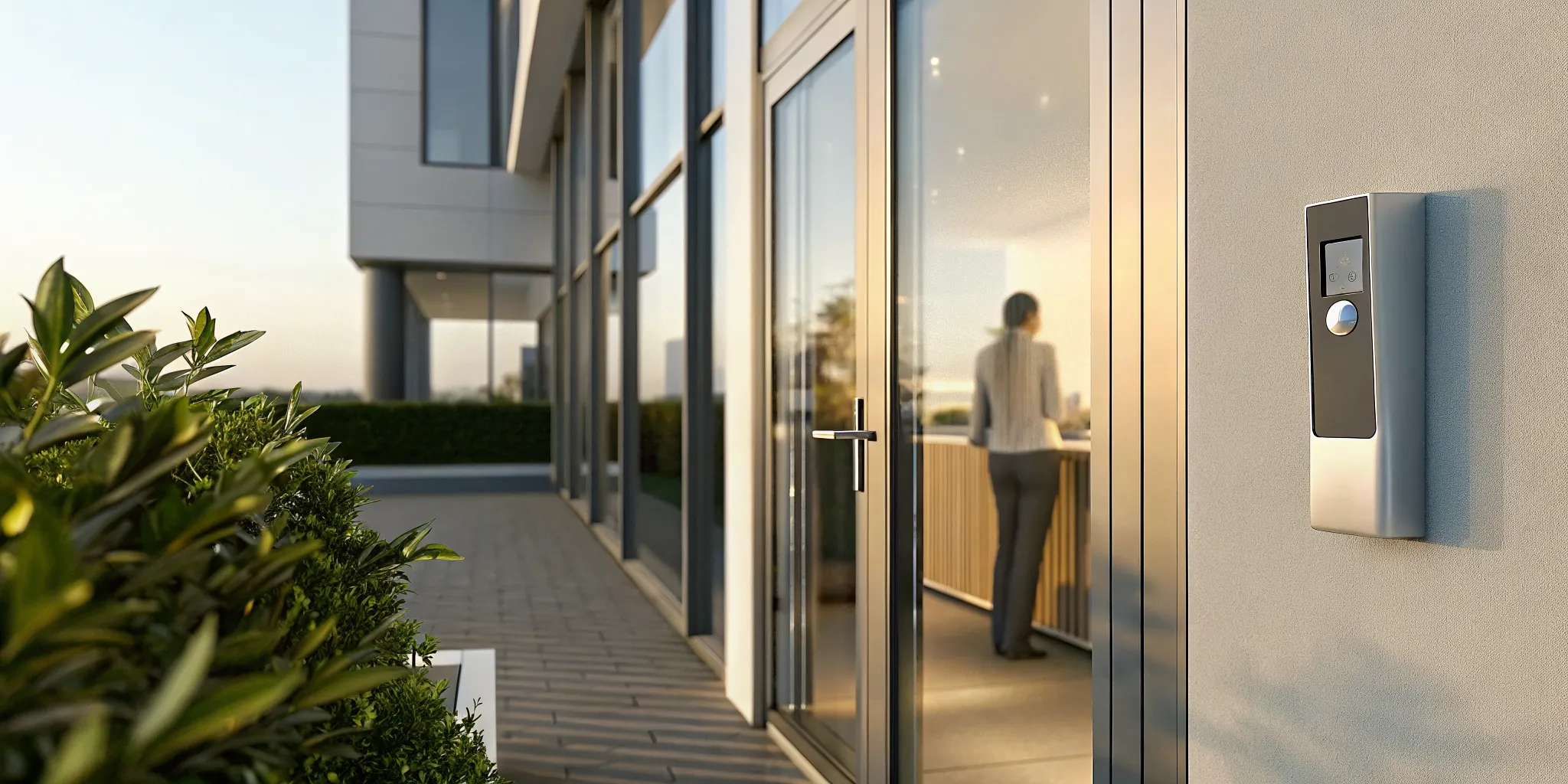
Commercial intercom system at an access-controlled office entrance
A well-planned intercom gives staff a clear way to verify visitors before unlocking an entrance.

A commercial intercom system serves as the main way for your team to control who enters and to check who people are at your facility. These tools let your staff speak with guests before they let them in, which stops unwanted people from entering your private office or warehouse area. Based on the General Services Administration, controlling who gets in is a key part of stopping unapproved entry at business sites and other large buildings. New setups use web tools and clear video to give you remote control that protects your staff, your stock, and all your most valuable assets. This smart technology meets your safety needs by providing a way to talk and check people at every single entry point of your local site.

Selecting the right hardware depends on your specific building layout and user needs. You must look for features that balance ease of use with strong protection for your staff. The first step is to ask what should a commercial intercom system do? This guide explains.

What should a commercial intercom system do?

A commercial intercom system is a key part of modern building security. It does more than just let people talk to each other. These tools act as the first line of defense for your site. They help your team manage guests, check IDs, and keep doors locked until you know it is safe to open them. A good system makes it easy for staff to do their jobs while keeping the building secure.

Talk and see clearly

The first job of any intercom is to give you clear sound and video. You need to know exactly who is at your door before you let them in. Modern units use IP camera technology to show high-definition video of your entry points. This helps your team see faces and IDs with great detail. High-quality sound is also needed so your staff can talk to guests without static or noise. Clear tools help prevent mistakes and keep unauthorized people out of your workspace.

Grant entry with one click

Once you verify a guest, you need a quick way to let them in. Most systems link directly to your door locks. This allows staff to release a door from a desk or a mobile app. This feature is a core part of physical access control systems used in many secure sites today. It saves time for your team because they do not have to walk to the door for every guest. It also ensures that the door stays locked and secure the rest of the time.

Manage access from anywhere

Modern intercoms do not tie you to one spot. You can manage your doors from your phone or a remote computer. This is very helpful for large sites with many entry points. You can see who is at the front gate even if you are in a different building. Cloud-based tools also allow you to change settings and check logs from anywhere. This level of control helps you maintain consistent security practices across all your locations. It ensures that your security plan stays strong no matter where your team is working.

Compare commercial intercom system types

Choosing the right commercial intercom system depends on your building layout and security needs. Modern setups do more than just let people talk. They help you control who enters your site and when. By matching the system type to your daily work flow, you can keep your staff safe and your site secure. This choice is a key part of how you run your firm.

Wired and wireless network options

Wired systems are very stable because they use real cables. These are best for new buildings where you can run wires behind walls. They offer the best signal quality for talking and video. But if you have an old office, the cost to add wires can be high. In those cases, a hybrid system might be better. These mix new tech with old parts to save you money on your commercial intercom system setup. A pro team can check your building to see if your old wires still work.

Wireless systems work well for sites where you cannot run cables. They use Wi-Fi or radio waves to send signals. These are fast to set up and work for both indoor and outdoor use. They are helpful for large factory sites that need long-range tools. But you must make sure your network is strong enough to handle the data. If the signal is weak, your video might be blurry or the sound might cut out.

Video and audio communication features

Audio-only intercoms are the simplest choice. They let you talk to guests at the door. These work well for small offices that only need basic tools. But many firms now want video for better security. Video intercoms let you see who is at the gate. This helps you check a person’s face before you let them in. Clear cameras can even spot small details or read ID badges.

Adding video to your entry point can help your team stay aware of their area. This is key for firms that stay open all night or have high risk. You can even use cameras with a wide view to see everything near the door. This type of tool helps you follow facility access control standards for risk control. Seeing your guests adds a layer of safety that sound alone cannot give.

Telephone entry and IP technology

Phone entry systems use phone lines to connect guests to your desk or mobile phone. These are common in big multi-tenant buildings. They allow you to grant access even when you are not at your desk. Many modern versions now use the web. These IP-based systems offer more tools like remote setup. You can change settings for brightness or clear views from a distant PC. This makes it easy to control many doors from one spot.

IP systems are becoming the top choice for many firms. They offer high-quality sound and clear video. They also allow for cloud-based control. This means you can check your entry logs from anywhere using a phone or tablet. These systems often connect to your other tools through one app. This helps you track who comes and goes without switching between other screens.

System Type Best Use Case Video Support Installation Relative Cost
Analog Wired New construction Optional Hardwired Medium
Wireless Large outdoor sites Yes Plug-and-play High
IP-Based Modern offices Full HD Network cable High
Telephone Entry Multi-tenant sites No Phone line Low

How do you choose the right setup?

Selecting the best commercial intercom system features for your building needs a clear plan. A good setup helps you manage guests and keep your property safe. You should look for systems that match your daily work and safety needs. The right choice will help you block entry and manage risk across all your sites.

Check your entry points

First, look at where people enter your building. Note how many doors or gates need a tool. Busy areas may need video to see who is there. For low-traffic spots, sound may be enough. You should also check for spots where wiring might be hard. Modern commercial intercom system setups often use wireless or IP tech to fix these issues.

Find your user needs

Think about who will use the tool. You need to know how many tenants or staff must have access. If you have many users, look for cloud-based phone entry tools. These let people answer calls from their phones. This is helpful for big buildings or offices where staff move around a lot. You want a tool that is easy for both your team and your guests to use.

  1. Check your safety needs. See if you need video for better safety. High-quality IP cameras can help you see faces and cars at entry points.

  2. Look at your current wiring. If you have old wires, you might pick a hybrid system. This lets you use old lines with new HD tools to save money on the setup.

  3. Plan for future growth. Pick a tool that lets you add more doors or users later. Cloud systems are great for this because they grow fast without big hardware changes.

  4. Check for link options. Your tool should work with your other gear. Linking it with cameras or physical access control systems makes your safety stronger.

  5. Review support plans. Choose a team that gives help and care over time. InVision Systems offers custom designs and expert help to keep your tool running well for years.

Check safety standards

Make sure your setup meets top safety rules. Use guides from groups like CISA or NIST to pick your tool. These plans help you build consistent access control practices for better risk management. A tool that follows these rules is more reliable and keeps your business safer. You can also look for features like night vision to keep your doors safe day and night.

Talk with InVision Systems about an intercom setup tailored to your building and security priorities.

Plan integrations and infrastructure

A good commercial intercom system does more than just let people talk. It works with your other safety tools to keep your building safe. When you plan your system, think about how it will fit with your current tech.

A smart setup links your doors, cameras, and network together. This makes it easy for your team to manage who comes and goes every day. It also keeps your data in one place.

Connect with access control

The most important link is between your intercom and your door locks. This is often called a physical access control system. These tools are needed to stop people from entering areas they should not be in.

When a guest calls from the door, you can check who they are and then buzz them in. You do not have to leave your desk to open the door. Modern setups use cloud-based tools to track every entry.

This helps you keep a clean record of who was in the building and when. You can learn more about how we set up these access control systems for local firms. We make sure the tech fits your specific building and needs.

Add video for better views

Talking to a guest is helpful, but seeing them is better. Most commercial intercom system units now come with built-in cameras. You can see the person’s face and check their ID before you let them in.

This adds a strong layer of safety to your front door or gate. It also stops people from using a fake name to get inside your shop or office. You can also link these cameras to your main video system.

This lets you save clips of everyone who uses the intercom. If there is ever a problem, you will have a clear video to look at. This works well for our commercial security clients who need to watch large sites.

Mobile control and wiring

New systems let you answer the door from your phone or tablet. This is great for managers who move around the building a lot. You can see a video call and open the door even if you are not at your desk.

It gives you full control of your site from anywhere with a web link. This tech is a big part of modern entry systems used in Chicago today. We help you pick the best app for your needs.

To make all this work, you need the right wiring in your walls. High-speed data cables link your intercom to your net and power. Good wiring stops your system from dropping calls or losing video.

We help you plan the best paths for these wires during the design phase. This ensures your safety tools stay on and work fast when you need them most. Custom safety is about more than just buying a box.

It requires a plan that looks at your whole site. We look at things like lighting and ceiling heights to find the best spots for your gear. Our team is here to help you build a system that lasts for years.
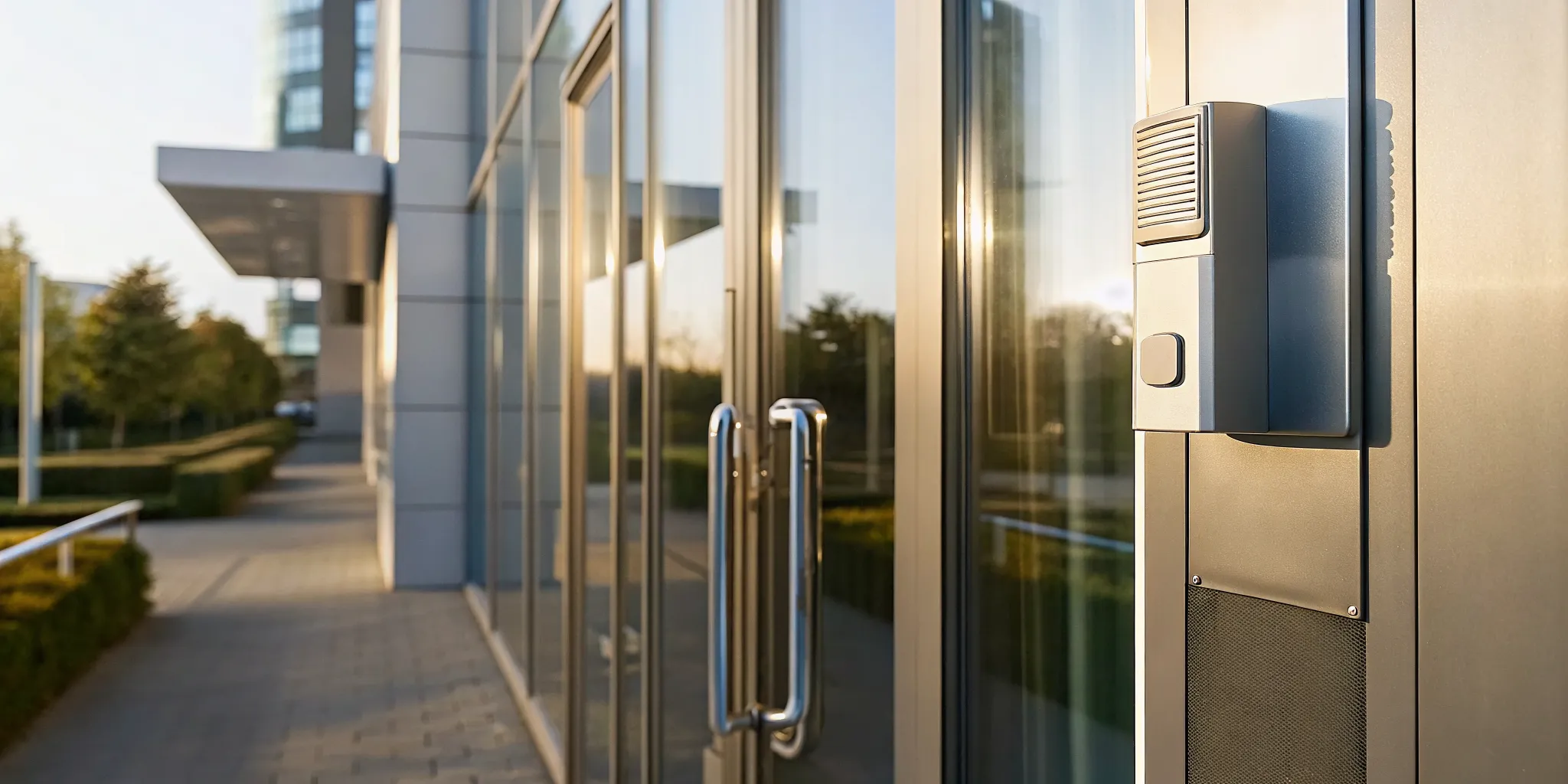
Video intercom at a secure commercial building entrance
A commercial intercom should fit the entrance, access-control plan, and daily visitor flow.

Look beyond hardware when selecting a provider

Buying a commercial intercom system is about more than picking a box from a shelf. The gear you choose must fit your building and your goals. A great partner helps you from the first site visit to the final test. They should look at your entry points and find weak spots. This careful work keeps your site safe and makes the system easy to use for your team.

Expert review and custom design

Every business has different needs for security. A retail shop might need a simple video link. A large warehouse may need a system that covers many gates. You should look for a company that offers a full commercial intercom system setup. This starts with an expert check of your site. They look at lighting, wall types, and how people move through the building. This helps them design a system that works well every day.

Proper design also helps you manage risk. New tools like physical access control systems are key for many commercial sites. They help stop people from entering areas where they do not belong. By matching the gear to your exact plan, you get a higher level of safety. You also avoid paying for features you do not need.

Local help for Chicago businesses

When you have a problem with your entry system, you cannot wait days for a fix. That is why local help is so key. Working with a company that knows the Chicago area makes a big difference. They can get to your site fast and know the local weather and building codes. InVision Systems serves clients in Chicago, the suburbs, and parts of Wisconsin and Indiana. This local focus helps them give better service than a far-off vendor.

A good sign of a strong partner is how long their clients stay with them. If a company has a 95% client retention rate, it shows they care about long-term results. They do not just sell a system and walk away. They build a bond with the business. This leads to better support and systems that grow with you. When your business gets bigger, your partner can help you add more doors or new features with ease.

Setup, training, and long term care

The best commercial intercom system only works if your team knows how to use it. A top partner will train your staff after the gear is in place. They show you how to grant access, talk to visitors, and check the logs. They also run tests to make sure every link is clear. This step makes sure that your commercial intercom system adds real value to your daily work. It stops errors and keeps things moving fast.

Upkeep is the last piece of the puzzle. Gear can break or need new software updates. A partner should offer a plan for care. This keeps your system in top shape for years. Regular checks can find small issues before they turn into big gaps in your security. By choosing a partner who offers these services, you protect the money you spent. You can focus on your business while they keep your doors safe.

Avoid common intercom planning mistakes

Setting up a new security tool is more than just picking the latest parts. Many firms rush to buy a commercial intercom system without a clear plan for how it will work. This often leads to tools that do not meet real needs or fail too soon. By spotting these common errors early, you can build a setup that keeps your team safe and works well for many years.

Designing for daily work flows

One major mistake is picking parts before you know your daily work flow. You must think about how people move through your building each day. If your system is hard for people to use, staff may prop doors open or skip checks. This breaks your security and puts your site at risk. A good plan looks at every entry point to make sure it helps, rather than hurts, your staff flow.

You should also think about who will answer the calls. Will one person at a front desk handle all visitors, or will calls go to cell phones? Without a clear plan for these paths, you may end up with missed calls and long wait times. This can lead to stress for both your staff and your guests. Using physical access control systems helps you build a stable and secure setup from the start.

Checking network and wiring needs

Many people forget that a modern intercom needs a strong and fast network. Most new systems use IP tech to send clear audio and high-quality video. If your wiring is old or your network is slow, the system will lag or drop calls. You should check if you need new wires like Cat6 to support the data flow for your tools.

Bad sound and video can also ruin a good setup. If a visitor cannot be seen or heard clearly, your staff cannot check who they are. This is often due to poor camera placement or bad lighting at the door. Make sure to test how the cameras work at night and in bright sun before you finish your plan. This ensures your commercial intercom system works well at all hours.

Planning for future growth

Your needs today will likely change as your firm grows. A common error is choosing a system that cannot add more users or doors later. You do not want to replace the whole setup just to add one more entry point. Look for tools that allow for easy growth. This saves you money and time in the long run by avoiding a full rebuild.

Finally, many owners skip staff training after the system is in place. Even the best tool is useless if no one knows how to use it correctly. Make sure your team knows how to answer calls and grant access to keep your commercial intercom system secure. Taking time to teach your staff will prevent simple errors and keep your building safe.

Contact InVision Systems to plan a commercial intercom system around your entrances, users, and existing security infrastructure.

Frequently Asked Questions

What is the best commercial intercom system?

The best system for your firm depends on your own building needs and safety goals. There is no single brand that fits every site. You should look for a setup that offers clear video and easy remote control. According to InVision Systems, the best choice is a tailored plan built to meet your unique security risks. This method ensures that your hardware works well with your current layout and provides the safety your team needs to stay secure.

How much does a commercial intercom system cost?

The price of a system varies based on the size of your site and the features you pick. Basic setups for small offices cost less than complex units for large plants. You also need to think about the cost of labor to run wires and set up the tools. According to InVision Systems, most firms provide custom quotes because each building is different. This ensures you get a fair price for a system that fits your exact needs without paying for extra parts.

What are common problems with commercial intercom systems?

Most issues come from old wiring or bad network signals. Static in the sound or grainy video can make it hard to check guests. If a system is not installed well, it may stop working when you need it most. Weather can also damage outdoor units if they are not built to last. The CISA notes that regular checks help keep access tools working in a safe way. Proper setup and routine care help prevent these common flaws and keep your site secure.

Do offices still use intercom systems?

Yes, offices use these tools more than ever to stay safe. Modern units link to mobile phones and desk apps, which makes them very useful for busy teams. They allow staff to talk to guests and open doors without leaving their desks. According to the GSA, these systems are vital parts of keeping modern business sites secure. They provide a quick way to verify guests before they enter the building, which helps protect both staff and property.

Ready to request a customized commercial intercom consultation?

Request your customized commercial intercom system consultation.

Leaving your building entry to chance with an old system creates a major risk for your company and leaves your staff open to safety threats. When you act now to close these gaps, you stop small security issues from turning into very costly losses or a complete intercom system failure. Getting a setup for your doors today on our consultation request page saves you stress and protects your business’s bottom line for years to come.

Ready to secure your business site today? Call 773-733-0970 to request a customized commercial intercom consultation right now. Our team of local experts has served the entire Chicago area for over twenty-three years and is ready to help you today.

Apartment Entry System Guide for Property Managers

Tenant safety is the priority for anyone overseeing a large residential building in the Chicago area. Finding the right tools to manage access can prevent major security risks. Professional solutions offer the peace of mind that DIY options cannot provide.

An apartment entry system is a professional security tool that manages how tenants and guests enter a multi-unit building by controlling access at every main point. Experts state that security in residential buildings is a primary concern for property management to ensure safety and keep unauthorized people out of your building. Modern systems often integrate with intercoms to help you manage visitors, replacing old buzzers with flexible cloud tools that improve life for everyone on your property. These setups let you update tenant lists, monitor logs, reduce crime, and increase property value while making your job as a manager much easier and more efficient. Choosing a professional system ensures that your residents stay safe while providing the long-term reliability that your multi-family building needs to thrive.

Choosing the right security setup is a big task, and you need to understand how these tools work to make the best choice. To find the best fit, you first need to ask what is an apartment entry system? The path begins with

What is an apartment entry system?

An apartment entry system is a safety tool that manages who can enter a multi-unit building. It acts as a gatekeeper for the main doors or gates of a property. These tools are key safety layers that help property managers control access points in a safe way. By securing these spots, a building can better protect its people and assets. Properly secured entry points add much to the full safety of a residential site.

These systems come in many forms, but they all share the same goal. They keep the building locked to the public while allowing guests to come inside. In a city like Chicago, where safety is a top concern, an apartment entry system is a standard part of any well-run property. It provides a way for visitors to reach out to residents without having to enter the building first. This helps prevent uninvited people from wandering the halls.

Property managers often find that these systems improve the value of their sites. A modern system can make a building look more professional to new tenants. It also gives current residents peace of mind knowing that the front door is always secure. This balance of ease and safety is what makes these tools so useful for large housing blocks.

How the visitor entry process works

The main job of these systems is to handle visitor flow. When a guest arrives at the front door, they use an entry box to find a resident in the directory. They then place a call through the system. Modern apartment entry systems often use intercoms to help with visitor handling by allowing clear talk between both people. This talk can be through audio or even a live video feed.

Once the resident answers the call, they check who is at the door. If they use a telephone entry system, this call often goes to the resident’s mobile phone or landline. If the resident wants to let the guest in, they press a specific key on their phone pad. This signal tells the entry system to unlock the door or open the gate. This type of clear talk is vital for a building to work well and stay safe.

Entry systems versus resident access control

It is helpful to know the difference between an entry system and resident access control. An entry system is mainly for people who do not live in the building. This includes friends, family, and delivery drivers. It focuses on the link between the visitor and the resident to grant entry. It is a vital part of an apartment entry system installation for any large building.

In contrast, resident access control is for the people who live there. Tenants use tools like key fobs, plastic cards, or mobile apps to get through the door. While these two systems often work together, they serve different roles. The entry system manages the greeting for guests, while access control lets tenants move freely. Using both together creates a strong safety plan for the entire property.

Safety in residential buildings is a primary concern for property care to keep tenants safe. By using a full entry plan, managers can reduce the risk of people getting in without a reason. This keeps the focus on the comfort and well-being of the people who call the building home. These systems are not just about locks, but about creating a safe place for everyone inside.

Types of apartment entry systems compared

Picking the right apartment entry system is a big job for any property manager. These tools help control who enters the building to keep people safe. Security in residential buildings is a main concern for property management to make sure there is tenant safety and peace of mind. Every building has different needs based on its size and how many people live there.

High-rise buildings face unique security problems that need strong access control tools. You must think about how guests will call tenants and how staff will move through the site. A good system makes life easier for everyone. It also helps to cut the risk of crime or visitors who should not be there.

Traditional telephone and hardwired systems

Telephone entry systems are a common choice for many older buildings. These systems use a phone line or cell link to call a tenant when a guest comes to the door. The tenant can then press a button on their phone to open the gate or door. While they are easy to set up, they do not show video to see who is there. This can be a security gap if tenants let in people they do not know.

Hardwired audio and video systems provide a steady system. They need wires to run from the front door to every unit in the building. This makes the signal clear and strong. But, the cost to set up apartment entry system installation can be high. This is because of the work needed to run wires through thick walls and between floors.

Cloud-based and mobile intercom solutions

Modern modern apartment entry systems often use the cloud. These systems do not need wires in every unit. Instead, they use a fast web link to send video to an app on a tenant’s phone. This allows people to see and talk to guests from anywhere. You could be at work or on a trip and still let someone into the building.

Property managers like these systems because they are easy to update. You can add or remove users from a computer or a tablet. This saves time and money compared to old systems that need manual changes. It also helps to keep the building safe by making sure only current tenants have access. If a tenant moves out, you can turn off their access with one click.

Integrated keyless access control

Many systems now include keyless entry options for tenants. Instead of a metal key, people use a fob, a card, or a code. These tools make it easy to manage lost keys. You can just turn off a lost fob in the software rather than changing all the locks. This is a big win for busy managers who want to save on upkeep costs.

Safe entry spots help a lot with the total security of multifamily buildings. Using a mix of these tools often gives the best results. A pro can help you find the best fit for your specific property and budget. They can show you how to blend video, audio, and keyless tools into one simple plan that works for your tenants.

System Type Hardware Needs Key Benefit Primary Drawback
Telephone Entry Central door panel Low cost to buy No video feed
Hardwired Video Unit in each home High reliability High install cost
Cloud Intercom Web connection App-based access Needs steady internet
Keyless Access Fobs or keypads Easy to manage Fobs can be lost

Which features matter most to property managers?

Choosing an apartment entry system needs careful thought about building size and visitor flow. Property managers must ensure that security in residential buildings stays a top goal while keeping daily work smooth. The right system acts as a shield that guards entry points without creating hurdles for residents or staff.

Assessing building size and layout

The scale of your property tells you what tech you need to manage access. Small buildings may only need a simple intercom, but high-rise sites face unique security challenges that need strong solutions. It is vital to count all doors and gates before you buy any hardware. Systems that work for a ten-unit building will often fail to meet the needs of a site with hundreds of units.

You should also look at your current wiring to see what is already there. Many old Chicago buildings have copper wires that may not support new video tools. In these cases, a cloud-based phone entry system might be the best path. This way helps you avoid the high cost of new wires for every unit while still giving you robust access control across the site.

Visitor management and resident experience

A top apartment entry system must handle a high volume of guests and delivery crews. Modern tools often link with intercoms to make visitor management easier and more secure. Residents want to see who is at the door from their phone or a wall screen. This level of control builds trust and keeps your tenants happy over the long term.

Work for your team is another big factor to weigh. You need a system that lets you add or remove users fast through a web portal or app. If it takes hours to update a resident list, your building security will suffer. Reliable tools are key to making sure the system works well for both the office staff and the people living in the building.

Reliability and future growth

When you pick your security tools, think about how they will last over the next five to ten years. A good system should be easy to scale as your needs change or your property grows. You do not want to buy gear that becomes old in just a few years. Look for brands that offer regular soft-ware updates and parts that are easy to find when you need a fix.

Finally, think about how the entry tool links with other security gear. A system that talks to your cameras and alarm panels gives you a full view of building safety. This link helps you find risks early and move fast to any issues. By picking a flexible and strong system now, you save money and time on future work.

How to plan an apartment entry system upgrade

Planning a new modern apartment entry systems project takes more than just picking out gear. Property bosses must think about how people move through the hall every day. A good plan helps you avoid high costs and keeps your tenants happy. Building safety is a top goal for teams that want to keep tenants safe from new threats.

Start with a site review

You should walk through your building to find every spot where people enter. Check the front door, the side gate, and the back hall. Look for old locks or broken frames that might need work. You also need to check the local area. In the Greater Midwest, weather can wear down gear fast. An expert review helps you find these weak spots before you buy a new system. It is best to do this in the day when you can see all the details.

Think about how your staff works right now. Do they spend too much time giving out keys? Do they need to let in drop-off drivers or guests? Knowing these small facts will guide your choice. It ensures your new apartment entry system meets the real needs of your building. This step saves you from buying parts you do not need while filling the gaps you have. You should also think about the size of your building and how many units you need to serve.

Follow a clear plan

A step-by-step path makes a big project feel easy. Use these seven steps to guide your upgrade from start to finish.

  1. Conduct a site survey. Walk the property to find all access points and check the state of current doors and frames.
  2. List your needs. Decide if you want video, voice only, or app-based entry for your tenants and guests.
  3. Check the wiring. See if your old wires can support new digital gear or if you need to run new lines.
  4. Choose access methods. Pick between key fobs, PIN codes, or phone apps based on what your tenants find easiest to use.
  5. Schedule the install. Work with an expert to set a time that causes the least trouble for the people living there.
  6. Train your team. Show your staff how to add new users, delete old fobs, and check the logs for safety.
  7. Create an upkeep plan. Set dates for regular checks to make sure the gear works well in all seasons.

Focus on the setup

The success of your plan often depends on how well you set it up. Choosing an apartment entry system installation team with local skill is key. They know how to work around common tasks in Chicago and nearby towns. Expert setup means fewer errors and a system that lasts longer. It also means your staff can get back to their normal work faster. A local team can also help if you need a quick fix later on. This adds a layer of trust that big firms often lack.

Once the gear is in place, do not stop there. You must test every door and every code to be sure they work. Make sure the app works on all types of phones used by your staff and tenants. A smooth launch builds trust with your tenants. It shows them that you care about their safety and their time. Full testing is the final part of a great plan that leads to long-term success.

Installation and ongoing management considerations

Planning for a new apartment entry system takes more than just picking out parts. You have to look at how people move through the building. A professional apartment entry system installation starts with a full look at all entry points. Every door and gate must link to one hub. This setup helps you track who comes in. It keeps the wrong people out.

Working with an expert helps you find the right fit for your site. They can spot issues like thick walls that block signals or old doors that need new hardware. A good plan also looks at how to grow the system later if you add more units. Thinking ahead saves you time and money. It ensures your security is strong from the first day.

Wiring and network needs

Modern tools rely on strong data links to stay active. You may need new wires or a boost to your current web speed to keep things fast. High-rise buildings often face security challenges that need strong tools. Most systems today use the cloud. This means you need a stable link that will not drop when the weather is bad.

Power is another key part of the setup. You should have a backup power source in case the lights go out. This keeps the doors locked and the intercoms live during a storm. Door locks also need the right parts to last through thousands of uses. Using heavy-duty gear reduces the need for fixes. It keeps the building safe for everyone.

  • Check signal strength near all entry points.
  • Set up backup batteries for core hardware.
  • Use weather-proof locks for all outside gates.

Staff and resident onboarding

Once the system is in, you have to think about the people who use it. Your team needs clear steps to manage access for new and old tenants. Using modern apartment entry systems makes it easy to add or remove users in seconds. This speed is key. It stops the wrong people from getting inside the property.

Teaching residents is just as important as the tech. They need simple guides on how to use their phones or fobs to get in. If the system is too hard, people might prop doors open to save time. This is a risk. Clear training for both staff and tenants keeps the system working as it should. It builds trust and ensures everyone feels safe in their own homes.

Long-term care and support

Regular care is the only way to keep a system working for years. Security in apartment buildings is a primary concern for property management. You should schedule yearly checks to test door sensors and software speed. Small tweaks can prevent big failures. These failures might leave a door stuck open. Keeping the software up to date also protects the system from new threats.

Support from a trusted partner helps you handle issues fast. If an entry point fails, you need a team that can fix it right away. Proactive care reduces downtime and keeps your tenants happy. A well-managed system shows residents that you value their safety. It makes the property a better place to live and work for every person there.

Choosing an apartment entry system partner

Picking the right team to set up your apartment entry system is a big step. This system is the main way you keep your building safe. Property managers must find a partner who knows more than just the tech. You need a team that knows how people live and how to keep doors locked tight. Security in residential buildings is a primary concern for property managers to ensure tenant safety.

Start with a full site check

A good partner will not just give you a price over the phone. They should visit your building for a free on-site check. This visit helps them see where wires need to go and which doors need more care. Every building has its own shape and needs. High-rise buildings face unique security tasks that require robust access control. A pro team will look at your gates, front doors, and side paths to find the best spots for gear.

Ask the team if they handle the full design. You want a system that fits your exact needs. This means looking at the number of units and how people enter the building. A custom plan ensures that the tech works well for years. It also helps you stay on budget by not buying things you do not need. Look for a team that has worked on many types of buildings in the past.

Focus on custom design and local care

Local care is key for apartment systems. If a gate breaks at night, you need help fast. InVision Systems has served the Chicago area for over 23 years. Being close means we can get to your site quickly. A local partner knows the area and the exact risks your building might face. Our team works within a 50-mile area of the city to keep things running. This local focus ensures that you are never left waiting for days.

You should also check the team’s past work. Look for a high rate of client trust. This shows that people like their work for a long time. InVision Systems keeps over 95% of its clients. This trust comes from doing good work and being there when things go wrong. A long past in the field means the team has seen every kind of door and wiring problem. They will have the skills to fix issues that newer teams might miss.

Demand expert wiring and support

The gear is only as good as the wires behind it. Good wiring ensures the system does not fail when it rains or gets cold. Make sure your partner knows about structured wiring and door hardware. They should also give you full notes on how the system works. These guides help you manage the system without calling for help for every small change. Clear records make it easy to fix things if a part breaks down.

Teaching your staff is another must. Your team needs to know how to add new tenants or change codes. A good partner will sit down with you to show you how to use the gear. They will also offer help to fix bugs or update the software. This keeps your access control fresh and safe for all people in the building. Solid support means your building stays secure day and night.

Frequently Asked Questions

What are the common types of apartment entry systems?

Common systems include cloud-based intercoms, telephone entry systems, and keyless proximity readers. According to Aiphone, these systems serve as essential security layers for multifamily buildings by controlling access points. Property managers can choose between hardwired systems or wireless solutions that use mobile apps. The best choice depends on your building size and the number of units you manage. Modern systems often combine video and audio to help check visitors before letting them in.

What are the benefits of cloud-based apartment entry systems?

Cloud-based systems offer remote management and fast updates to tenant directories. This improves efficiency because you do not need to be on-site to change resident information. These systems often work with mobile apps, allowing tenants to open doors using their phones. According to Forbel, picking the right system needs careful planning for your specific goals. Cloud solutions also provide automatic backups and protect your data from hardware crashes or local natural disasters.

How do telephone entry systems for apartments function?

These systems use a tenant’s own phone line or mobile device to manage building access. When a visitor arrives, they use the entry box to call the resident. The resident then speaks with the guest and presses a specific key, like number nine, to open the door remotely. TekTone notes that reliable communication is vital for these systems to operate well. They remove the need for expensive in-unit hardware and simplify the entry process for both visitors and staff.

Are there ADA compliance requirements for apartment entry systems?

Yes, entry systems must meet specific ADA standards to ensure all residents can use them. This includes installing hardware at reachable heights and providing visual or tactile feedback. For example, systems often need call indicators and Braille labels for users with visual impairments. Ensuring your building is accessible helps protect you from legal risks and improves the experience for all tenants. You should talk with a professional installer to verify that your system meets all local and federal rules.

Ready to Upgrade Your Apartment Entry System?

Old or broken entry systems can fail at any time, which leaves your property open to risks and makes your tenants feel unsafe and worried. By acting now to fix these gaps, you can stop small issues from turning into big, costly repairs that disrupt your modern apartment entry systems. Starting this process today will help you find the best plan to keep your site safe and your tenants happy for many years to come.

Ready to request a customized apartment entry system consultation? Please visit our contact page now to request a customized apartment entry system consultation. Our team is here and ready to help you secure your property and protect your tenants today.

GPS Tracking for Business Vehicles: Uses and Benefits

Rising fuel costs and unexpected repairs often drain a business’s monthly profit margins. Proactive fleet management allows owners to spot these hidden expenses before they hurt the bottom line. InVision Systems offers these custom tools under Alarm Agency Lic #127.001456.

GPS tracking for business vehicles provides real-time location data and performance metrics to help owners manage their fleets well. These systems use a network of at least 24 satellites to send precise positions to a central dashboard every few seconds (Clemson University). By watching idling time, speeding, and route history, companies can lower fuel costs by about 20 percent and reduce vehicle wear. Proactive oversight also improves safety by flagging bad driving habits like harsh braking or speeding before they lead to costly accidents or high insurance hikes. This tool turns raw data into useful insights that protect expensive assets and boost the bottom line. With past data storage for up to three years, managers can also verify past deliveries and solve customer concerns with total accuracy.

Choosing the right security tools for your fleet needs a clear look at how these devices find and send data. You likely have questions about how these systems keep your assets safe. We start by seeing How GPS tracking for business vehicles works, and the path begins with

How GPS tracking for business vehicles works

Business vehicle tracking uses a network of satellites and ground tools to help you manage your fleet. At its core, the system relies on the Global Positioning System (GPS). This network uses at least 24 satellites to find the exact spot of a vehicle on earth. A small device in your car or truck picks up these signals to track its moves in real time.

The hardware and data flow

Each vehicle gets a tracking unit. This device talks to satellites and then sends data to a central hub. Modern fleet tracking systems often update every 1 to 30 seconds. This high speed lets you see live maps and current speeds. The data moves over cell networks, so you can check your fleet from any phone or computer with a web link.

A good system does more than just show dots on a map. It turns raw signals into clear reports for your business. You can see GPS tracking for business vehicles in action through a digital dashboard. This screen shows where your drivers are and how they drive. It helps you stay in control of your daily work and keeps your team safe on the road.

Alerts and geofencing

Smart tracking tools use geofences to protect your assets. A geofence is a virtual border you draw on a map around a job site or your office. If a vehicle leaves or enters this zone without your ok, the system sends an instant alert. These real-time updates help stop theft and keep drivers on their planned paths.

You can also set alerts for high speeds or long idles. These logs show you if a vehicle sits too long with the engine on, which wastes fuel. By watching these events, you can lower costs and make your fleet more efficient. The system stores this data for a long time, so you can look back at past routes to find ways to improve.

From tracking to proactive security

While basic GPS shows location, a full security tool looks at the whole picture. It links location data with driver habits and vehicle health. This helps you find risks before they lead to big bills or crashes. Using these tools means you are not just reacting to problems but stopping them before they start.

By using security solutions for business, you gain full sight of your remote team. This oversight builds trust and keeps your business running smooth. When you know where every asset is, you can give your clients better service and faster arrival times.

Everyday business use cases for vehicle tracking

Managing a fleet requires clear data to keep operations smooth. Using gps tracking for business vehicles lets you monitor assets in real time. This view helps your team make fast choices based on where vehicles are now. It removes doubt from daily tasks like dispatch and route plans.

Better dispatch and arrival times

When you know the exact spot of every truck, dispatch is simple. You can send the closest driver to a new job site to save time. This leads to better arrival times for your clients. Sharing a clear time for a tech to arrive builds trust. Real-time data from satellite tools ensures these updates are right.

Owners also use this tech to check that drivers take the best paths. Tools can show if a driver takes a long way or hits heavy traffic. By looking at location history, you can find ways to cut down on idle time. This help lets you manage a fast team without constant phone calls.

Safety and cost control

Tracking tech can also help lower your business costs. Seeing how people drive lets you spot habits like speeding or hard braking. These safety checks often lead to fewer accidents and lower repair bills. It also helps you stay on top of care by tracking the miles driven for each van or truck.

Fuel costs are a big part of any fleet budget. GPS tools help you use less fuel by stopping odd trips or long idling. When you see where fuel is spent, you can set better rules for use. This proactive path keeps your fleet in good shape and protects your cash from waste.

Security and theft response

Protecting your gear is a top goal for any firm. If a vehicle moves without your okay, alerts tell you right away. While no tool stops every crime, a live spot helps in theft response. You can give police the last known spot to help them find the missing asset fast.

For high-value gear, security solutions for business often join tracking with other tools. This gives you a full view of your property and tools. Whether the asset is on a job site or in your lot, you can check it from any phone. This peace of mind lets you focus on work while your assets stay safe.

Benefits of GPS tracking across the fleet

Running a fleet of cars or trucks brings many daily tests. You must watch fuel costs, keep drivers safe, and ensure on-time arrivals. Using gps tracking for business vehicles gives you the facts you need to run a smooth shop. This tool does more than just show a dot on a map. It gives you a full view of how your assets move and act each day.

How tracking helps your bottom line

Every mile your vehicles go costs money in fuel and wear. Without clear data, it is hard to find where you are losing cash. Small changes in how drivers pick their paths can lead to big savings over time. Using fleet management systems can lower fuel and fix-it costs by giving you a better watch over each trip. This proactive way helps you find waste and stop it fast.

Upkeep is another area where you can save money. Tracking tools can tell you when a vehicle needs a check-up or a part change. This helps you avoid big break-downs that take your trucks off the road. When your fleet stays in good shape, you spend less on quick fixes. You also keep your team at work without the stress of broken gear.

Improving safety and security

Safety is the most vital part of any fleet plan. Fast driving or hard stops can lead to crashes and high insurance rates. GPS tools let you watch how your team drives so you can give better help. This builds a safe way of working where every driver knows the rules. Real-time data helps you find risks early and act to keep your team safe on the road.

Theft is also a big worry for shops with mobile gear. If a truck is gone, every minute counts to get it back. New systems use geofences to tell you if a vehicle leaves a set area without your word. This makes it much easier for police to find and return your stolen gear. You can also use this data to see which tracking devices work best for your tools.

Business challenge Tracking power Helpful result
High fuel and fix-it costs Better paths and idle alerts Lower bills and less vehicle wear
Driver safety and trust Speed and hard braking reports Fewer crashes and better work habits
Theft and wrong use Geofencing and live location Fast recovery and better asset safety
Slow dispatch and late arrivals Live map and arrival times Happy customers and more work done

Gaining a clear view of your fleet

Knowing right where your assets are helps you make better choices. You can tell customers right when to expect a worker or a drop-off. This builds trust and keeps your shop looking expert. You no longer have to guess or call drivers to find out where they are. The map shows you all you need to know in real time.

Past data is also a strong tool for planning. You can look at old trips to see which paths take the longest or where delays happen most. This data lets you plan better times for the future. Over time, these small gains in speed add up to a much stronger business. You get the facts you need to grow with trust. Alarm Agency Lic #127.001456.

How to choose the right GPS tracking system

Choosing a tool for gps tracking for business vehicles is a big step for your team. The right system helps you save money on gas and keep your drivers safe. You should look for a setup that fits your fleet size and your daily needs. A good system gives clear data that you can use to make smart choices for your firm.

Find your main goals

Before you buy a system, think about what you want to reach. Do you need to stop theft, or do you want to find faster paths? Some tools focus on safety while others help with gps tracking for business vehicles by watching how much fuel you use. If you have costly gear on site, you may also need tracking for building gear to keep things safe.

Pick the best tools

There are two main types of tracking tools for your trucks. You can use plug-and-play tools that fit into a port under the dash. You can also use hardwired tools that stay out of sight. Hardwired tools are great for gps tracking for business vehicles because they are hard to remove. They provide a steady stream of data to help with fleet safety and driver health on the road.

  1. Check your fleet size. A small shop with two vans needs other tools than a large firm. Look for a system that can grow as you add more trucks to your fleet.
  2. Choose your update speed. Some systems send data once a minute. Others send real-time tracking data every few seconds using satellite links. Faster updates help you react to road changes.
  3. Look for safety alerts. Find a tool that tells you when a driver speeds or brakes too hard. These alerts help you coach your team and lower repair costs over time.
  4. Test the mobile app. You should be able to see your trucks from your phone or tablet. Make sure the app is easy for your team to use while they are in the field.
  5. Plan for support and cost. Ask about the total price, including monthly fees. Make sure the firm offers local help if you have a tech issue with your gear.

Think about live tracking

Live data lets you see where your trucks are at any time. This helps you give your clients better arrival times. It also helps you spot if a truck goes off its path. For the best results, look for gps tracking for business vehicles that stores old data for a long time. This lets you look back at past routes to find ways to be faster.

A proactive plan is key to a long-term win for your shop. At InVision Systems, we help you pick and set up GPS vehicle tracking that meets your goals. Our team handles the hard work of picking the right tech so you can focus on your work. Alarm Agency Lic #127.001456.

What should businesses consider about driver privacy?

Using gps tracking for business vehicles helps you run a safe and smooth fleet. But you must also think about the privacy of your drivers. A fair rollout starts with trust and clear talk. When drivers know the goals, they are more likely to support the new tools. Your aim should be to keep both your assets and your team safe while you follow local rules.

Share clear written rules

Before you start tracking, you need a solid plan in writing. This file should tell drivers just what the system does. List the types of data you will collect, such as speed, location, and idle time. It is vital to show that you use these tools for work goals only. For example, you might track a van to give a client a better time of arrival.

Clear rules help remove doubt and show that your goal is to help the business grow. You should also tell your team who can see their data. If drivers feel like you are always watching for no reason, they may lose trust. Make sure your rules state that you only check data for business needs. This can include things like finding the best routes or cutting fuel use.

When your team knows the “why” behind the tracking, they can focus on their jobs with less worry. Using openness helps people feel safe about the new tech. It is best to share these rules in a meeting so people can ask questions. This way, everyone starts on the same page.

Focus on safety coaching

Use GPS data as a tool for teaching rather than for blame. Many firms use fleet management systems to help drivers stay safe on the road. Instead of just looking for mistakes, use the stats to show how to avoid risks. For instance, you can use reports to talk about safe turns or steady speeds. This keeps the focus on the health of the team and the vehicles.

Only a small group of trained staff should have access to the data. This limit keeps the system fair and reduces the risk of data leaks. By using the data for safety coaching, you show that you care about your team. This proactive approach helps build a culture of safety. It also ensures that the tech is a help to the staff, not a burden.

Control data access and storage

Think about how long you need to keep the data you gather. Some systems let you store location history for up to three years. But you should only keep it as long as the law or your business needs require. Storing data for too long can be a risk if a breach occurs. Set a firm rule for when to delete old logs.

Make sure you follow local legal paths when you set up your tracking. Laws about driver privacy can vary by state and city. It is wise to get help from a local expert to make sure your plan fits the code. Steady rules for all drivers also help keep things fair. When everyone follows the same steps, the rollout will go much better for the whole firm.

Planning a successful vehicle tracking rollout

Setting up GPS tracking for business vehicles needs a good plan. You should do more than just buy new tools. A strong start helps you get the most from your new system. For firms near Chicago, this means picking the right gear and setting clear goals for your staff.

Pick the right tools and spots

First, choose how to track your cars and trucks. Many systems use satellite tools to find vehicle spots in real time. You can use simple tools that plug into a port on the dash. These are quick to set up. You might also pick hardwired units. These stay out of sight and are harder to break or remove.

Experts can help you find the best spot for each unit. This keeps the tools safe and ensures they send a clear signal. InVision Systems offers security solutions for business to help you pick the right gear. This helps you link your tracking system with your other security layers for a full plan.

Talk to your team and set rules

Talk to your drivers before you start. Explain that the goal is safety and better work flow. You should show them how the data will be used. One key goal is safety coaching for your staff. Using data to help drivers grow builds trust with your team.

You can also set up geofences and alerts. A geofence is a virtual line around a set area. If a truck enters or leaves this zone, the system sends an alert. You can use this to track when crews arrive at job sites in Northwest Indiana or Southeast Wisconsin. It also helps you spot when a truck is used at the wrong time.

Use data to improve fleet safety

Use your main screen to track daily work. You can see how fast drivers go and how long they sit with the engine on. This data helps you find ways to save money. For example, better vehicle oversight can lead to lower fuel and repair costs. It also makes it easier to look into crashes if they happen.

Set rules for who can see the tracking data. This keeps the info private and safe. Most systems can store history for a long time. You can use this to see trends in your business. This helps you plan better routes and find new ways to help your customers each day.

Is GPS tracking worth it for a small business fleet?

Small business owners often wonder if they should pay for tracking tools. When you run a small fleet, every cent counts. You might think you can manage without tech, but as you grow, it gets hard to see what is going on the road. Using gps tracking for business vehicles helps you clear up that fog. It is not just about knowing where your drivers are right now. It is about the data that helps you make better choices for your brand. When you can see your trucks in real time, you spend less time on the phone and more time growing your sales.

Seeing the true return

To see if the cost is worth it, look at how much you spend on fuel and time. GPS tools give you a clear view of your fleet. Without them, you must guess when they will get there. You might not know if a driver takes a long route or sits with the engine on for too long. This sight lets you make faster plans. When a new job comes in, you can see which truck is closest. This saves time and keeps the people you serve happy. By cutting out extra miles, you save on wear and tear. Over a year, those saved miles add up to real cash and less stress for you.

Lowering daily costs

Tracking helps you find ways to cut down on waste. You can see when vans idle, which burns gas for no reason. You can also spot if drivers take paths with heavy traffic. Research from schools shows that fuel and repair costs can drop when you have a better watch on your fleet. By tracking the health and miles of your vans, you can plan for work on them before a small issue becomes a big break. This keeps your vans on the road and out of the shop. You can even set alerts for oil changes or tire turns to keep your gear in top shape.

Protecting your team and tools

Safety is a major win for small fleets. These systems let you watch how your team drives. You can get alerts for fast driving or hard braking. This helps you teach your team to be safe. It also helps with security and loss. If a van is stolen, you can find it fast using live data. Having a record of where a car was and when it was there helps a lot. It makes it easier to look into crashes and protect your team from false claims. This proactive security plan keeps your business running smooth and protects your most costly tools.

Frequently Asked Questions

How does GPS tracking for business vehicles work?

GPS tracking uses a network of at least 24 satellites to find the exact spot of a vehicle. A small device in the car gets these signals. It then sends the data to a server using a cell network. Most systems update the location every 1 to 30 seconds to stay accurate. Business owners can see where their fleet is at any time. According to the U.S. Department of Transportation, this technology provides vital data for running business fleets.

What are the benefits of GPS tracking for business vehicles?

Businesses use GPS tracking to improve safety and lower daily costs. These tools help find the best routes to save fuel and reduce repair needs. They also alert managers if a driver goes too fast or enters a restricted area. According to Austin Community College, tracking can help with accident checks and improve how fast teams respond to urgent needs. These systems also help prevent the loss of cars and cargo by providing a constant watch.

What is the difference between OBD-II and hardwired GPS trackers?

OBD-II trackers are easy to use because they plug into a port under the dash. You can install them in seconds and move them between cars. Hardwired trackers connect to the power system of the car. They are more fixed and stay hidden, which makes them harder for a thief to find. Both types offer real-time data for tracking your team. Services like BrickHouse Security offer both options depending on what your business needs to stay safe.

Is GPS tracking for business vehicles worth the investment?

Yes, for most fleets, the cost is much lower than the savings. Tracking helps stop theft and improves how your team works each day. It can also help you coach drivers to be safer on the road. Better driving leads to fewer crashes and lower insurance rates over time. According to One Step GPS, some systems can store your route data for up to three years. InVision Systems (Alarm Agency Lic #127.001456) helps you find ways to make your business run better and save money.

Ready to request a customized security consultation?

Every day you wait to track your business fleet is a day you risk losing a vehicle to theft. High fuel costs and idle time can also drain your budget if you do not have clear data. Setting up your system now helps you stop these losses before they grow too large for your business. You can see how we help other firms on our business security page right now. The sooner you start, the sooner you get full peace of mind for all of your business assets.

Ready to request a customized security consultation? Contact our security team to request a customized security consultation and keep your business fleet safe.