
How to Choose Commercial Security Cameras
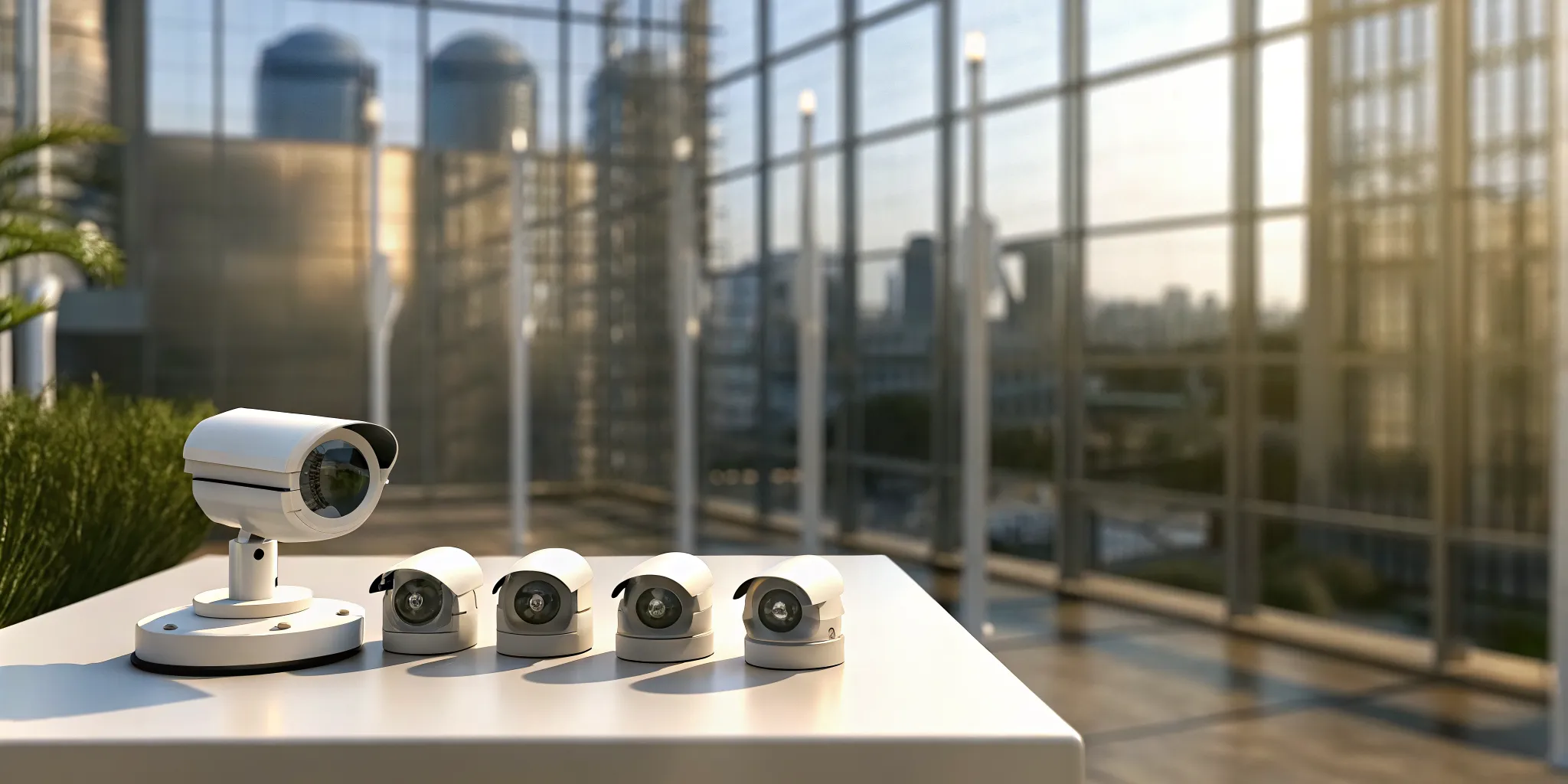
A security system shouldn’t just be a tool for reviewing what went wrong. The best systems work proactively to prevent incidents from happening in the first place. Modern technology has transformed surveillance from a passive recording tool into an active, intelligent defense for your property. With features like AI-powered alerts and remote viewing, you can be notified of potential issues the moment they occur, not hours or days later. This guide is about building that proactive shield. We’ll explore how to choose commercial security cameras that not only deter threats but also give you the power to respond in real-time, ensuring your business is always protected.
Key Takeaways
- Build a complete system, not just a collection of cameras: A truly effective security plan involves more than just hardware. It means strategically choosing the right camera types for each job, like discreet domes or visible bullets, and integrating them with reliable storage and management software.
- Focus on features that deliver clear, practical results: Look past the technical jargon and prioritize what matters. This includes high-resolution video to capture important details, dependable night vision for 24/7 coverage, and smart AI analytics that filter out background noise to prevent false alarms.
- Plan for long-term reliability from day one: A successful security strategy considers the entire process. This starts with a professional installation to avoid blind spots, includes a simple maintenance routine to keep things running smoothly, and requires understanding the legal rules of surveillance to protect your business.
What Makes a Security Camera System “Commercial”?
When you hear the term “commercial security camera,” you might picture a simple camera installed at a business. But the “commercial” label means much more. It refers to a complete system designed to handle the unique demands of a business environment, from protecting assets and employees to reducing liability. Unlike a simple home setup, a commercial system is built for durability, scalability, and advanced functionality, ensuring it can perform reliably under constant use. Understanding these key differences is the first step in choosing the right security for your company.
The Core Components of a Commercial System
A true commercial security system is more than just a camera. It’s a network of components working together to provide comprehensive surveillance. A complete system includes the cameras themselves, which act as the eyes of your operation. It also requires a reliable video storage solution, like a Network Video Recorder (NVR) or secure cloud services, to save footage. Finally, Video Management Software (VMS) acts as the brain, allowing your team to watch live video, review recordings, and manage all your cameras from one central hub. This integrated approach ensures you have a robust and manageable security solution.
Commercial vs. Residential: Key Differences
It’s a common mistake to think a residential camera can do the job for a business, but the two are designed for very different needs. Commercial systems are built to be much tougher, offering wider coverage and the ability to handle 24/7 recording from a large number of cameras. They are specifically engineered for the complexities of a business setting, with stronger components and greater capacity. While a home camera might be great for watching your front porch, a commercial security camera is designed to protect a large warehouse, monitor a busy retail floor, or integrate with other systems like access control for a complete security solution.
Finding the Right Camera for the Job
Choosing the right security cameras can feel like a huge task, but it really comes down to what you need to protect. There isn’t a single “best” camera, only the best camera for a specific location and purpose. A camera that works perfectly for a small retail storefront won’t be the right fit for a sprawling industrial warehouse. Understanding the different types of cameras available is the first step toward building a system that truly secures your property. Let’s walk through the most common options and what they do best.
Why Professional Installation Matters
When you’re investing in a comprehensive security system, how it’s installed is just as important as the equipment you choose. While it might be tempting to handle it yourself, a professional setup ensures every camera is placed for optimal coverage and configured correctly. For larger or more complex systems, an expert can identify blind spots you might miss and make sure the entire system works together seamlessly. A proper security camera installation is the foundation of a reliable system, giving you peace of mind that your investment is working as hard as it should be from day one.
Dome Cameras for Discreet Surveillance
If you need effective surveillance without creating an intimidating environment, dome cameras are an excellent choice. Their round, compact design is discreet, blending easily into ceilings and walls in offices, hotels, and retail spaces. Because the camera is housed inside a tinted dome, it’s difficult for people to know exactly where the lens is pointing, which is a subtle deterrent. They are also known for being durable and resistant to tampering, making them a great, low-profile option for both indoor and outdoor commercial security.
Bullet Cameras for Visible Deterrence
Unlike the subtle dome camera, the bullet camera is designed to be seen. Its long, cylindrical shape is highly visible, sending a clear message to potential intruders that your property is monitored. This makes them a powerful deterrent for outdoor areas like parking lots, building perimeters, and loading docks. Bullet cameras are built to withstand the elements and are particularly good for capturing footage over long distances. If your primary goal is to prevent incidents before they happen, the visible presence of a bullet camera is a major advantage for your industrial security plan.
PTZ Cameras for Maximum Coverage
For large areas that require active monitoring, Pan-Tilt-Zoom (PTZ) cameras offer incredible flexibility. An operator can remotely control the camera to pan across a wide area, tilt up and down, and zoom in on specific details with remarkable clarity. This makes one PTZ camera capable of doing the job of multiple fixed cameras, perfect for monitoring large parking lots, event venues, or expansive warehouses. When combined with a virtual guarding service, PTZ cameras allow security professionals to actively track suspicious activity and respond in real time, providing dynamic and responsive coverage.
Specialty Cameras for Unique Environments
Sometimes, a standard camera just won’t cut it. That’s where specialty cameras come in. These devices are designed for specific challenges, offering features like advanced night vision for clear images in complete darkness, thermal imaging to detect heat signatures, or multi-sensor cameras that provide a 180- or 360-degree panoramic view from a single unit. Many of these cameras also include smart alerts that can be sent directly to your phone. The key is to work with a provider who can assess your unique needs and recommend the right combination of security services to create a truly customized and effective system.
Key Features Every Business Security Camera Needs
When you start looking at commercial security cameras, you’ll quickly realize the options are endless. It’s easy to get lost in technical specs, but a few key features truly separate a basic camera from a powerful business security tool. The right system doesn’t just record what happens; it gives you clear, actionable information to protect your property, people, and assets. Think of it as hiring a security guard who can see in the dark, tell the difference between a person and a stray cat, and never takes a break.
Choosing a system means focusing on the features that deliver real-world results. You need cameras that provide undeniable proof, not blurry shapes. You need technology that works around the clock, in any weather, without sending you a notification every time the wind blows. From high-resolution video that captures critical details to intelligent analytics that filter out the noise, these are the non-negotiable features that form the foundation of a truly effective commercial security system. Let’s break down what you should be looking for.
Get a Clear Picture with High-Resolution Video
When you need to review security footage, clarity is everything. A grainy, pixelated image won’t help you identify a face, read a license plate, or see exactly what happened. That’s why high-resolution video is the first feature you should look for. Modern security cameras offer resolutions like 1080p, 2K, or even 4K, providing crisp, detailed images that stand up as evidence.
Beyond just clarity, high-resolution cameras often come with practical features for business environments. For example, privacy masking allows you to digitally block out sensitive areas, like computer screens or keypad entry codes, from the camera’s view. This ensures you can monitor your property while still respecting the privacy of your employees and customers.
See in the Dark with Advanced Night Vision
Your business needs protection 24/7, not just during daylight hours. Advanced night vision technology is essential for capturing clear footage after dark. Most modern commercial cameras use infrared (IR) LEDs to illuminate the area with light that’s invisible to the human eye but perfectly visible to the camera. This allows you to see what’s happening in complete darkness, whether it’s in a dimly lit warehouse or an unlit parking lot.
A system with effective night vision ensures there are no gaps in your security coverage. When paired with remote viewing capabilities, you can check in on your property from anywhere, at any time, and receive smart alerts on your phone if motion is detected, giving you peace of mind long after you’ve closed for the day.
Work Smarter with AI and Video Analytics
Modern security cameras are more than just recording devices; they’re intelligent tools that can analyze what they see. One of the most significant advancements is the integration of AI-driven video analytics. Instead of getting an alert for every falling leaf or passing car, AI features like human and vehicle detection can distinguish between genuine threats and background noise. This drastically reduces false alarms and ensures you’re only notified of events that actually matter.
This intelligent monitoring makes your security system a proactive asset. You can set up rules to be alerted if someone loiters in a specific area for too long or if a vehicle enters a restricted zone. This allows you to respond to potential issues faster and more effectively.
Manage Your Footage: Data and Storage Solutions
Capturing high-quality video is only half the battle; you also need a secure and reliable place to store it. A complete system includes video storage, which typically comes in two forms: on-premise recorders or cloud storage. On-premise options like Network Video Recorders (NVRs) store footage on a physical device at your location, giving you direct control over your data.
Alternatively, cloud services save your video footage to a secure remote server. This protects your recordings from being stolen or damaged if something happens to the on-site equipment and allows you to access them from anywhere with an internet connection. Many businesses use a hybrid approach, recording locally while backing up important events to the cloud for added security.
Choose Cameras Built to Withstand the Elements
Outdoor security cameras have to endure everything from summer heat and thunderstorms to Midwest winters. That’s why durability is a critical feature. Look for cameras with a high IP (Ingress Protection) rating, like IP66 or IP67. This two-digit number tells you how well the camera is protected against solids (like dust) and liquids (like rain and snow). A higher number means better protection.
For cameras installed in accessible areas, you should also consider a vandal-resistant design. These cameras often have a durable metal housing and a tough dome cover to protect them from being tampered with or damaged. Investing in weather-resistant and durable cameras ensures your security system will keep working when you need it most.
Wired vs. Wireless: Which System Is Right for You?
One of the first decisions you’ll make when choosing a security system is whether to go with wired or wireless cameras. There’s no single right answer, as the best fit depends entirely on your property, your security goals, and your budget. A wired system offers unmatched reliability, while a wireless setup provides incredible flexibility. Understanding the strengths and weaknesses of each will help you find the perfect solution for protecting your business.
Let’s break down what each type of system brings to the table so you can make an informed choice.
The Case for a Wired Security System
Wired security systems are the gold standard for reliability. Because they are physically connected to your network and power source, they aren’t vulnerable to Wi-Fi signal drops or interference from other wireless devices. This direct connection provides a stable, consistent feed and often supports higher video quality without lag. For businesses where uninterrupted surveillance is critical, like a warehouse storing high-value inventory or a sensitive industrial site, a wired system is a solid choice. The main trade-off is the installation, which is more complex and typically requires professional help to run cables through walls and ceilings.
The Flexibility of a Wireless Security System
If you need a system that’s easy to install and can adapt to changing needs, wireless cameras are an excellent option. Installation is much simpler since you don’t have to run data cables, making them perfect for historic buildings, rented spaces, or businesses that frequently reconfigure their layout. You can place them almost anywhere a power source is available and a Wi-Fi signal can reach. The biggest consideration for these commercial security systems is the strength of your wireless network. A weak or unstable signal can result in poor video quality or connection gaps, so a robust Wi-Fi infrastructure is a must.
How to Make the Right Choice for Your Business
To decide between wired and wireless, start by evaluating your property. Consider its size, the materials it’s built from (which can block Wi-Fi), and the specific areas you need to monitor. Do you need indoor cameras, outdoor cameras, or a mix of both? Also, think about the features that will serve you best. High-definition video, clear night vision, and remote access are essential for modern business security. You’ll also need a plan for storing your footage, whether it’s on-site or through secure cloud services. The right system is one that meets your coverage needs and works seamlessly with your daily operations.
How to Choose the Best Commercial Security Cameras
Okay, you know the types of cameras available and the features that matter most. Now comes the fun part: putting it all together to design a system that’s perfect for your business. Choosing the right commercial security cameras isn’t just about picking the latest model; it’s about creating a strategic plan that covers your unique vulnerabilities and meets your operational needs. Let’s walk through the key steps to make sure you get it right.
Assess Your Property’s Size and Coverage Needs
The first step is to take a good, hard look at your space. A sprawling industrial park has vastly different security requirements than a boutique retail shop. For larger properties, you’ll likely need a higher number of cameras, more data storage, and advanced features like video analytics to effectively monitor the entire area. For a smaller office or storefront, you may need fewer cameras, but their placement is just as critical. Think about your primary goals. Are you monitoring a large parking lot, keeping an eye on a cash register, or securing a sensitive storage area? A clear understanding of your property’s layout and security goals will guide every other decision you make for your commercial security plan.
Decide Between Indoor and Outdoor Placement
Once you know what you need to cover, you can map out where to place your cameras. The goal is to create overlapping fields of view in your most critical zones, leaving no blind spots. Key indoor locations often include main entrances and exits, hallways, stairwells, cash handling areas, and storage rooms. For the exterior, you’ll want to cover parking lots, loading docks, gates, and all entry points. Think like a potential intruder: which areas are most vulnerable or offer the easiest access? Placing visible security cameras in these spots not only captures activity but also acts as a powerful deterrent.
Integrate with Your Existing Security System
Your security cameras shouldn’t operate in a silo. For the most effective protection, your camera system should work in harmony with your other security measures. Before you commit to a system, check if it can integrate with your existing access control or burglar alarms. When these systems communicate, they create a smarter, more responsive security network. For example, you can set a rule where an unauthorized access attempt at a door automatically triggers nearby cameras to start recording and sends an alert to your phone. This level of integration turns individual components into a powerful, unified defense for your business.
Plan Your Budget for Today and Tomorrow
Of course, budget is a major factor in any business decision. The cost of a commercial security system can vary widely depending on the number of cameras, the type of storage you choose, and the advanced features you need. It’s helpful to think of it not as an expense, but as an investment in protecting your assets, employees, and customers. A professional security partner can help you design a system that meets your needs without overspending. Many providers also offer flexible financing options to make top-tier security accessible for any budget. Planning ahead ensures you get the protection you need now while allowing for future expansion.
Understanding the Investment in Your Security
Choosing a commercial security system is a significant investment in your business’s safety and future. It’s more than just buying cameras off a shelf; it involves thinking about the initial purchase, the setup, and the long-term care that will keep your system effective for years to come. A well-planned budget considers all three phases: the cost of the equipment itself, the value of a professional installation, and the ongoing expenses for maintenance and support. By looking at the complete picture, you can build a reliable security solution that protects your property without any surprise costs down the road. This approach ensures your investment works for you from day one and continues to provide peace of mind.
Breaking Down Equipment Costs
The price of a security system isn’t one-size-fits-all. The final cost depends entirely on your specific needs, including the number of cameras, the type of data storage you choose, and any special features like AI analytics or night vision. A small retail shop will have different requirements than a large industrial warehouse, and the equipment will reflect that. Before you get a quote, think about what you need to monitor, the level of detail you require in your video footage, and how long you need to store it. Understanding these factors will help you get a more accurate estimate and find a solution that fits your budget. Many providers also offer financing options to make the initial investment more manageable.
The Value of Professional Installation
While DIY projects can be tempting, installing a commercial security system is a job best left to the pros. It’s not just about mounting cameras; it’s about strategic placement, correct wiring, and integrating the system with your network so it functions flawlessly. A professional installer ensures every camera angle is optimized, blind spots are eliminated, and the system is configured to meet your specific security goals. For larger or more complex properties, professional installation is essential for reliability. This expertise protects your initial hardware investment and guarantees your commercial security system is set up correctly from the start, saving you from costly adjustments and potential vulnerabilities later on.
Planning for Maintenance and Support
Your security system needs regular attention to stay effective. Just like any other technology, cameras and recording equipment require ongoing maintenance to perform at their best. Proactively addressing common issues like poor video quality, connectivity problems, or environmental wear and tear is key to keeping your business secure. A good support plan helps you manage software updates, check for hardware damage, and ensure your data is being stored safely. By planning for maintenance from the beginning, you can maximize the effectiveness of your surveillance system and ensure it remains a reliable asset for protecting your property, people, and peace of mind.
Common Security Camera Challenges (and How to Solve Them)
Even the most advanced security camera system can run into trouble if it’s not set up correctly. Knowing the common pitfalls ahead of time helps you plan a system that is reliable from day one. Let’s walk through a few frequent challenges and, more importantly, how to solve them.
Overcome Poor Video Quality and Connection Drops
There’s nothing more frustrating than pulling up security footage only to find a grainy, unusable video. Poor image quality often comes down to the camera’s resolution, lens quality, or lighting conditions. The solution is to invest in high-resolution security cameras that capture crisp, clear details.
Similarly, a camera that constantly disconnects from the network isn’t providing much security. A stable, reliable connection is the backbone of your surveillance system. Whether you choose a wired or wireless setup, ensuring a strong, consistent signal prevents gaps in your coverage and makes sure your footage is always there when you need it.
Avoid Common Placement and Weather-Related Issues
A security camera is only as good as its vantage point. A common mistake is placing cameras without a clear strategy, leading to blind spots in critical areas. Before installation, it’s essential to map out your property’s vulnerable points and high-traffic zones. A professional can help you find the perfect angles to maximize coverage.
For outdoor cameras, the weather is a formidable opponent. Rain, snow, dust, and extreme temperatures can damage equipment that isn’t built for the elements. Always choose cameras specifically rated for outdoor use. These durable models are sealed to withstand moisture and designed to operate in a wide range of temperatures, ensuring your commercial security remains uninterrupted, no matter the season.
Address Storage and Cybersecurity Risks
High-definition cameras generate a massive amount of data, and you need a secure place to store it. Running out of storage space can mean losing crucial footage. Plan your storage solution from the start, whether it’s on-site with a dedicated recorder or through a secure cloud platform. Modern cloud services offer a flexible and scalable way to manage your video archives without worrying about physical hardware limitations.
Finally, any device connected to the internet is a potential target for cyber threats. Your security system is no exception. Protecting your cameras from unauthorized access is critical. This means using strong passwords, enabling encryption, and ensuring your network is secure. Working with a professional installer helps guarantee your system is configured with robust cybersecurity measures from the outset.
Keep Your Security System Running Smoothly
Choosing and installing the right commercial security cameras is a huge step, but the work doesn’t stop there. To get the most out of your investment, you need to make sure your system stays in top shape. Think of it like a car; it needs regular check-ups to run reliably. A well-maintained system ensures you have clear, dependable footage when you need it most. Proactive care helps you avoid discovering a problem, like a dead camera or a full hard drive, only after an incident has occurred. This ongoing attention is what separates a security system that just exists from one that actively protects your business day in and day out.
Fortunately, keeping your system healthy doesn’t have to be complicated. By focusing on a few key areas, you can ensure your cameras are always ready to protect your property. Creating a simple maintenance routine, staying on top of software updates, and protecting your equipment from physical and digital threats will keep your security network strong and effective. These simple habits can make all the difference in maintaining a secure environment for your business and giving you true peace of mind.
Create a Simple Maintenance Checklist
A little routine maintenance goes a long way in preventing system failures. Creating a simple checklist helps you spot small issues before they become serious problems. At least once a month, walk your property and physically inspect each camera. Clean any dirty or dusty lenses with a microfiber cloth to ensure a clear picture. Check that the camera’s view isn’t blocked by new tree branches, signs, or other obstructions.
You should also confirm that your cameras are recording properly and that you can access the footage. Test your remote viewing capabilities to make sure you can pull up a live feed from your phone or computer without any issues. A consistent check-up routine is one of the easiest ways to ensure your commercial security system is always working for you.
Stay Secure with Regular Software Updates
Your security cameras are sophisticated pieces of technology, and just like your computer or smartphone, they run on software that needs to be updated. These updates are essential. Manufacturers release them not just to add new features, but to patch security vulnerabilities that could be exploited by hackers. Ignoring software and firmware updates can leave your entire network exposed to cyber threats.
Make it a priority to check for updates regularly, or work with a security partner who manages them for you. Running the latest software ensures your system operates at its best and is protected from emerging risks. Keeping your security cameras updated is a critical step in maintaining a truly secure and reliable surveillance system.
Protect Your System from Threats and the Elements
Your security cameras face threats from more than just criminals. For outdoor units, the weather is a constant challenge. Regularly inspect camera housings for cracks or damage, and make sure seals are intact to keep out moisture and dust. It’s also wise to ensure cameras are positioned to minimize the risk of tampering or vandalism.
Beyond physical protection, you need to guard against digital threats. This starts with using strong, unique passwords for your system and changing them periodically. A secure network configuration is also vital to prevent unauthorized access. Combining physical durability with strong cybersecurity practices creates a robust defense that keeps your system safe from all angles, much like a virtual guarding service protects your property.
Explore Advanced Camera Technology
Today’s security cameras are much more than simple recording devices. They’ve become intelligent tools that can actively help you protect your property. Advanced features like artificial intelligence, cloud connectivity, and instant mobile notifications are changing the game for business security. Let’s look at how these technologies can give you greater control and peace of mind.
Leverage AI for Smarter Surveillance
One of the most powerful advancements in security is the integration of AI and video analytics. Instead of just recording everything, AI-powered cameras can identify specific objects, like people and vehicles. This intelligence allows your system to filter out unimportant motion, such as swaying trees or passing animals, drastically reducing false alarms. This means you spend less time sifting through irrelevant footage and can focus on genuine security events. These smart security cameras can even be programmed to trigger alerts for specific activities, like someone lingering in a restricted area after hours.
Access Your Feed from Anywhere with the Cloud
Gone are the days of being tied to a single monitor in a back room. With cloud-based systems, you can securely access your live and recorded video feeds from anywhere with an internet connection, whether you’re on a laptop, tablet, or smartphone. This flexibility is perfect for business owners who manage multiple locations or travel frequently. Cloud services also make it easy to scale your system as your business grows and ensure your critical footage is safely stored off-site, protected from on-premise damage or theft. It’s a simple way to keep an eye on your operations, no matter where you are.
Get Real-Time Alerts on Your Phone
What good is a security system if you only find out about a problem hours later? Modern systems put security right in your pocket by sending instant, intelligent alerts directly to your phone. When your camera detects meaningful activity, like a person entering a sensitive area after closing time, you’ll get a notification immediately. This allows you to view the live feed and respond quickly, whether that means contacting the authorities or activating other security measures. These real-time notifications are a core feature of integrated burglar alarms and camera systems, giving you the power to act the moment an issue arises.
Navigate the Legal Side of Business Surveillance
Installing a security system is a smart move for protecting your business, but it’s not just about picking the right hardware. You also need to think about the legal side of things. Business surveillance comes with responsibilities, and understanding them from the start helps you protect your company, your employees, and your customers. Getting this right isn’t complicated, but it does require a bit of planning. Let’s walk through what you need to know to keep your surveillance practices fair, transparent, and fully compliant.
Understand Key Privacy and Compliance Rules
Before you install a single camera, it’s important to get familiar with the privacy laws in your area. Regulations can vary by state and even city, but they generally cover where you can place cameras and how you can use the footage. For example, you can’t place cameras in areas where people have a reasonable expectation of privacy, like restrooms or locker rooms. It’s also worth noting that rules around recording audio are often much stricter than video alone. While we always recommend consulting with a legal expert, working with a professional on your commercial security system ensures your setup is designed with compliance in mind from day one.
Establish Clear Policies for Your Team
Transparency is key to building trust with your employees. The best way to achieve this is by creating a clear, written policy for your surveillance system. This document should explain why the cameras are in place, where they are located, and how the footage will be used and stored. Make sure every team member has access to this policy and understands it. Being upfront about your security measures helps everyone feel more comfortable and shows you respect their privacy. Posting simple, visible signs that notify both staff and visitors of your security cameras is another straightforward step that reinforces this transparency and helps you meet legal requirements.
Related Articles
Frequently Asked Questions
Can’t I just use a few high-end home security cameras for my small business? It’s a fair question, but commercial systems are built differently for a reason. Think of it like using a personal car for a delivery business; it might work for a little while, but it’s not designed for the constant use and heavy demands. Commercial cameras are engineered for 24/7 operation, greater durability against weather and tampering, and can handle the data from many cameras at once. They provide the reliability your business depends on, which is something a residential camera just isn’t built to guarantee.
This is a lot of information. What’s the most important first step I should take? The best place to start is with a simple walk-through of your property. Forget about the technology for a moment and just think about what you need to protect. Where are your most vulnerable spots? What are the critical areas, like entrances, cash registers, or inventory storage, that you absolutely need to see clearly? Answering these basic questions will give you a clear goal, which makes choosing the right cameras and features much easier.
How much maintenance does a commercial camera system actually need? It’s less about heavy-duty work and more about consistent check-ups. You can keep your system in great shape with a simple monthly routine: wipe down the camera lenses, check that their views aren’t blocked, and confirm they are recording properly. The most important task is keeping the software updated. These updates often contain critical security patches, so staying current is one of the best ways to protect your system from digital threats.
Do my security cameras really need to work with my burglar alarm and access control? They don’t have to, but integrating your systems is what makes your security truly proactive instead of just reactive. When your cameras, alarms, and access control can communicate, they work together as a single, intelligent unit. For example, you can have a door that’s forced open automatically trigger the nearest camera to record and send you an alert. This creates a smarter, faster response that isolated systems just can’t provide.
Is professional installation necessary if I’m only installing a few cameras? While it can be tempting to handle it yourself, a professional installation is about more than just mounting the hardware. An expert knows how to position cameras to eliminate blind spots you might not notice and can ensure the entire system is configured securely on your network. A proper setup from the start protects your investment and makes sure your system is reliable and safe from day one, saving you from potential headaches later on.