
8 Best Home Camera Systems for Every Budget
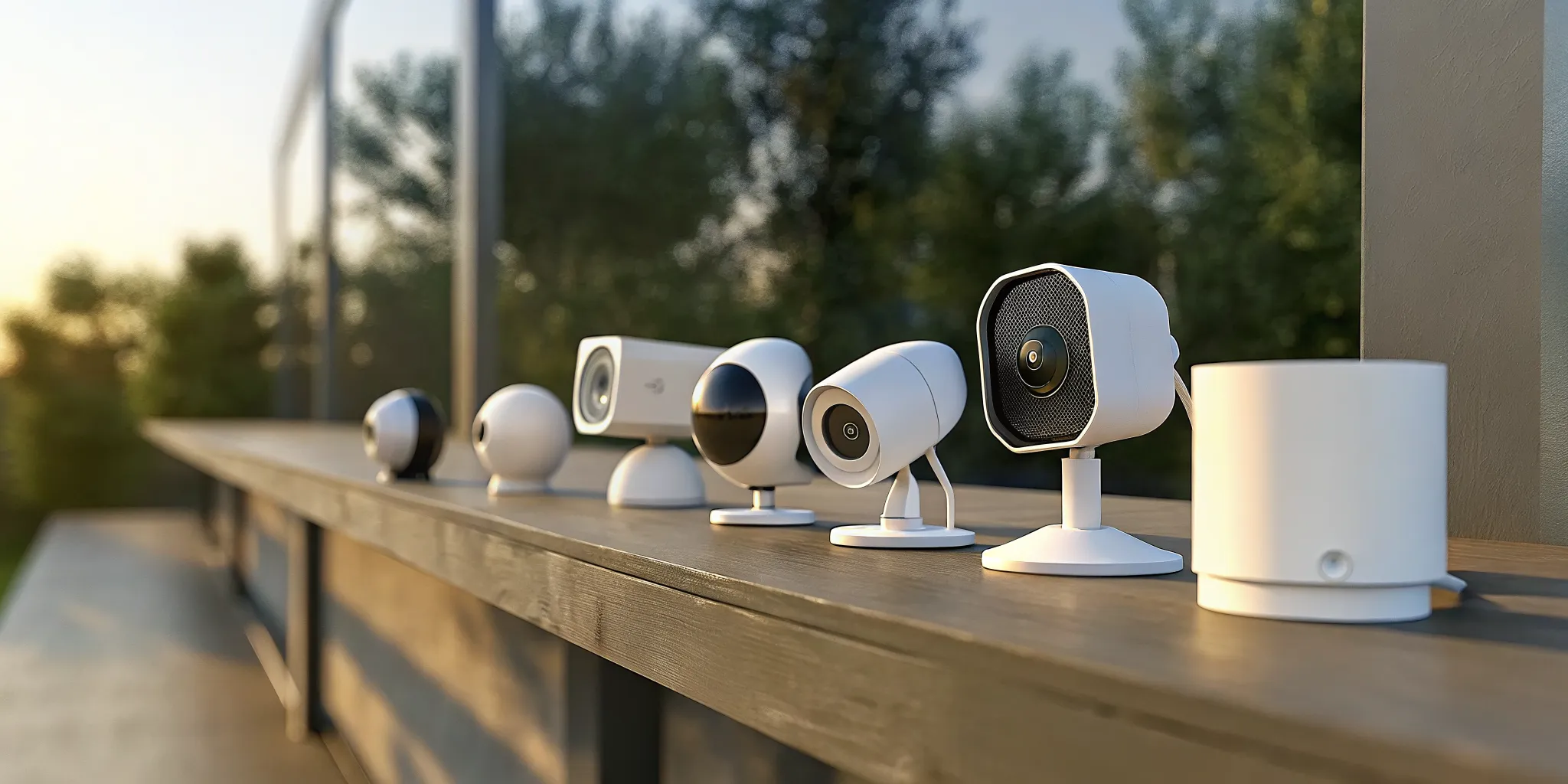
A home security camera does more than just record break-ins. It’s a tool that fits into your daily life, offering both convenience and connection. It can notify you when a package arrives, let you check in on your pets from the office, or use two-way audio to greet your kids when they get home from school. A modern system is about proactive awareness, not just reactive defense. Finding the best home camera system means finding one that provides top-tier protection while also making your day-to-day routine a little easier. We’ll explore the options that deliver on both fronts.
Key Takeaways
- The best system is a custom fit, not a specific brand: Before you start shopping, think about your property’s layout, your budget, and what you truly want to protect. This initial step ensures you find a solution that provides genuine security and convenience.
- Balance convenience with reliability: Key choices like wired vs. wireless cameras or DIY vs. professional installation come with trade-offs. Decide what matters most to you, whether it’s the stability of a wired connection or the flexibility of a battery-powered camera, to build a system you can count on.
- Look beyond the sticker price: A camera’s true value comes from its features, like smart motion detection and clear night vision, and its total cost over time. Always factor in potential monthly fees for cloud storage or professional monitoring to avoid surprise expenses.
What Makes a Home Camera System “Best”?
The word “best” can be tricky because the right camera system for a sprawling suburban house won’t be the same as the one for a city apartment. The best system is the one that fits your property, budget, and lifestyle. It’s less about finding a single perfect product and more about identifying the right combination of features that give you genuine peace of mind.
Home security has evolved beyond just being a defensive tool; for many, it’s become a lifestyle addition that helps you stay connected to your home. To find what works for you, let’s break down the features that truly matter and the monitoring options available.
The Key Features That Matter
When you compare cameras, it’s easy to get lost in technical specs. Focus on these core features to ensure you get a system that’s both effective and easy to use. Look for clear video resolution (at least 1080p HD), reliable night vision, and two-way audio so you can hear and speak through the camera. Smart features like person detection are also crucial, as they help reduce false alarms from passing cars or pets.
Also, consider where your video footage will be stored. Some cameras offer local storage on a memory card, which helps you avoid monthly fees. Others use cloud storage for a subscription fee, which keeps your footage safe even if the camera is stolen. Many of the best home security cameras offer a combination of both.
Professional vs. Self-Monitoring
Once your cameras are installed, who responds to an alert? With self-monitoring, you’re in charge. If a camera detects motion, it sends a notification to your phone, and you decide what to do next. This option is often more affordable but requires you to be available and responsive.
Professional monitoring means a dedicated team is on standby 24/7. If an alarm is triggered, they assess the situation and can dispatch emergency services for you. It’s a popular choice, with about 35% of homeowners opting for it. As more people invest in smart security, having a professional service like InVision’s virtual guarding provides an extra layer of protection and assurance, whether you’re home or away.
A Breakdown of the Top Home Camera Systems
Choosing a home camera system can feel overwhelming with so many options on the market. To make it easier, I’ve broken down some of the top contenders, from full-service professional systems to budget-friendly DIY cameras. Each one offers a different approach to home security, so you can find the perfect fit for your property, budget, and technical comfort level. Let’s look at what makes each of these systems stand out.
InVision Systems – Professional installation and monitoring
For those who want a completely hands-off and customized experience, InVision Systems is the ideal choice. The company offers professional installation and monitoring services, ensuring your system is set up correctly and optimized for your home’s unique layout. This approach removes the guesswork and technical headaches that can come with DIY setups. With a focus on creating a security solution tailored to your specific needs, you get the peace of mind that comes from expert design, installation, and ongoing support. It’s the perfect option if you value reliability and want a system you can trust without having to manage it yourself.
SimpliSafe – Comprehensive DIY security
SimpliSafe is a leader in the DIY space, offering a great balance of user-friendliness and robust security. According to SafeHome.org, it’s a top pick for intruder prevention, featuring high-definition cameras, two-way talk, and active deterrence with monitoring. This system is designed for homeowners who are comfortable setting up their own equipment but still want the option of professional monitoring. Its comprehensive features make it a strong all-around choice for proactive home security. You can build a system that fits your needs, from basic camera coverage to a full suite of sensors, and manage it all from your phone.
ADT with Google Nest – Established monitoring service
This partnership combines a household name in security with a leader in smart home tech. As Security.org notes, ADT uses Google Nest cameras to offer advanced security with video verification, making it a reliable choice for professional monitoring. This option is great for anyone who wants the proven reliability of ADT’s monitoring centers paired with the intelligent features of Google Nest cameras, like familiar face detection. The video verification feature helps reduce false alarms, as monitoring agents can confirm a threat before dispatching emergency services, adding an extra layer of confidence to your home security.
Eufy – No monthly fees required
If you’re looking to avoid recurring subscription costs, Eufy is a fantastic option. Consumer Reports highlights that Eufy provides home security cameras that store video locally, allowing users to avoid monthly fees while still enjoying features like person detection. By storing footage on a local base station or SD card, you maintain control over your data and your budget. Eufy still packs in modern features like AI-powered alerts and high-definition video, making it a smart choice for homeowners who want advanced security without being tied to a monthly plan. It’s a great way to get premium features without the long-term financial commitment.
Ring – Amazon ecosystem integration
Ring has become a dominant force in home security, largely due to its seamless user experience and smart home capabilities. SafeHome.org points out that Ring is known for its easy DIY installation and integration with Amazon’s ecosystem, making it a popular choice for users who want smart home compatibility. If you already use Alexa, Ring devices fit right into your existing setup, allowing you to use voice commands to see camera feeds on an Echo Show. The popular Ring app also includes the Neighbors feature, which creates a community-based watch network, adding another dimension to your security.
Reolink – Budget-friendly reliability
Reolink proves that you don’t have to spend a fortune to get a dependable security camera system. It’s a brand that consistently delivers solid performance at an accessible price point. As CCTV Camera World mentions, Reolink offers budget-friendly options with reliable performance, including both wired and wireless cameras that are easy to set up. This flexibility makes it easy to find a camera that works for any spot in or around your home, whether you have easy access to a power outlet or not. For those who need straightforward, effective security without a lot of bells and whistles, Reolink is a go-to choice.
Lorex – 4K resolution without subscriptions
For homeowners who prioritize crystal-clear video quality, Lorex is a top contender. It stands out by offering professional-grade features without the professional-grade price tag or mandatory subscriptions. According to SafeHome.org, Lorex provides high-resolution 4K cameras with no monthly subscription fees, making it an excellent choice for those who want quality without ongoing costs. The incredible detail captured by 4K resolution can be crucial for identifying faces or license plates. By pairing this high-end video with local storage options, Lorex gives you complete control over your high-quality security footage without any recurring fees.
Wyze – User-friendly and affordable
Wyze has made a name for itself by offering incredibly affordable and easy-to-use smart home devices, and its security cameras are no exception. Consumer Reports notes that Wyze cameras are very affordable and user-friendly, often recommended for those looking for basic security features without a hefty price tag. These cameras are perfect for renters, students, or anyone who wants to add a layer of security without a significant investment. While they may not have all the advanced features of more expensive systems, Wyze cameras provide reliable video, motion alerts, and a simple app experience that makes home monitoring accessible to everyone.
Which Home Camera Systems Have No Monthly Fees?
Finding an effective home security solution without adding another monthly bill to your budget is a top priority for many homeowners. The good news is, you absolutely can. Several excellent home security cameras are available that don’t require a subscription. Instead of paying to store your video footage on a company’s cloud server, these systems save everything locally. This approach not only saves you money but also gives you more control and privacy over your personal recordings.
These subscription-free systems are a fantastic option if you want a straightforward, one-time purchase. However, it’s important to understand how they work and what you might be giving up by forgoing a monthly plan. While you avoid recurring fees, there can be trade-offs in features and storage capacity. Knowing the difference between local and cloud storage, and what to look for in terms of hidden costs, will help you make a choice you feel confident about.
How Subscription-Free Options Work
Subscription-free cameras operate on a simple principle: they store video footage directly on a physical device in your home. Most commonly, this is a small microSD card that you insert into the camera itself. Some systems use a separate hub or base station, like the Eufy HomeBase, which contains a larger hard drive for more storage. A major advantage of this setup is its reliability. Since the camera records locally, it can continue to capture footage even if your internet connection goes down. Many of these brands also offer optional cloud storage plans, giving you the flexibility to subscribe later if you decide you want off-site backups.
Local vs. Cloud Storage Costs
The most significant benefit of choosing a subscription-free camera is the long-term cost savings. With local storage, your only expense beyond the camera is a one-time purchase of a microSD card or a compatible hard drive. In contrast, cloud storage plans require ongoing monthly or yearly payments. Over time, these fees can add up substantially. In fact, the annual cost for cloud storage can sometimes be as much as the price of the camera itself. By opting for local storage, you eliminate that recurring expense entirely, making it a much more budget-friendly solution for your home security.
Watch Out for Hidden Costs
While “no monthly fees” sounds appealing, it’s wise to read the fine print. Some popular camera brands market their products as subscription-free but may place essential features behind a paywall. For example, you might need to subscribe to receive rich notifications with image previews or to access advanced video analytics. A key difference is that cameras without a subscription may not have as many “smart” features, like the ability to distinguish between a person, a pet, or a package. These AI-powered functions often rely on cloud processing, which is typically included in a paid plan. Always check which features are included out of the box before you buy.
What to Look for in Video Quality and Smart Features
When you’re choosing a security camera, the hardware is only half the story. The features packed inside are what turn a simple recording device into a proactive security tool. Clear video is essential, but smart features are what help you make sense of what the camera sees. Things like intelligent motion detection, night vision, and two-way audio can make a huge difference in how you protect your property. These capabilities separate a camera that just records events from one that actively helps you prevent them.
A great camera system gives you crisp, usable footage and sends you alerts that matter, so you aren’t sifting through hours of useless video or getting notifications every time a car drives by. The right combination of video quality and intelligent features ensures you have a clear picture of what’s happening around your home or business, day or night. We’ll walk through the most important features to look for so you can find a system that fits your needs perfectly.
4K vs. 1080p: Does Resolution Matter?
It’s easy to assume that higher resolution is always better, but that’s not necessarily the case for security. While 4K cameras capture incredible detail, a 1080p resolution is often more than clear enough for residential security. It provides sharp video that allows you to easily identify faces and read license plates without the larger file sizes and higher bandwidth requirements of 4K.
For most homes, 1080p strikes the perfect balance between clarity and practicality. However, if you have a large commercial property or want to monitor a wide area with the ability to zoom in on distant details, upgrading to 4K might be a worthwhile investment. InVision Systems offers a range of high-definition security cameras to match any property’s specific needs.
AI Detection and Motion Sensing
Modern security cameras have moved beyond simple motion sensing, which can trigger an alert every time the wind blows. Today’s best systems use artificial intelligence (AI) to distinguish between people, animals, and vehicles. This means you get smarter, more relevant notifications. Instead of being alerted to a stray cat walking across your driveway, you’ll only get a ping when a person approaches your door.
This intelligent detection is a game-changer, drastically reducing the number of false alarms and ensuring you pay attention when it counts. Some systems even allow you to set up custom detection zones, so you can monitor specific areas like a gate or entryway. This level of precision makes your security system a much more effective and less intrusive tool for keeping your property safe.
Night Vision and Two-Way Audio
Your property needs protection around the clock, which makes night vision a non-negotiable feature. Most modern cameras are equipped with infrared (IR) technology that provides clear black-and-white video even in complete darkness. Some advanced models even offer color night vision, which uses ambient light to produce full-color images after dark, making it easier to identify details like clothing color.
Two-way audio is another feature that adds a powerful layer of interactive security. A built-in microphone and speaker let you hear what’s happening and speak through the camera using your smartphone. This is great for instructing a delivery driver, greeting visitors, or warning off an unwanted intruder from anywhere. These features are central to our residential security solutions, giving you complete control over your home’s safety.
How Much Does a Home Camera System Cost?
Figuring out the total cost of a home camera system can feel tricky because it’s more than just the price on the box. The final number depends on three main things: the initial price of the equipment, any monthly fees for storage or monitoring, and whether you hire a pro for installation. Understanding each piece helps you create a realistic budget and find a system that truly fits your needs without any surprise expenses down the road. Let’s break down what you can expect to pay for each part of your new security setup.
Upfront Equipment Costs
The first expense you’ll encounter is the hardware itself. A basic security camera system can run anywhere from $100 to $500. If you’re looking for more advanced features like 4K video, sophisticated AI detection, or a larger number of cameras, you can expect to invest over $1,000. On average, individual cameras cost between $80 and $150 each. The total upfront cost really depends on the size of your property and the specific capabilities you want. A small apartment might only need one or two cameras, while a larger home with multiple entry points will require a more significant initial investment to ensure full coverage.
Subscription and Monitoring Fees
After you buy the equipment, you might have ongoing monthly fees. These usually fall into two categories: cloud storage and professional monitoring. Storing your video footage in the cloud typically costs around $10 per month. For an added layer of security, professional monitoring services, where a team monitors your system for alerts, can range from about $33 to $80 per month. Some brands let you skip these fees by offering local storage options, like a DVR or an NVR, which save footage on a physical device in your home. This is a great way to avoid subscriptions, but you’ll be responsible for managing the storage and responding to alerts yourself.
The Cost of Professional Installation
Getting your system set up correctly is the final step. While DIY installation is an option for simpler, wireless systems, a more complex setup often benefits from an expert’s touch. The cost for professional installation typically ranges from $100 to $300, depending on how many cameras you have and the complexity of the wiring. Paying for installation ensures that cameras are placed in optimal locations, all components are working together seamlessly, and the system is configured for peak performance. It’s an added upfront cost, but it gives you peace of mind that your investment is protecting your home effectively from day one.
DIY vs. Professional Installation: Which Is Right for You?
Choosing between a DIY home camera system and a professionally installed one comes down to a few key factors: your budget, your technical comfort level, and the complexity of your security needs. DIY systems offer flexibility and lower upfront costs, putting you in complete control of the setup process. It can be a great weekend project if you enjoy tinkering with technology and your security needs are straightforward.
On the other hand, professional installation provides peace of mind. Experts handle everything from designing a system with optimal camera placement to ensuring all components work together flawlessly. This route is ideal if you want a comprehensive, reliable system without the guesswork. A professional service ensures your investment is set up correctly from day one, offering robust security and ongoing support. Let’s look at the specifics to help you decide which path is the right fit for your home.
Is a DIY System Right for You?
A DIY system can be a fantastic choice if you’re on a tight budget, renting, or only need to monitor a small area like your front door. Brands like Ring, Eufy, and Wyze have made home security more accessible than ever. You can buy a camera, download an app, and have it running in minutes. However, it’s worth noting that some experienced users find these popular wireless brands can be less reliable or have lower video quality compared to professional-grade equipment. If you’re comfortable troubleshooting tech issues and your security needs are simple, a DIY setup is a practical starting point.
The Benefits of Professional Installation and Monitoring
Opting for professional installation takes the pressure off you. A trained technician will assess your property’s unique vulnerabilities and design a system that provides maximum coverage, leaving no blind spots. They handle all the wiring and network configuration, ensuring your system is stable and secure. For example, some professionally monitored systems like ADT use Google Nest Cams, which are most effective when fully integrated, allowing agents to confirm alarms with video. With a professional security camera installation, you also get the benefit of ongoing support, so you always have an expert to call if issues arise.
How Complex Is the Installation?
The difficulty of installation varies widely. Setting up a single smart doorbell can be surprisingly simple; some reviewers install them in under 30 minutes. A few wireless cameras that you can place on shelves are also easy to get running. However, the complexity grows quickly if you want a more robust system. Installing multiple outdoor cameras, especially wired ones, often requires drilling through walls and running cables through your attic or crawlspace. Because wired cameras are generally more reliable than wireless ones, this is a task many homeowners prefer to leave to the pros.
Are Wireless Cameras Better Than Wired Systems?
It’s one of the biggest questions people ask when choosing a security system, and the answer isn’t as simple as one being universally better than the other. The right choice for you comes down to a trade-off between convenience and reliability. Wireless cameras offer incredible flexibility in where you can place them, but wired systems provide a level of stability that’s hard to beat.
Think about your property, your security goals, and how much maintenance you’re willing to do. A renter in an apartment has very different needs than a homeowner with a large yard. Let’s break down the key differences to help you figure out which system fits your life. Understanding these distinctions is the first step toward building a security system that gives you real peace of mind.
Reliability and Performance
When it comes to reliability, wired cameras have a clear advantage. They are physically connected to both your internet router and a power source, which creates a stable, closed circuit. This direct link means you don’t have to worry about a weak Wi-Fi signal, interference from your neighbor’s router, or your camera feed dropping out at a critical moment. This makes them the gold standard for monitoring essential areas.
Wireless cameras, on the other hand, depend entirely on the strength and stability of your Wi-Fi network. If your internet goes down, so does your camera. Thick walls, distance from the router, and even other electronic devices can disrupt the signal, leading to choppy video or a complete loss of connection. While convenient, this reliance on Wi-Fi is a vulnerability you should consider.
Power Options and Battery Life
A major difference between the two systems is how they get power. Wired security cameras, especially Power over Ethernet (PoE) types, receive constant power and a data connection through a single cable. This allows them to record 24/7 without you ever having to think about a dead battery. Once they’re installed, they are always on, capturing everything that happens.
Most wireless cameras are battery-powered, which is what makes their installation so simple. You can place them almost anywhere without drilling holes for cables. The downside is that batteries need to be recharged or replaced regularly. To conserve energy, these cameras often only record when they detect motion, which means you might miss the moments leading up to an event.
When to Choose a Wired Camera
A wired camera system is the best choice when reliability is your top priority. It’s ideal for permanent outdoor installations and for monitoring high-stakes areas like entry points or detached garages. If you want continuous, uninterrupted recording stored securely on a local device like a Network Video Recorder (NVR), a wired system is the most dependable solution. This setup gives you complete control over your footage without relying on cloud subscriptions.
Wireless cameras are a great fit for renters, for monitoring indoor spaces where running cables is difficult, or for anyone who wants a less permanent, easy-to-install option. They offer fantastic flexibility for your residential security needs, as long as you’re comfortable with managing battery life and ensuring you have a strong Wi-Fi signal.
Cloud vs. Local Storage: Where Should You Save Your Footage?
After you choose your cameras, you need to decide where the video footage will be stored. This is a bigger deal than it sounds because it affects your system’s cost, reliability, and how you access recordings. The two main options are cloud storage, which saves video online, and local storage, which keeps it on a physical device in your home. Each has its own set of benefits and drawbacks, and the right choice depends on your budget and security needs.
The Pros and Cons of Cloud Storage
Cloud storage saves your video footage to a secure, remote server. The biggest advantage here is accessibility. You can view your live feed and recorded clips from anywhere with an internet connection, right on your phone or computer. It also protects your footage from physical theft. If a burglar damages or steals your camera, the recordings are safely stored off-site.
The main downside is the recurring cost. Most companies charge a monthly or yearly subscription fee for cloud storage, and these fees can add up, sometimes costing as much as the camera itself over a year. Your system also relies entirely on your internet connection. If your Wi-Fi goes down, the camera can’t upload new recordings, leaving you with a gap in your security. InVision’s cloud services offer a professional-grade option for those who prioritize remote access and off-site backup.
The Pros and Cons of Local Storage
Local storage means your camera saves video directly onto a physical device, like a microSD card in the camera itself or a dedicated network video recorder (NVR). The most significant benefit is the cost savings. Since you aren’t paying for a subscription, you avoid monthly fees.
Another key advantage is reliability. Local storage systems keep recording even if your internet connection drops, ensuring you never miss a moment. However, the major risk is that your footage is vulnerable to physical damage or theft. If a fire, flood, or burglar destroys your recording device, the evidence is gone with it. Accessing your footage remotely can also be a bit more complex to set up compared to the straightforward apps provided with cloud storage.
What About Hybrid Storage?
You don’t always have to choose one or the other. A hybrid approach gives you the best of both worlds by combining local and cloud storage. With a hybrid system, your cameras record continuously to a local device like an NVR, so you have a complete, subscription-free record of everything.
At the same time, you can set the system to upload specific, important clips to the cloud, such as motion-detection events. This gives you the reliability and cost-effectiveness of local storage plus the secure, remote backup of the cloud for critical moments. This balanced solution offers peace of mind, ensuring you have constant recording on-site while keeping vital evidence safe and accessible from anywhere. A custom security camera installation can be designed to meet these specific needs.
How to Choose the Right System for Your Home
Finding the perfect home camera system feels a lot like finding the perfect car. The best one isn’t a specific brand or model; it’s the one that fits your life, your budget, and your unique needs. A system that works wonders for a single-story ranch might not be the right fit for a three-story townhouse. Instead of searching for a one-size-fits-all solution, it’s better to think about what you want your system to accomplish.
Are you looking for a visible deterrent to discourage potential intruders? Do you want to check in on your pets while you’re at work? Or maybe you need a system that integrates smoothly with your existing smart home devices. Answering these questions will help you narrow down the options and find a setup that gives you genuine peace of mind. Let’s walk through the key factors to consider so you can make a choice you feel confident about.
Consider Your Property and Priorities
Before you even look at specific cameras, take a moment to assess your home and what you want to protect. Do you live in a small apartment where a single camera covering the entryway will suffice, or do you have a larger home with multiple entry points, a yard, and a detached garage? The size and layout of your property will determine how many cameras you need and where they should be placed. Think about your main security goals, too. For many people, the mere presence of a camera is a powerful deterrent. In fact, research shows that 41% of people feel more secure when they have visible security cameras. This highlights the importance of strategic placement for both monitoring and prevention.
Match Camera Features to Your Lifestyle
Modern security systems do more than just record break-ins; they are becoming integral parts of our daily lives. Think about how a camera system could make your day-to-day routine easier. Do you want to get alerts when a package is delivered? Use two-way audio to talk to your kids when they get home from school? Or set up motion-detection zones to monitor a specific area, like a swimming pool? Families with children, in particular, are finding new ways to use residential security to keep an eye on things. By matching the features to your lifestyle, you get a system that provides security and convenience.
Check for Smart Home Integration
If you already use smart devices, you’ll want a security system that works well with them. Over half of homeowners with security products also own smart speakers, and integrating the two can create a more connected and responsive home. Imagine being able to see your front door camera feed on your smart display with a simple voice command or having your lights turn on automatically when motion is detected outside. When choosing a system, check its compatibility with major smart home platforms like Amazon Alexa or Google Home. Choosing a provider you trust is key, as a well-integrated system from a reputable company ensures your security cameras will work seamlessly with the rest of your tech.
Related Articles
- Home Security Chicago IL & Lincolnwood IL | Invision Systems
- Residential Security Cameras | Chicago IL | InVision Systems
- Extreme Weather & Your Security Cameras Invision Systems
- Security System Professionals | Chicago IL | InVision Systems
- Security Cameras Installed in Chicago IL in Chicago, IL | InVision Systems | Security Systems Chicago IL
Frequently Asked Questions
With so many features available, what’s the one thing I should prioritize? Instead of focusing on a single feature, I always recommend prioritizing clarity and reliability. Your system is only useful if it provides a clear picture when you need it and works without fail. This means choosing a camera with at least 1080p resolution and dependable night vision. It also means deciding between a stable wired connection or a convenient wireless one based on your home’s layout and your Wi-Fi strength.
Is professional monitoring really worth the monthly cost? This really depends on your lifestyle and how you want to handle alerts. If you’re always near your phone and feel confident you can assess a situation and contact help yourself, self-monitoring can be a great, budget-friendly option. However, if you travel often, have a busy job, or simply want the assurance that a dedicated team is watching over your home 24/7, the monthly fee for professional monitoring provides an invaluable layer of security and peace of mind.
I’m renting my home. Can I still install a good security system? Absolutely. Renters have more great options than ever before. I’d suggest looking at wireless, battery-powered cameras or simple plug-in models from brands like Eufy or Wyze. These systems are easy to set up without drilling holes or running cables, and you can take them with you when you move. Many of these also offer local storage, so you can avoid monthly fees, which is another big plus for renters.
What’s the main difference between a cheap camera and an expensive one? The price difference usually comes down to three things: build quality, video resolution, and intelligent features. More affordable cameras are fantastic for basic monitoring, but they might not have the weather resistance for harsh outdoor conditions. More expensive systems often offer sharper video like 4K resolution, more advanced AI that can tell the difference between a person and a package, and better integration with other smart home devices.
Should I be more concerned about Wi-Fi reliability or having to charge batteries? This is the central question in the wired versus wireless debate. If you have a strong, stable Wi-Fi network and don’t mind the routine of recharging batteries every few months, the flexibility of wireless cameras is hard to beat. If your Wi-Fi can be spotty or you want a set-it-and-forget-it system that records 24/7 without interruption, a wired system is the more dependable choice, as it’s powered continuously and isn’t affected by internet outages.