
Multi-Location Security System: A Business Guide
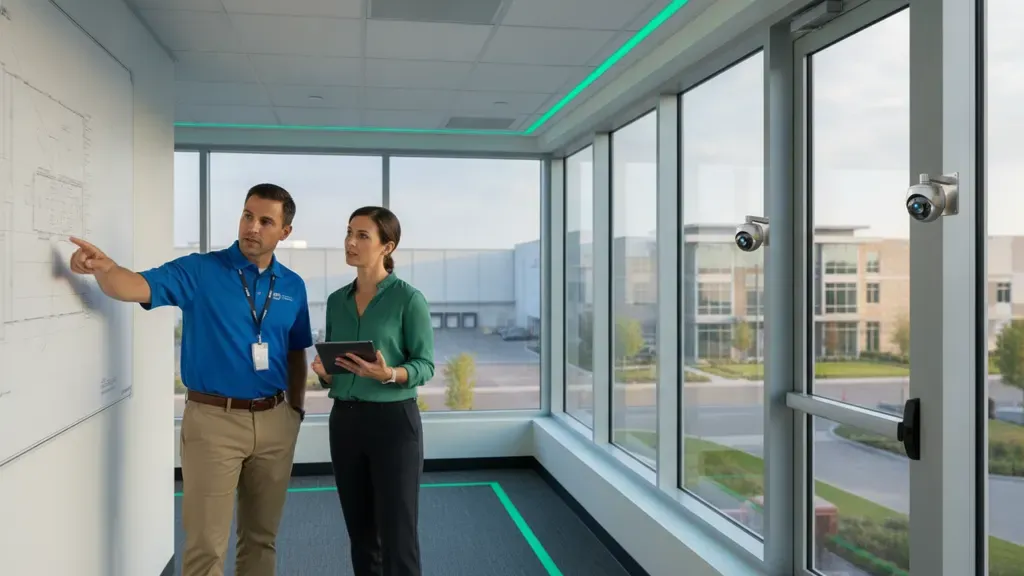
Managing security at one facility is challenging. Managing it across offices, dealerships, retail sites, warehouses, or plants adds another layer of risk: every location needs local protection, while business leaders need a consistent way to see events and make decisions. A multi-location security system connects those needs through centralized visibility, defined permissions, coordinated alerts, and a plan that can grow with the organization.
Request your free multi-location security assessment
The best approach is not always identical equipment at every site. Each property has its own layout, lighting, entry points, network conditions, staffing, and vulnerabilities. The goal is a shared security operating model with site-specific design where it matters.
What is a multi-location security system?
A multi-location security system connects security technology at two or more properties so authorized teams can manage video, access control, alarms, and related events through a coordinated platform or operating plan. Each site can keep local controls and recording while headquarters, regional managers, or a monitoring team receives the visibility and alerts they need.
This is more than installing the same camera package in several buildings. A useful multi-site system defines how locations are organized, who can access each system, how an event is verified, what information is reported, and what happens when a site loses connectivity. It also makes future expansion easier by creating a repeatable design and support process. That life-cycle approach aligns with the systems security engineering principles described in NIST SP 800-160.
Businesses may use a combination of IP, HD-TVI, analog, wireless, and hybrid camera systems. A hybrid approach can help an organization modernize in phases when different properties have different generations of equipment. The right choice depends on the existing infrastructure, desired video quality, operational goals, and plans for expansion.
Why do growing businesses need centralized security management?
Standalone systems can work for a single small site, but management becomes inconsistent as locations multiply. A manager may have to use different logins, check different applications, or ask local staff to retrieve footage. That slows investigations and makes it harder to confirm whether security policies are being followed.
Centralized management creates a common view without removing local responsibility. Depending on the design, authorized users may be able to:
- View live and recorded video across selected locations from one interface.
- Search events by site, building, camera, door, alarm zone, or time period.
- Give regional and local staff only the access their roles require.
- Review system health and identify devices or sites that need attention.
- Apply consistent schedules, response procedures, and reporting practices.
- Add a new property without inventing a completely new security process.
Centralization also helps leadership compare operational patterns across sites. For example, a company may identify recurring after-hours alarms, doors that are frequently propped open, or areas that need a different camera position. Those findings can inform training, maintenance, and future design decisions without relying on anecdotal reports.
Which features should a multi-location security system include?
Centralized video access
Video is often the first reason businesses consider a multi-site system. A unified video interface can let authorized personnel move between locations, view a group of cameras, review recorded footage, and export evidence when an incident requires documentation. The design should make it easy to organize cameras by company, region, location, building, and operational area.
Video access should also reflect the difference between a local viewer and a corporate administrator. A store manager may need access to the sales floor and loading door, while a security director may need visibility across every property. Clear organization reduces the chance that users see too much or cannot find the relevant camera during an incident. InVision Systems describes commercial security camera systems for commercial, industrial, and other properties, including remote viewing and integration options.
Role-based permissions and credential control
Permissions are a security feature, not just an administrative convenience. Before implementation, define the roles that need access and the actions each role can take. Common levels include enterprise administration, regional oversight, site management, security investigation, and limited live-view access.
A good policy should answer several practical questions:
- Who can view live video, and who can review or export recorded footage?
- Who can add or remove users, change schedules, or modify system settings?
- What access should a contractor receive, and when should it expire?
- How quickly are credentials revoked when an employee changes roles or leaves?
- Which actions need an audit trail or management approval?
Do not assume that one administrator should control every setting. A layered permission model gives headquarters appropriate oversight while allowing trained local teams to handle routine tasks. Businesses reviewing commercial access control systems should apply the same role and credential questions to doors as they do to video.
Alarm and event workflows
A notification is only useful when people know what to do next. A multi-location security system should connect alarm and event handling to a written workflow. That workflow can identify who receives an alert, how the event is verified, when a local manager is contacted, and when an incident is escalated.
Video can provide context around an alarm, while access-control events can show whether a credential was used near the same time. Intercoms or speaker systems may support communication with an authorized visitor or live intervention where the selected solution includes that capability. InVision’s Virtual Guarding service is an optional proactive layer that uses camera detection, human verification, and live audio intervention through on-site speakers. It should be evaluated against the business’s hours, response plan, and site risks, rather than treated as an automatic feature of every installation.
Health status and reporting
Centralized visibility should cover more than suspicious activity. Administrators also need to know whether cameras, recorders, access-control panels, and communication paths are operating as expected. A device that is offline during an incident may create a larger problem than an alert that was never generated.
Reporting requirements vary by business. Useful reports may include access events, alarm activity, system health, maintenance items, incident exports, or recurring exceptions. Set the reporting audience and frequency in advance. A regional manager may need a weekly exception report, while a security administrator may need near-real-time system status.
Should you choose local, cloud, or hybrid architecture?
Architecture determines where systems are managed, where video is stored, and how a site behaves when internet connectivity changes. There is no single model that fits every business.
Local or on-premises systems
Local systems record and manage security functions at the property, often using a recorder or server on-site. They can be appropriate when local operation, existing equipment, or site-specific control is important. The buyer should still plan for remote administration, secure support access, storage capacity, backups, and what happens if the local recorder fails.
Cloud-based systems
Cloud services can simplify centralized access across properties by providing a common portal for authorized users. They may reduce the need for separate servers at each location and can support remote management, backups, and expansion, depending on the selected service. Buyers should confirm recurring service requirements, storage and retention options, user controls, connectivity dependencies, and the provider’s support process before choosing a cloud model. InVision’s cloud video surveillance guide explains the broader storage and remote-access considerations.
Hybrid systems
A hybrid model combines local recording or local decision-making with cloud access, backup, or centralized administration. This can be useful when a business wants remote visibility but must continue operating during a temporary connection problem. Confirm exactly which functions remain available locally, how events are queued, and how footage is synchronized after service returns. These details vary by platform and should be documented in the project design.
What network and infrastructure issues should you plan for?
Multi-site security is also a network and infrastructure project. Each location should be evaluated before equipment is specified. A site survey should document:
- Available internet service, upload capacity, latency, and expected peak usage.
- Network segmentation, firewall rules, remote-access controls, and IT ownership.
- Power at camera, door, alarm, and networking locations, including backup needs.
- Cable paths, distances, outdoor runs, ceiling conditions, and areas that are difficult to wire.
- Existing camera, recorder, access-control, and alarm equipment that may be reused.
- Storage needs based on camera count, resolution, frame rate, activity, and retention policy.
- What happens locally if the wide-area network or cloud connection is unavailable.
Network readiness can differ significantly between a corporate office, a dealership lot, a warehouse, and a manufacturing plant. Structured wiring may be part of the solution when new Ethernet or other infrastructure is needed. Because InVision does not maintain a separate live structured-wiring service page, businesses should use the structured cabling infrastructure guide to learn more, then use the contact page to discuss that requirement.
How do you standardize security without treating every site the same?
Standardization should establish a baseline, not erase the differences between properties. Begin with policies that apply across the organization, such as user roles, credential revocation, video export handling, alarm escalation, maintenance records, and incident documentation.
Then complete a site-specific risk assessment. A retail location may prioritize entrances, cash-handling areas, and parking. A warehouse may need attention on loading docks, inventory zones, and employee entrances. An industrial facility may require coverage across multiple buildings, controlled access between work areas, and a network plan that supports a large physical footprint.
This combination of central standards and local design gives leaders a consistent way to manage risk while allowing the installer to choose appropriate camera views, access points, alarm zones, and communication methods for each site.
What is a practical rollout plan for multiple locations?
A phased rollout reduces operational disruption and creates a chance to improve the design before expanding it. A practical sequence includes:
- Inventory the portfolio. List locations, buildings, entrances, critical areas, current equipment, network conditions, and local contacts.
- Define the operating model. Decide who needs enterprise, regional, site, investigation, and monitoring access. Document event ownership and escalation.
- Design a representative site. Choose a location that reflects common conditions and test the proposed camera, access, alarm, storage, and network approach.
- Validate integration and permissions. Test live view, recording, remote access, user roles, alarm workflows, exports, outage behavior, and audit records before expanding.
- Roll out by risk and readiness. Prioritize locations with urgent vulnerabilities, reliable infrastructure, or a strong need for centralized visibility.
- Train and document. Give local staff clear operating instructions, escalation contacts, and a process for reporting system issues.
- Review after launch. Track recurring alarms, offline devices, access exceptions, incident response, and new-site requirements.
For mixed equipment portfolios, the rollout may use hybrid camera platforms or separate integrations rather than an immediate replacement of every device. Compatibility should be tested before it is promised. Existing cameras may be reusable, but the answer depends on their protocols, condition, recorder or video-management system, network design, and the functions the business expects.
How should you evaluate an installation and support partner?
Software is only one part of a multi-location security system. Ask the provider how it handles site surveys, design documentation, cable and power conditions, installation scheduling, system testing, training, maintenance, upgrades, and expansion to the next location.
Look for a partner that can explain tradeoffs instead of presenting one package for every site. InVision Systems has documented experience serving commercial and industrial clients across Chicago, Northern Illinois, Southeast Wisconsin, and Northwest Indiana. Its process includes an on-site consultation, custom design, professional installation, training, and ongoing technical support. The company also documents multi-location work, including a central monitoring station for Napleton’s Northwestern and security systems installed at both Woodharbor Doors and Cabinetry plants.
InVision was founded in Chicago in 2002 and reports a client retention rate above 95 percent. That figure is a company-reported trust signal, not a promise of a particular result. The more important evaluation question is whether the provider will remain accountable after the last camera is installed and help the system adapt as the business changes.
What does a multi-location security system cost?
Most multi-site projects require a custom quote because the number of locations alone does not determine scope. Budget planning should account for:
- The number, size, and risk profile of each property.
- Cameras, doors, alarm zones, intercoms, speakers, and other required devices.
- Existing equipment that can be integrated, upgraded, or must be replaced.
- Network improvements, structured wiring, power work, and site access requirements.
- Local recording, cloud services, video storage, backups, and user licensing.
- Monitoring, virtual guarding, maintenance, training, and technical support.
- The cost and disruption of a phased rollout compared with a single deployment.
Rather than asking only for a per-camera or per-site number, ask the provider to separate installation, equipment, connectivity, recurring services, maintenance, and expansion assumptions. That makes proposals easier to compare and reduces surprises when the next property is added.
Plan a centralized security system with InVision Systems
Frequently asked questions
Can one security system protect multiple business locations?
One coordinated security program can connect multiple locations through shared management, permissions, video access, alarm workflows, and reporting. Each property may still need its own cameras, access devices, local recording, and site-specific configuration. The design should define what is centralized and what remains local.
Can existing cameras be used in a multi-location security system?
Sometimes. Reuse depends on camera protocols, image quality, recorder or video-management compatibility, network conditions, storage requirements, and the analytics or access features the business wants. A site survey and compatibility test should come before a reuse decision.
How do you see security cameras at multiple locations in one place?
A cloud video system, centralized video-management platform, or approved integration can provide a single portal for selected users to view live and recorded video across sites. The final experience depends on the platform, network, permissions, storage design, and the number of cameras being accessed at once.
What happens if one location loses its internet connection?
The answer depends on the architecture. Some systems continue local recording or local access decisions and synchronize information after connectivity returns. Others may lose selected remote functions until the connection is restored. Require the provider to document local behavior, alerts, backup connectivity, and recovery testing for each system component.
Is a cloud-based system always better for multiple locations?
No. Cloud management can simplify centralized visibility and administration, but buyers should also evaluate connectivity, storage, privacy, user controls, recurring services, local operation, and support. A local or hybrid design may be more appropriate for some properties or phased upgrades.
How can a business standardize security across locations?
Create an organization-wide baseline for permissions, credential lifecycle, event response, reporting, maintenance, and incident documentation. Then customize camera placement, access points, alarm zones, network design, and local procedures through a site-specific assessment. Standard policies and customized engineering work best together.