
Industrial Perimeter Security Cameras for Construction Site Video Monitoring
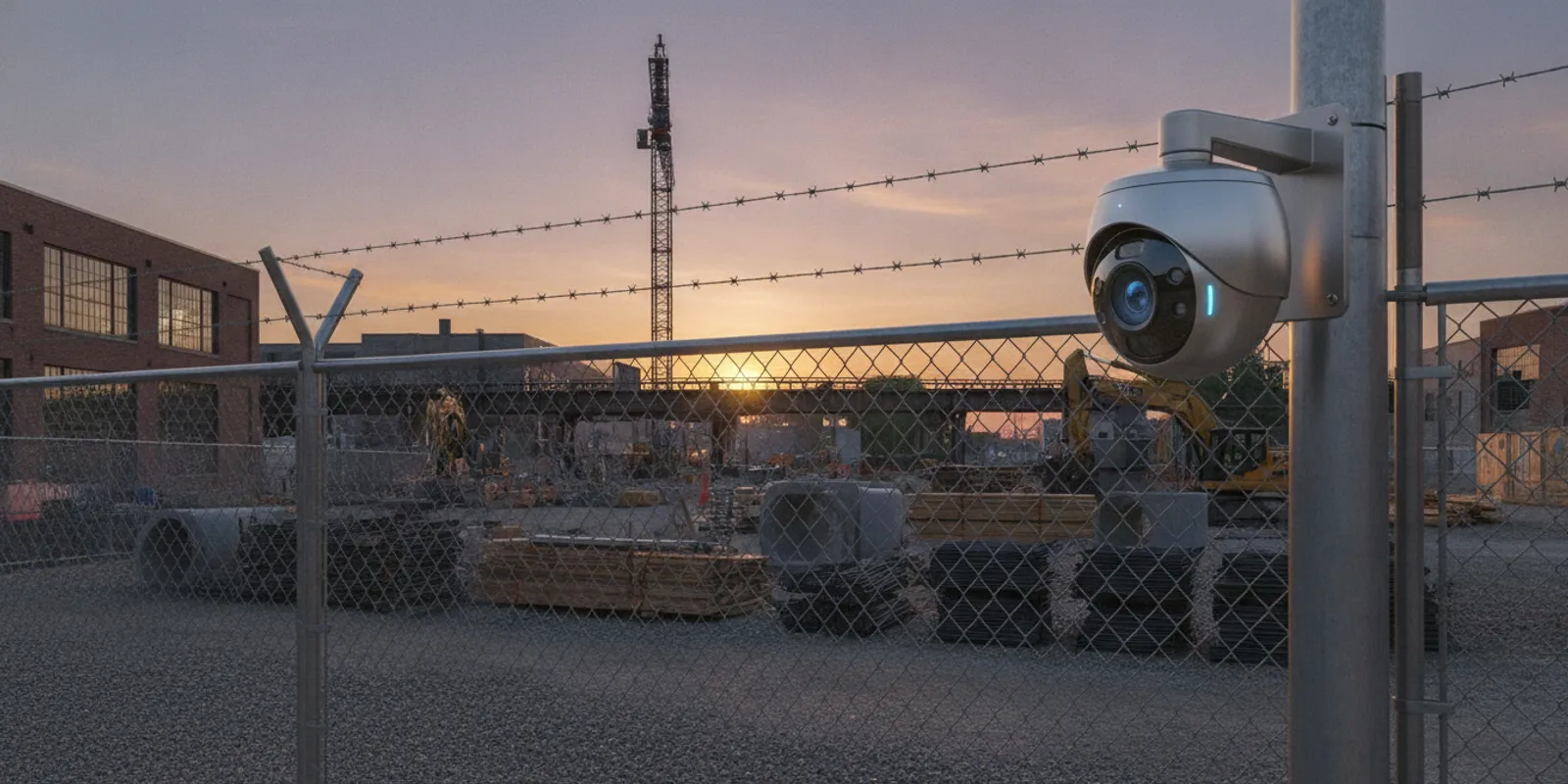
Industrial perimeter security cameras can help a site team review activity near fences, gates, and other exposed boundaries. But cameras alone do not create a complete perimeter intrusion detection system. The useful question is how cameras, site layout, lighting, recording, alerts, and a clear response plan should work together at your property.
Request a site security assessment
What should perimeter security accomplish at your site?
Start by defining the outcome you need. A construction site may need a way to review after-hours activity at a material storage area. An industrial property may need oversight of several gates, a long fence line, or an outdoor loading area. A business may need useful video records when a sensor or employee reports an incident. These are different operating needs, even if each site uses cameras.
Write down the areas that matter, when they need coverage, who reviews an alert, and what that person should do next. For example, an alert may prompt a remote review, a call to a designated site contact, or another action in your established response procedure. Do not assume a camera alert by itself dispatches responders or prevents entry. Those functions depend on the system design, monitoring arrangement, and response plan.
Security cameras can support observation, recording, and review. Other measures—such as fencing, gates, lighting, access procedures, and trained staff—address different parts of the problem. A reliable design considers how those measures complement each other rather than treating video as a substitute for physical controls.
Which parts of the perimeter deserve attention first?
Walk the entire boundary and note where a person or vehicle could approach, enter, or move out of view. Include more than the fence itself. Map gates, temporary openings, delivery and contractor access, equipment storage, exterior doors, loading areas, and places where site work changes the boundary. A newly excavated area or relocated container can create a different view or access route than the original plan anticipated.
- Entry points: Record each vehicle gate, pedestrian gate, and delivery entrance. Note hours of use and who is authorized to enter.
- Long or exposed fence runs: Identify stretches with limited visibility from occupied areas, nearby roads, or existing cameras.
- High-value or hazardous areas: Consider where stored tools, materials, vehicles, or restricted operations call for additional oversight.
- Blind spots and changing views: Check corners, grade changes, parked equipment, vegetation, and temporary structures that may block a camera’s view.
- Power and network access: Note practical routes to power and communications, including areas where structured wiring may be useful.
A site map makes this assessment concrete. Mark existing cameras and lights, proposed viewpoints, gates, network equipment, and areas where coverage needs to change as work progresses. The goal is not to put a camera on every section of fence. It is to understand which views will support a useful response or later review.
For construction environments, check the plan as phases change. A camera aimed at an open lot may be obstructed when a structure goes up. A temporary gate may become a main delivery entrance. Assign someone to report changes that affect visibility and make a plan to review the setup at defined project milestones.
How do camera views and detection methods differ?
A fixed camera can provide a steady view of a selected gate or boundary area. A camera with a wider view may cover more ground, but a person or vehicle can appear smaller in the image. A camera with a narrower view can show more detail in one direction while leaving other approaches outside its frame. Lens choice and mounting position should follow the task: seeing that activity occurred, recognizing what happened, or observing a specific access point are not the same requirement.
Some systems use video analytics or other sensors to flag activity for review. A detection alert is a prompt to assess, not proof that an intrusion has occurred. Site conditions such as moving equipment, changing light, weather, and other activity can affect how an alert works. The design and testing process should account for the actual environment and clarify who receives alerts and what follow-up is expected.
Consider the following as distinct layers, not interchangeable products:
| Option | What it contributes | Planning question |
|---|---|---|
| Fixed-view camera | Continuous view and recorded video for selected locations | Does the view show the needed area and level of detail at relevant times? |
| Video analytics | May flag defined activity in a configured camera view | What conditions can affect alerts, and who verifies them? |
| Physical sensors | Can provide a separate signal at selected boundary or entry locations | How will the sensor signal be assessed and connected to response procedures? |
| Lighting and physical controls | Can improve visibility and help manage access to the property | Are gates, lighting, and site procedures consistent with camera coverage? |
| Remote review or virtual guarding | Can add a human review or communication step when designed for the site | What hours, event types, and escalation steps are included in the arrangement? |
There is no universal camera count or detection method for every property. Compare options by the task they serve, the conditions they must operate in, and how your team will use the output. For more on choosing views, see this guide to security camera field of view and lens angles.
What should you compare before selecting a system?
Compare a complete design, not only a camera model or a quoted equipment list. Ask each provider to explain the assumptions behind the proposed coverage and what is included in installation, configuration, testing, training, and support. A proposal should make it easier to see what the system can and cannot do.
- Coverage and image purpose: Ask for a marked-up plan showing camera locations, directions, expected views, and known blind spots. Confirm which locations are intended for broad observation and which need closer detail.
- Night and changing conditions: Discuss available light, glare, shadows, weather exposure, and likely obstructions. Ask how the views will be checked after dark and when site lighting or layout changes.
- Recording and access: Clarify where video is recorded, how authorized users retrieve it, and how long recordings are retained under the planned configuration. Confirm any network or storage dependencies.
- Alerts and verification: Ask what creates an alert, who receives it, how it is reviewed, and what happens if the intended contact is unavailable. Separate automated notification from human review and emergency response.
- Connectivity and resilience: Identify required power and network routes, likely weak connections, and what the team should expect during an outage. Consider whether structured wiring is preferable to a wireless connection at a particular location.
- Expansion and relocation: For a changing site, ask how cameras or equipment can be adjusted as phases, access points, and storage areas move.
- Service and support: Confirm who can help with system issues, how routine changes are handled, and what training the people reviewing video receive.
When the property includes vehicle approaches or loading zones, compare the boundary plan with a loading dock camera plan rather than treating those views as unrelated. For broader commercial requirements, review the options for business security systems and consider how cameras fit with the rest of the site’s controls.
How do privacy, access, and evidence handling affect the plan?
Before installation, decide who may view live video, search recordings, export footage, or change system settings. Use individual access where the system supports it, and remove access when a person’s role changes. Establish a process for documenting an incident, preserving relevant footage, and sharing it with authorized parties. The right procedure depends on your organization and applicable law; a system installer cannot replace legal or workplace-policy advice.
Position cameras to serve a defined security purpose. Consider adjacent properties, public areas, employee work areas, and locations where people reasonably expect privacy. Set policies for notice, access, retention, and review that fit your operations and legal obligations. A clear policy can help staff understand what is recorded and how video may be used.
At a construction site, include contractors and changing crews in the communication plan. Make sure the project lead knows who can request footage and who is responsible for reviewing system changes. For a commercial property with existing video infrastructure, ask whether the cameras can support a virtual guarding design and what additional equipment, monitoring, or operating procedures would be required. Do not assume existing cameras automatically provide live review or remote voice response.
What should installation and testing include?
Installation planning begins with a site assessment. The installer should verify camera positions, mounting conditions, power, network paths, lighting, and the intended recording and alert workflow. For industrial settings, coordinate work with site operations so installation does not obstruct deliveries or create avoidable downtime. A design may need to account for dust, vibration, weather exposure, elevated mounting, and changes to the work area.
Before sign-off, test the system in conditions that resemble actual use. Check relevant views during the day and after dark, confirm that the recording can be retrieved, and test each planned notification and contact path. Walk through the site with the people who will use the system. Confirm their permissions, show them how to find and export a clip, and explain how to report a changed camera view or failed component.
Testing should also clarify limitations. Record any blocked area, temporary camera location, dependence on network connectivity, or alert condition that needs adjustment. Decide when to revisit the plan—for example, after a new building phase, a gate relocation, or a change in operating hours. A custom industrial security system should reflect real site conditions rather than a generic camera layout.
How do you plan around a changing construction site?
Construction sites are not static properties. Temporary fencing, shifting equipment, new structures, and changing contractor access can quickly alter a camera’s view. Start with the project sequence: which areas are exposed now, which entrances will move, and when stored materials or equipment will change location? Assign responsibility for keeping the security plan aligned with those changes.
Decide which equipment should remain fixed and which locations may need adjustment. A permanent camera on a completed building may serve a different purpose than a temporary view of a staging area. Where a temporary setup is considered, ask about mounting, power, communications, weather exposure, authorized relocation, and how the system will be checked after each move.
Video can also help a manager review reported activity after the fact, but it is not a replacement for site access procedures, inventory controls, or a designated incident process. Pair the camera plan with gate management and a clear contact chain. A relevant business security camera planning guide can help frame questions about coverage, recording, and installation even when the specific site is industrial.
What should you ask a security integrator?
Use the consultation to test whether the proposed design fits your site, not to collect a list of features. Bring a map or a marked-up aerial image, the site’s operating schedule, a list of known incidents or exposure points, and any existing camera or network information. Explain which people will review alerts or footage and what action they can take.
- Which areas are covered by each camera, and where are the known blind spots?
- What needs to be added beyond cameras for the proposed alert or response workflow?
- How will views and any analytics be tested in our lighting and operating conditions?
- What is recorded, who can retrieve it, and what retention settings are configured?
- How will construction phases or changes to gates and fencing affect the system?
- What training, maintenance, and technical support are available after installation?
InVision Systems describes its process as consultation and assessment, custom design and planning, professional installation, and training and support. Its security camera systems are designed for different property needs; a site consultation can help determine which equipment and operating arrangements fit a particular perimeter. The company also offers cloud-based services, which may be relevant when planning system access and management. Ask for a proposal that states the design assumptions and included work clearly.
One resource on construction-site camera use describes infrared and thermal capabilities as tools for viewing site video at night; the actual usefulness of any approach depends on the equipment, conditions, and intended task. Review the construction camera overview as a starting point for questions, not as a substitute for site-specific system design.
Schedule a free security assessment today
Frequently asked questions
Are cameras alone enough for perimeter intrusion detection?
Not necessarily. Cameras provide views and recordings, while detection and response may require other sensors, monitoring, lighting, physical controls, and operating procedures. The right mix depends on the site’s layout, risks, and the actions people can take when an event is reported.
Can existing cameras be used for perimeter monitoring?
Possibly, if their views, image quality, recording, connectivity, and placement fit the task. An assessment should identify blind spots and limitations before relying on existing equipment. Existing cameras do not automatically provide analytics, live review, or an alert response service.
How many cameras does an industrial property need?
There is no reliable universal number. The number depends on the perimeter shape, number of gates, required level of detail, camera views, lighting, obstructions, and whether separate layers or sensors are part of the design. A map-based site assessment is a better starting point than a fixed camera-per-foot estimate.
What should a construction site review as work progresses?
Review changes to fencing, gates, staging and storage areas, lighting, structures, and camera obstructions. Check the views and alert contacts when the site layout or operating schedule changes, and assign a person to coordinate those updates.
Plan around your actual site
Perimeter protection works best when the camera plan reflects how people, vehicles, materials, and operations move through the property. Map the boundary, define the purpose of each view, decide who handles alerts and footage, and test the setup as site conditions change. A focused assessment can turn those requirements into a system plan with clear capabilities and limitations.