
NVR vs DVR Security System: A Business Owner’s Guide
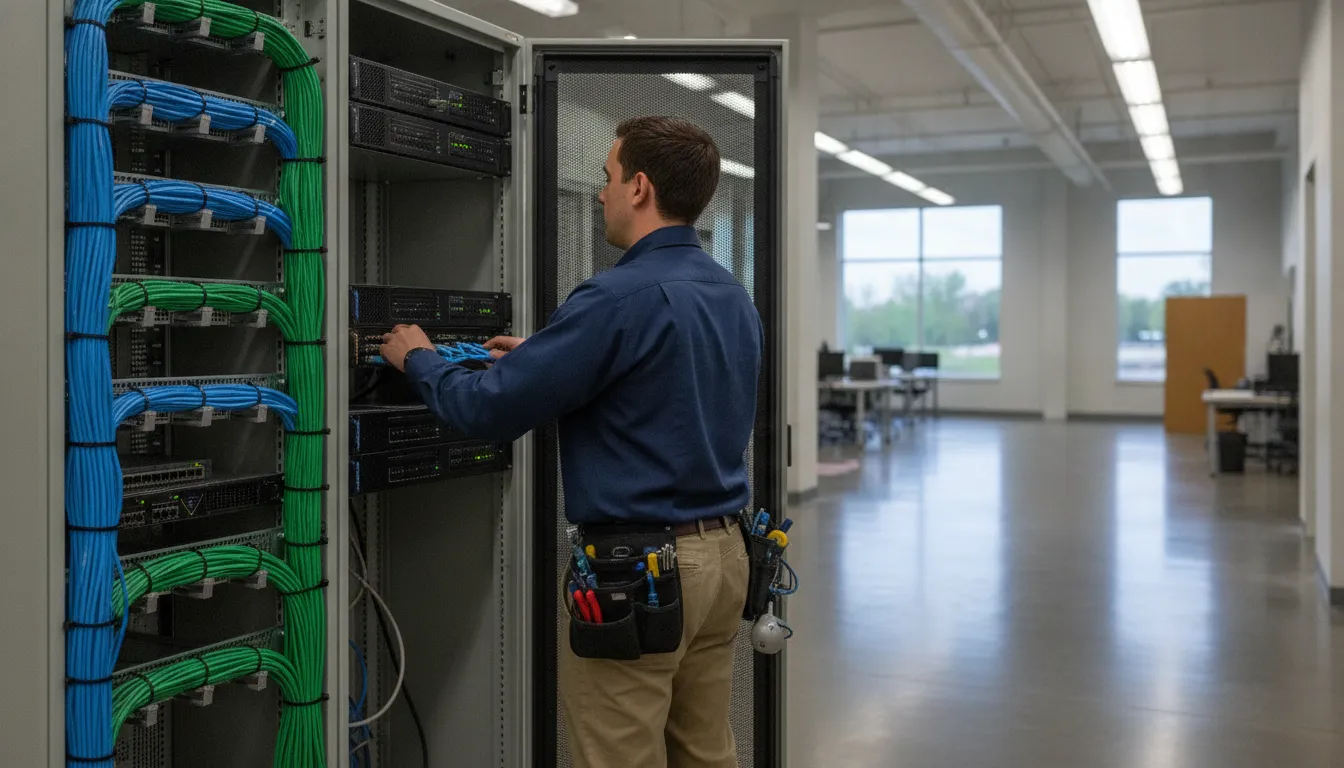
Choosing a business camera recorder is not simply a matter of selecting the newest equipment. The right architecture depends on the cabling already in your building and the detail your team needs. It also depends on the retention period your risk profile requires and whether the system may expand across additional doors, lots, or facilities.
Request your customized security assessment
An NVR vs DVR security system comparison starts with the camera connection. NVRs typically pair with networked IP cameras over Ethernet, while DVRs typically connect analog cameras through coaxial cable. Hybrid and cloud-supported designs can bridge those approaches when a complete replacement is not practical. This guide explains the tradeoffs so Chicago-area business owners can choose a system that fits the existing site and supports future upgrades.
How Does an NVR vs DVR Security System Differ?
An NVR usually records video sent by IP cameras across a network, while a DVR receives and processes video from analog cameras connected over coaxial cable. Both can provide continuous recording, playback, local storage, and remote viewing, but the installation method, expansion options, and camera capabilities differ.
Where video processing occurs
In a traditional DVR layout, the camera sends an analog signal to the recorder. The DVR converts that signal into a digital format for storage and playback. The recorder does much of the work, which makes the camera-to-recorder relationship relatively direct.
With an NVR, the IP camera generally processes and encodes the video before sending it across the network. The NVR receives the network stream, manages recording, and provides playback and administration. This distributed architecture can support more advanced camera features, but it also makes network design part of the security system design.
Quick comparison
| Consideration | NVR and IP cameras | DVR and analog cameras |
|---|---|---|
| Typical cable | Ethernet network cable | Coaxial video cable, often with separate power |
| Processing | Often handled at the camera, then recorded by the NVR | Primarily handled by the DVR |
| Expansion | Requires suitable network capacity, ports, and power | Requires available recorder channels and compatible cabling |
| Camera features | Broad support for networked analytics and higher-resolution options | Strong fit for compatible HD-over-coax cameras and existing runs |
| Upgrade path | Well suited to network expansion and distributed sites | Often efficient when existing coax remains usable |
What Does Each Architecture Require at the Camera and Recorder?
The recorder is only one part of the system. A dependable recommendation accounts for camera placement, cable routes, power, network equipment, lighting, bandwidth, storage, and how staff will review evidence. A recorder that looks capable on a specification sheet can still be a poor fit if the building infrastructure cannot support it.
DVR systems and coaxial infrastructure
DVR systems are often practical in buildings that already have coaxial camera runs. A qualified installer can inspect the cable condition, connector quality, power distribution, and distance between cameras and the recorder. If the existing runs are usable, an HD-over-coax approach may improve image quality without opening walls or replacing every cable.
That does not mean every old cable installation should be preserved. Damaged cable, poor terminations, insufficient power, water exposure, and undocumented routes can create reliability problems. A site assessment should identify those conditions before equipment is selected.
NVR systems and network design
NVR deployments usually use Ethernet cable and network hardware. Depending on the equipment, Power over Ethernet can carry data and power over a single run. The design still needs appropriate switches, uplink capacity, cable pathways, addressing, and power protection.
Security cameras should also be separated and managed deliberately on the network. Access permissions, firmware maintenance, strong administrator credentials, and remote-access controls matter because an IP camera is a networked device. The NVR should not be treated as a plug-and-play appliance that removes the need for cybersecurity planning.
Structured cabling can affect the decision
For a new construction project, renovation, or office relocation. Structured cabling can make an IP camera system easier to plan alongside phones, access control, wireless infrastructure, and other connected systems. In an existing facility, the best answer may combine new Ethernet runs in priority areas with compatible technology on established coax routes.
InVision Systems evaluates the physical site rather than forcing every business into one camera platform. Read the structured cabling guide for new businesses when a project includes new wire pathways or a broader technology buildout.
How Do Image Quality, Bandwidth, and Storage Work Together?
Image quality is not determined by the recorder alone. Camera resolution, lens selection, scene lighting, frame rate, compression, network capacity, and storage settings all influence the evidence a business can retrieve later. A useful design balances detail at critical views with realistic bandwidth and retention requirements.
Resolution should follow the scene
A higher resolution can help identify a face, vehicle, package, or activity at a critical location. It is not automatically the best choice for every camera. A wide overview of a parking lot may need a different lens and mounting height than a narrow view of a cash-handling area or a controlled entrance.
Lighting and placement can undermine a high-resolution camera if the lens is aimed toward glare, a bright doorway, or a poorly lit corner. The camera should be selected for the scene, not just its maximum pixel count. Use the security camera resolution guide for a closer look at 1080p and 4K tradeoffs.
Storage planning needs a written target
Storage requirements depend on the number of cameras, resolution, frame rate, compression, motion activity, recording schedule, and retention period. Continuous recording generally consumes more storage than motion-based recording. A business may also need extra capacity for incident exports, redundancy, or a longer retention window in higher-risk areas.
The retention decision should begin with business operations and evidence needs. Consider how long a loss, safety incident, dispute, or unauthorized entry may take to surface. Then confirm that the selected recorder and drives can maintain the planned history without silently reducing the quality or schedule.
For a technical reference on video storage considerations, review the NIST video storage guidance. The final storage design should be based on the actual camera count and operating requirements of the site.
Discuss the right recording and storage plan for your facility
Which System Offers Better Remote Access and Scalability?
Neither NVR nor DVR is automatically better for every remote-access requirement. The result depends on the recorder, network configuration, user permissions, client software, and security controls. NVR systems often offer a natural path to distributed IP cameras, while DVR systems can remain effective for a contained site with stable coaxial infrastructure.
Remote viewing is an architecture and security question
Business users may want live video, recorded playback, alerts, or evidence export from a phone, workstation, or central monitoring location. Those functions need reliable connectivity and carefully controlled accounts. Remote access should use supported software, strong credentials, appropriate permissions, and a plan for firmware updates.
Cloud connectivity can make access simpler, but it does not remove the need to review data handling, recurring service terms, internet dependence, and account administration. A local recorder with secure remote access may suit one business, while a managed cloud service may suit another.
Expansion includes more than camera channels
When planning growth, count more than the cameras installed on day one. Leave room for entrances, loading areas, employee parking, exterior approaches, and new buildings. For an NVR, check available PoE ports, switch capacity, uplinks, IP addressing, and storage growth. For a DVR, check channel capacity, cable routes, power, and compatibility with the intended HD-over-coax format.
Multi-site businesses should also decide whether each location will operate independently or report to a central platform. That choice affects user roles, connectivity, monitoring, incident response, and support. A camera system should be designed around how people will use it after installation.
When Do Hybrid, HD-TVI, or Cloud Options Make Sense?
Hybrid options are useful when a business has valuable existing infrastructure but also wants selected IP cameras, new coverage areas, or a gradual upgrade. A hybrid recorder can support different camera technologies when the equipment is compatible and the design clearly documents which cameras use which paths.
Use HD-over-coax when the cable is an asset
HD-TVI and related HD-over-coax technologies can provide a practical middle path for sites with serviceable coaxial runs. They may reduce demolition and installation time compared with a full cable replacement. The decision still requires a condition survey, distance check, power review, and confirmation that the selected recorder supports the desired cameras and features.
Use IP when the network and camera features justify it
IP cameras can be a strong choice for new construction, extensive expansion, distributed buildings, or projects that need network-based management and advanced camera capabilities. They also require the business to maintain a sound network and security process. The benefit comes from a complete design, not from choosing an IP label alone.
Separate cloud management from cloud video storage
A system may use cloud access while retaining video locally, or it may store footage in a hosted environment. Those models have different implications for internet availability, retention, subscriptions, privacy, and recovery. Review the service model before approval, especially if staff must retrieve evidence during an outage.
For a broader look at hosted camera systems, see the cloud video surveillance guide. The most suitable design may be local, cloud-based, or a deliberate combination.
What Should Chicago-Area Businesses Ask Before Choosing?
Chicago-area businesses should choose the camera architecture that fits the building, operating risk, and maintenance capacity. A short site assessment should answer whether existing cable can be reused. Where higher detail is needed, how long video must remain available, and how users will access footage. The recommendation should explain the tradeoffs in plain language.
Questions for an existing facility
- Are the current coaxial or Ethernet runs documented and in usable condition?
- Which views require identification detail, and which only need broad situational coverage?
- How many cameras are needed now, and where is expansion likely?
- What retention period matches the business’s incident and evidence process?
- Who needs remote access, and what permissions should each user have?
- Can the current network, power, recorder, and storage support the planned system?
Questions for a new build or renovation
New construction creates an opportunity to plan pathways, closets, power, network segmentation, camera positions, and future service access before walls are closed. It may also make an IP design more efficient, especially when structured cabling will serve several building systems. The right choice still depends on the site plan and the business’s priorities.
- Map camera views, cable routes, power, and network locations before equipment is selected.
- Set the required image detail and retention period for each risk area.
- Confirm recorder capacity, remote users, maintenance responsibilities, and expansion room.
Why a custom design is safer than a one-size-fits-all package
Two businesses can have the same number of cameras and very different security requirements. Lighting, ceiling height, entry patterns, network layout, staffing, evidence handling, and expansion plans all change the design. InVision Systems provides consultation, custom design, professional installation, and ongoing support for commercial security camera projects across the Chicago area and surrounding markets.
Explore commercial security camera systems to see how a site-specific approach can connect camera selection, installation, remote access, and support.
Request a free security assessment for your business
Frequently Asked Questions
Can a business reuse existing coaxial cabling with a new camera system?
Often, yes, if the coaxial runs are in good condition, properly terminated, within supported distance limits, and compatible with the selected HD-over-coax cameras and recorder. An installer should test the cable and inspect power before promising reuse. Damaged or undocumented runs may make new Ethernet cabling the more reliable choice.
Is an NVR better for remote viewing?
An NVR can be a strong fit for remote viewing when the IP camera network, recorder, internet connection, software, and user permissions are designed correctly. A DVR can also support secure remote access. The recorder type alone does not determine the result, so compare the complete platform and administration process.
What is the advantage of a hybrid recorder?
A hybrid recorder can let a business combine compatible camera technologies, such as existing coaxial cameras and selected IP cameras. This may support a phased upgrade and reduce unnecessary replacement. Compatibility, channel limits, network requirements, storage, and future support should be confirmed before choosing a hybrid design.
How much storage does a business security camera system need?
There is no single storage amount that fits every business. Capacity depends on camera count, resolution, frame rate, compression, motion activity, recording schedule, and required retention. Start with the evidence and retention goal, then calculate storage for the actual design and leave practical room for exports and growth.
Ready to Choose the Right Camera Architecture?
The best NVR vs DVR security system decision starts with the site, not a generic equipment list. Review the cabling, camera views, lighting, storage target, remote-access needs, cybersecurity controls, and expansion plan together. A professional assessment can show whether an NVR, DVR, hybrid, or cloud-supported design offers the most useful balance for your facility.
InVision Systems designs and supports customized security camera systems for commercial, industrial, and residential clients throughout the Chicago area and nearby Midwest markets. Contact InVision Systems to discuss the next step for your property.