
Security Cameras Without WiFi: A Complete Guide
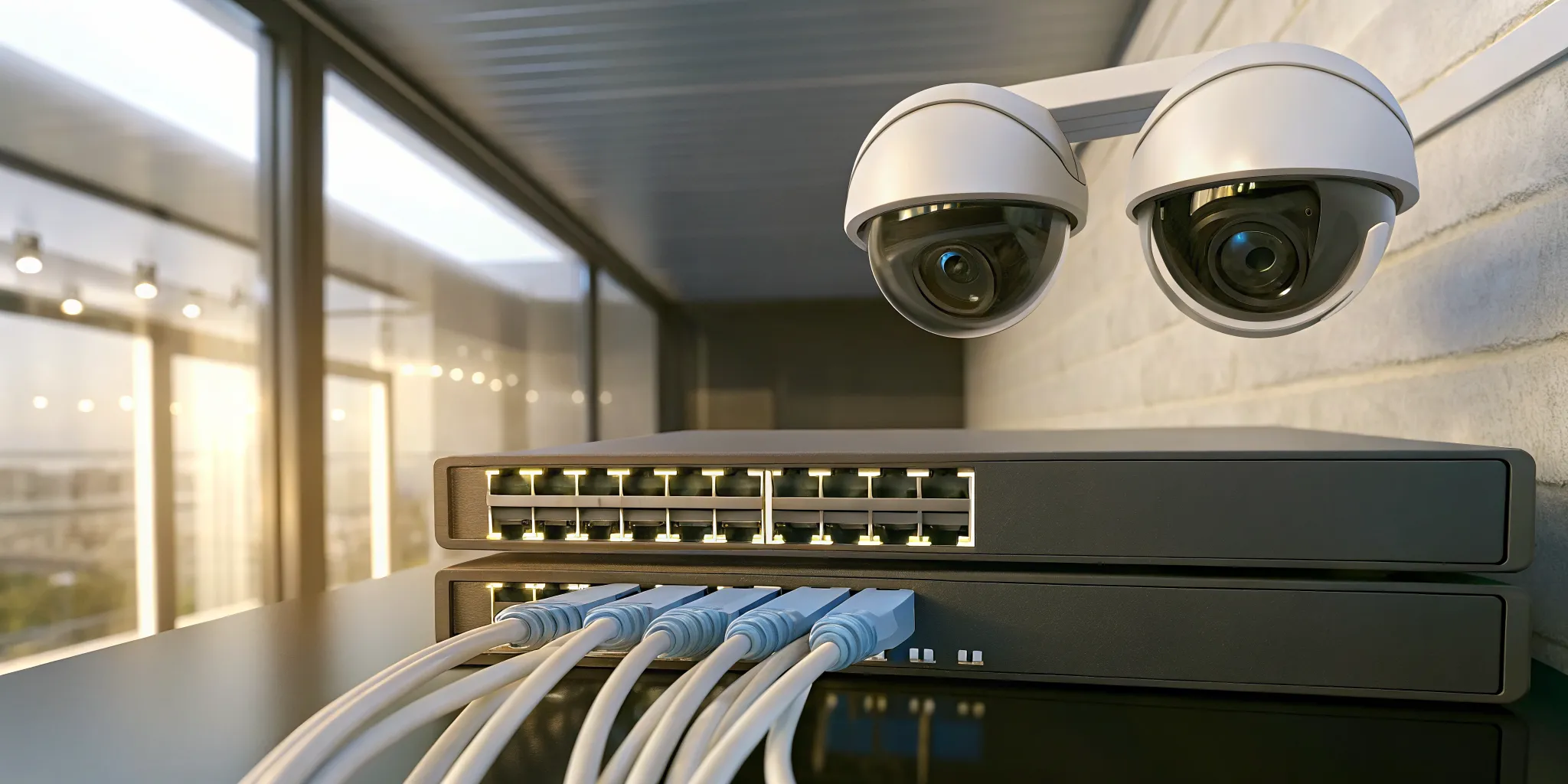
How do you protect a property that doesn’t have internet? Whether it’s a remote construction site, a sprawling farm, or a large warehouse with Wi-Fi dead zones, standard cameras just won’t cut it. These locations require a solution built for off-grid reliability. This is where security cameras without wifi become essential. These systems are designed to operate in any environment, using technologies like direct wiring to a central recorder or cellular data plans to transmit footage. They provide constant, dependable surveillance where you need it most, ensuring your valuable assets are protected around the clock. We’ll walk you through the best options for securing challenging locations without relying on a network connection.
Key Takeaways
- Wi-Fi-free systems offer unmatched reliability and privacy: Because they record footage to a local device, your cameras stay on during internet outages and are less exposed to online hacking, giving you constant coverage.
- Choose the right technology for your location: A hardwired system with an NVR is perfect for stable, long-term security at a home or business, while cellular cameras provide essential surveillance for remote or temporary sites without internet access.
- Focus on key features and professional setup: High-resolution video, weather resistance, and smart motion detection are crucial for effective security, and a professional installation ensures every component works together flawlessly from day one.
What Is a Security Camera Without Wi-Fi?
When you think of modern security, you probably picture cameras connected to your phone through Wi-Fi. But what happens if your internet goes down or you need to monitor a location without a network? That’s where Wi-Fi-free security cameras come in. Simply put, these are cameras that can record and store video footage without relying on an internet connection.
This might sound like a step backward, but it’s actually a robust and reliable approach to security. These systems are often hardwired, meaning they use physical cables to connect to a central recording device, or they store footage directly on a local device like an SD card. This creates a self-contained, closed-circuit system that isn’t vulnerable to network outages. For many homes, businesses, and industrial sites, this method provides a more stable and secure surveillance solution.
Wi-Fi vs. Wi-Fi-Free: What’s the Difference?
The main difference between these two types of cameras is how they handle video data. A Wi-Fi camera connects to your wireless network to stream and save footage, usually to a cloud server. This is convenient for checking in remotely from your phone. A Wi-Fi-free camera, on the other hand, operates independently. It either uses a physical cable to send video to a dedicated recorder or saves footage on an internal memory card. Some advanced models can even use a cellular data plan to transmit data, similar to how your smartphone works. This makes them incredibly versatile for different security needs.
Who Needs a Wi-Fi-Free System?
A Wi-Fi-free system is the perfect solution for specific situations where internet connectivity is either a liability or simply not available. Think of remote locations like farms, construction sites, or vacation properties that don’t have a reliable internet connection. These cameras are also ideal for anyone concerned about network security, as a closed-circuit system is less exposed to online hacking attempts. For large commercial properties, a wired system can provide more consistent coverage than a Wi-Fi network that might have dead zones. If your internet service is spotty or you want a system that keeps recording even during an outage, a Wi-Fi-free camera offers peace of mind.
Your Options for Wi-Fi-Free Security Cameras
When you decide to go Wi-Fi-free, you aren’t limited to a single type of camera. You actually have several excellent technologies to choose from, each with its own strengths. The right fit for you will depend on your property, your power sources, and how you want to access your footage. Let’s walk through the most common and reliable options available.
Wired IP Cameras with NVR
Think of a wired IP camera system as the gold standard for reliability. These cameras connect with an Ethernet cable directly to a Network Video Recorder (NVR). This physical connection means you don’t have to worry about a weak Wi-Fi signal or network congestion interrupting your feed. The NVR is a dedicated device that securely stores all your video footage in one place. Because the connection is hardwired, these security camera systems provide a stable and high-quality video stream that’s perfect for businesses or homes that need consistent, 24/7 surveillance without fail.
Analog CCTV Cameras
You’ve likely seen traditional analog CCTV systems in retail stores or office buildings for years, and there’s a good reason they’ve stuck around. These systems use coaxial cables to connect the cameras to a Digital Video Recorder (DVR) for storage. While they may not always offer the same ultra-high resolution as their IP counterparts, analog cameras are known for being incredibly dependable and budget-friendly. They are a proven, straightforward solution for properties that need reliable monitoring without the complexities of a network setup, making them a great choice for many commercial security applications.
Power over Ethernet (PoE) Cameras
Power over Ethernet, or PoE, technology is a fantastic innovation that simplifies installation. A PoE camera uses a single Ethernet cable to receive both power and transmit video data to the NVR. This eliminates the need to run a separate power cable to each camera, which can save a lot of time, hassle, and cost during setup. You get the same rock-solid reliability of a wired IP camera but with a much cleaner and more efficient installation process. This streamlined approach is one of the most popular features of modern security services.
Cellular (4G/5G) Security Cameras
What if you need to monitor a location with no internet access at all? That’s where cellular security cameras come in. These cameras operate using a SIM card and a mobile data plan, just like your cell phone. They are the perfect solution for remote or temporary sites like construction zones, vacant properties, barns, or storage lots. While they require a data plan, their flexibility is unmatched for keeping an eye on assets in places where a wired connection just isn’t possible. This makes them an essential tool for many industrial security plans.
Battery-Powered Cameras with Local Storage
For the ultimate ease of placement, battery-powered cameras are a great choice. Since they are completely wire-free, you can mount them almost anywhere in just a few minutes. These cameras record footage directly onto a local storage device, like a microSD card, so they operate entirely on their own. The main thing to keep in mind is that you will need to periodically recharge the batteries and manually retrieve the SD card to review footage. This makes them ideal for specific, lower-traffic spots in a residential security setup where running wires would be difficult.
How Wi-Fi-Free Cameras Store Footage
So, if your cameras aren’t connected to the internet, where does all that video go? It’s a great question. Wi-Fi-free systems rely on physical, on-site storage to keep your footage safe and accessible. This means your video data stays entirely within your property, a huge plus for privacy and security. Instead of sending files to the cloud, these cameras record to a dedicated device. Let’s look at the three main ways they store your footage.
Local SD Card Storage
Think of this as a tiny, dedicated hard drive right inside your camera. Many battery-powered or standalone cameras save video directly onto a microSD card. It’s a simple, self-contained solution, perfect for monitoring a specific area like a front door or a remote gate. The main thing to keep in mind is storage space; the card will eventually fill up and either stop recording or overwrite old footage. Also, if a thief were to steal the camera, they’d be taking the evidence with them. For more robust security, you’ll want to consider a system with separate security cameras and storage.
Digital Video Recorders (DVRs)
A Digital Video Recorder, or DVR, is a classic and reliable way to manage footage from multiple cameras. This system works with analog cameras, sending raw video through coaxial cables to a central DVR box. The DVR then compresses and stores the footage on a large internal hard drive. Because all your recordings are in one place, you can easily manage weeks of video without worrying about individual SD cards. Plus, you can tuck the DVR away in a locked closet, protecting your footage even if a camera is damaged. These systems are a dependable choice for many commercial properties looking for straightforward surveillance.
Network Video Recorders (NVRs)
A Network Video Recorder, or NVR, is the modern counterpart to the DVR. It’s designed for digital IP cameras, which capture high-quality video right at the source. The footage is then sent over an Ethernet cable (often the same one that powers the camera) to the NVR for storage. This setup offers better image quality and more flexibility than DVR systems. Since NVRs are part of a network, you can place cameras anywhere a network cable can reach. This makes them an excellent solution for sprawling industrial sites or any property that needs crisp, clear video and a scalable security infrastructure.
Key Features to Look For in a Non-Wi-Fi Camera
Once you know which type of Wi-Fi-free system fits your needs, it’s time to compare the specific features of different cameras. Not all wired or cellular cameras are created equal, and the right details can make a huge difference in how well your property is protected. Think of it like buying a car; the engine type is just the beginning. You also want to consider the safety features, comfort, and performance.
Choosing a camera is no different. You’ll want to look at everything from video clarity to its ability to withstand a Midwest winter. Focusing on these key features will help you build a security system that is reliable, effective, and perfectly suited to your home or business. Let’s walk through the most important features to have on your checklist.
Video Resolution and Quality
The primary job of a security camera is to show you what’s happening, so video quality is non-negotiable. Resolution, measured in pixels, determines how clear and detailed the image is. While older analog systems were known for grainy footage, modern security cameras offer incredible clarity. Many models now provide crisp 4K video, which is sharp enough to capture important details like faces or license plates from a distance.
Beyond resolution, consider the camera’s field of view. Some cameras offer a wide-angle lens to see a large area, while others can even provide a full 360-degree perspective. A higher resolution combined with a wide field of view ensures you get comprehensive coverage without sacrificing the details you need for effective monitoring.
Night Vision Capabilities
Your property needs protection around the clock, not just during daylight hours. This is where night vision comes in. Most people are familiar with standard infrared (IR) night vision, which produces clear black-and-white video even in complete darkness. However, technology has advanced quite a bit.
You can now find cameras with color night vision, which uses ambient light from streetlights or porch lights to record in full color. For areas with very little light, some high-end cameras offer “True Full-Color” night vision that creates its own visible light to capture vivid color footage. When choosing, think about the lighting conditions around your property at night to decide which option will give you the clearest picture when you need it most.
Weather Resistance and IP Ratings
If you’re installing cameras outdoors, especially in places with harsh weather like Chicago or Wisconsin, durability is essential. You need a camera built to withstand rain, snow, dust, and extreme temperatures. To gauge a camera’s toughness, look for its Ingress Protection (IP) rating. This two-digit number tells you how well the device is sealed against solids (like dust) and liquids (like water).
For example, many outdoor cameras are made from rust-resistant aluminum and have an IP65 rating. The “6” means it’s completely dust-tight, and the “5” means it can handle water jets from any direction, so heavy rain is no problem. For robust outdoor security at a commercial property, a high IP rating is a must-have.
Power Options
A non-Wi-Fi camera still needs a source of power to operate. The most common and reliable method is a wired connection. Many modern IP cameras use Power over Ethernet (PoE), which is a fantastic technology that sends both power and data through a single Ethernet cable. This simplifies installation, as you only need to run one wire to each camera.
Other wired systems may require two separate cables: one for video transmission to the recorder and another that plugs into a nearby electrical outlet. There are also battery-powered Wi-Fi-free cameras, but keep in mind they will need to be recharged or have their batteries replaced periodically. A professional can help you determine the best power solution for a clean and reliable installation, which is a key part of our services.
Local Storage Capacity
One of the biggest perks of a Wi-Fi-free system is the ability to store footage locally, giving you more control over your data and avoiding monthly cloud storage fees. Your storage options will depend on your system. Some individual cameras can record directly to a microSD card, which is a simple solution for one or two cameras.
For a more comprehensive setup, your cameras will connect to a central recorder. A Digital Video Recorder (DVR) is used with analog cameras, while a Network Video Recorder (NVR) is used with IP cameras. These devices contain large hard drives that can store weeks or even months of footage from multiple cameras. The amount of storage you need will depend on your video resolution, the number of cameras, and your recording schedule.
Smart Detection and Audio
Modern security cameras are much more than just passive recorders. Many now include intelligent features that make your security more proactive. Smart detection, for instance, uses AI to tell the difference between people, vehicles, and other motion, like falling leaves. This drastically reduces the number of false alarms and ensures you’re only alerted to genuine events.
Other valuable features include two-way audio, which lets you listen and speak through the camera using a connected app or monitor. This is perfect for greeting visitors or warning off intruders. Some cameras also come equipped with built-in sirens and bright warning lights that can be triggered automatically to deter a potential threat. These smart features transform your camera system into an active security solution.
The Pros and Cons of Going Wi-Fi-Free
Deciding to go with a Wi-Fi-free security system involves a few trade-offs. While these cameras offer some fantastic benefits, especially for certain properties, they also come with limitations you’ll want to consider. It’s all about weighing what matters most for your peace of mind and your specific security needs. Let’s walk through the upsides and downsides so you can feel confident in your choice.
The Upsides: Better Reliability, Privacy, and Savings
One of the biggest advantages of a Wi-Fi-free system is reliability. These cameras keep recording even if your internet connection drops, which is a major plus for ensuring continuous coverage. This makes them an excellent choice for remote or “off-grid” locations like construction sites, storage facilities, or rural properties where internet service can be spotty or nonexistent. Privacy is another key benefit. Since the footage is stored locally on a device like an SD card or a recorder, your video isn’t being transmitted over the internet. This offline approach significantly reduces the risk of your system being hacked, offering a more secure option for anyone concerned about digital privacy. Over time, you might also see some cost savings, as many Wi-Fi-free cameras don’t require monthly subscription fees for cloud storage.
The Downsides: Limited Remote Access and Storage
The most significant drawback of a Wi-Fi-free camera is the limited remote access. Without an internet connection, you generally can’t check a live feed from your phone or get instant motion alerts while you’re away. For many home and business owners, the ability to monitor their property from anywhere is a top priority, making this a potential deal-breaker. If you need that capability, a system with cloud services might be a better fit. You also have to think about storage. Local storage on an SD card or recorder can fill up, which means you’ll need to manage it by deleting old footage to make room for new recordings. There’s also the physical risk to consider. If a burglar steals the camera or the recorder itself, you could lose all your evidence. This is a crucial point to weigh, as corrupted files or a stolen device can leave you with no footage when you need it most.
Is a Wi-Fi-Free System Right for Your Property?
Deciding between a Wi-Fi-dependent system and a Wi-Fi-free one comes down to your specific needs, location, and security goals. Both have their place, but a system that doesn’t rely on an internet connection offers unique advantages for certain properties. Let’s look at how this applies to both homes and businesses.
Protecting Your Home
You don’t need a Wi-Fi connection for a reliable home security camera setup. Traditional wired systems record footage directly to a local storage device, like a DVR or an NVR, so they keep working even when your internet is down. This is a fantastic solution if you live in an area with spotty internet or want coverage for a remote cabin or vacation property. Because they aren’t connected to the web, these systems offer an added layer of privacy. For homeowners who prioritize uninterrupted recording and straightforward security, a Wi-Fi-free system provides consistent peace of mind. You can explore various residential security options to find the perfect fit for your property.
Securing Your Business or Industrial Site
For businesses and industrial sites, reliability is non-negotiable. A Wi-Fi-free system, particularly a wired one, offers exactly that. These cameras connect via cables to a central recorder, ensuring a stable connection that can’t be disrupted by a weak wireless signal. This setup is ideal for large properties, construction sites, or remote facilities where internet access is limited or nonexistent. A major benefit for businesses is enhanced privacy; since footage is stored offline, the risk of a digital breach is significantly lower. By using a dedicated burglar alarm and camera system that operates independently, you create a robust security network that protects your assets around the clock, no matter what.
Choosing Your Ideal Security Solution
Why Partner with InVision Systems?
Making the right choice for your security can feel overwhelming, but you don’t have to do it alone. We specialize in creating security plans that are perfectly tailored to your property’s unique needs. We understand that a reliable internet connection isn’t always a given, especially for remote or large-scale industrial sites. That’s why we design robust security systems that function flawlessly without Wi-Fi. Using traditional wired CCTV, DVR/NVR setups, and cameras with local storage, we ensure you have uninterrupted surveillance. Our goal is to provide a solution that gives you total peace of mind, knowing your property is protected around the clock, with or without an internet connection.
Professional Installation vs. DIY
While a DIY project can be tempting, setting up a multi-camera security system is more complex than it looks. For a truly reliable Wi-Fi-free setup, you’ll likely be dealing with options like Power over Ethernet (PoE) cameras connected to a central Network Video Recorder (NVR). This allows all your cameras to record to one device without internet access. A professional installation ensures every component, from camera placement to wiring, is handled correctly. Our technicians have the expertise to design a system for optimal coverage, saving you the headache of troubleshooting and the risk of blind spots. Choosing a professional security camera installation means your system will work perfectly from day one.
Understanding Your Financing Options
A comprehensive security system is a significant investment in your property’s safety, but it shouldn’t break the bank. While some off-the-shelf cameras might seem cheaper initially, they can have hidden costs or vulnerabilities, like the risk of losing all your footage if a camera is stolen. Investing in a professionally installed system protects you from these issues. To make this essential protection more accessible, we offer flexible financing options. This allows you to get the high-quality, reliable security you need now while managing the cost in a way that fits your budget. You can secure your home or business without compromise, knowing you’ve made a smart financial decision for your long-term security.
How to Set Up and Maintain Your System
Once you’ve chosen the right Wi-Fi-free security system, the next step is getting it up and running. Don’t worry, it’s more straightforward than it sounds. With a proper setup and a little routine care, your system will provide reliable protection for years to come. The key is to plan your installation, understand your power sources, and perform simple maintenance checks. Let’s walk through what you need to know to keep your system in top shape.
Tips for a Smooth Installation
A successful installation starts with a good plan. If you’re using multiple cameras, a system with Power over Ethernet (PoE) cameras connected to a Network Video Recorder (NVR) is a popular and reliable choice. This setup allows all your cameras to record to one central device without needing an internet connection. For a truly seamless process, consider working with professionals who can ensure optimal camera placement and configuration. A professional security camera installation guarantees that every angle is covered and the system is set up for peak performance from day one.
Managing Power and Batteries
Your camera’s power source is its lifeline. Many wired systems use Power over Ethernet (PoE), which is incredibly convenient because a single cable delivers both power and data to the camera. This simplifies wiring and creates a very stable connection to your recorder. For locations where running a cable isn’t practical, battery-powered cameras offer great flexibility. Some of these models can even be hooked up to a solar panel, which keeps the battery charged and reduces maintenance. Understanding these options helps you build a reliable power plan for your entire commercial security system.
Simple Maintenance for Lasting Performance
Keeping your security system running smoothly only takes a few simple steps. Every few months, gently wipe the camera lenses with a microfiber cloth to remove any dust or grime that could obstruct the view. If your system records to local storage like an SD card or NVR, check it periodically to make sure you have enough recording space. You may need to manage older files to make room for new footage. Finally, make sure any outdoor power supplies are shielded from rain and moisture, as most are not water-resistant. These small checks are an easy way to maintain your residential security and peace of mind.
Related Articles
Frequently Asked Questions
Can I still view my cameras on my phone if they don’t use Wi-Fi? Generally, the main feature of a Wi-Fi-free system is that it operates without an internet connection, so remote viewing on your phone isn’t a built-in function. The system records to a local device for you to review on-site. However, there are exceptions. Cellular cameras use a data plan to send footage, allowing you to check in from anywhere. Also, a wired NVR system can often be connected to your internet router if you decide you want optional remote access later on, giving you the best of both worlds.
What happens to my security system if the power goes out? This is a great question because security is a 24/7 need. Since wired cameras rely on electricity, they will stop recording during a power outage. To solve this, we can connect your NVR or DVR and your cameras to an uninterruptible power supply (UPS). A UPS is essentially a backup battery that kicks in the moment the power goes out, keeping your entire security system running for a period of time so you don’t miss a thing.
Is a wired system truly more secure against hacking? Yes, it is significantly more secure from online threats. A Wi-Fi-free, hardwired system creates a closed circuit, meaning it is not connected to the public internet. Without that connection, there is no pathway for a remote hacker to try and access your video feed or interfere with your cameras. Your footage stays entirely on your property, which provides a level of privacy and security that internet-connected devices simply cannot guarantee.
How much video can a system actually store, and what happens when it’s full? The amount of storage depends on the size of the hard drive in your NVR or DVR, the number of cameras you have, and the video quality you’re recording. A typical professional system can easily store several weeks or even months of continuous footage. When the hard drive eventually fills up, you don’t have to worry about it stopping. The system will automatically begin loop recording, which means it overwrites the oldest footage to make space for the new, ensuring you always have the most recent video available.
Why should I choose a professional installation over doing it myself? While a DIY approach can be tempting, partnering with InVision Systems for professional security system design, installation, and support ensures your property is fully protected from day one. Our local technicians are experts in strategic camera placement, ensuring there are no blind spots and that every camera captures the clearest possible view of your commercial, industrial, or residential property. As a licensed provider (Alarm Agency Lic #127.001456), we handle everything from complex PoE structured wiring to system design and maintenance. We serve clients within roughly a 50-mile radius of Chicago, including the Chicago suburbs, Northwest Indiana, and Southeast Wisconsin, and we maintain a client retention rate of over 95%. Professional installation saves you time, prevents technical headaches, and guarantees your security system works exactly when you need it most.