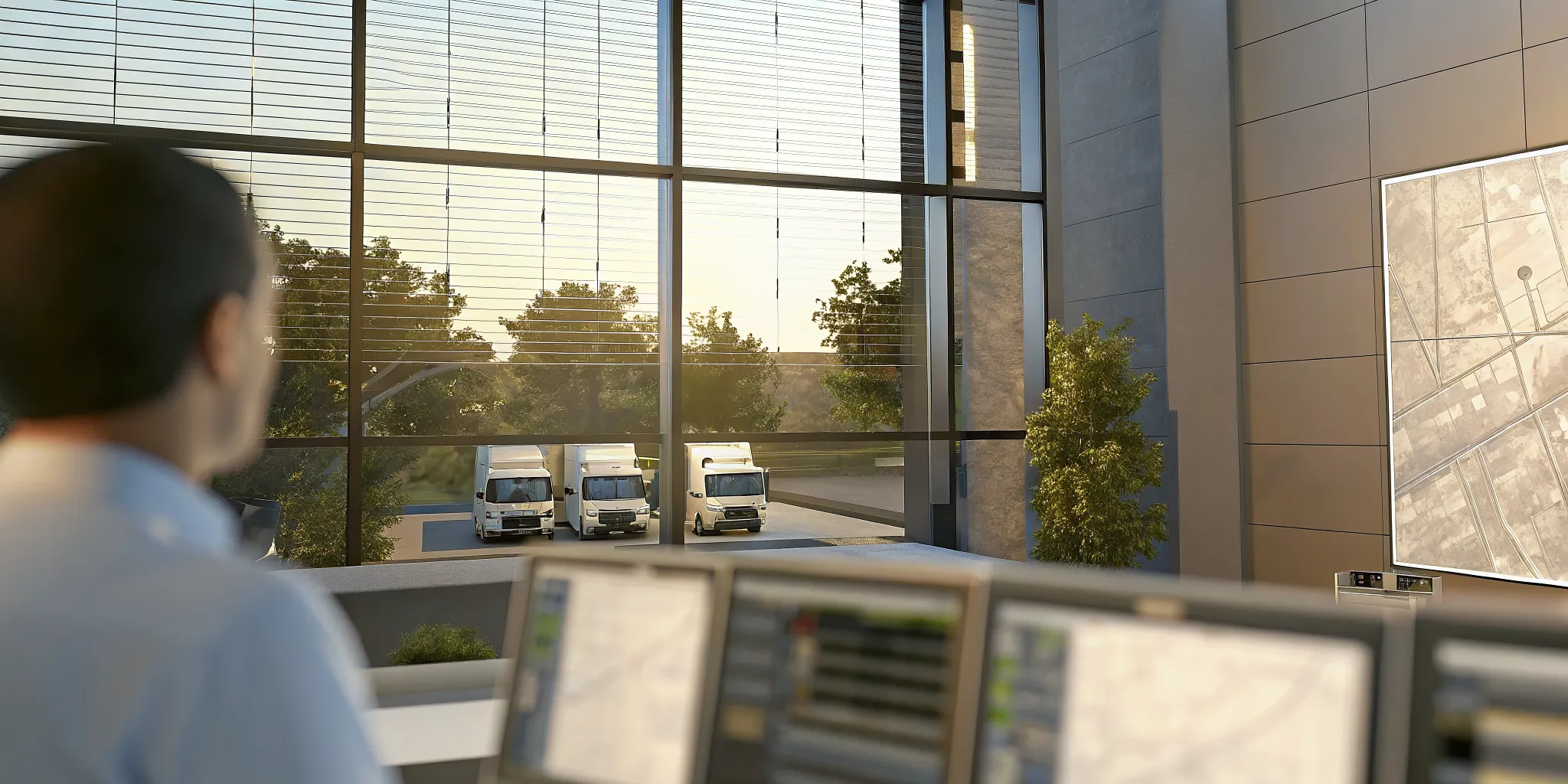
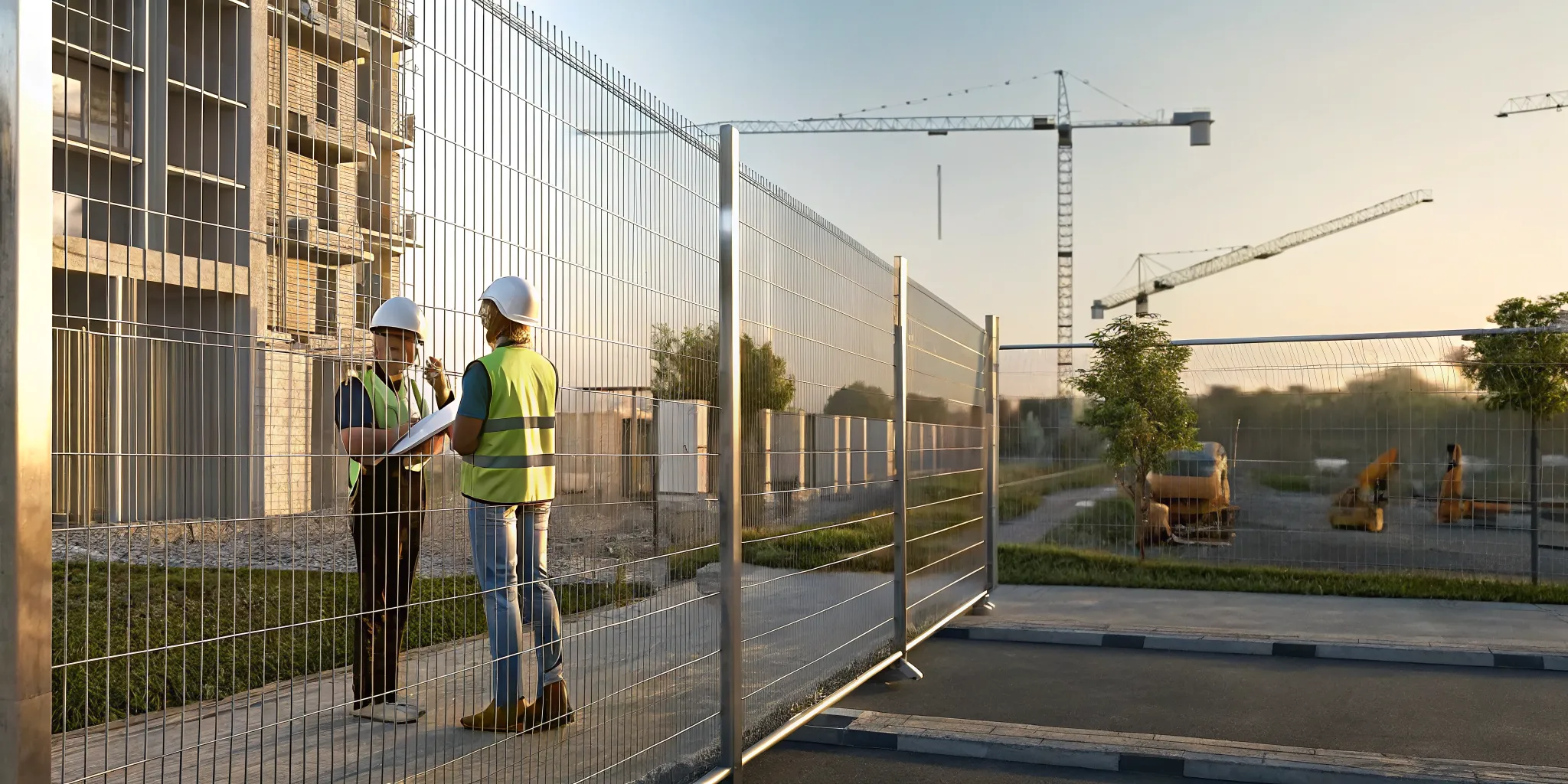
Fleet Vehicle Tracking: A Guide for Business Owners

A plumbing company with twelve service vans can lose billable hours when dispatchers guess which driver is closest. A contractor can also lose equipment overnight without an alert. Fleet vehicle tracking replaces those blind spots with useful, real-time information.

Request a customized fleet vehicle tracking consultation with InVision Systems.

Fleet vehicle tracking combines GPS location data with vehicle and driver information in one dashboard. Business owners use it to dispatch the nearest vehicle, verify job-site arrivals, reduce avoidable idling, schedule maintenance, and respond faster to theft. The right system turns daily fleet activity into decisions that protect time, vehicles, and margins.

Learning how the technology works is the first step toward choosing a system that solves the right operational problems instead of producing reports no one uses.

What is fleet vehicle tracking?

Fleet vehicle tracking is a system that uses GPS tracking technology to see where your cars, vans, or trucks are in real-time. It helps business owners and managers keep an eye on their assets from a single computer or phone. This tool is part of a full comprehensive commercial security plan. It does more than just show a dot on a map. It gives you deep insight into how your fleet moves each day.

How GPS and telematics work

The system starts with a small device hidden in each vehicle. This unit talks to at least 24 satellites that orbit the earth. The Global Positioning System (GPS) uses these signals to find the exact spot of the device. But tracking also uses telematics. This tech sends data like speed, idle time, and fuel use back to your office. It turns simple location dots into useful data for your business.

Most modern systems send these updates every 1 to 30 seconds. This means you always have a fresh view of your team on the road. You can see if a driver is on the right path or if they have stopped for too long. For many firms, fleet vehicle tracking services are the key to staying lean and safe. It lets you find problems before they cost you time and money.

From the road to your screen

The flow of data is fast and simple. First, the device in the truck picks up satellite signals to mark its spot. Next, it sends that info through a cell network to a secure cloud server. The server stores the data and cleans it up so it is easy to read. Finally, you see all this in a clean dashboard on your own device. You do not need to be a tech expert to use it.

A good dashboard shows you a live map of all your vehicles at once. You can also run reports to see where drivers went over the last few days or weeks. This helps you find better routes and save on fuel. It also helps with safety. You can get alerts for fast driving or hard braking. This keeps your drivers safe and your insurance costs low. Knowing where your assets are at all times gives you peace of mind.
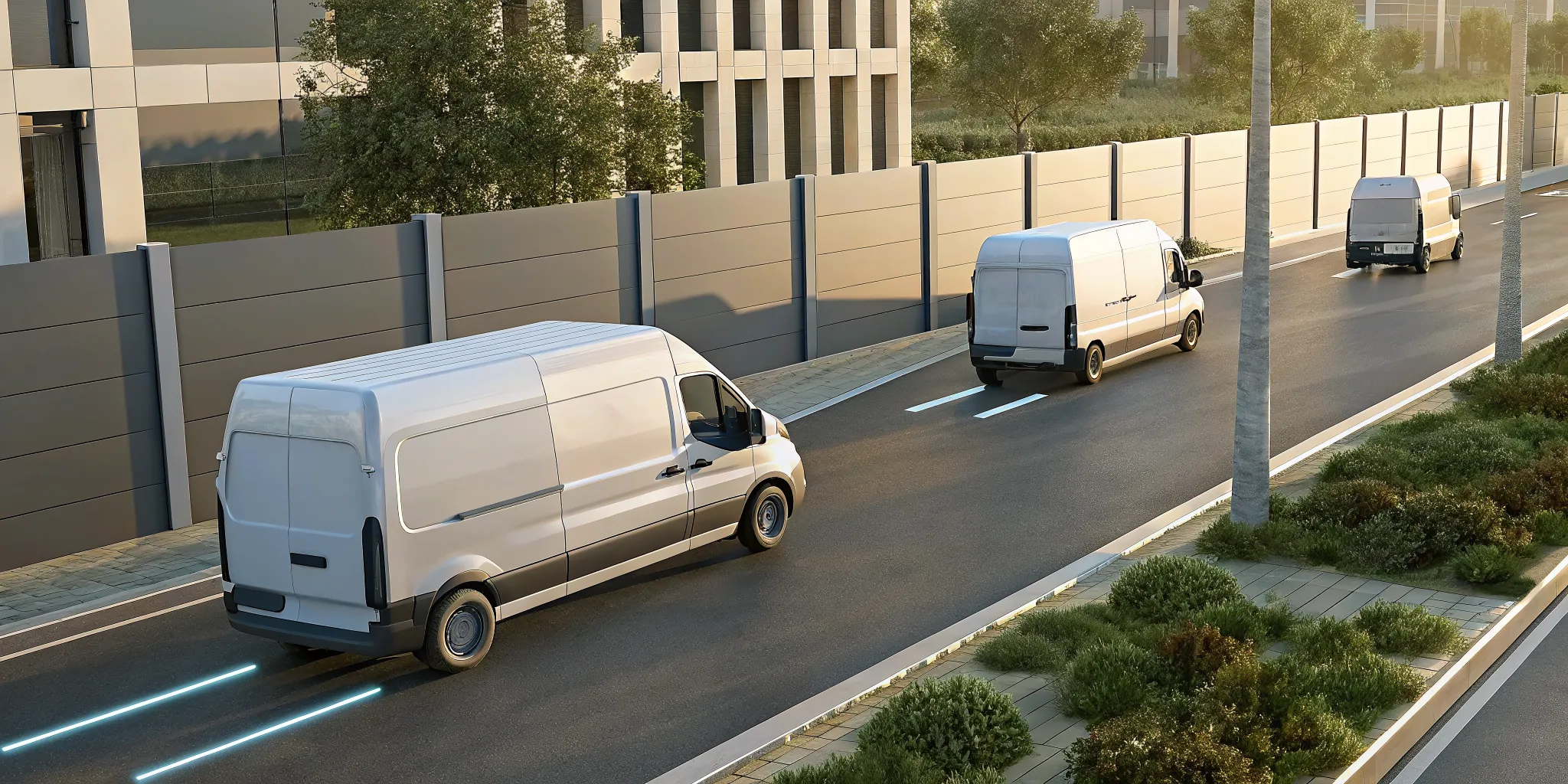
Commercial service vehicles using fleet vehicle tracking
Fleet vehicle tracking gives dispatchers a clearer view of vehicles in the field.

Fleet tracking benefits for business owners

Fleet tracking helps owners improve dispatching, document completed work, reduce unauthorized use, and spot unsafe or costly driving patterns. Its value comes from acting on exceptions: reroute the closest van, investigate repeated idling, schedule service before a breakdown, or respond to an after-hours movement alert.

For example, an HVAC dispatcher can send the nearest technician to an emergency call instead of phoning every driver. A landscape company can confirm when a crew arrived and left without relying on handwritten time sheets. Using fleet vehicle tracking services makes those decisions faster and easier to document.

Better daily operations

Knowing where your trucks are helps you plan better routes. When you see your vehicles on a map, you can pick the best path for each driver. This saves time and helps your team reach more clients. Good fleet vehicle tracking shows you how to use every hour of the work day well. You can send the closest driver to a new job, which makes your service faster.

This tech also helps you stay on top of car care. You can set up alerts to remind you when a truck needs an oil change or new tires. Keeping your fleet in good shape prevents big repair bills later. Systems that use GPS can work all year to help you track your assets and manage your equipment in any season. This keeps your business moving without unexpected stops.

Safety and theft response

Asset safety is a top worry for any owner. If a truck is stolen, you need to find it fast to get it back. Real-time tracking lets you see where a stolen vehicle is right away. This quick response can help the police find your property before it is lost for good. It adds a strong layer of comprehensive commercial security to your firm.

Safety tools also help your drivers stay safe on the road. When drivers know their speed is tracked, they tend to follow the law more closely. One study found that using this tech led to a large drop in speeding and better use of seat belts. Helping your team drive safe keeps them out of harm’s way and protects your business from risk.

Accountable and clear work

Your clients want to know when to expect your team. Tracking helps you give them clear times for when your driver will arrive. This builds trust with the people you serve. It also shows you which drivers are doing their best and who might need more training. This clear view makes it easy to talk to your team about their work and goals.

Which fleet vehicle tracking features matter most?

The most useful features are live location, route history, geofencing, driver-behavior alerts, maintenance reminders, and clear reports. Prioritize features tied to a specific decision. A live map supports dispatching, a geofence flags unauthorized movement, and maintenance alerts help prevent avoidable downtime.

A five-van service company may need simple dispatch and maintenance alerts, while a contractor storing trucks and trailers in a yard may prioritize after-hours geofences and theft response. For many firms, fleet vehicle tracking services are a core part of a broader safety plan.

Do not pay for every available metric. Choose the smallest set your managers will review and act on consistently, then expand after the first workflows are working.

Real time maps and geofencing

Live maps show where your trucks are now. This helps you give fast updates to clients and find better routes. Geofencing lets you draw a boundary around a job site and receive an alert if a truck leaves it.

For a roofing contractor, an after-hours geofence alert may justify an immediate call to the driver or police. During the workday, the same feature can verify arrival times without interrupting a crew. Define the response for each alert before turning it on.

Safety and asset tools

Safety is a top goal for any fleet. Tracking systems can show speeding, hard braking, and seat belt use. One study by the Missouri DOT found an 85 percent rise in seat belt use.

Use behavior reports to identify a pattern before coaching a driver, not to react to one isolated event without context. Maintenance alerts also help teams manage assets better and document why planned repairs are worth the cost.

Core feature breakdown

A good tracking system does more than show dots on a map. Reports should reveal which vehicles cost the most to run and where time is being lost. For example, a weekly idle-time report can show whether fuel waste is concentrated in one route, vehicle, or crew.

Assign each report an owner and a review schedule. If no one can name the decision a report supports, remove it from the dashboard. A focused setup is easier to manage and gives the business a clearer way to measure results.

Feature What it tells you Business question
Live Location Exact spot of every truck Where is my driver now?
Route History Path taken and stops made Did they take the best path?
Geofencing When trucks enter or leave zones Are they on the job site?
Driver Behavior Speed, braking, and idle time Is my team driving safe?
Maintenance Alerts When a truck needs service Is the fleet ready to roll?
Reporting Total fuel use and work hours How can I save more money?
Fleet manager reviewing GPS vehicle activity
A useful tracking dashboard helps managers focus on exceptions that require action.

How to choose a fleet vehicle tracking system

Choose a system by defining the business problem first, then comparing update speed, alerts, reporting, installation, support, integrations, and total cost. Ask vendors to demonstrate your real workflows, such as dispatching an urgent call or investigating after-hours movement, rather than judging a long feature list.

Start with two or three measurable goals. A delivery business might target late arrivals, while a construction company may care most about equipment theft and unauthorized vehicle use. Before buying, decide who will review each alert and what action that person should take.

Discuss the right tracking features for your fleet with InVision Systems.

Check your fleet size and asset types

First, think about the size of your fleet. A small business with five vans has different needs than a large firm with a hundred trucks. You also need to track more than just cars. Many firms now use asset tracking and management practices to keep tabs on tools and heavy gear. This helps you know where every piece of gear is at all times.

You should also think about how your fleet will grow. A good system is easy to scale up as you add more vehicles. If you plan to grow soon, pick a tool that can handle more data without a lot of extra work. This saves you from having to switch systems later on. You want a tool that can grow as fast as your shop does.

Look at data speed and reporting

Next, check how often the system updates. Some tools show you where a vehicle is in real-time. Others might only update every few minutes. Fast updates are key if you need to give customers quick arrival times. You also want a system that gives you clear alerts. These can tell you if a driver is speeding or if a vehicle needs care. Having this data helps you stay on top of vehicle upkeep.

Good data helps you make smart choices. In fact, using vehicle tracking tools can lead to much safer driving habits. It has helped some fleets see a big rise in seat belt use and fewer speeding issues. You can use fleet vehicle tracking services to get these safety wins for your own team. Better driving keeps your staff safe and lowers your insurance costs over time. It also protects your brand by making sure your drivers are polite on the road.

Think about setup and total cost

Total cost is more than just the price of the hardware. You must also think about the cost to set it up and keep it running. Some systems are easy to plug in and use. Others need a pro to install them. It is often best to work with a team that offers full commercial security and support. They can make sure your new tool links up well with your other business gear. You may want your tracking tool to talk to your fuel cards or route maps. This link makes your office work much faster.

Support is just as vital as the tool itself. If a tracker stops working, you need help fast. Ask about the help desk hours and how long it takes to get a fix. You want a partner who knows the local area and can come to you. InVision Systems offers a free on-site meeting to help you find the best fit for your fleet. This helps you see the true cost and value before you commit to a plan. By talking to an expert, you can find a system that fits your budget and your goals.

How to implement fleet tracking responsibly

Responsible implementation starts with written goals, a clear employee policy, limited access to data, and coaching-focused alerts. Tell drivers what is collected, when tracking occurs, who reviews it, and how it will be used. Establish a baseline, review results monthly, and adjust alerts that create noise without improving safety or operations.

Set your main goals

Starting with clear goals helps you get the most from your fleet vehicle tracking services. You should know if you want to save on fuel, stop theft, or help your drivers stay safe. Setting these aims early lets you choose the right tools and alerts for your team’s needs.

A good plan also keeps costs down. When you know what you need to track, you do not pay for extra features that you will not use. This focus helps you see a clear return on your spend. It also makes it easier to show your team why the new tech is good for the whole firm.

Talk with your staff

You must tell your staff about the new system before you start. Clear talk builds trust and helps people feel safe with the change. Tell them how the tech helps with work, like making stops faster or helping with car care. You should also check your local laws to make sure your plan follows all rules for staff data.

Most workers want to do a good job and stay safe on the road. Show them how the data can prove they are good drivers. This can help with morale and make the move much smoother. When people know the why behind the tool, they are more likely to support it.

  1. Find what your firm needs. Decide which stats matter most, such as fuel use, idle time, or route speed. Clear aims lead to better results.
  2. Write down your rules. Put your rules in writing so everyone knows how the data is used. This should cover staff data and how you judge work.
  3. Set up the tools with care. Work with experts to get the tech right. Help from a full business safety firm keeps the tools hidden and working well.
  4. Set up alerts and train bosses. Tell the system to ping you for things like speeding or hard braking. Train your bosses to use these notes to coach drivers, not just punish them.
  5. Track your first stats. Record your facts for the first month to see where you stand. Studies show that using fleet vehicle tracking can lead to a 70 percent drop in speeding in the first year.
  6. Check and change. Look at your data once a month to find new ways to save. Regular checks help you keep your fleet running well and safe for everyone.

Focus on driver safety

The best use of tracking tech is to keep your people safe. High speeds and hard turns can lead to bad crashes and high car costs. When you use the data to coach your team, you create a culture of safety. This protects your staff and your brand at the same time.

Safety gains can be huge for teams that use this tech right. In one case, some groups saw a 85 percent rise in seat belt use after they started tracking. These small changes add up to big wins for the firm and its workers. It is a win for everyone when the crew gets home safe each day.

How does fleet tracking fit into a wider security plan?

Fleet tracking is strongest when connected to the rest of an asset-protection plan. Geofence alerts can flag a vehicle leaving a secured yard, while cameras and access-control records help managers verify who moved it. This combined evidence supports a faster, more informed response to theft, unauthorized use, and operational disruptions.

Asset protection works best when you view it as one connected system. For Chicago businesses, fleet vehicle tracking is not just about dots on a map. It is a key piece of a custom security plan. By linking vehicle data with other tools, you build a shield that covers your whole site and every mobile asset.

Protect your mobile assets

Your fleet is a set of moving parts that need constant care. High-tech systems help you track trucks, vans, and tools in near real-time. This 360-degree view helps you see how your team works each day. It also helps you spot risks to your assets before they lead to big losses. A GPS tracking system can be used all year to manage assets and keep costs low.

The goal is to move from reactive fixes to proactive safety. When you know where every truck is, you can stop theft and unauthorized use. This level of insight fits perfectly with industrial security monitoring for warehouses and yards. It ensures that your security stays strong, even when your team is out on the road.

Improve safety for your team

Security is as much about people as it is about property. Modern tracking tools can lead to big gains in how safely your team drives. Some groups saw an 85 percent jump in seat belt use after they put vehicle tracking tech in place. They also saw 70 percent less speeding in just the first year of use.

Safe driving reduces the risk of accidents and helps keep your insurance rates low. It also protects your brand name on the streets of Chicago. By adding these metrics to your wider plan, you show that you care about your team. This focus on safety is part of a comprehensive commercial security model that keeps your business running smooth.

Build a custom strategy

No two businesses have the same needs. A full security plan should link your yard cameras, gate locks, and vehicle tracking into one system. This helps you manage your assets from one hub. You can get a free on-site consultation to find the right mix for your fleet and site. This ensures your tools work well together and give you the best value for your spend.

InVision Systems uses over 23 years of local skill to design these plans. We focus on parts that have been tested and proven to work. Our goal is to give you a system that helps you make the most of every day. By using fleet vehicle tracking services as part of your core plan, you stay ahead of risks and keep your business safe.

Plan a connected fleet and site security strategy with InVision Systems.

Frequently Asked Questions

How much does fleet vehicle tracking cost?

The cost to track your fleet usually depends on how many vehicles you have and the tools you need. Most systems have a price for the hardware and a monthly fee for the software. Based on the Department of Transportation, these costs are easy to pay for because they help with vehicle care. You can get a clear price for your business by asking for a free talk with an expert.

Is fleet vehicle tracking legal for employees?

In most cases, tracking work vehicles is legal if the cars are used for business tasks. Owners should still check local laws and tell their team about the tools. Using these systems can make the workplace safer. For instance, some groups saw an 85 percent increase in seat belt use after they started tracking. It is best to have a clear plan that all of your drivers can follow.

Can I use fleet vehicle tracking for construction equipment?

Yes, you can use these tools for more than just cars and trucks. GPS tracking works well for gear like cranes to stop theft and track use. These tools give you a full view of your daily work to help you save money. Tracking heavy gear also helps you stay on top of repairs. This makes sure your equipment stays in good shape for every job you do.

What are the benefits of fleet vehicle tracking?

Tracking your fleet helps you see where your vehicles are at all times. This can help you use less fuel and find better routes. Many companies use these tools to improve safety and keep up with vehicle care. Based on InVision Systems, tracking provides deep insights that make your business more secure. It also helps you make sure your team is doing a good job each day.

Is your business ready for fleet vehicle tracking?

When you do not track your trucks, you can lose money on fuel and extra work hours every day they are on the road. A lack of useful data makes it harder to plan routes and can lead to late arrivals that hurt your brand and margins.

Start with one decision you need to improve, such as dispatching urgent calls, reducing after-hours use, or scheduling maintenance. A focused rollout helps you prove value before expanding the system across the fleet.

Ready to get started? Contact InVision Systems to request a customized fleet tracking consultation today.
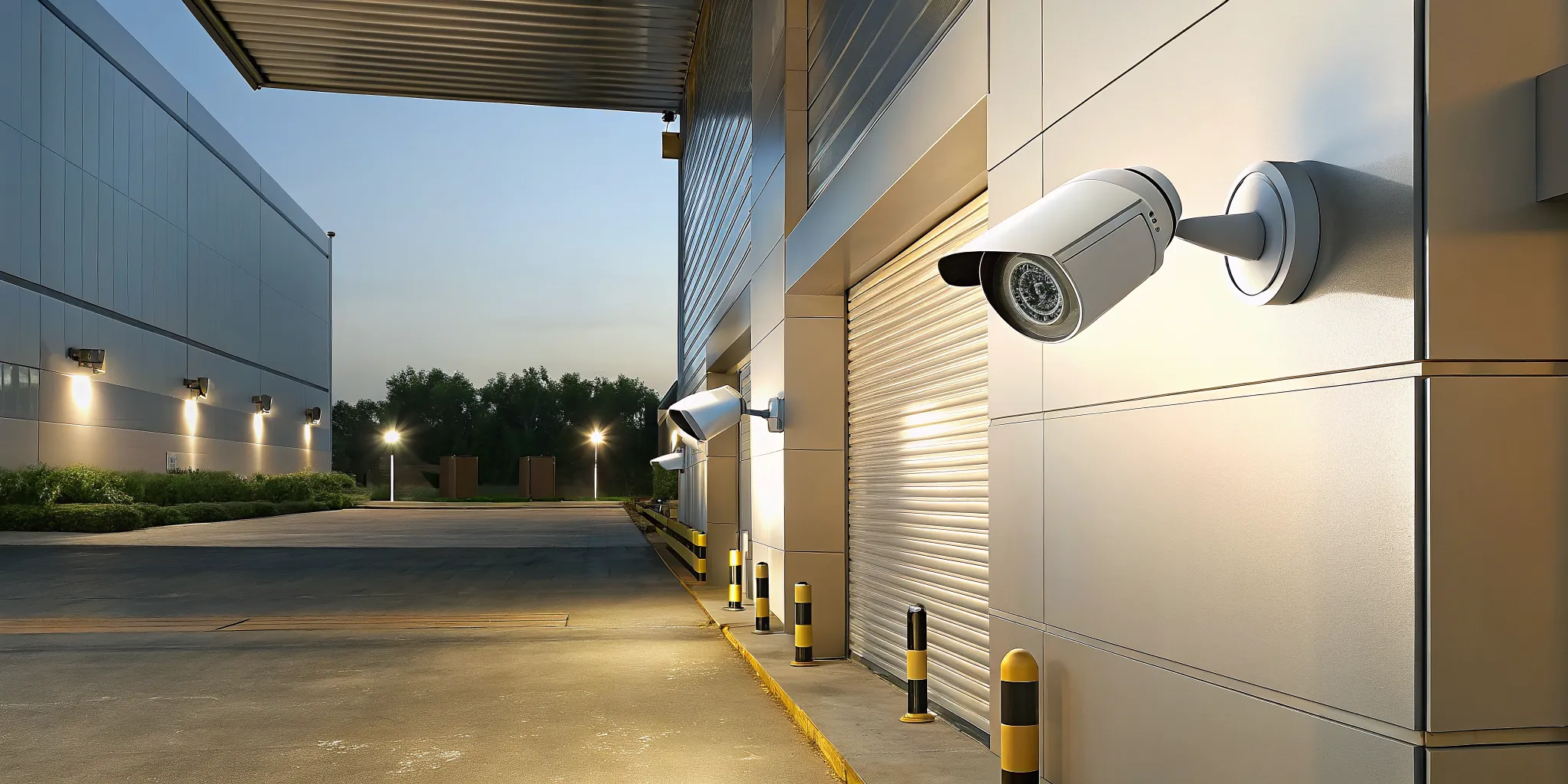
Warehouse Security Monitoring for After-Hours Safety

Unsecured loading docks and dark warehouse aisles invite expensive inventory losses every night. Traditional alarms often fail to stop intruders before they access high-value stock. Effective warehouse security monitoring watches the perimeter and high-risk areas when no one else is on site.

Schedule a warehouse security consultation with InVision Systems.

Warehouse security monitoring combines cameras, access control, smart sensors, and live remote response to protect inventory after hours. It helps teams spot activity at loading docks, perimeter gates, and interior storage zones, verify threats, and respond before an incident becomes a major loss.

Rather than relying on simple alarms that sound after a thief enters, professional monitoring lets security teams act fast when a threat is found. These systems are vital because common warehouse security risks include inventory shrinkage and both internal and external theft. Good monitoring also tracks hazards like fire or leaks that could destroy stock while the building is empty. Smart sensors and video checks help managers lower the risk of cargo theft. These tools keep the facility safe when the team is not on site.

Keeping a large facility safe requires more than just locking the doors at night. You must know “What should warehouse security monitoring cover after hours?” to close every gap in your defense. This guide shows you how to build a strong plan. The path begins with the areas that create the greatest after-hours risk.

What should warehouse security monitoring cover after hours?

After-hours warehouse security monitoring must go beyond simple alarm systems. An active plan helps protect assets when no one is on-site. It combines smart tools with a live watch to stop threats before they cause loss. Most site managers in the Chicago area now look for ways to reduce risk through better coverage. This ensures your site stays safe during the long nights of a Midwest winter.

Perimeter and access point control

The first line of defense is the property edge. Good warehouse security monitoring must track every door, gate, and fence line. High-definition business security systems with cameras can watch these spots in real time. This helps find people trying to enter without the right to be there during the night. You should choose cameras that work well in low light to get clear views of prowlers.

Access control is also vital for sites with many shifts. You should use building access control systems to log who enters and when. This data helps find internal theft and shrinkage. It also keeps out anyone who does not belong on the site. Cutting entry to a few points makes it easier to track flow. Using a mix of IP and HD-TVI cameras can help cover both new and old parts of your site.

Blind spots and internal stock areas

Large warehouses often have long aisles and high shelves that create blind spots. These dark corners are where theft or fire may start. Good monitoring uses sensors that cover wide areas. Some audio sensors can monitor up to 5,000 square feet of open space to detect sounds of break-ins. This tech gives you full floor-to-ceiling coverage in big rooms. It works best when you set up tools based on the height of your ceilings.

Cargo theft is a big problem for the supply chain. Since it is not always tracked as a specific crime, data can be hard to find. However, the Federal Maritime Commission notes that cargo theft delays often stem from unsafe yards and docks. Monitoring these zones is key to keeping stock safe. You need to watch every lane where trucks move or park to stop theft before it leaves the yard.

Loading docks and logistics safety

Loading docks are high-risk zones for both crime and safety. These areas often have limited light at night, which helps thieves hide. They are also places where accidents can happen if gear is left out. The Occupational Safety and Health Administration (OSHA) reports that the fatal injury rate in the warehousing industry is higher than the national average. Watching these spots helps you find safety risks before they hurt your team.

Using virtual guarding and remote monitoring adds a layer of safety. Live guards can spot unsafe acts or fires through the camera feed. They can also use voice tools to warn thieves to leave. This proactive move is better than just looking at video after a crime has happened. It turns your cameras into active tools that can stop a loss before it starts. This approach helps reduce shrinkage and keeps your stock secure 24/7.

A full plan should also cover these spots:

  • Dark corners behind pallets or equipment.
  • Roof access points and skylights.
  • Off-site storage yards and parking lots.
  • Internal server rooms and office spaces.
  • Fuel tanks and high-value tool rooms.

Start at the perimeter and loading docks

Good warehouse security monitoring starts long before anyone reaches your door. The edge of your lot is your first line of defense. A strong outer ring keeps threats out. It also gives your team more time to act when something goes wrong.

Fixing the lot edge

A good fence is just the start. You must pair gates with bright lights and sharp views. Most thefts happen when it is dark and quiet. If a lot has blind spots, thieves will find them. To fix this, use lights that turn on when they sense motion. This makes it hard for people to hide near your fence line.

Camera placement is key to lot safety. Use sharp tools that can see in low light. Our team picks parts based on your site’s light and ceiling height to avoid blind spots. This makes sure your monitoring covers every inch of the yard.

You should also use virtual guarding and remote monitoring to watch your lot in real time. These tools let guards see a threat the moment it enters your gate. Instead of just taping a crime, you can stop it before it starts.

Managing dock access points

Docks are some of the most busy parts of any site. They are also high-risk spots for both theft and wrecks. Goods theft is a big problem that can hurt your work flow. Since theft data is often not clear, it is hard to track the true cost. Still, we know that docks are a main way in for thieves.

Watching your docks after hours is key. Use motion sensors that alert a live guard when a door opens. This active way of working is better than just a loud alarm. It allows for real-time proof and a faster act from local police.

Safety is also a big worry at the dock. Forklift wrecks and falls can cause deep harm to your staff. Fact: about 100 workers die each year in forklift wrecks across all firms. To stay safe, you must follow OSHA warehouse safety rules like checking dock plates and driving slow. Pair these rules with building access control systems to make sure only the right people are on the dock floor.

Watching the roof and windows

Thieves do not always use the front door. They often look for weak spots like roof vents or side windows. Roof access is a big risk if you have tall gear or ladders nearby. Make sure your cameras cover these high spots. Use sensors that trip an alarm if a window or hatch opens after hours.

To keep your site safe, check these areas once a week:

  • Test all gate locks and fence wire.
  • Clean camera lenses and check for clear views.
  • Fix any lights that are dim or broken.
  • Make sure all roof hatches are locked tight.
  • Check dock doors for gaps or cracks.
Warehouse loading dock covered by after-hours security monitoring
Clear coverage at loading docks helps monitoring teams spot and verify after-hours activity.

Protect interior inventory and high-risk zones

A large warehouse has many moving parts. Securing the fence is just the start. Real safety comes from a deep look at what happens inside your walls. Strong warehouse security monitoring helps you keep track of goods and people in every spot. From the busy shipping floor to quiet storage cages, each zone needs an exact plan to stay safe.

Monitor loading docks and shipping areas

Loading docks are the most busy parts of any site. They are also where most risks occur. You must watch these zones to prevent theft and keep workers safe. Based on data from the Occupational Safety and Health Administration, loading docks are major sites for slips and crashes. Proper camera placement here shows you if a dock plate is secure or if a forklift is too close to the edge.

Shipping and taking in zones also face a high risk of cargo theft. It is hard to track these crimes because they are often logged as plain theft. Using live security camera monitoring services helps you spot trouble as it happens. You can see if an unknown person enters a truck or if a driver takes a wrong turn during a drop-off. Real-time alerts can warn you of these moves before the goods leave the site.

Protect high-value cages and storage zones

Some items in your warehouse cost much more than others. High-value inventory often sits in fenced cages or locked rooms. These zones need extra eyes to stop loss. Placing cameras with sharp lenses here ensures you can see fine details. This helps you name people and check that they have the right files for the job. Sharp video can even catch small labels or serial numbers on high-end parts.

Many warehouses also use building access control systems to limit who can enter these cages. When you pair entry logs with video, you get a full view of your site. You can check who opened a door and see what they did while they were inside. This mix of tools is the best way to reduce inventory loss and internal theft. It creates a trail of proof that keeps everyone on the team honest.

Cover blind spots in offices and utility rooms

Blind spots are a big danger in warehouse security. Often, work rooms and small offices get missed. Thieves know where your cameras do not reach. They may use these hidden spots to hide stolen goods or plan a break-in. We pick cameras based on your exact lighting and ceiling height to make sure no corner stays dark. This choice of gear ensures that your view remains clear even in tight spots.

  • Use wide-angle lenses for large open floors.
  • Install low-light sensors in work rooms that stay dark.
  • Place dome cameras in offices to get a full view of the room.
  • Adjust camera angles to avoid glare from high windows.

Good lighting is just as vital as the cameras. When lights are dim, even the best lenses struggle to see. We help you find the best spots for lights so your warehouse security monitoring system stays clear at night. This early plan helps you find risks before they become costly losses for your firm. By covering every zone, you create a shield that protects your assets around the clock.

How do layered warehouse security systems work together?

Layered warehouse security connects access control, sensors, alarms, cameras, and live remote monitoring so each tool supports the others. A door event or sensor alert can direct attention to the right camera, help a monitoring team verify the threat, and trigger the appropriate response.

Layered security is not just about having more gear. It is about making different tools talk to each other. For a warehouse, this means linking gates, alarms, and cameras into one coordinated system. This system helps you find risks before they turn into losses. Good warehouse security monitoring uses these layers to keep your staff and stock safe at all times. A single lock or one camera is not enough to stop a determined intruder.

An active plan uses many parts to build a wall of safety. Each layer has a job. When they work as a team, they fill the gaps that a lone system might miss. This method is the best way to handle the complex needs of a large storage site. It moves your site from just sounding an alarm to stopping a crime before it starts. This shift is vital for protecting high-value goods and keeping your work moving.

Smart sensors and access control

First, you must know who enters your site. Tools like building access control systems track every door and gate. They keep out people who do not belong there. These systems log every entry and exit. This data is helpful if you need to check who was in the building during a theft. But gates are just the first step. You also need sensors that can sense trouble when no one is watching.

Smart sensors add a new layer of safety. Audio sensors can cover up to 5,000 square feet of open space. They “hear” sounds like glass breaking or tools cutting through a roof. When these tools work with your gates, you get a full picture of site activity. They can trigger cameras to zoom in on a specific spot. This helps you catch a break-in as it happens. It also reduces false alarms from wind or small animals.

Active response with virtual guarding

Layers also help when your site is closed for the night. Old alarms only ring after someone is already inside. Active systems use virtual guarding and remote monitoring to stop crime in real time. Live guards can see your camera feeds from a remote hub. They use high-definition cameras to watch your blind spots and loading docks. This setup acts as a force multiplier for your local security team.

When a guard sees an intruder, they can take action right away. They can talk through loud speakers to tell the person to leave. Most thieves will run when they know they are being watched. If they do not leave, the guard can call the police. This fast response can stop theft and save your property from damage. It is a smart way to get 24/7 watching without the high cost of on-site guards at every door.

Component. Detection. Best use.
Access control. Keycard use. Staff tracking.
Intrusion alarms. Forced entry. Perimeter safety.
Video cameras. Visual activity. Inventory monitoring.
Virtual guarding. Live threats. Real-time intervention.

Safety and risk reduction

Warehouses are busy places with many risks. Forklifts and heavy goods can cause serious harm. The fatal injury rate for this industry is higher than the national average for all others. Many of these deaths come from dock accidents. Good layers help watch these danger zones. Cameras can alert managers if a forklift is too close to a dock edge. This helps you keep your workers safe and follow safety rules.

In the Chicago area, we design systems that handle local needs and big sites. We look at your ceiling height and lighting to pick the right parts for your plan. Our team serves clients in Northwest Indiana and Southeast Wisconsin with custom designs. We do not just put up cameras. We build full plans that help you reduce shrinkage and keep your goods moving. A layered system is the best way to get long-term peace of mind for your business.

Build an after-hours incident response plan

A good security system is only half of the work. You also need a clear plan for when things go wrong late at night. Without a plan, your team may panic or make mistakes. A strong plan helps your staff act fast and stay safe. It keeps your stock safe and helps the police catch thieves. Using warehouse security monitoring is the first step. But you also need the right business security systems with cameras to capture each detail.

The need for a clear process

When an alarm goes off at 3 A.M., you need a set of rules to follow. If you do not have a plan, you might miss a real threat or waste time on a false alert. Thieves know when sites are quiet. They look for gaps in your response. Cargo theft is a major risk for supply chains. Data on these crimes is hard to track because they are often logged as other thefts. This is noted in a report by the Federal Maritime Commission.

Your plan should cover each step from the first alert to the final report. This includes using virtual guarding and remote monitoring to see what is going on in real time. Seeing the site live helps you know if a person is there or if a cat tripped a sensor. This saves time and keeps your team from going into an unsafe spot for no reason.

Involving the right people

You must decide who gets the call when an alarm trips. This person needs to be ready to act at any hour. They should also have the power to call the police or open the site if needed. Having a clear chain of command stops mix-ups during a crisis. It makes sure that each one knows who is in charge of the next move.

How to set up your response steps

Create a short list of steps and keep it where all leaders can find it. You can print it out or keep it on a shared drive. The goal is to make sure all people know their role. If one person is out, the next person on the list should know what to do. This keeps the response moving without any delay.

  1. Check the alert. Use your video feed to see if the threat is real. Live video helps you spot a break-in before you call for help.
  2. Follow the call list. Have a list of key holders and bosses to call in a set order. Start with the person closest to the site.
  3. Contact the police. If you see a crime, call 911 right away. Tell them you have a live feed of the scene to help them get there fast.
  4. Stay clear of the site. Do not go to the site alone or go inside if you think a thief is still there. Wait for the police to say it is safe.
  5. Write down what happened. Log the time of the alert and what you saw. Take screen grabs of the video to give to the police and your insurance agent.
  6. Review the event. Meet with your team after the event to see what went well. Use this time to fix any gaps in your warehouse security monitoring plan.

By doing these steps, you build a safer work space. You also make it harder for thieves to get away with your goods. A well-run plan shows that you take security to heart. It also helps lower your risks and can even help with insurance costs over time. Set your plan now so you are ready for each after-hours event.

Ask InVision Systems to review your warehouse’s after-hours security gaps.

Keep monitoring effective with regular reviews

Good warehouse security monitoring needs more than a one-time setup. A site changes over time as stock moves and staff roles shift. Regular reviews help find new gaps before they lead to loss. At InVision Systems, we focus on ongoing help to keep your site safe. Our team builds active plans that adapt to your daily needs. We look at past events to see where you might need more eyes. This data helps us change your plan to fix weak spots.

Test your hardware and alarms

You should check your alarms and sensors on a set path. Dust or shifted boxes can block a motion sensor or a lens. Testing ensures each tool works when you need it most. This is vital because the rate of hurt in this field is high (see OSHA warehouse safety data). Proper care helps lower these risks by keeping safety tools active. Yearly changes also affect your gear. Cold weather or heavy rain can damage outdoor wires. A quick check of your power sources and backups keeps the system live. We use parts tested for tough sites to help your system last. Check these items on your next site walk:

  • Test door and window sensors for a fast signal.
  • Clean camera lenses to clear up the image.
  • Check floodlights to see if they turn on at night.
  • Check the battery life of all wireless tools.

Update lists and access rights

Review who can enter your site every few months. Staff changes mean old keys or codes might still be active. Using building access control systems lets you manage these rights with ease. It allows you to lock or unlock doors for new or old staff in real time. This keeps your site closed to those who no longer work there. You also need to check your urgent contact list. If an alarm goes off at night, the monitoring team must call the right person. An old list can cause long delays in response. Make sure your team knows the rules for after-hours events. Clear steps help guards act fast when they see a break-in or fire.

Review camera views and site lighting

Warehouse layouts change often. New racks or tall pallets can create blind spots for your cameras. Look at your live feeds to see if you still have full coverage of loading docks. High-detail systems work best when they have a clear line of sight. If you add a new wall, you might need to move a camera to see the other side. Lighting is a key part of your plan. Bulbs burn out or dim over time. Poor light makes it hard for a remote guard to see a threat. Good lighting and clear views are vital for live security camera monitoring services. Fix any dark spots to keep your warehouse secure at all hours. Our team can help you find where more light will help your cameras see better.

Frequently Asked Questions

Why is 24/7 security monitoring important for distribution centers?

Constant security monitoring is important because it protects goods when staff is not on site. Warehouses often face high risks of theft and break-ins during night hours. Professional monitoring helps find and stop threats before they cause loss. According to InVision Systems, proactive after-hours monitoring including virtual guarding and motion alerts is key to a secure site. This move from reactive alarms to real-time action helps reduce shrinkage and keeps your inventory safe.

How does video verification help with police response times?

Video verification allows security teams to see live footage when an alarm triggers. This helps them tell the difference between a real threat and a false alarm. It ensures police arrive fast when needed because the threat is confirmed by sight. InVision Systems uses live remote monitoring to provide real-time crime prevention. This proactive approach acts as a force multiplier for your security team, allowing them to stop incidents as they happen rather than just recording them.

Why is cargo theft difficult to track for warehouse owners?

Cargo theft is hard to track because it is not listed as a specific crime in national reports. Instead, it is grouped with other crimes like burglary or robbery. This makes it tough to find exact data for specific areas. According to the Federal Maritime Commission, uneven tracking makes it harder to fight criminals who use online markets to sell stolen goods. Using high-definition cameras helps owners document theft and better protect their logistics chain.

What specific blind spots should warehouse monitoring cover?

Warehouse security should focus on weak points like loading docks, side doors, and areas with low light. Blind spots often occur where large racks block camera views or in corners of the yard. Planning for these gaps is vital to stop intruders from hiding during a break-in. According to InVision Systems, using site-specific designs that account for ceiling height and lighting helps eliminate these risks. Professional installation ensures that every entry point and high-value zone remains under constant watch.

Ready to protect your warehouse after hours?

Security gaps in your warehouse can cause big losses that are hard to fix. If you do not have the right tools, you might not see a crime until it is too late. Waiting to update your plan only gives thieves more time to find your weak spots. You can stop these risks by taking a fast look at your site today. Setting up your system now ensures your stock stays safe night after night. It also gives you peace of mind so you do not have to worry when you go home. Acting soon helps you avoid the high price of a security breach and keeps your business on track. You will get a clear view of your site and stop threats with live security camera monitoring services.

Ready to schedule? Contact InVision Systems to schedule a warehouse security consultation.

Construction Site Video Monitoring: Practical Guide

Construction site video monitoring combines purpose-placed cameras, analytics, trained remote operators, and a defined response plan to protect a changing job site. Instead of merely saving footage for review after a loss, a well-designed system helps identify suspicious activity, verify what is happening, and trigger the right response while an incident is still unfolding.

Schedule a free on-site consultation with InVision Systems.

For contractors and project owners, the best monitoring plan is not simply the one with the most cameras. It is the one that covers high-risk areas, works with available power and connectivity, distinguishes routine activity from real threats, and adapts as the site changes. This guide explains how to build that plan.

What is construction site video monitoring?

Construction site video monitoring is a coordinated security service that uses cameras, connectivity, analytics, and human verification to watch a job site. Its purpose is to detect activity, give trained personnel useful visual context, and support an immediate, documented response rather than relying only on footage reviewed after an event.

A basic camera system records what enters its field of view. A monitored system adds an active layer. Analytics can flag movement in a protected area. Remote personnel can then inspect live video to distinguish an early worker or animal from an unauthorized person approaching stored equipment.

When a credible threat is verified, the response can follow rules established with the contractor. Depending on the event, that may include notifying a designated site contact, delivering a live audio warning, or requesting police response. Clear verification gives responders better information than an unconfirmed sensor alert.

How Virtual Guarding changes the response

InVision Systems’ Virtual Guarding approach uses cameras and analytics connected to a remote command center. Trained operators perform live video verification, use live audio intervention when appropriate, and can support priority police response for verified threats. This turns cameras from passive evidence collectors into part of a proactive security process.

Camera selection still matters. Outdoor units must produce useful images in the site’s actual conditions, including darkness, dust, rain, glare, and changing sightlines. Thermal technology can also help identify activity in darkness and difficult weather, as demonstrated in construction security applications using thermal cameras. The equipment should serve the response plan, not replace it.

Why do construction sites need more than recorded footage?

Recorded footage helps document an incident, but it usually cannot interrupt one. Construction sites need proactive monitoring because tools, machinery, copper, fuel, and materials may remain exposed after crews leave. Live verification and a planned response create an opportunity to deter intruders, reduce losses, and preserve clearer evidence.

Construction projects are unusually difficult to secure. Perimeters can be temporary, access points move, lighting changes, and valuable equipment may sit in open areas. Industry reporting places annual construction-site theft losses above $1 billion, according to WCC TV’s construction security overview. That exposure calls for more than a camera mounted near the trailer.

Passive recording has an important role. Time-stamped video can support police reports, insurance claims, and internal reviews. The limitation is timing: someone must discover the loss before anyone starts looking through footage. With active monitoring, the system is designed to call attention to suspicious activity as it occurs.

Deterrence, verification, and usable evidence

A monitored solution creates three layers of value. Visible cameras, lighting, signage, and audio warnings can discourage opportunistic entry. Live video verification helps operators separate real threats from harmless motion. Recorded clips and incident logs provide a reliable sequence of events for follow-up. Local crime-prevention guidance likewise recommends controlling access, securing tools and machinery, and documenting equipment; see the City of Springfield’s construction site crime-prevention guidance.

Video can also improve situational awareness during normal operations. Authorized managers may use properly configured access to confirm deliveries, review a disputed event, or see whether a route is obstructed. Construction monitoring providers also describe benefits for productivity and site management, as outlined in Sentry Force’s construction monitoring overview. These uses should follow company privacy, safety, and labor policies.

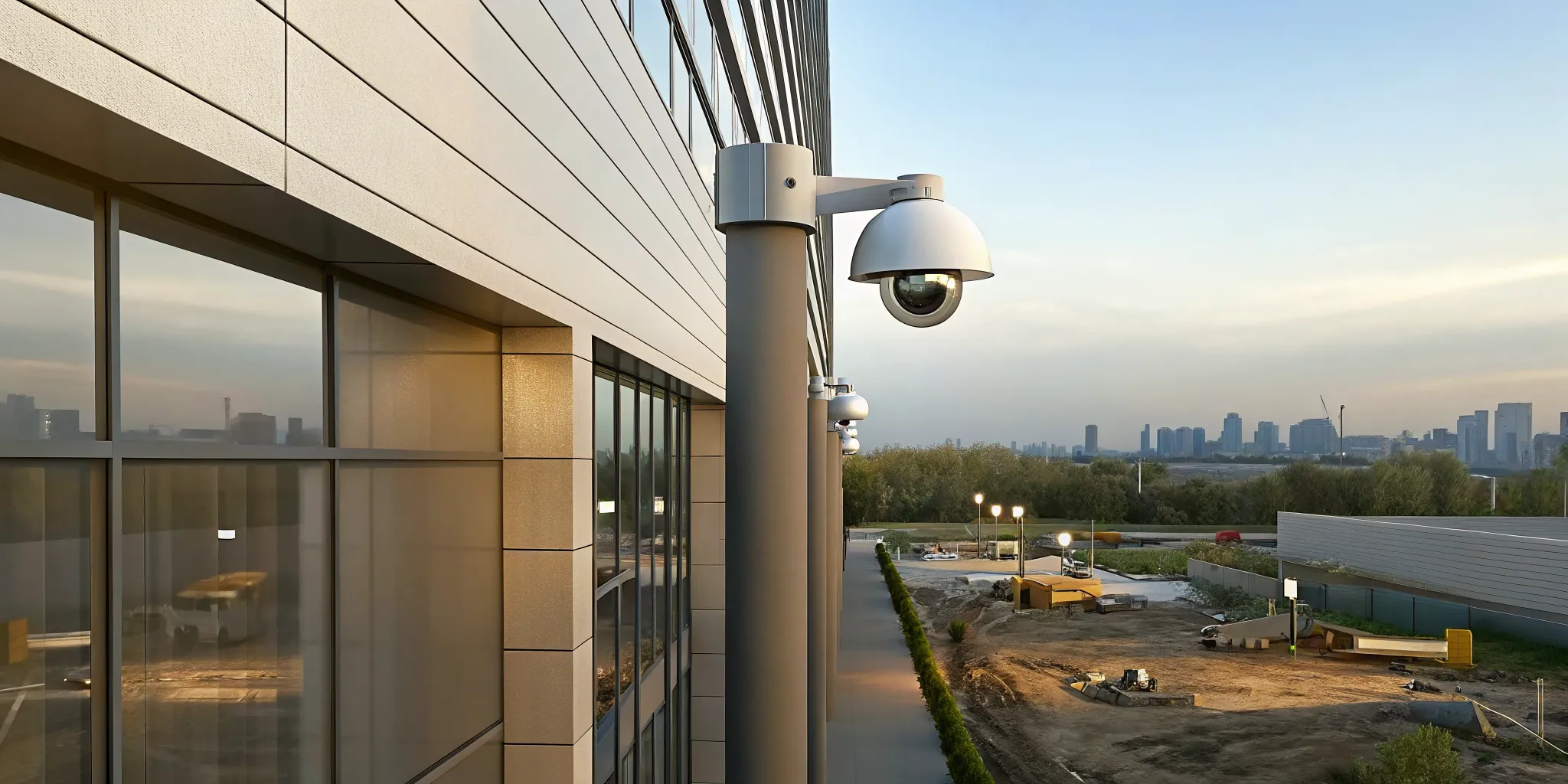
Construction site video monitoring cameras overlooking active equipment

Which monitoring setup fits your construction site?

The right setup depends on project duration, site layout, available power, cellular coverage, risk level, and how often protected areas move. Fixed wired cameras suit stable locations, mobile solar or cellular units suit changing or remote areas, and hybrid systems combine both. Response service is what makes any option proactive.

Fixed wired cameras

Fixed wired cameras work well at stable locations such as a main entrance, office trailer, warehouse, or long-term material yard. Wired power and data can provide consistent service, but cable routes require planning and protection from equipment traffic. Relocating the cameras can also take more effort as construction advances.

Mobile solar and cellular units

Mobile units can be deployed before permanent utilities are available and repositioned when the site changes. Solar power and cellular data reduce dependence on local infrastructure, but performance depends on sunlight, battery capacity, signal strength, data use, and the camera’s view. A pre-installation test should confirm that each proposed location is viable.

Hybrid systems

Large or long-duration projects often benefit from a hybrid design. Fixed cameras can protect stable access points, while mobile units cover temporary laydown areas, equipment staging zones, or newly opened sections. Asset-specific controls such as construction equipment tracking devices can complement video when high-value machines move beyond a camera’s view.

Setup Best fit Primary advantage Planning concern
Fixed wired Stable gates and trailers Consistent power and data Cable protection and relocation
Mobile solar or cellular Remote or changing areas Fast, flexible placement Sunlight, battery, and signal
Hybrid Large, phased projects Coverage matched to each zone Coordinated management
Actively monitored Sites needing intervention Live verification and response Clear escalation rules

How do you plan construction site video monitoring?

Effective planning starts with a site walk, a risk map, and an agreed response matrix. Identify what must be protected, map likely approaches and blind spots, confirm power and connectivity, then place cameras to capture actionable views. Reassess the design at project milestones because walls, fencing, materials, and traffic routes change.

  1. Define priorities. List high-value equipment, materials, access points, fuel storage, offices, and areas with repeated problems. Rank them by potential loss and operational impact.
  2. Walk the perimeter. Inspect gates, fence gaps, neighboring access, dark approaches, and places where an intruder could remain concealed. Include the superintendent or another person who understands daily site activity.
  3. Map camera views. Aim for useful identification and context, not merely broad coverage. An outdoor surveillance camera planning guide can help frame decisions about weather, lighting, resolution, and placement.
  4. Confirm infrastructure. Test cellular signal where mobile units will stand, calculate solar exposure, protect cables, and document backup-power expectations. Connectivity should be tested under realistic conditions before the system is accepted.
  5. Set monitoring hours. Define when authorized activity normally occurs, who may enter after hours, and which zones need continuous attention. This context helps remote operators evaluate alerts accurately.
  6. Create an escalation matrix. Specify which events call for audio intervention, a site-contact notification, emergency services, or simple documentation. Include current names, phone numbers, backups, and exceptions.
  7. Test the complete response. Trigger controlled events to confirm detection, video quality, operator handling, audio clarity, notifications, and incident records. A camera that streams video but does not support the agreed response is not fully commissioned.
  8. Schedule reassessments. Review coverage after major phase changes and whenever fencing, storage, entrances, or equipment staging moves.

Request a free on-site consultation to plan coverage with InVision Systems.

Place cameras for action, not just visibility

A wide overview can show that someone entered the site, yet still fail to provide an identifiable image or show what happened next. Use overlapping views where practical: one camera for context and another for useful detail at critical entrances or storage areas. Avoid easily blocked sightlines and account for headlights, work lights, and seasonal glare.

Use physical security with video

Video performs best as one part of a layered plan. Lock tools, immobilize machinery, control keys, mark equipment, maintain fences, and use lighting where it improves visibility. Public safety guidance for rebuilding sites recommends measures such as securing tools and using motion-activated cameras; see the City of Louisville crime-prevention recommendations.

Team planning construction site video monitoring coverage and camera placement

How does monitoring support daily site operations?

Daily operations improve when monitoring has clear rules, current contacts, searchable incident records, and maintained equipment. The system should distinguish expected work from suspicious activity, document significant events, and provide managers with useful information. Routine reviews keep alerts relevant and prevent new walls, materials, or dirt piles from creating blind spots.

Alert and escalation protocols

A response matrix removes guesswork. It should tell operators what counts as authorized activity, when to use live audio intervention, whom to notify, and when a verified threat warrants police response. InVision Systems can configure live security camera monitoring around site-specific risks rather than applying the same response to every alert.

Contact lists need backups and regular updates. If the superintendent changes or an authorized subcontractor starts overnight work, the monitoring team should know. Otherwise, valid activity may create unnecessary escalations, while outdated contacts can delay the response to a real event.

Incident logs and recurring reviews

Each significant alert should create a record showing time, location, observed activity, action taken, and outcome. Review those logs for patterns. Repeated activity near one fence line may justify stronger lighting, a repositioned camera, or a physical barrier. Logs also help teams improve procedures rather than treating every event as isolated.

Maintenance and phase changes

Construction dust, vibration, weather, and moving equipment can degrade a system. Clean lenses, inspect mounts, check power and connectivity, test audio, and confirm recording retention on a schedule. Repeat the site walk when structures rise or staging areas move. Proactive maintenance protects the investment and preserves useful footage.

Access and retention controls

Decide who may view live feeds, retrieve recordings, change settings, or export clips. Give each authorized user only the access needed for that person’s role, remove accounts when responsibilities change, and use strong authentication. The written plan should also state how long recordings and incident clips are retained, where they are stored, and who may share them. These controls help protect sensitive views of the property while keeping useful evidence available to the people who need it.

What should you ask a video monitoring provider?

Ask a prospective provider how it assesses risk, selects equipment, verifies alerts, handles live intervention, documents incidents, maintains hardware, and adapts coverage. The answers should connect technology to a clear operating plan. Look for transparent responsibilities, defined service levels, and a willingness to inspect the site before recommending a system.

  • Will you conduct an on-site assessment? A proposal should reflect the project’s perimeter, access, stored assets, lighting, utilities, neighboring properties, and construction phases.
  • Who watches alerts? Ask where the command center is located, how operators are trained, and how they distinguish routine activity from a credible threat.
  • How is a threat verified? Understand which analytics trigger review, how live video is assessed, and what information is provided when an event escalates.
  • Can operators intervene? Ask whether the service supports live audio warnings and how intervention rules are established.
  • How do you support police response? Confirm how verified incidents are communicated and what records are retained.
  • What happens when power or connectivity fails? Request details about battery backup, outage alerts, cellular strength, and restoration procedures.
  • How often will coverage be reviewed? The provider should account for phase changes, moved materials, and newly created blind spots.
  • What is included? Clarify installation, monitoring hours, maintenance, relocations, data plans, video retention, system removal, and any additional fees.

InVision Systems has delivered customized, proactive security solutions since 2002. Its process connects system design, professional installation, remote monitoring, and ongoing support, helping construction teams build a security plan around real site conditions rather than a generic equipment package.

Schedule your free on-site consultation before choosing a monitoring provider.

How do you measure whether monitoring is working?

Measure a monitoring program by its operational results, not camera count. Useful indicators include verified events, successful deterrence, response time, false or avoidable alerts, system uptime, unresolved maintenance issues, and coverage changes completed on schedule. Regular reviews should turn those findings into specific improvements for the next project phase.

Start with a baseline: recent incidents, known weak points, current security costs, and the losses or delays the team wants to reduce. Then review a concise dashboard monthly or after significant events. A decrease in nuisance alerts may show that detection zones are better tuned, while repeated activity at the same location can reveal a physical security gap.

Do not judge success only by whether a theft occurred. A quiet month may mean deterrence is working, or it may mean alerts are not reaching the command center. Test events and maintenance records confirm that the system remains ready. The strongest program combines outcome data with routine verification of cameras, connectivity, and response procedures.

Frequently asked questions about construction site video monitoring

Construction teams commonly ask about the difference between recording and monitoring, options for sites without utilities, response procedures, changing coverage, and operational uses. The short answers below explain what a well-planned system can do. Exact capabilities depend on the selected equipment, connectivity, site design, monitoring scope, and agreed response plan.

What is the difference between video surveillance and live video monitoring?

Video surveillance often refers to cameras that record footage for later review. Live video monitoring adds active review and response. When an alert occurs, trained personnel can inspect live video, verify the situation, document it, and follow an agreed escalation plan while the event is happening.

Can video monitoring work before a construction site has power or internet?

Yes. Mobile units can use solar power, batteries, and cellular data where permanent utilities are unavailable. The provider should test sunlight, battery capacity, cellular signal, camera views, and expected data use at each proposed location before relying on the system.

What happens when the system detects an intruder?

The exact response follows the site’s escalation plan. With InVision Systems Virtual Guarding, cameras and analytics send activity to a remote command center for live video verification. Operators can use live audio intervention and, for a verified threat, support priority police response.

How often should cameras be moved on a construction site?

There is no universal schedule. Review placement whenever fencing, access routes, walls, staging areas, or stored assets change, and at planned project milestones. Cameras should be moved when a new obstruction creates a blind spot or when the location of high-value assets changes.

Can monitoring help with more than theft prevention?

Yes. Depending on policies and system access, authorized managers can use video to confirm deliveries, review incidents, understand recurring access issues, and improve site awareness. These operational uses should be defined in advance and follow applicable privacy, safety, and labor requirements.

Build a monitoring plan around your site

The most effective construction site video monitoring plan is customized, proactive, and reviewed throughout the build. InVision Systems can assess the property, identify priority risks, design camera coverage, define response procedures, and support the system as conditions change. The first step is a practical conversation about your project and concerns.

Schedule a free on-site consultation with InVision Systems.