
Commercial Security System Maintenance Checklist
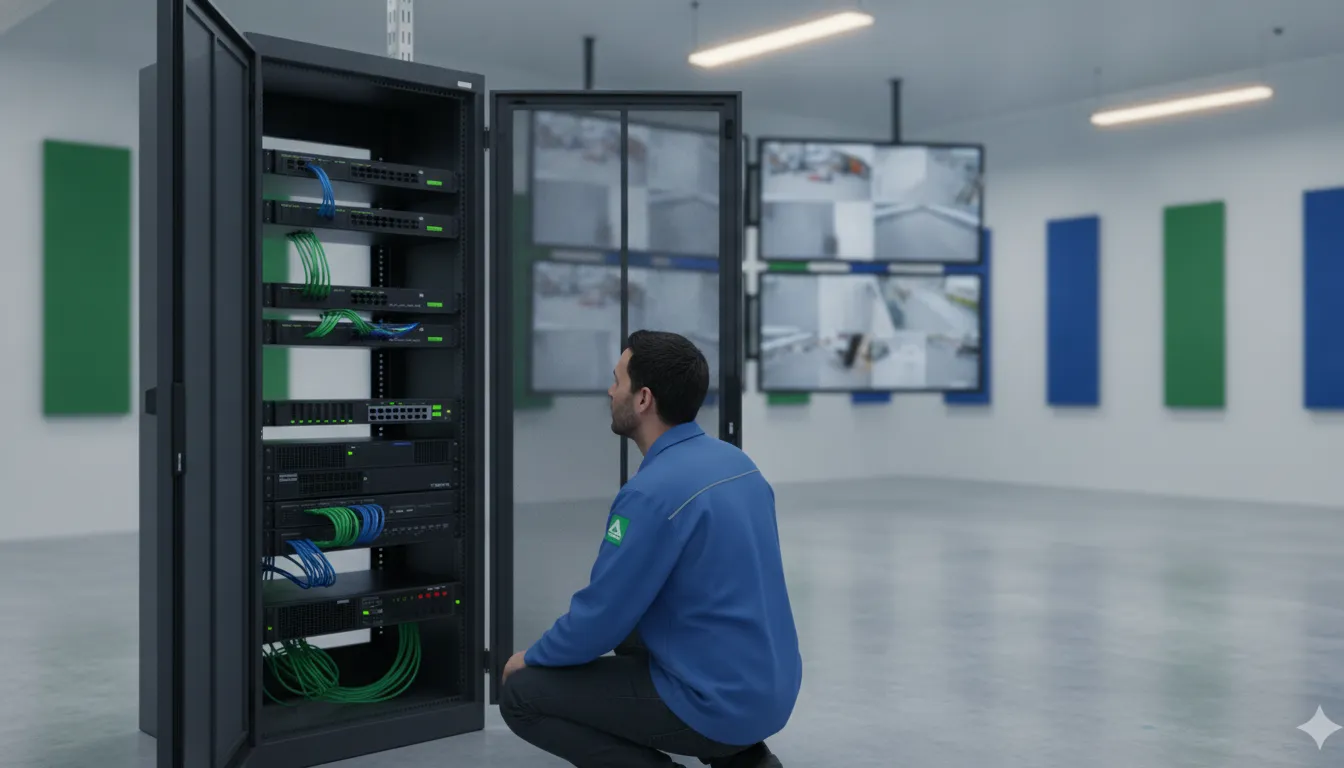
A security system can appear normal while a camera stops recording, an alarm alert fails to reach its destination, or a former employee still has door access. For a business, those gaps can affect visibility, response quality, and daily operations long before anyone notices them.
Effective commercial security system maintenance is a documented process for checking cameras and recordings, alarm communication, access permissions, intercoms, cloud services, power, networks, and staff procedures. The schedule should reflect the equipment, site conditions, manufacturer guidance, and risk profile rather than a one-size-fits-all calendar.
InVision Systems supports integrated commercial security systems through consultation, custom design, installation, monitoring, maintenance, and technical support. Start by defining what each part of the system must do. Assign who checks it, what evidence confirms it works, and when a technician or monitoring provider should be involved. Learn about commercial security services, then use the checklist below to build a complete maintenance process.
Request your commercial security assessment
What Does Commercial Security System Maintenance Include?
Commercial security system maintenance is a complete operational program for keeping an integrated security environment ready to perform. It is more than wiping camera lenses or replacing a failed device after an incident. A well-managed program reviews the equipment, connections, software, people, and response procedures that work together to protect a facility’s property, staff, inventory, and daily operations.
That broader scope matters because a business may rely on several connected layers at once. InVision Systems provides full-service integration that can span consultation, custom design, installation, monitoring, maintenance, and technical support. The appropriate plan will vary between an office, warehouse, manufacturing plant, retail location, school, or multi-site operation. See the company’s commercial security camera systems service information for more on an integrated approach.
A practical maintenance checklist should assign each item an owner, record the result, and identify the escalation point when something is outside a staff member’s role. It should cover:
- Cameras and recording: Confirm that views remain useful, lenses and housings are in good condition, recording is available, and analytics or tamper alerts behave as configured.
- Alarms and sensors: Review alarm zones, detector status, communication paths, and video verification. Tests that could generate a dispatch should be coordinated with the monitoring provider.
- Access control: Check doors, locks, readers, credentials, permissions, entry records, and unauthorized-access alerts. Departed employees and changed roles should not retain unnecessary access.
- Intercoms and phone entry: Verify that visitors can reach the right person, audio is intelligible, and authorized staff can release doors when appropriate.
- Cloud services and administration: Confirm that authorized users can reach the management platform, backups are available where included, and software or configuration changes are documented.
- Power and network infrastructure: Look for loose connections, damaged wiring, switch or power issues, and equipment that has lost communication. A wireless camera may transmit wirelessly but still requires hard-wired power.
- Staff procedures and escalation: Keep operating instructions, support contacts, test records, and response protocols current. Staff can report blocked views, unusual sounds, warning indicators, or doors that do not respond. Trained technicians or the monitoring provider should handle technical testing, alarm signals, configuration changes, and repairs.
Routine observations are useful, but they do not replace a controlled technical test. A team member may notice that a camera view is obstructed or a badge reader is unresponsive. A qualified technician may need to test the underlying device, wiring, power, recording path, or configuration. The monitoring provider should help verify how alarm signals are received and handled. Set the inspection schedule around the equipment, site conditions, manufacturer guidance, and risk profile. Do not apply one interval to every business. The goal is a documented, owned process that surfaces problems early and makes the next action clear.
| System area | Routine check | Escalate when |
|---|---|---|
| Cameras and recording | Review views, playback, storage, alerts, and visible connections. | Recording gaps, damaged equipment, or repeated alerts appear. |
| Alarms and access | Review zones, permissions, doors, and test records. | A monitored signal, lock, reader, or credential does not behave as expected. |
| Intercoms and cloud services | Check calls, audio, remote access, backups, and account ownership. | Communication, backup, connectivity, or account issues remain unresolved. |
Monthly Camera and Recording Checks
A camera can remain powered while providing a poor view, recording gaps, or alerts no one reviews. Add a documented camera check to the maintenance plan. Set the exact interval using the equipment, site conditions, manufacturer guidance, and risk profile rather than treating monthly service as a universal rule.
Start with a walk-through of every camera location. Confirm that housings, mounts, protective covers, and visible cabling are secure. Remove dust, dirt, or residue from the lens using the manufacturer-approved method. Compare each live view with its intended coverage. Construction, shelving, landscaping, stored inventory, vehicle traffic, or a moved sign can narrow a view without creating an obvious equipment fault.
Confirm image quality in real operating conditions
Review focus, sharpness, exposure, glare, reflections, and areas hidden by shadows. Check both normal business lighting and low-light or nighttime conditions when those views matter. A clear daytime image does not automatically confirm useful nighttime coverage. Look for changes in color, contrast, motion clarity, or image stability, then record the camera name, location, issue, and corrective action. Calibration or adjustment may require a qualified technician, especially when the camera supports analytics that depend on a consistent field of view.
Test recording and playback rather than assuming that a live image is being stored. Select recent footage from each recorder or camera group, confirm the expected time and date, and review a short motion sequence. Check for missing channels, unexplained gaps, incorrect timestamps, playback errors, or storage warnings. Document available storage health and retention observations without promising a fixed retention period. Requirements vary with camera count, resolution, recording mode, and business needs.
Review analytics, alerts, power, and connections
Where enabled, test motion or tamper alerts and review analytics such as line crossing, intrusion detection, people counting, or face detection for sensible behavior. A changed camera angle can make an analytic rule unreliable. Confirm that notifications reach the intended users and that someone owns follow-up when an alert appears.
Inspect power supplies, connectors, network links, and accessible cable runs for looseness, damage, heat, or accidental disconnection. Wireless cameras still need hard-wired power, so a wireless connection does not remove the need to inspect the power path. Mixed installations may contain HD, analog, and IP cameras while presenting them through one software interface. That shared interface should be checked as a whole, while noting which device or connection needs attention. For planning context, review these commercial security camera systems.
Finish by comparing the current site with the maintenance record. Escalate repeated failures, inaccessible cameras, storage faults, damaged cabling, unexplained recording gaps, or analytics that cannot be tuned through normal user controls. A concise log gives facility managers and their security partner evidence for prioritizing repairs before a camera issue becomes an evidence or visibility problem.
Quarterly Alarm, Access Control, and Intercom Tests
A coordinated test of the security system should follow the path an actual event would take. Start with the first sensor signal and continue through notification, verification, entry control, and staff communication. Document the timing according to the equipment, site conditions, manufacturer guidance, and risk profile. A quarterly-style review can be useful for many facilities, but it is not a universal requirement for every system.
Test alarm zones and video verification safely
Begin by reviewing the alarm panel and confirming that every zone is identified correctly. With trained personnel following the approved procedure, test representative door contacts, motion sensors, glass-break detectors, panic devices, and perimeter sensors where installed. Check that the correct zone name appears at the panel or management interface. Confirm that the expected alarm condition is recorded and that restoration returns the zone to a normal state.
Monitored alarms require coordination before testing. Notify the monitoring provider in advance, confirm the test window, and follow its instructions for placing the account in test mode. Any test that could lead to dispatch must be coordinated with the monitoring provider and performed by trained personnel. Do not assume that silence from a siren or app means the monitoring path worked. Confirm the expected signal reached the monitoring station and record the outcome, without promising a particular response time or dispatch result.
If the system supports video verification, trigger the relevant alarm while checking the associated camera view. Video-verified alarms can transmit images or video to a monitoring station so the event can be assessed before dispatch. Confirm that the correct camera is associated with the zone, the view is usable, and the event record contains the expected time and location. Outdoor sensors may also be checked for coverage before an intruder reaches the building, while taking care not to create unnecessary nuisance alarms.
Verify doors, credentials, and audit events
Access control testing should cover both the hardware and the permissions behind it. Test representative doors during approved operating conditions. Confirm that an authorized credential unlocks the correct door, an expired or unauthorized credential is refused, the door closes and latches, and the request-to-exit device works as intended. Review door-held-open and forced-entry notifications where configured. Check that the event log identifies the door, credential or user, and time accurately.
Review permissions by department, role, shift, and restricted area. Remove former users, correct access that no longer matches a person’s responsibilities, and confirm that temporary credentials have an end date. Access control can support departmental permissions, entry-time audits, unauthorized-access alerts, and integration with camera systems. A practical commercial access control review should connect those records to the facility’s current staffing and operating procedures, rather than treating the card reader as an isolated device.
Check intercom and phone-entry operation
Test every important communication path between an entry point and the people expected to answer it. Place a call from the exterior intercom or phone-entry station, verify that the intended desk, handset, or mobile destination rings, and confirm two-way audio. If the system includes video, check that the recipient can see the visitor and that the camera view is usable in the available lighting. Confirm that the release button opens only the intended door and that the door returns to its normal secure state afterward.
Repeat the test from a secondary location or backup destination when the design includes one. Check volume, feedback, call routing, and any cloud management functions that staff rely on. Reviewing commercial intercom systems as part of the broader test helps expose failures at the handoff between visitor communication, identity review, and controlled entry.
For every test, record the date, location, zone or door, person performing it, result, corrective action, and escalation owner. A failed sensor, credential, camera association, or intercom call should produce a service ticket and a retest record. Do not leave it as a note that someone will look at it later.
Network, Power, Cloud, and Credential Hygiene
A commercial security system depends on more than the devices mounted on walls and doors. Network health, electrical power, cloud access, and account administration all affect whether cameras communicate, recordings remain available, and authorized staff can manage the system when conditions change. Include these infrastructure checks in your commercial security system maintenance plan, and document who owns each action.
Check network paths and PoE power
Inspect switches, network connections, and cable pathways for loose connections, damage, moisture exposure, or accidental disconnection. For Power over Ethernet cameras, confirm that the relevant switch ports deliver both network connectivity and adequate power. Review port status and device availability in the management interface, then investigate intermittent devices rather than assuming a camera itself has failed.
Wireless equipment still needs a dependable power source. InVision notes that wireless commercial cameras require hard-wired power, so a wireless connection does not eliminate the need to inspect electrical service, power adapters, and cable routes. If the site uses a mixed or upgraded environment, confirm that older and newer devices still communicate through the intended interface. A hybrid system can combine HD, analog, and IP cameras through one software interface. For additional context, review the guide to NVR and DVR storage.
Validate power continuity and connectivity
Review UPS units, surge protection, and applicable batteries according to the equipment manufacturer’s instructions and the facility’s risk profile. Check indicators, alarms, battery condition, and load where those checks are supported by the equipment. A battery-backed device should be tested safely and documented, not treated as proof that every connected component will remain available during an outage.
Confirm that internet service, site-to-site connections, cellular paths where used, and remote access are functioning as designed. Compare the current network layout with the system record. A switch replacement, firewall change, construction project, or relocated equipment can silently affect video, alarms, access control, or cloud administration.
Review cloud administration and backups
Cloud services can support remote administration, automatic updates, backups, and management across multiple locations. They can simplify oversight, but they still require active review. Confirm that devices are reporting to the correct account, backups are completing, retention settings match operational needs, and software updates have not changed permissions or workflows. Cloud-based access control may provide remote management and automatic updates, while managed access control can include hardware, software, backups, and maintenance.
Review administrator accounts and remove access that is no longer justified. Use individual accounts where supported, apply the least privilege appropriate to each role, and check that former staff, vendors, and temporary users are not retaining unnecessary credentials. Rotate shared credentials when a responsible person changes, and store recovery information through an approved business process. These practices reduce account confusion, but no maintenance checklist can guarantee cybersecurity or uninterrupted service.
Record every meaningful change
Keep a change record for firmware updates, network modifications, account changes, battery replacements, backup issues, and escalated repairs. Note the date, equipment or site affected, person responsible, result, and any follow-up. A clear record helps technicians distinguish a recurring fault from a recent configuration change and gives facility managers evidence of what was tested. Set review intervals using the equipment, manufacturer guidance, site conditions, and risk profile rather than applying one universal schedule.
Annual Review, Firmware Planning, and Documentation
A strong annual review turns day-to-day observations into a deliberate plan for the next operating cycle. It should confirm that the system still matches the property, the people using it, and the risks the business needs to manage. The review is also the right time to separate routine upkeep from work that requires a technician, monitoring provider, or manufacturer-approved process.
- Review manufacturer guidance and the current system inventory. Gather the model, firmware, software, warranty, and support details for cameras, recorders, sensors, panels, readers, locks, intercoms, network equipment, and cloud services. Confirm which updates are supported, whether any components are approaching end of support, and whether an update requires a backup, maintenance window, or technician. Manufacturer instructions should guide the plan rather than an arbitrary calendar interval.
- Build a controlled firmware and software plan. Record the current versions, available updates, dependencies, and rollback or recovery steps. Schedule changes around business operations, notify affected users, and verify recording, alerts, remote access, permissions, and integrations after each change. Keep a change record that identifies what was updated, who approved it, when it occurred, and what post-update test was completed. A cloud platform may handle some automatic updates, but administrators should still understand what changed and confirm that the system remains usable.
- Reassess equipment condition and coverage. Walk the site with the current camera views, door list, alarm zones, and intercom locations. Look for construction, changed traffic patterns, new inventory areas, lighting changes, damaged enclosures, loose mounts, corrosion, blocked views, and spaces that are no longer covered. Note recurring faults and components that are difficult to support. If the business has added a building, production area, entrance, or network segment. Compare the new requirement with the existing design before deciding whether to repair, expand, or replace equipment. For infrastructure changes, this structured cabling reference can help frame wiring and integration questions.
- Confirm documentation and escalation contacts. Update floor plans, device names, zone descriptions, camera views, network dependencies, account ownership, backup locations, and vendor information. Document who can approve an emergency response, who receives monitoring calls, and who can authorize service after hours. InVision’s post-installation support model includes operating documentation, support protocols, staff training, and technical support contacts. Keep those materials accessible to the people responsible for the facility, not only in an installer’s private records.
- Refresh staff procedures and hands-on training. Review how employees arm or disarm areas, respond to alerts, use access credentials, report damaged equipment, request credential changes, and contact support. Train new supervisors and refresh existing users when interfaces or procedures change. Ask staff to demonstrate the tasks, then record attendance, questions, and unresolved issues. Training should clarify the difference between a system alert, a verified event, and an incident that requires a separate emergency procedure.
- Make a documented lifecycle decision. At the end of the review, classify each issue as monitor, repair, expand, or replace. Base that decision on condition, supportability, coverage, compatibility, operational impact, and the manufacturer’s guidance. NIST discusses inspection, testing, and maintenance for fire protection and life safety systems, and notes that assessment procedures can be customized. That guidance can inform a disciplined assessment process, but it should not be presented as a blanket commercial-security mandate. Save the findings, approvals, priorities, and next review trigger so the maintenance plan remains useful throughout the year.
When a review identifies a coverage gap, repeated failure, or complex integration question, involve a qualified security partner before making a rushed equipment change. InVision Systems supports customized design, installation, monitoring, maintenance, and technical support for commercial and industrial environments across the Chicago area and surrounding Midwest markets.
Frequently Asked Questions
What are the maintenance requirements for security cameras?
Check each camera’s view, lens condition, focus, image quality, recording status, storage capacity, analytics, and tamper alerts. Clean and calibrate equipment when needed, confirm power and network connections, and apply firmware or software updates according to the manufacturer and your maintenance plan. Include cameras that are part of a hybrid system, not only newer IP devices.
What is included in commercial life safety system maintenance?
The scope depends on the facility, but may include inspection, functional testing, servicing, and repair for fire alarms, intrusion alarms, access control, video surveillance, and related systems. For an integrated commercial property, also check intercoms, phone entry, cloud connectivity, backups, power, network health, credentials, and staff procedures. Coordinate alarm tests with the monitoring provider and document the results.
Why is ongoing system maintenance important for commercial properties?
Dust, wear, outdated software, and accidental disconnection can contribute to false alarms, communication problems, or system failure. Recurring checks help a business identify issues before an incident, verify that alerts and recordings work, and escalate repairs before a small defect disrupts operations. Maintenance improves readiness, but no checklist guarantees uninterrupted service or prevents every incident.
How long should a commercial security system last?
There is no single lifespan for every system. Service life depends on equipment type, operating conditions, manufacturer guidance, supportability, software status, and whether the facility’s risks or layout have changed. Review camera coverage, door hardware, alarms, network capacity, and cloud dependencies periodically. Replace or upgrade components when they no longer provide reliable performance or can no longer be supported.
How much does commercial security system maintenance cost?
Cost depends on the equipment count, system complexity, site conditions, service area, monitoring arrangement, and whether the work involves routine testing, repairs, replacement, or upgrades. Request an assessment that documents the installed systems and priority risks rather than relying on a generic price. A written plan should identify the checks, schedule, responsibilities, escalation process, and records your team will receive.
Ready to request commercial security system support?
A practical maintenance review can help your team identify gaps across cameras, alarms, access control, intercoms, and cloud services before they disrupt daily operations. InVision Systems can help you assess your current setup and determine sensible next steps for maintenance or support. Request a commercial security system assessment to discuss your facility and service needs.