
Multi-Location Security System: A Business Guide

Managing security at one facility is challenging. Managing it across offices, dealerships, retail sites, warehouses, or plants adds another layer of risk: every location needs local protection, while business leaders need a consistent way to see events and make decisions. A multi-location security system connects those needs through centralized visibility, defined permissions, coordinated alerts, and a plan that can grow with the organization.

Request your free multi-location security assessment

The best approach is not always identical equipment at every site. Each property has its own layout, lighting, entry points, network conditions, staffing, and vulnerabilities. The goal is a shared security operating model with site-specific design where it matters.

What is a multi-location security system?

A multi-location security system connects security technology at two or more properties so authorized teams can manage video, access control, alarms, and related events through a coordinated platform or operating plan. Each site can keep local controls and recording while headquarters, regional managers, or a monitoring team receives the visibility and alerts they need.

This is more than installing the same camera package in several buildings. A useful multi-site system defines how locations are organized, who can access each system, how an event is verified, what information is reported, and what happens when a site loses connectivity. It also makes future expansion easier by creating a repeatable design and support process. That life-cycle approach aligns with the systems security engineering principles described in NIST SP 800-160.

Businesses may use a combination of IP, HD-TVI, analog, wireless, and hybrid camera systems. A hybrid approach can help an organization modernize in phases when different properties have different generations of equipment. The right choice depends on the existing infrastructure, desired video quality, operational goals, and plans for expansion.

Why do growing businesses need centralized security management?

Standalone systems can work for a single small site, but management becomes inconsistent as locations multiply. A manager may have to use different logins, check different applications, or ask local staff to retrieve footage. That slows investigations and makes it harder to confirm whether security policies are being followed.

Centralized management creates a common view without removing local responsibility. Depending on the design, authorized users may be able to:

  • View live and recorded video across selected locations from one interface.
  • Search events by site, building, camera, door, alarm zone, or time period.
  • Give regional and local staff only the access their roles require.
  • Review system health and identify devices or sites that need attention.
  • Apply consistent schedules, response procedures, and reporting practices.
  • Add a new property without inventing a completely new security process.

Centralization also helps leadership compare operational patterns across sites. For example, a company may identify recurring after-hours alarms, doors that are frequently propped open, or areas that need a different camera position. Those findings can inform training, maintenance, and future design decisions without relying on anecdotal reports.

Which features should a multi-location security system include?

Centralized video access

Video is often the first reason businesses consider a multi-site system. A unified video interface can let authorized personnel move between locations, view a group of cameras, review recorded footage, and export evidence when an incident requires documentation. The design should make it easy to organize cameras by company, region, location, building, and operational area.

Video access should also reflect the difference between a local viewer and a corporate administrator. A store manager may need access to the sales floor and loading door, while a security director may need visibility across every property. Clear organization reduces the chance that users see too much or cannot find the relevant camera during an incident. InVision Systems describes commercial security camera systems for commercial, industrial, and other properties, including remote viewing and integration options.

Role-based permissions and credential control

Permissions are a security feature, not just an administrative convenience. Before implementation, define the roles that need access and the actions each role can take. Common levels include enterprise administration, regional oversight, site management, security investigation, and limited live-view access.

A good policy should answer several practical questions:

  • Who can view live video, and who can review or export recorded footage?
  • Who can add or remove users, change schedules, or modify system settings?
  • What access should a contractor receive, and when should it expire?
  • How quickly are credentials revoked when an employee changes roles or leaves?
  • Which actions need an audit trail or management approval?

Do not assume that one administrator should control every setting. A layered permission model gives headquarters appropriate oversight while allowing trained local teams to handle routine tasks. Businesses reviewing commercial access control systems should apply the same role and credential questions to doors as they do to video.

Alarm and event workflows

A notification is only useful when people know what to do next. A multi-location security system should connect alarm and event handling to a written workflow. That workflow can identify who receives an alert, how the event is verified, when a local manager is contacted, and when an incident is escalated.

Video can provide context around an alarm, while access-control events can show whether a credential was used near the same time. Intercoms or speaker systems may support communication with an authorized visitor or live intervention where the selected solution includes that capability. InVision’s Virtual Guarding service is an optional proactive layer that uses camera detection, human verification, and live audio intervention through on-site speakers. It should be evaluated against the business’s hours, response plan, and site risks, rather than treated as an automatic feature of every installation.

Health status and reporting

Centralized visibility should cover more than suspicious activity. Administrators also need to know whether cameras, recorders, access-control panels, and communication paths are operating as expected. A device that is offline during an incident may create a larger problem than an alert that was never generated.

Reporting requirements vary by business. Useful reports may include access events, alarm activity, system health, maintenance items, incident exports, or recurring exceptions. Set the reporting audience and frequency in advance. A regional manager may need a weekly exception report, while a security administrator may need near-real-time system status.

Should you choose local, cloud, or hybrid architecture?

Architecture determines where systems are managed, where video is stored, and how a site behaves when internet connectivity changes. There is no single model that fits every business.

Local or on-premises systems

Local systems record and manage security functions at the property, often using a recorder or server on-site. They can be appropriate when local operation, existing equipment, or site-specific control is important. The buyer should still plan for remote administration, secure support access, storage capacity, backups, and what happens if the local recorder fails.

Cloud-based systems

Cloud services can simplify centralized access across properties by providing a common portal for authorized users. They may reduce the need for separate servers at each location and can support remote management, backups, and expansion, depending on the selected service. Buyers should confirm recurring service requirements, storage and retention options, user controls, connectivity dependencies, and the provider’s support process before choosing a cloud model. InVision’s cloud video surveillance guide explains the broader storage and remote-access considerations.

Hybrid systems

A hybrid model combines local recording or local decision-making with cloud access, backup, or centralized administration. This can be useful when a business wants remote visibility but must continue operating during a temporary connection problem. Confirm exactly which functions remain available locally, how events are queued, and how footage is synchronized after service returns. These details vary by platform and should be documented in the project design.

What network and infrastructure issues should you plan for?

Multi-site security is also a network and infrastructure project. Each location should be evaluated before equipment is specified. A site survey should document:

  • Available internet service, upload capacity, latency, and expected peak usage.
  • Network segmentation, firewall rules, remote-access controls, and IT ownership.
  • Power at camera, door, alarm, and networking locations, including backup needs.
  • Cable paths, distances, outdoor runs, ceiling conditions, and areas that are difficult to wire.
  • Existing camera, recorder, access-control, and alarm equipment that may be reused.
  • Storage needs based on camera count, resolution, frame rate, activity, and retention policy.
  • What happens locally if the wide-area network or cloud connection is unavailable.

Network readiness can differ significantly between a corporate office, a dealership lot, a warehouse, and a manufacturing plant. Structured wiring may be part of the solution when new Ethernet or other infrastructure is needed. Because InVision does not maintain a separate live structured-wiring service page, businesses should use the structured cabling infrastructure guide to learn more, then use the contact page to discuss that requirement.

How do you standardize security without treating every site the same?

Standardization should establish a baseline, not erase the differences between properties. Begin with policies that apply across the organization, such as user roles, credential revocation, video export handling, alarm escalation, maintenance records, and incident documentation.

Then complete a site-specific risk assessment. A retail location may prioritize entrances, cash-handling areas, and parking. A warehouse may need attention on loading docks, inventory zones, and employee entrances. An industrial facility may require coverage across multiple buildings, controlled access between work areas, and a network plan that supports a large physical footprint.

This combination of central standards and local design gives leaders a consistent way to manage risk while allowing the installer to choose appropriate camera views, access points, alarm zones, and communication methods for each site.

What is a practical rollout plan for multiple locations?

A phased rollout reduces operational disruption and creates a chance to improve the design before expanding it. A practical sequence includes:

  1. Inventory the portfolio. List locations, buildings, entrances, critical areas, current equipment, network conditions, and local contacts.
  2. Define the operating model. Decide who needs enterprise, regional, site, investigation, and monitoring access. Document event ownership and escalation.
  3. Design a representative site. Choose a location that reflects common conditions and test the proposed camera, access, alarm, storage, and network approach.
  4. Validate integration and permissions. Test live view, recording, remote access, user roles, alarm workflows, exports, outage behavior, and audit records before expanding.
  5. Roll out by risk and readiness. Prioritize locations with urgent vulnerabilities, reliable infrastructure, or a strong need for centralized visibility.
  6. Train and document. Give local staff clear operating instructions, escalation contacts, and a process for reporting system issues.
  7. Review after launch. Track recurring alarms, offline devices, access exceptions, incident response, and new-site requirements.

For mixed equipment portfolios, the rollout may use hybrid camera platforms or separate integrations rather than an immediate replacement of every device. Compatibility should be tested before it is promised. Existing cameras may be reusable, but the answer depends on their protocols, condition, recorder or video-management system, network design, and the functions the business expects.

How should you evaluate an installation and support partner?

Software is only one part of a multi-location security system. Ask the provider how it handles site surveys, design documentation, cable and power conditions, installation scheduling, system testing, training, maintenance, upgrades, and expansion to the next location.

Look for a partner that can explain tradeoffs instead of presenting one package for every site. InVision Systems has documented experience serving commercial and industrial clients across Chicago, Northern Illinois, Southeast Wisconsin, and Northwest Indiana. Its process includes an on-site consultation, custom design, professional installation, training, and ongoing technical support. The company also documents multi-location work, including a central monitoring station for Napleton’s Northwestern and security systems installed at both Woodharbor Doors and Cabinetry plants.

InVision was founded in Chicago in 2002 and reports a client retention rate above 95 percent. That figure is a company-reported trust signal, not a promise of a particular result. The more important evaluation question is whether the provider will remain accountable after the last camera is installed and help the system adapt as the business changes.

What does a multi-location security system cost?

Most multi-site projects require a custom quote because the number of locations alone does not determine scope. Budget planning should account for:

  • The number, size, and risk profile of each property.
  • Cameras, doors, alarm zones, intercoms, speakers, and other required devices.
  • Existing equipment that can be integrated, upgraded, or must be replaced.
  • Network improvements, structured wiring, power work, and site access requirements.
  • Local recording, cloud services, video storage, backups, and user licensing.
  • Monitoring, virtual guarding, maintenance, training, and technical support.
  • The cost and disruption of a phased rollout compared with a single deployment.

Rather than asking only for a per-camera or per-site number, ask the provider to separate installation, equipment, connectivity, recurring services, maintenance, and expansion assumptions. That makes proposals easier to compare and reduces surprises when the next property is added.

Plan a centralized security system with InVision Systems

Frequently asked questions

Can one security system protect multiple business locations?

One coordinated security program can connect multiple locations through shared management, permissions, video access, alarm workflows, and reporting. Each property may still need its own cameras, access devices, local recording, and site-specific configuration. The design should define what is centralized and what remains local.

Can existing cameras be used in a multi-location security system?

Sometimes. Reuse depends on camera protocols, image quality, recorder or video-management compatibility, network conditions, storage requirements, and the analytics or access features the business wants. A site survey and compatibility test should come before a reuse decision.

How do you see security cameras at multiple locations in one place?

A cloud video system, centralized video-management platform, or approved integration can provide a single portal for selected users to view live and recorded video across sites. The final experience depends on the platform, network, permissions, storage design, and the number of cameras being accessed at once.

What happens if one location loses its internet connection?

The answer depends on the architecture. Some systems continue local recording or local access decisions and synchronize information after connectivity returns. Others may lose selected remote functions until the connection is restored. Require the provider to document local behavior, alerts, backup connectivity, and recovery testing for each system component.

Is a cloud-based system always better for multiple locations?

No. Cloud management can simplify centralized visibility and administration, but buyers should also evaluate connectivity, storage, privacy, user controls, recurring services, local operation, and support. A local or hybrid design may be more appropriate for some properties or phased upgrades.

How can a business standardize security across locations?

Create an organization-wide baseline for permissions, credential lifecycle, event response, reporting, maintenance, and incident documentation. Then customize camera placement, access points, alarm zones, network design, and local procedures through a site-specific assessment. Standard policies and customized engineering work best together.
Commercial Security Risk Assessment Before You Buy

Buying cameras, alarms, access control, or monitoring before understanding a facility’s exposure can leave important gaps in coverage. A commercial security risk assessment gives facility managers a structured way to review the property, people, assets, operating hours, and response plan. That groundwork helps the final system address real conditions instead of a generic equipment list.

Request a custom commercial security assessment

What Is a Commercial Security Risk Assessment?

A commercial security risk assessment is a structured review of a property’s layout, entry points, lighting, people, assets, threats, vulnerabilities, existing controls, and response procedures. InVision Systems uses this site-specific view to connect observed conditions to prioritized improvements. It is a decision tool for planning security, not simply a list of devices or a pass-fail inspection.

For a facility manager, the assessment creates a common picture for operations, security, ownership, and the eventual integrator. It can reveal how an unlocked service door, a shadowed loading area, an unmonitored visitor route, or an unclear after-hours escalation plan may combine into greater exposure.

The process should be specific to the property. An office, dealership, warehouse, hotel, restaurant, manufacturing plant, and multi-tenant building will have different traffic patterns, valuable assets, staff routines, and acceptable operating constraints. The assessment should document those differences before anyone recommends a camera count or alarm package.

NIST’s SP 800-30 risk assessment guidance describes assessment as part of a broader risk-management process that gives decision-makers information for selecting appropriate actions. For physical security, the same principle applies: identify the exposure, understand the consequence, select a proportionate control, and review whether it works.

What Should a Commercial Security Risk Assessment Include?

A practical commercial security risk assessment should include five connected reviews. These are the site layout and boundaries, entry and exit points, lighting and visibility, people and high-value assets, and after-hours exposure with response procedures. InVision Systems uses site-specific conditions such as layout, lighting, ceiling height, and coverage needs as design inputs rather than assuming every property needs the same controls.

  1. Site layout and boundaries: Map buildings, parking, loading areas, fences, gates, outdoor storage, and restricted zones.
  2. Entry and exit points: Review doors, windows, vehicle gates, reception areas, delivery routes, emergency exits, and credential requirements.
  3. Lighting and visibility: Identify glare, shadows, outages, dark approaches, and camera views that may not support useful observation.
  4. People, assets, and movement: Trace employees, visitors, contractors, deliveries, vehicles, inventory, equipment, records, and other critical assets.
  5. After-hours exposure and response: Compare occupied and closed conditions, then document who receives an event and what happens next.

These five areas are connected. For example, a valuable inventory area beside a poorly lit loading entrance may need access control, video coverage, lighting, alarm detection, and response. A staff entrance used during business hours may need a different combination.

1. Map the facility layout and perimeter

Start with a current site plan or a physical walkthrough. Mark each building, floor, parking area, loading dock, exterior storage area, fence line, gate, roof access point, and neighboring condition that affects visibility. Note where a person can approach the property, where vehicles can enter, and where staff may not have a clear view.

Do not limit the review to the main lobby. A side door near a parking area, a shared hallway, a rear stairwell, or a delivery entrance may carry more practical exposure than the front door. Record how each route is used, who controls it, and whether the route changes by shift or day of the week.

2. Review entry points and access decisions

List every way people and vehicles enter or leave the property. For each point, ask whether access is public, employee-only, vendor-controlled, tenant-controlled, or reserved for emergencies. Then check how permissions are issued, changed, removed, and reviewed when a person changes roles or no longer needs access.

  • Are exterior doors, interior restricted areas, and gates identified separately?
  • Can employees, visitors, contractors, and delivery drivers be distinguished in the process?
  • Are emergency exits monitored without creating unsafe egress conditions?
  • Is tailgating or propped-door activity visible and addressed?
  • Can access events be reviewed alongside nearby video when an incident occurs?

Access control is not only about locking a door. It is also about assigning the right permission, creating an activity record, and giving authorized staff enough context to investigate an exception. Where appropriate, a commercial access control system can be evaluated alongside video and alarm requirements.

3. Check lighting, visibility, and camera conditions

Lighting should be reviewed at the times when security matters, not only during a bright daytime visit. Walk parking lots, sidewalks, entrances, loading areas, fence lines, and remote corners after dark if the property operates or faces exposure overnight. Look for glare, strong backlighting, deep shadows, outages, and lighting that does not support useful identification.

Then relate each finding to the intended observation task. A camera view for counting vehicles has different needs from a view intended to verify a person at a door. Ceiling height, mounting position, distance, weather exposure, network infrastructure, and existing coax all affect the practical design. InVision Systems documents these conditions before selecting among IP, HD-TVI, hybrid, wireless, or other commercial security camera options.

4. Identify high-value assets and movement patterns

Make the asset list broader than cash or merchandise. People, vehicles, tools, production equipment, inventory, records, medications, data-handling areas, utilities, and operational infrastructure can all have security importance. Classify each asset by the consequence of loss, damage, unauthorized access, or operational interruption.

Next, trace normal and abnormal movement. Follow an employee from parking to a work area, a vendor from arrival to a receiving point, a visitor from reception to an approved destination, and a delivery from the gate to storage. Note where supervision ends, where credentials are checked, where a person can change direction, and where video or access records would help clarify an event.

This approach also keeps the assessment useful for staff safety. A system should support the facility’s real procedures without creating avoidable bottlenecks, privacy concerns, or unsafe workarounds. Document who needs visibility, who needs control, and who needs an alert for each sensitive area.

How Does After-Hours Exposure Change the Assessment?

After-hours exposure changes a commercial security risk assessment because staffing, visibility, access behavior, and response time may differ sharply when a property is closed. InVision Systems recommends evaluating the facility’s actual operating pattern, including cleaning, maintenance, deliveries, lone workers, vacant areas, overnight lighting, and remote locations, rather than treating a daytime walkthrough as the full picture.

  • Reduced staffing: Identify who is present, where they work, and whether a lone worker may need a different escalation path.
  • Service and vendor access: Document scheduled and unscheduled maintenance, cleaning, deliveries, and temporary credentials.
  • Vacant areas: Review closed offices, storage rooms, production areas, parking, and exterior zones that receive less attention overnight.
  • Arming and access routines: Confirm who arms alarms, secures doors, checks exceptions, and handles a missed step.
  • Overnight visibility: Recheck lighting, camera views, environmental conditions, and network or power dependencies.
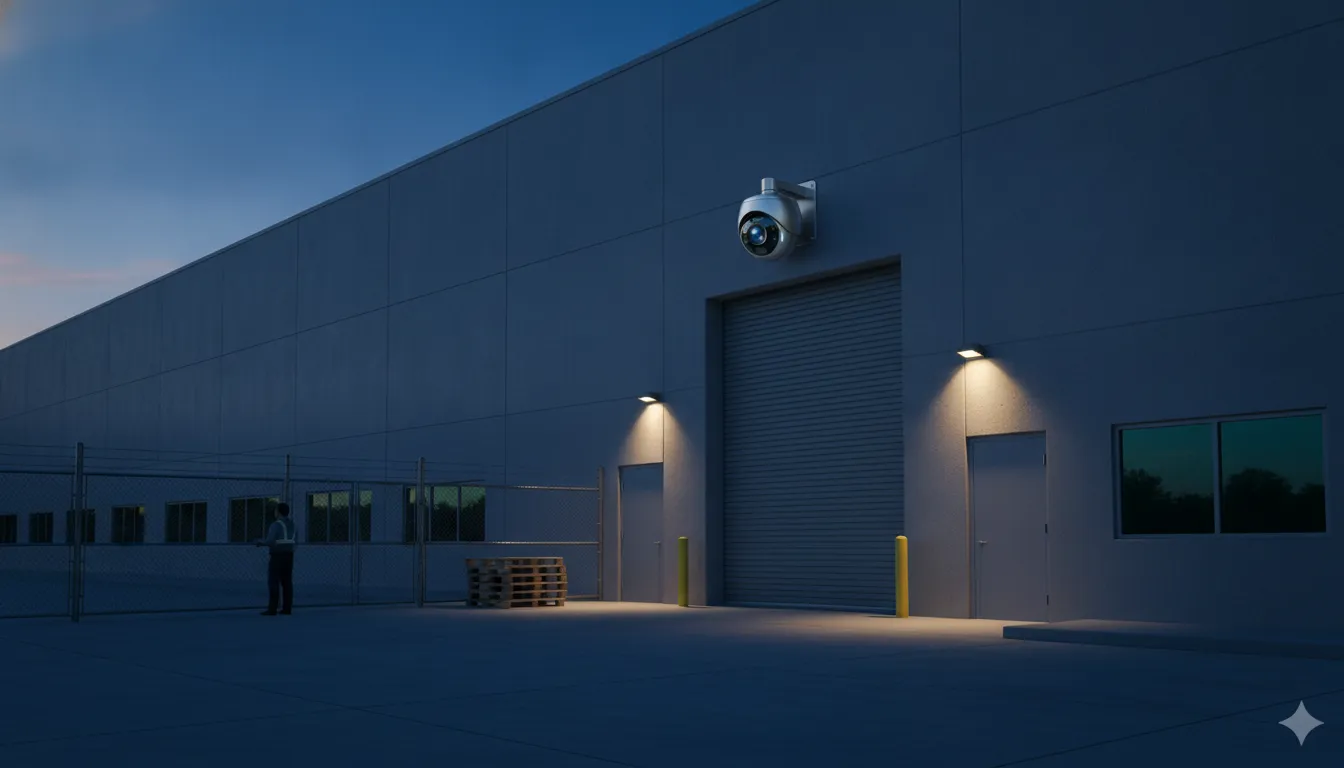
Commercial security camera and loading dock reviewed during an after-hours risk assessment

Ask what happens when the expected routine changes. A late shipment, an employee working overtime, a storm, a power interruption, or an open gate can create an exception that the security plan must recognize. The goal is not to eliminate every operational variation. It is to make important variations visible and assign an appropriate response.

How Should a Business Prioritize Assessment Findings?

A business should prioritize assessment findings by considering consequence, likelihood, exposure, existing controls, and the feasibility of a response. InVision Systems’ custom design process is intended to translate site observations into a proposal and implementation sequence. A clear risk register helps managers address the highest-impact gaps first without treating every observation as an emergency.

Area or asset Observed vulnerability Exposure Priority question Possible control category
Rear loading entrance Limited visibility and inconsistent door control Unauthorized entry during deliveries or after hours Could an event go unobserved or unverified? Lighting, video, access control, alarm, response procedure
High-value inventory Storage area shares a route with routine traffic Unnecessary access or unclear accountability Who should enter, and can the event be reviewed? Restricted access, audit records, camera coverage
Remote parking area Few staff nearby after closing Delayed awareness of trespass or safety concern Who receives an alert and verifies it? Video analytics, lighting, alarm, remote oversight
Visitor route Guests can move beyond reception without a clear handoff Uncontrolled movement through occupied areas Can staff distinguish an approved visitor from an exception? Visitor process, intercom, access control, video

This table is an example, not a universal scoring standard. A useful report should name the observation, explain the likely consequence, identify the current control, assign an owner, and recommend a next step. CISA’s Interagency Security Committee Risk Management Process similarly emphasizes identifying and analyzing threats, vulnerabilities, and consequences before selecting countermeasures. Its federal-facility scope does not make its requirements universal for private businesses, but its site-specific logic is a useful reference.

Which Security Controls Should Follow the Assessment?

The assessment should determine which controls fit the documented exposure, operating model, and response capability. A commercial facility may need one control or several coordinated layers. InVision Systems provides commercial services that can combine video, alarms, access control, phone entry, cloud or on-premise management, and remote oversight when those options fit the site and proposal.

  • Detection: Cameras, analytics, intrusion sensors, and other devices identify activity or an exception.
  • Verification: Video, access records, audio, or an operator review can add context before a response decision.
  • Deterrence and intervention: Lighting, controlled entry, speaker systems, or remote human intervention may address specific exposures.
  • Response: Alarm escalation, emergency contacts, documented procedures, and coordination with the responsible parties make an event actionable.
  • Continuity: Storage, power, network, maintenance, training, and support requirements should be part of the plan.

For properties that need coordinated systems, InVision Systems’ commercial security services can be evaluated after the assessment clarifies the facility’s requirements. A camera by itself does not define who acts on an event, and an alarm without an understood response may not solve the underlying operational gap.

Virtual Guarding may be relevant for selected outdoor or after-hours exposures. The company describes capabilities including analytic detection, remote monitoring, live video verification, and audio intervention. Confirm the exact scope, availability, escalation path, and response terms in the proposal. Do not assume that a particular monitoring arrangement or result applies to every facility. Learn more about Virtual Guarding as one possible layer to discuss with a qualified integrator.

What Should You Ask Before Buying a Security System?

Before buying, ask the integrator to show how its recommendation maps to your assessment findings. InVision Systems describes a four-stage process of on-site consultation, custom design and planning, professional installation, and training and support. Those stages provide a useful model for evaluating whether a proposal covers the full operating life of the system, not just the initial equipment list.

  • Which observations led to each recommended camera, sensor, reader, alarm, or monitoring function?
  • Which areas are intentionally outside the proposed coverage, and why?
  • How will existing cameras, coax, network cabling, power, or other infrastructure be handled?
  • Who receives alerts, verifies events, and owns the next action during and after business hours?
  • How are employee, visitor, contractor, and emergency access requirements represented?
  • What training, documentation, maintenance, and technical support are included?
  • How can the system scale if the facility changes, adds a location, or changes its operating hours?
  • Which assumptions, integrations, response terms, and ongoing costs should be confirmed in writing?

A proposal should be specific enough for a manager to compare the recommended controls with the risk register. It should also be honest about limitations, dependencies, and items that require customer or third-party action. InVision Systems reports that its products are tested through an R&D process before deployment and that technicians double-check requirements during installation. Treat those as company-described practices to verify in the engagement, not as a substitute for reviewing the proposal.

For a new business, expansion, or major renovation, ask how structured wiring and network pathways will support cameras, access devices, alarms, and future additions. The right infrastructure plan can be part of the assessment discussion even when the immediate purchase focuses on another control.

For businesses in Chicagoland, Northern Illinois, Southeast Wisconsin, and Northwest Indiana, local operating knowledge can also matter when planning access, installation timing, support, and future changes. Availability varies by site, so confirm service coverage and scheduling directly with the provider.

Discuss your facility’s security assessment with InVision Systems

Frequently Asked Questions

What are the five steps of a commercial security risk assessment?

A practical five-step model is to define the scope, map the property and entry points, identify assets and threats, inspect vulnerabilities and existing controls, then prioritize recommendations with owners and follow-up dates. The exact process can vary by facility, industry, jurisdiction, and the provider conducting the assessment.

What is an example of a commercial security risk assessment?

For example, a facility may find that a rear loading entrance is poorly lit, used by vendors, and outside the normal receptionist view. The report would document the condition, explain the after-hours exposure, review existing controls, assign a priority, and recommend a combination of lighting, access, video, alarm, and response changes for the manager to evaluate.

How often should a business conduct a security risk assessment?

Review the assessment when the facility, staffing, hours, tenants, inventory, layout, or security system changes. Many organizations also schedule periodic reviews based on their risk profile. There is no single interval that applies to every private business, so confirm expectations with the responsible security, operations, insurance, and compliance stakeholders.

What is the difference between a security assessment and a security system quote?

A security assessment documents the property’s risks, vulnerabilities, people, assets, operating patterns, and response needs. A system quote translates selected findings into equipment, installation, configuration, monitoring, support, and other proposal details. The assessment should come first so the quote can be evaluated against an explicit business need.

Should a business hire a professional to conduct the assessment?

A facility team can document many observations internally, but a qualified security integrator can add experience with coverage, access, alarm, infrastructure, integration, installation, and support decisions. Whether outside help is appropriate depends on the property’s complexity, risk, internal expertise, and the type of system being considered.

Integrated Security Systems for Businesses Guide

A camera can show what happened, but a camera alone may not control a door, alert the right people, or guide a visitor. Businesses get stronger coverage when their security tools work as one coordinated system rather than as isolated devices.

Integrated security systems for businesses connect security cameras, burglar alarms, access control, intercoms, and cloud services in one coordinated plan. When these components are designed to work together, authorized teams can relate access events to video, verify alarms, manage visitors, and respond consistently across a commercial or industrial property. Explore commercial security systems.

In practice, an access event can be evaluated alongside video, and an alarm can prompt verification. An intercom can help staff communicate with an authorized visitor before granting entry. Cloud services can add centralized visibility for facilities and locations. Existing cameras may be incorporated through a hybrid platform that supports phased upgrades. The right design depends on the building, its layout, lighting, operating routines, people, and vulnerability points, not on a standard equipment bundle.

NIST recommends addressing stakeholder requirements and protection needs early and throughout a system’s life cycle. That same practical discipline helps a commercial or industrial organization choose where technology adds value, how teams should respond, and what support the system will need over time. InVision Systems combines consultation, custom design, installation, monitoring, maintenance, and support to help businesses build that strategy.

Request a customized security assessment

Before selecting individual devices, it helps to understand the architecture that turns separate security functions into a coordinated business safeguard.

What Are Integrated Security Systems for Businesses?

Integrated security systems for businesses connect separate security tools so they support a shared operating plan. Cameras, burglar alarms, access control, phone entry, cloud services, and monitoring can exchange relevant events, alerts, and context through coordinated workflows. The goal is not to force every business into the same equipment package. It is to make the right components work together around the building’s actual risks and daily operations.

For example, an access event can be considered alongside nearby video, while an alarm can direct attention to a specific area instead of creating an isolated notification. A manager may also review activity across multiple locations from a single device, depending on the selected platform and configuration. This shared visibility reduces the need to monitor disconnected systems separately.

The boundary of integration is coordination. A business may keep useful existing equipment, add newer technology in priority areas, and create consistent response procedures without replacing everything at once. Hybrid camera platforms, for instance, can combine HD, analog, and IP cameras through one software interface and support phased upgrades. Learn more about commercial security camera systems when video is a central part of the plan.

Integration starts with business requirements

A sound design begins with stakeholder requirements and protection needs, not a list of products. NIST explains that security requirements should be addressed early and throughout a system’s life cycle, while a defensible infrastructure may include products, systems, and services working together. Its systems security engineering guidance frames this as an engineering-driven activity rather than a simple equipment purchase: NIST SP 800-160.

That means the design should account for lighting, ceiling height, coverage needs, entry points, sensitive areas, staffing, and known vulnerability points. A warehouse, hotel, dealership, or manufacturing plant may need a different combination of video, alarms, controlled entry, visitor communication, and remote oversight. InVision Systems uses consultation and custom design to match those conditions, then supports installation, monitoring, maintenance, and ongoing system changes.

Component-specific guides can explain what cameras, alarms, or access control do individually. An integrated approach addresses the relationship between them: who receives an event, what information they can review, which permissions apply, and what response follows. That connection is what turns a collection of security devices into a coordinated business security strategy.

What Does Each Security Component Do?

An integrated system works best when each component has a defined job and shares useful information with the others. Cameras show what is happening. Alarms identify events that need attention. Access control manages who can enter specific areas. Intercoms help staff communicate with visitors. Cloud services bring visibility and administration together. Structured wiring provides the dependable infrastructure that connects devices throughout the property.

These layers can support a hotel, dealership, retail location, warehouse, manufacturing plant, or distribution center. The right combination depends on the building layout, lighting, ceiling height, operating hours, entry points, and vulnerability areas. A business does not necessarily need to replace every existing device. Hybrid camera platforms, for example, can combine HD, analog, and IP cameras through one software interface, allowing upgrades to occur in phases.

Security components and their roles in a coordinated business system
Component Role Useful business signal or action
Cameras Provide visual coverage, recording, and operational awareness. Review a door, loading area, parking lot, or restricted zone when an event occurs. IP cameras may also support line-crossing, intrusion, people-counting, night-vision, and remote-viewing features.
Burglar alarms Generate alerts when protected areas or devices indicate a possible intrusion. Pair an alarm event with nearby video and access records to help staff verify what requires attention.
Access control Manage authorized entry through key cards or fobs, using cloud-based or on-premise administration. Review access activity, limit entry by area, and update permissions as employees, contractors, or schedules change.
Intercom and phone entry Support controlled entry and two-way visitor communication, including multi-tenant environments. Confirm a visitor’s purpose before releasing a door. Learn more about commercial intercom systems.
Cloud services Centralize viewing, administration, and information from connected security tools. Monitor multiple locations from a single device and access camera systems through web-based devices. See this guide to cloud video surveillance for business.
Structured wiring Carry data and power between cameras, access devices, intercoms, and network equipment. Plan cable routes and network capacity around the building’s future security needs. Explore structured cabling infrastructure for more context.

The value comes from coordination rather than from any single device. An access event can provide context for a camera view. An alarm can direct attention to a specific zone. Cloud access can help an authorized manager review activity across locations. The system should turn those separate signals into a practical workflow, with permissions and response responsibilities defined during design.

How Do Cameras, Alarms, and Access Control Work Together?

An integrated security workflow connects what happens at an entry point with what people can see, verify, and act on. The goal is not to make an unrealistic promise that technology eliminates crime. It is to give authorized staff a clearer sequence for evaluating an event and documenting the response.

1. An access event or alarm starts the workflow

The sequence may begin when an employee uses a key card or fob, a visitor requests entry, or an alarm detects activity in a protected area. Cloud-based or on-premise access control can manage authorized entry, while burglar alarms add another signal when activity does not match the expected conditions. These events provide useful context, such as which door was involved and when the event occurred.

2. Cameras provide visual verification

The system can associate the event with nearby video so a manager or monitoring team can review what is happening instead of relying on an alarm notification alone. Depending on the equipment and configuration, IP cameras may support line-crossing detection, intrusion detection, night vision, remote viewing, and remote configuration. A properly designed system places cameras where they can capture meaningful detail, accounting for lighting, ceiling height, sightlines, and known vulnerability points.

Businesses evaluating commercial security camera systems should consider how each camera will support a specific decision. Such as verifying activity at a restricted door, reviewing a loading area, or confirming whether an alarm requires escalation.

3. Permissions and communication guide the next action

Verification should connect to a defined permission structure. Staff can determine whether the person is authorized, whether the access event matches the schedule, and whether a visitor needs assistance. Phone entry systems can support controlled entry and visitor communication, particularly in multi-tenant settings. Where appropriate, a manager may deny access, contact a responsible person, or direct a monitoring team to follow the site’s response procedure. See the commercial access control systems service page for more on managing authorized entry.

4. The response is documented

A complete workflow records the event, the available video, the decision made, and any follow-up required. This creates accountability for facility managers and helps identify recurring issues, such as an after-hours door opening or a camera angle that needs adjustment. Policies should define who receives alerts, which events require verification, and when to contact emergency services or other designated responders.

Existing properties do not necessarily need to replace every device at once. Hybrid camera platforms can place HD, analog, and IP cameras into one software interface, allowing a business to retain useful infrastructure while upgrading priority areas in phases. That approach can align improvements with site vulnerabilities and operational needs while preserving a coherent workflow.

How Do Cloud Tools and Virtual Guarding Improve Response?

Cloud-connected security tools give authorized teams a clearer view of what is happening across a property without requiring them to be at a dedicated monitoring station. Camera systems can support 24/7 monitoring through web-based devices, allowing a manager to review activity from a computer, tablet, or other approved device. For businesses with more than one facility, multiple locations can be monitored from a single device. That centralized visibility can make it easier to compare events, check a site after an alert, and coordinate follow-up across locations.

This does not mean every event should trigger the same response. A well-designed system connects alerts to operating procedures. For example, an unusual activity notification can prompt an authorized user to review relevant video, confirm whether access was expected, and contact the appropriate person. Camera analytics may help identify activity such as an intrusion or a line crossing, but those functions should support human judgment rather than replace a thoughtful response plan.

Cloud tools can also make access management more practical. Key card and fob systems may be deployed through cloud or on-premise platforms, depending on the business’s requirements. Administrators can use the selected platform to manage authorized entry and maintain appropriate control over permissions. Cloud-based phone entry systems extend that coordination to visitor communication, particularly in multi-tenant properties. A visitor can request entry through the system, and an authorized occupant or manager can communicate before deciding whether to grant access.

Virtual guarding adds another layer when a business needs live oversight. Instead of relying only on an automated alert, live monitoring can bring human intervention into the response workflow. A trained operator may assess camera activity and take a proactive action supported by the system, such as communicating through a speaker. The goal is not to promise that every incident will be prevented. It is to give a business more context and a defined response option when activity requires attention.

For a practical overview, see this guide to cloud video surveillance for business, then review how commercial intercom systems support communication at controlled entry points. Businesses considering live intervention can also learn how virtual security guards work within a broader security strategy.

How Should a Business Plan an Integrated Security System?

A coordinated project starts with the business, not a device list. The goal is to connect protection needs, daily operations, and future changes into a system people can use and maintain. NIST recommends addressing stakeholder requirements early and throughout the system life cycle, a useful principle for planning integrated security systems for businesses.

  1. Assess stakeholders, operations, and vulnerabilities. Identify who needs access, who responds to alerts, and which areas create the greatest risk or operational concern. Include owners, facility managers, information technology staff, and front-line users where their responsibilities overlap. Walk the property to review entrances, perimeter areas, production spaces, storage, parking, visitor routes, and blind spots. Consider the building’s lighting, ceiling heights, layout, and traffic patterns instead of relying on a standard package.
  2. Design coverage, permissions, and response rules. Translate the assessment into a coverage plan. Decide where cameras, alarms, access control, intercoms, and monitoring should work together. Define which employees, vendors, tenants, and visitors can enter specific areas, and establish how credentials are issued, changed, and removed. Document who receives an alert, what information they review, and when an issue is escalated. This creates an operational plan, not just an equipment map.
  3. Review cabling, network capacity, and existing equipment. Inspect power, network paths, recording capacity, and structured cabling infrastructure before selecting new hardware. Existing equipment may remain useful. Hybrid camera platforms can combine HD, analog, and IP cameras through one software interface, allowing a business to use phased upgrades rather than replacing every component at once. A careful review also identifies legacy devices that need adapters, configuration changes, or eventual retirement.
  4. Install, configure, and test the system. Professional installation should follow the approved coverage and access plan. Configure camera views, recording settings, alert zones, user permissions, alarm contacts, and remote access. Test events under realistic conditions, including low light, unusual traffic, credential changes, network interruptions, and alarm verification. InVision reports that its R&D team tests products and components before deployment, supporting a deliberate approach to system selection and implementation.
  5. Train users and document accountability. Show authorized users how to view video, respond to alerts, manage credentials, communicate with visitors, and report equipment problems. Provide clear procedures for common events and preserve documentation for administrators and future service teams. Training should match each person’s role rather than giving every user unnecessary permissions.
  6. Maintain, review, and improve the system. Schedule inspections, software and firmware reviews, credential audits, camera cleaning, alarm tests, and backup checks. Revisit coverage after renovations, staffing changes, new tenants, or process changes. NIST treats requirements as a life-cycle responsibility, so maintenance is part of the original security design. Use the commercial security system maintenance checklist as a practical review resource.

This sequence gives a business a controlled path from assessment to deployment and future improvement. It also leaves room for phased investment as operational priorities become clearer.

Frequently Asked Questions

What are integrated security systems?

Integrated security systems connect tools such as video surveillance, burglar alarms, access control, intercoms, and cloud services so they support one coordinated security strategy. Instead of managing disconnected devices, a business can relate access events, alarm activity, and video evidence through shared software and defined response workflows. The right design depends on the building, operations, vulnerabilities, and protection requirements. It may serve one facility or give authorized users visibility across multiple locations.

Can existing security systems be integrated?

Often, yes. A qualified integrator can evaluate the condition, compatibility, network capacity, and coverage of existing equipment before recommending replacement. Hybrid camera platforms can combine HD, analog, and IP cameras through one software interface, which can support phased upgrades rather than requiring every component to change at once. Existing alarms, cabling, entry hardware, and cameras still need a site-specific review because age, wiring, access permissions, and software compatibility affect the practical integration path.

Can integrated security systems be monitored remotely?

Yes. Camera systems can support remote viewing and 24/7 monitoring from web-based devices, including access to multiple locations from one device. Depending on the design, authorized staff can review video, manage certain settings, receive event information, and oversee access activity without being on site. Cloud-based phone entry can also support controlled visitor communication, while virtual guarding can add live monitoring and human intervention to camera-based detection. Remote access should be governed by clear permissions and response procedures.

How much do integrated security systems for businesses cost?

There is no responsible universal price because each system is designed for its site and operating requirements. Cost depends on the facility’s size and layout, the number and type of cameras, alarms. Access points, monitoring needs, network and structured wiring infrastructure, and the complexity of integrating existing equipment. Multi-location requirements, analytics, storage, user permissions, and ongoing maintenance can also affect scope. A customized assessment should review coverage goals, lighting, ceiling height, vulnerabilities, current components, and future expansion before an integrator prepares a solution and quote.

Schedule a Customized Security Assessment

An integrated approach works best when it reflects your facility, operations, access needs, and existing equipment. A customized assessment can help identify practical ways to connect security tools and establish a clearer response workflow for your business.

Request a customized security assessment