
Commercial Intercom System Buyer’s Guide for Businesses

The front door is often a business’s first security decision. When visitors, deliveries, employees, and tenants arrive at different times, staff need a reliable way to communicate, verify identity, and control entry without sending someone to every entrance.

A commercial intercom system connects an entry point with the people and security tools responsible for it. Depending on the building, that may mean two-way audio, video verification, remote access from a phone or web portal, and integration with access control and cameras. Cloud-based options can also help property managers handle visitors across multi-tenant buildings while supporting straightforward entry workflows in single-tenant facilities.

The right design depends on more than choosing an audio or video station. Placement, lighting, network infrastructure, tenant needs, and the relationship between communication and door hardware all affect how well the system performs. Understanding those components makes it easier to evaluate options before selecting equipment or planning an installation.

Request your free commercial security assessment now

What Is a Commercial Intercom System and How Does It Work?

A commercial intercom system is a communication and security device that helps a business communicate with visitors and manage access at an entry point. Instead of allowing unknown visitors to walk directly into a lobby, office, warehouse, or multi-tenant property, staff can verify who is requesting entry and decide how to respond. Depending on the building and its operating needs, the system may provide two-way audio, video identification, remote door release, or a combination of these functions.

For businesses evaluating IP phone entry and commercial intercom systems, the most important distinction is how the entry station communicates with the people and devices inside the facility.

How network-based entry works

In a network-based setup, an exterior or interior entry station connects to the building’s Ethernet network rather than relying only on a dedicated central intercom panel. A visitor presses a call button or selects a tenant. The request then reaches an authorized employee through an indoor station, desk phone, computer, or mobile application, depending on the system design. The employee can speak with the visitor, view a camera image when video is included, and release the door if the person should be admitted.

Cloud-based systems extend this process beyond the property. Property managers can manage entry points through a web portal or mobile application from any location. That can be useful when a manager is off-site, when a building has more than one entrance. Or when a multi-tenant property needs a consistent way to handle visitors without staffing a reception desk at every hour.

Why design and placement matter

The hardware is only one part of the solution. An installer should assess where visitors approach, how employees receive calls, and which doors require controlled release. Intercom placement should be tailored for both usability and security, so the station is easy for authorized visitors to find while still covering the relevant vulnerability point. Lighting conditions, ceiling heights, sightlines, traffic patterns, and the distance between the entry station and controlled door can all affect performance.

For example, a camera positioned too high may not provide a useful view of a visitor’s face. A call station placed behind a vehicle lane or in a poorly lit vestibule may create confusion and missed calls. A professional site assessment helps align the entry experience with the property’s actual layout instead of forcing an off-the-shelf configuration into an unsuitable space.

Once the call is answered, the intercom can become part of a broader security workflow. It may connect with access control, cameras, or monitoring so staff can communicate, verify, and authorize entry through coordinated systems. The result is a more deliberate process for managing visitors at single-tenant offices, industrial facilities, and multi-tenant buildings.

Should Your Business Choose an Audio or Video Intercom?

Audio-only intercoms can be a practical choice when staff need to speak with visitors before unlocking a door. They are straightforward, familiar, and often sufficient for a small office with one controlled entrance. However, an audio conversation leaves an important question unanswered: who is actually waiting outside?

Video intercoms add visual verification before access is granted. Staff can see whether the visitor is an expected delivery driver, a known tenant, or someone who should not enter. That extra context supports more deliberate access decisions, especially at entrances that are unattended, busy, or exposed to the public. Visual verification is a central security benefit of video intercoms for commercial properties.
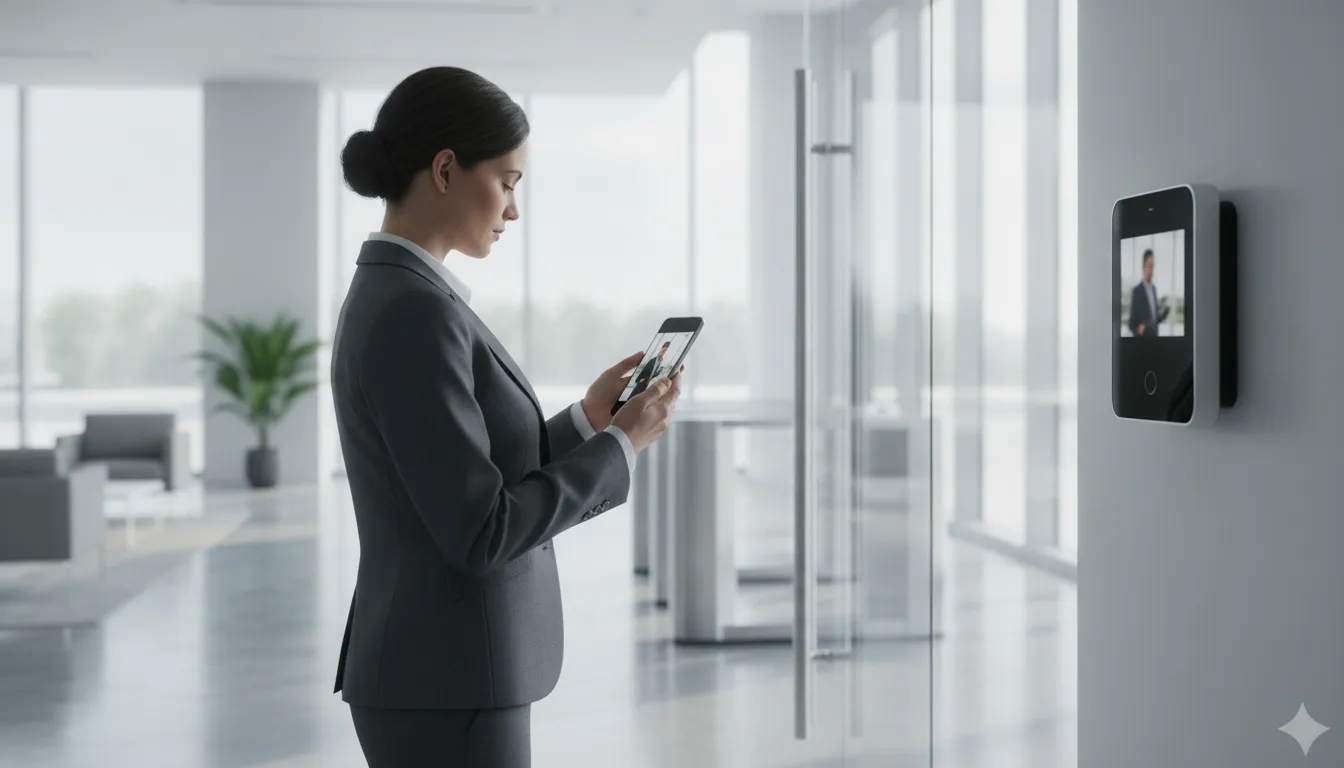
Property manager viewing a visitor at a commercial video intercom from a mobile app

When audio-only entry may be enough

An audio system can make sense for a single-tenant business with a clear reception process, limited visitor traffic, and good visibility around the entrance. It may also fit a back entrance used primarily by employees who already know the communication procedure. In these situations, the priority may be reliable two-way communication rather than identifying every visitor on screen.

Audio can be less useful when the entrance is shared by several businesses or when employees must make decisions from different locations. Without a visual feed, staff may need to rely entirely on a visitor’s description and voice. That can slow down entry decisions and create uncertainty during deliveries, after-hours visits, or unexpected arrivals.

Why video is often the stronger commercial option

Modern IP intercoms generally provide better video quality, greater scalability, and easier integration with other security devices than traditional analog, audio-only systems. Higher-resolution video helps staff identify relevant details at the entry point, while an IP platform can connect communication with cameras, access control, and monitoring. These capabilities make the system more useful as a security tool, not just a door-release device.

Video is particularly valuable for multi-tenant properties, warehouses, medical offices, and businesses with entrances that cannot be continuously staffed. A manager can verify the visitor visually, communicate through the intercom, and then authorize entry according to the property’s procedures. The system can also provide a more consistent experience for visitors without requiring a receptionist at every door.

Scalability should also influence the decision. A network-based platform can support expansion as a business adds doors, readers, or additional controlled areas, rather than forcing a complete replacement when the property grows. That flexibility is useful for organizations planning renovations, additional suites, or multiple sites.

The right choice depends on the building, entrance layout, traffic patterns, lighting, and security objectives. A professional assessment can determine whether audio meets the need or whether video verification and IP integration provide a more appropriate long-term foundation.

How IP Intercom Systems Integrate with Access Control and Security Cameras

An IP commercial intercom system connects the entry station, door hardware, access control, and cameras so staff can communicate with a visitor, verify identity, and authorize the correct door through one coordinated workflow. InVision Systems designs these systems around a building’s entrances, network, lighting, and staffing instead of treating each device as a standalone purchase.

What the integration should do

At a controlled entrance, a visitor uses the intercom to request entry. An authorized employee can speak with the visitor, review video from the intercom or a connected camera, and release the appropriate door when access is approved. The intercom manages communication, access control applies permissions and door schedules, and cameras add visual context before and after the entry event. A commercial phone entry system can support this workflow when calls need to reach a desk phone, computer, or approved mobile device.

What to assess before installation

The system should be planned around the building’s actual conditions. Review the existing Ethernet and structured wiring, network capacity, door hardware, lighting, mounting location, traffic patterns, and the people who will answer calls. New construction or a major renovation may need a structured wiring review so networked intercoms, access-control devices, and cameras have dependable connectivity. Existing equipment may remain in place when it is compatible, but the design should confirm how each component communicates and how entry events will be managed.

Where integrated systems help

Coordinated intercoms are useful at office entrances, warehouses, dealerships, loading areas, employee doors, and multi-tenant properties. A property team may need to route calls to the right tenant, verify deliveries, manage a secondary entrance, or connect visitor communication with controlled door release. The right setup depends on the facility’s traffic, staffing, and security priorities rather than on a generic device list.

InVision Systems can coordinate an access control system with commercial security cameras, considering entry-point vulnerabilities, lighting, placement, and the way employees and visitors move through the site.

How Does a Commercial Intercom System Improve Visitor Management?

Visitor management is often the first point where convenience and physical security meet. A commercial intercom system gives staff a consistent way to communicate with people at an entrance, confirm why they are there, and decide whether access is appropriate. Instead of relying on an unlocked lobby, a propped-open door, or an employee recognizing someone from a distance, businesses can establish a clear process for each arrival.

Verify visitors before opening the door

Video intercoms add visual verification before access is granted, allowing staff to see who is requesting entry and assess the situation before releasing a door. This is especially useful at side entrances, loading areas, employee entrances, and facilities where the front desk does not have a direct view of every access point. Better visibility can help staff distinguish a scheduled visitor, delivery driver, tenant, employee, or unfamiliar person who needs additional screening. Modern IP intercoms can also provide higher video quality than traditional analog systems, supporting more reliable identification when lighting and distance make recognition difficult. Visual verification is a core benefit of IP phone entry and video intercom systems, but it works best when the camera, intercom, and entry point are positioned for the actual conditions of the property.

Support a more accountable entry process

When the intercom is connected with access control, visitor activity can be handled as part of a broader building-entry process rather than as an isolated phone call. Staff can communicate with the visitor, verify authorization, and release the appropriate door through the connected system. Where the platform supports access logging, the business can maintain a clearer record of entry events and review activity when a question arises. This accountability helps create consistent procedures across shifts and reduces dependence on informal handoffs.

The same controlled process can make tailgating more difficult. Staff are prompted to grant access for a specific interaction instead of opening a door for an unknown group. While no intercom can eliminate every security risk, deliberate verification and controlled release reduce opportunities for unauthorized people to follow an approved visitor into a secured area. Businesses can strengthen that protection further through a coordinated access control system and properly managed door hardware.

Reduce front-desk interruptions

A well-planned visitor system also improves the daily workflow for reception and property-management teams. Staff can handle routine arrivals without walking away from their post, searching for a key, or calling multiple departments to confirm an appointment. In a multi-tenant property, cloud-based entry tools can support remote visitor management, giving authorized managers a way to respond even when they are not physically at the entrance. That can be valuable when different tenants have different schedules, access rules, or designated contacts.

  • Visitors can be directed to the correct person or tenant before entry.
  • Staff can manage secondary entrances without leaving the main desk.
  • Property managers can apply clearer procedures across multiple tenants or buildings.
  • Access decisions can be coordinated with cameras, monitoring, and door controls.

The strongest results come from designing the system around the building’s traffic patterns, lighting, staffing, and vulnerable points. A customized installation makes visitor management easier to follow, which improves both usability and security in everyday conditions.

Why Do Businesses Choose Cloud-Based Entry for Multi-Tenant and Single-Tenant Properties?

Cloud-based entry gives property managers a practical way to oversee building access without being tied to a desktop at the property. Authorized users can manage entry points through a web portal or mobile application from virtually any location. Which is especially useful when a manager oversees multiple buildings, works off-site, or needs to respond to an access request outside normal office hours. InVision Systems provides cloud-based access control and phone entry systems that support remote visitor management in multi-tenant environments.

For a multi-tenant building, the cloud platform can help organize access across tenants, common areas, and designated entry points. A property manager may need to coordinate visitors for several businesses, update permissions when tenants change, or provide access without sending staff to the lobby. Centralized management reduces that administrative burden while keeping entry decisions connected to the building’s broader security plan. A commercial access control system can be planned alongside the intercom so communication, authorization, and door release work together.

Why cloud entry works well for multi-tenant properties

Multi-tenant facilities often have changing users, varied schedules, and more than one entrance. Cloud-based management makes it easier to handle those moving parts from a single interface rather than relying on separate, isolated devices. It can also support remote visitor management, helping property managers and facility owners keep entry procedures consistent across suites and shared spaces.

The architecture is also easier to scale than a system built around a fixed, proprietary central panel. IP-based access control can use existing Ethernet infrastructure, reducing wiring requirements and supporting flexible expansion. Network-based systems can be enlarged one door and one reader at a time, rather than requiring a full panel upgrade whenever the property adds a controlled opening. That approach can help a growing building avoid overbuilding on day one while preserving a clear path for future improvements. See the discussion of IP infrastructure from EDUCAUSE Review for additional technical context.

How single-tenant businesses benefit

Single-tenant offices, dealerships, warehouses, and other commercial facilities may have fewer occupants, but they still benefit from remote control and centralized visibility. A facilities leader can manage the main entrance, employee doors, delivery access, and restricted areas without maintaining an on-site server for the entry application. If the business expands, adds a new wing, or needs to secure another door, an IP-based design can provide a more straightforward growth path.

Cloud entry should not be treated as a one-size-fits-all product. Network conditions, door hardware, tenant workflows, visitor volume, and the location of vulnerability points all affect the right design. New construction may also require structured wiring to provide dependable connectivity for intercoms and other networked security devices. A professional assessment helps align the cloud platform with the building’s actual use, rather than simply adding remote access to an unsuitable entry layout.

What to Look For When Choosing a Commercial Intercom System Installer

The installer you choose can matter as much as the intercom equipment itself. A capable integrator should help you solve a specific entry, communication, and security problem, not simply recommend a device from a product catalog. Before accepting a proposal, ask how the company will evaluate your property, plan the system, connect it to other security tools, and support it after installation.

Will you assess the building before recommending equipment?

A site assessment should be more than a quick measurement of the lobby. Ask the installer to examine entrances, employee and visitor traffic, door hardware, sightlines, lighting, ceiling heights, network availability, and locations where unauthorized entry could occur. Intercom placement needs to support clear communication and practical use while also addressing security needs. Poorly placed equipment can create blind spots, make conversations difficult, or force staff to manage visitors from an inconvenient location.

InVision Systems designs IP intercom systems around a building’s vulnerability points, including environmental details that an off-the-shelf recommendation may overlook. That customized approach is especially important for warehouses, manufacturing facilities, dealerships, offices, and multi-tenant properties with different entrance and visitor patterns.

Can you explain how the system will work with our existing security?

A commercial intercom should not operate as an isolated speaker and call button if your property already uses access control or security cameras. Ask whether the installer can connect the intercom to door hardware, credential systems, cameras, and monitoring workflows. Modern systems can integrate with access control software to manage building entry, while video intercoms may provide live visual verification before staff grant access. A unified design can help your team communicate with visitors, view an entry point, and release a door through a coordinated process.

Request a clear explanation of what your staff will see and do during a normal visitor call, an after-hours request, and a suspected unauthorized-entry attempt. Also ask whether the proposed system can use your existing network responsibly. IP-based security infrastructure can leverage Ethernet and reduce reliance on proprietary central wiring, but the installer should still account for bandwidth, network segmentation, power, and future maintenance. The principles of IP-enabled access control emphasize flexibility and expansion without requiring a complete panel replacement.

What network and expansion plan is included?

Ask what happens when you add a door, tenant, building, or remote entry point. A scalable design should allow the system to grow without forcing an unnecessary replacement of functioning equipment. Discuss device capacity, licensing, cabling, power, software updates, and compatibility with future cameras or access-control components. If the property is being renovated or built out, ask whether the installer provides structured wiring. Running properly planned Ethernet and internet wiring for a new business can provide the connectivity foundation an IP intercom and related security systems require.

What experience do you have with properties like ours?

Experience should be specific to your building type and operating conditions. Ask for examples involving similar entrances, tenant arrangements, traffic volumes, and security concerns. A company with more than two decades of industry knowledge should be able to explain its decisions in practical terms. Identify tradeoffs, and coordinate installation with your staff and other contractors. It should also define training, warranty coverage, service response, and system documentation before work begins.

  • Request a documented site assessment, not a one-size-fits-all quote.
  • Confirm integration with access control, cameras, and monitoring.
  • Ask how structured wiring, network capacity, and future expansion are handled.
  • Verify experience with your property type and a clear post-installation support plan.

The strongest installer connects equipment choices to real workflows, building conditions, and long-term security goals. That is the standard to use when comparing proposals.

Request your free commercial intercom assessment now

Frequently Asked Questions

Can a commercial intercom system work with existing access control?

Yes. Many modern IP intercoms integrate with access control software, allowing authorized staff to communicate with visitors and manage building entry through a connected system. The right configuration depends on the current readers, doors, controllers, credentials, and network infrastructure. A site assessment can identify which components can remain in place and where upgrades are needed.

Should a business choose an audio or video intercom?

Audio systems can be a practical choice when voice communication is the primary need or when the entry environment is straightforward. Video adds visual verification, which can help staff assess a visitor before granting access. IP video systems also tend to offer stronger scalability and integration options than traditional audio-only systems, making them useful for businesses planning broader camera or access control improvements.

How does a cloud-based intercom help multi-tenant buildings?

A cloud-based system lets property managers handle entry points and visitor requests through a web portal or mobile application rather than relying on a single on-site station. This can simplify remote management across tenant spaces, support changing user permissions, and give staff a more consistent way to respond to visitors. Single-tenant businesses can use the same approach to manage remote offices, deliveries, or controlled entrances.

Can an intercom connect with security cameras?

Yes. A video intercom can connect with security cameras to provide live views of entry areas and support visual visitor verification. Linking cameras, intercom communication, access control, and monitoring creates a more coordinated view of activity at the door. The installation should account for lighting, camera placement, network capacity, and the building’s specific vulnerability points.

What should businesses consider before installing an IP intercom?

Start with the building layout, entry traffic, tenant or employee workflows, accessibility needs, existing security equipment, and future expansion plans. Professional design should also evaluate network connectivity, structured wiring, lighting, and the placement of stations and cameras. A customized plan helps ensure the system is easy to use while supporting the property’s actual security requirements.

Design a Commercial Intercom System That Fits Your Building

A modern commercial intercom system does more than buzz people through a door. Chosen and installed correctly, it becomes the front layer of your building’s security, giving your team a fast. Reliable way to screen visitors, manage entry, and keep a record of who comes and goes.

The right system starts with a site-specific plan, not a one-size-fits-all package. An experienced integrator reviews your entry points, foot traffic, lighting, ceiling heights, and how you want staff to verify visitors. Then designs an audio or video IP intercom setup that fits the way your business actually operates.

Request your free commercial security assessment now

At InVision Systems, we design and install IP phone entry and intercom systems for commercial, industrial, and multi-tenant properties throughout the Chicago area and the surrounding region. With more than two decades of security integration experience and a client retention rate above 95 percent. We take the time to understand your building before we recommend a solution.

Schedule your commercial intercom consultation today

Structured Cabling for New Businesses: A Complete Guide

Opening a new business is the right time to plan the infrastructure your team, customers, and security systems will depend on. Installing network wiring after walls are finished can create avoidable disruption, added labor, and limitations that are difficult to correct.

Structured cabling for new businesses is a planned network wiring system that connects workstations, phones, wireless access points, cameras, access control, and other devices through organized pathways, equipment rooms, and labeled termination points. InVision Systems can help plan the layout before walls or ceilings close, creating a serviceable foundation for connectivity, security, and future expansion. Request a structured cabling consultation.

For a new commercial space, the goal is not simply to run Ethernet from one room to another. It is to create a dependable foundation that can support today’s operations and future cameras, access control, phones, wireless access points, and other connected systems. Understanding the structure behind that foundation makes it easier to plan the right installation from the start.

What Is Structured Cabling for New Businesses?

Structured cabling is the organized network backbone that connects a new business’s essential technology. Instead of running separate, improvised wires whenever a need appears, the system uses a planned layout of cables, pathways, termination points, and equipment spaces. That backbone can support voice and data networks, wireless access points, security cameras, access control systems, and other connected devices.

Request your free structured cabling consultation today

For a new business, the value starts before the walls are closed or employees move in. A cabling plan maps where people will work, where network equipment will live, and where cameras, readers, phones, and other devices may be needed. Installers can then place the right cable types and capacity in the right locations, label the infrastructure, and leave room for future growth. This is far easier than opening finished walls or routing exposed cable after operations begin.

A planned backbone for voice, data, and security

Modern commercial systems are interconnected. A camera may need a network connection and power. An access control reader may communicate with software located elsewhere in the building. Staff may rely on wired connections for dependable voice and data service, even when much of the workforce uses Wi-Fi. Structured cabling gives these systems a consistent physical foundation, so each can be designed as part of the building rather than added as an isolated project.

That foundation also helps protect performance. According to Teleco, structured cabling may represent a small portion of the overall network investment while accounting for nearly 80% of network efficiency. The exact result depends on the design, equipment, installation, and operating environment. But the principle is important: inexpensive shortcuts in the infrastructure can limit the performance of more expensive technology. See InVision Systems’ commercial security camera installation for a closer look at how professional wiring supports connected facilities.

Why planning before construction matters

Planning early allows a cabling professional to coordinate pathways, equipment rooms, power requirements, ceiling access, firestopping, and security-device locations with the rest of the build. It also creates a documented system that technicians can troubleshoot and expand later. Without that planning, a business may face cable congestion, inconsistent labeling, difficult repairs, or expensive rework when it adds staff and devices.

The broader market reflects how central this infrastructure has become. North America held a 34.2% share of structured cabling market revenue in 2024, according to City Source Solutions. For a new business, the practical takeaway is not the market statistic itself. It is that reliable connectivity is core operating infrastructure, not an optional finishing detail. A site-specific plan gives the business a cleaner, more scalable starting point.

Why Proper Network Wiring Matters Before You Open Your Doors

Opening a new business involves choosing a location, preparing work areas, and connecting the systems your team and customers will rely on every day. Network wiring belongs in that planning stage, not as a last-minute detail after the walls are finished. Professional structured wiring gives your business a dependable infrastructure for internet access, voice communications, security devices, and future technology.

The risk of postponing this work is measurable. Networking and connectivity issues accounted for 31% of IT service-related outages in the Uptime Institute’s 2024 Resiliency Survey, making them the leading reported cause of these incidents (source). A poorly planned network can turn a simple cable problem into lost productivity, interrupted communications, or a security system that cannot reliably transmit video and alerts.

Build for the applications your business will use

Many older networks still operate at 10/100 Mbps speeds. Which can be too slow for the bandwidth demands of modern applications, according to structured cabling guidance from Teleco (source). New businesses should plan cabling around the systems they need now and the systems they may add later. That can include cloud software, point-of-sale devices, wireless access points, VoIP phones, high-resolution cameras, access control panels, and other connected equipment.

Structured cabling also makes these systems easier to expand. When cable pathways, termination points, and network locations are planned in advance, a company can add a workstation. Camera, or access-controlled door without opening finished walls or stringing improvised cables across a facility. This reduces disruption and helps avoid the higher labor and repair costs associated with retrofitting a completed space.

Connect security and communications from the start

Security technology depends on the network beneath it. Cameras need consistent bandwidth to send video, while access control and alarm systems need dependable connections to communicate events and receive commands. A professionally designed wiring plan can coordinate these requirements with business phones and data, rather than treating each installation as a separate project.

For example, businesses planning surveillance should consider cable routes, equipment locations, and capacity before construction is complete. InVision Systems can connect the underlying infrastructure with commercial security cameras and other security components as part of a site-specific design. Planning early creates a cleaner installation, a more serviceable system, and a stronger foundation for the business to grow.

The Core Components of a Structured Cabling System

A structured cabling system is easier to plan when you view it as a set of connected zones rather than a pile of individual cables. Each zone has a specific job, from bringing service into the building to connecting an employee’s computer or phone at the desk. For a new business owner, this approach creates a clean foundation that can support internet access, voice systems, security devices, and future growth.

  • Entrance facilities: The point where outside provider services enter the building. This area helps transition incoming fiber, copper, or other service connections into the internal network.
  • Equipment room: A secure, central location for core network equipment, such as racks, patch panels, switches, and related hardware. It should have suitable power, ventilation, and room for organized expansion.
  • Telecommunications rooms: Intermediate connection points that serve different floors, wings, or work areas. A larger facility may need more than one room so cable runs remain manageable and within design limits.
  • Backbone cabling: The vertical or building-wide connections between the entrance facility, equipment room, and telecommunications rooms. Backbone pathways carry traffic between the network’s main distribution points.
  • Horizontal cabling: The cable runs from a telecommunications room to outlets or connection points in offices, conference rooms, reception areas, and other spaces. Planning these routes before walls and ceilings are finished can reduce disruptive retrofits.
  • Work-area components: The outlets, patch cords, faceplates, and equipment connections used by people and devices at their workstations. These components should be placed where employees and technology will actually be located, not simply wherever installation is easiest.

Plan the pathways, not just the outlets

Good design accounts for pathways, cable capacity, separation from electrical systems, rack location, and access for future service. It also considers how the business may add workstations, meeting-room technology, wireless access points, cameras, or other networked devices. The goal is a system that is accessible and adaptable, rather than one that works only on opening day.

Documentation is part of the installation

Every cable should be labeled consistently at both ends, and the finished system should include updated diagrams or records showing where connections run. Proper labeling and documentation are essential for efficient troubleshooting and maintenance, a requirement covered in university structured cabling standards. Without those records, a simple move or failed connection can become a time-consuming search through an unlabeled bundle.

Before opening a new location, ask your installer to explain what each room and pathway will support. How the cables will be tested, and what documentation you will receive. That practical review helps ensure the infrastructure matches the way your business will operate.

Structured Cabling vs. Ad-Hoc Wiring: What New Owners Should Know

New business owners often begin with the fastest available connection: a few wireless access points. Exposed Ethernet runs, and additional cables added whenever a new workstation or device appears. That approach can work temporarily, but it makes the network harder to understand and more difficult to expand as the business grows. Structured cabling for new businesses creates an organized physical foundation for internet access, phones, cameras, access control, and other connected systems.

The difference is not simply whether a business uses cable or Wi-Fi. It is whether the infrastructure is designed as a complete system, installed consistently, tested, documented, and prepared for future changes. A professional design can account for the building layout, equipment locations, current bandwidth needs, and planned growth. InVision Systems develops custom, site-specific designs rather than treating every new space as the same installation.

Structured cabling compared with ad-hoc or Wi-Fi-only wiring
Consideration Structured cabling Ad-hoc or Wi-Fi-only setup
Cost Requires planned installation at the outset, which can reduce costly rework and retrofit labor later. May have a lower initial cost, but additions, relocations, and troubleshooting can create unplanned expenses.
Reliability Dedicated, tested pathways provide consistent connections for critical equipment and help reduce avoidable network issues. Performance may vary with distance, interference, congestion, improvised connections, and changing device locations.
Scalability Organized pathways and room for planned expansion make it easier to add users, devices, and services. Growth often means adding visible cables, extra wireless equipment, or disconnected workarounds.
Troubleshooting Consistent labeling, documentation, and testing help technicians isolate problems efficiently. Unlabeled or mixed connections can increase diagnostic time and make ownership of each cable unclear.
Future-proofing Planning around current standards and anticipated bandwidth supports future technology changes. Older cable types, limited pathways, and equipment-dependent layouts may restrict later upgrades.
Integration One infrastructure plan can support data, voice, cameras, and access control as the business evolves. Each new system may be added separately, creating compatibility and management challenges.

Professional structured cabling should follow recognized requirements such as TIA-568 and BICSI standards, which provide benchmarks for design and installation quality. Review the referenced cabling standards for the technical framework. Installation, testing, and ongoing support are equally important, not optional finishing steps. InVision’s structured wiring services are planned around the specific site and the systems the business needs to operate reliably.

How Structured Cabling Supports Phones, Cameras, and Access Control

A new business rarely needs separate, disconnected networks for every low-voltage system. A well-designed structured cabling backbone can carry voice, data, and security communications through an organized infrastructure that is easier to manage and expand. That unified approach supports VoIP phones at workstations, IP cameras throughout the property, alarm communications, and access control systems at doors and restricted areas.

For example, an Ethernet run can connect a desk phone and a computer at the same workstation. While separate runs serve cameras, card readers, intercoms, and wireless access points. The exact layout depends on the building, equipment, bandwidth requirements, and security objectives. The important point is that each endpoint has a planned path back to the appropriate network equipment, rather than relying on improvised extensions added after the business opens.

One backbone, multiple business systems

IP security devices depend on reliable network wiring. Cameras must transmit video consistently, access control readers must communicate with controllers, and alarm systems must report events without unnecessary interruptions. A structured design also makes it easier to separate traffic logically, apply appropriate power and network controls, and identify the source of a problem when troubleshooting is necessary.

This is especially valuable when a business adds more cameras, doors, phones, or connected devices over time. Cabling routes, equipment locations, and spare capacity can be considered during the initial buildout, reducing the need to open walls or run visible cable later. Proper labeling and documentation further support efficient troubleshooting and maintenance, a practice included in university structured cabling standards.

Reliability matters during disruptions

Communications and security systems are not merely conveniences. During an emergency or network disruption, personnel may need phones, cameras, alarms, and controlled entry points to remain available at the same time. The CDC notes that continuity facilities depend on the availability and redundancy of critical communications systems: interoperable communications worksheet. A cabling plan can support that objective by organizing critical connections, allowing appropriate redundancy where required, and making service paths easier to inspect.

InVision Systems designs infrastructure around the complete security ecosystem, including Ethernet wiring for complex installations. If your new facility needs a coordinated camera plan, review the options for commercial security cameras alongside the cabling design. Planning both together helps ensure that the network can support the systems your business depends on from opening day.

What to Look For When Choosing a Cabling Installation Partner

The right cabling partner should do more than pull cable from one room to another. For a new business, the installation becomes part of the building’s operating infrastructure, supporting internet access, phones, cameras, access control, and future expansion. A thoughtful partner will ask how your team works today, where you expect to grow, and which systems must remain available during an outage.

Use the following checklist when comparing providers:

  • Recognized qualifications: Ask who will design, install, and test the system, and whether the technicians maintain relevant industry training. BICSI certification is one useful qualification to look for because it indicates specialized knowledge of cabling design and installation practices. BICSI-certified technicians are supported as a quality benchmark in the structured cabling field.
  • Custom design: Avoid a one-size-fits-all proposal that lists equipment without showing where pathways, outlets, racks, and network drops will go. The design should reflect the floor plan, construction materials, device locations, bandwidth needs, and likely changes to the space. InVision Systems creates site-specific designs rather than treating every commercial property as the same.
  • Commercial and industrial experience: A provider should understand the demands of offices, warehouses, production areas, and multi-entry facilities. Experience with commercial and industrial environments matters when cable routes must coordinate with security devices, active work areas, ceiling conditions, and expansion plans. InVision serves industrial, commercial, and residential clients throughout Chicagoland and the Greater Midwest.
  • A complete lifecycle process: Look for a defined process that covers site assessment, design and planning, installation, testing and certification, then documentation and support. This sequence, reflected in a five-step cabling installation process, reduces the chance that important details are missed after the cable is installed.
  • Post-installation support: Confirm who will troubleshoot issues, label changes, document additions, and help when your business expands. Proper documentation makes future maintenance faster and less disruptive.

InVision Systems combines custom site planning with direct owner involvement and local Chicagoland market knowledge. That accountability is reinforced by a client retention rate of over 95%, a sign that customers continue to rely on the company after the initial installation. For a new business, selecting a partner that can support the full infrastructure journey is often more valuable than choosing the lowest installation quote. Explore InVision’s structured cabling services to evaluate how your new space can be prepared for reliable connectivity and security.

A Simple Network Wiring Checklist for Your New Space

Planning structured cabling before a new business opens gives your network, phones, security devices, and access systems a dependable foundation. Use this checklist during site planning, and involve your installer before walls, ceilings, and floors are closed.

  1. Assess the layout and device needs. Walk the space with your IT, operations, and security stakeholders. Mark workstations, wireless access points, printers, phones, cameras, card readers, alarm panels, servers, and equipment rooms. Consider how people and materials will move through the building, where devices need power and data, and which areas may need extra coverage. This early inventory turns an empty floor plan into a practical wiring map. It also helps coordinate network infrastructure with business security systems.
  2. Design the cabling plan. Map every outlet, pathway, termination point, rack, patch panel, and telecommunications room. Select cable types and routes that fit the expected bandwidth, distance, environmental conditions, and applicable standards. Keep data and security infrastructure organized so future service work does not disrupt daily operations. A complete plan should also show how Ethernet runs will connect cameras, access control, phones, and other business systems.
  3. Plan for growth and scalability. Do not design only for the devices you will install on opening day. Reserve pathways, rack space, patch-panel capacity, and cable runs for additional employees, cameras, doors, wireless access points, or future offices. Leaving sensible capacity now is usually less disruptive than opening walls later for an expansion. The goal is a network that can grow with the business without requiring a complete redesign.
  4. Label and document every run. Give both ends of every cable a consistent identifier, then record the cable route, termination point, connected device, and test result. Store updated diagrams and schedules where your facilities or IT team can access them. Properly labeling and documenting cabling is essential for efficient troubleshooting and maintenance, as covered in university structured cabling standards. Documentation is especially valuable when a business changes tenants, adds equipment, or needs emergency repairs.
  5. Schedule installation before build-out or construction. Coordinate the installation with the general contractor, electrician, ceiling contractor, and technology vendors. Confirm pathway access, sleeve locations, firestopping requirements, rack placement, and inspection milestones before construction limits access. Installing during the appropriate build-out phase reduces rework, visible cable clutter, and delays to opening.
  6. Test and certify the completed system. Require testing for each installed run, not just a visual inspection. Review results for continuity, performance, labeling accuracy, and compliance with the design. A structured cabling lifecycle should include site assessment, design and planning, installation, testing and certification, and documentation and support, according to the five-step installation process described by Shelby Communications. Keep the certification records with the final wiring documentation so future upgrades begin with reliable information.

With the plan, installation schedule, and documentation aligned, your new space is better prepared for dependable connectivity and secure expansion.

Request your free structured cabling quote for your new business

Frequently Asked Questions

What should a new business plan before cabling work begins?

Start with a site assessment and map work areas, equipment rooms, telecommunications spaces, wireless access points, and future expansion needs. Planning these paths before walls and ceilings are finished helps reduce rework and supports a cleaner installation.

How do Cat5e, Cat6, and Cat6a differ?

They are cable categories with different performance capabilities. Cat6 and Cat6a generally provide greater bandwidth and speed capacity than Cat5e, making them stronger candidates for modern business networks. The right choice depends on the planned applications, distances, equipment, and budget.

Can one cabling system support internet, phones, and security devices?

Yes. A properly designed low-voltage backbone can support data, voice, IP cameras, alarm equipment, and access control. Separating and documenting each system during design helps maintain reliable performance while allowing devices and services to be expanded later.

How long does a structured cabling installation take?

There is no reliable one-size-fits-all timeline. The schedule depends on the building’s size, construction stage, existing pathways, cable quantity, network design, and connected security requirements. A site assessment can establish the scope and identify work that should happen before other trades close walls or ceilings.

Ready to Plan Your New Business Network?

Reliable structured cabling gives your new space a practical foundation for connectivity, security, and future technology needs. Planning the wiring before opening can help your team avoid unnecessary rework as the business grows.

Schedule a free structured cabling consultation for your new business

Best Commercial Security Camera System in Chicago

Unwatched loading docks and dark alleys invite break-ins that disrupt Chicago business operations in minutes. Off-the-shelf security packages often fail to protect these weak entry points. Property owners need a careful, custom design to safeguard their investments.

The best commercial security camera system for a Chicago business is a professionally designed system matched to the property, not a one-size-fits-all kit. InVision Systems designs and installs systems around camera placement, image detail, lighting, weather exposure, recording storage, remote access, and future expansion, with ongoing support. Explore commercial security camera systems.

Finding the right fit for your property can feel overwhelming with so many options. To make the right choice, you must understand your building type and specific security risks. Let’s walk through the framework a Chicago facility manager uses to land on the best system.

How a Chicago Business Chooses the Best Commercial Security Camera System

Every commercial building in Chicagoland has unique security risks. A retail shop in a busy downtown area faces different threats than an industrial warehouse near the city border. Because of this, the best commercial security camera system is not a single model. It is a custom system built to fit your building layout, your risk profile, and your daily business. A basic camera set from a local store will rarely provide the safety your business needs.

Facility type and risk profile

Your business needs drive your layout and camera choices. Field research shows that while camera systems can lower crime rates, CCTV effectiveness depends on the purpose and environment where you set them up. A bank needs to watch cash register areas and client faces in bright light. A warehouse needs to watch outer walls and dark loading docks. Before you buy any gear, you must map your main risk areas and daily goals.

Four key design factors

A good setup relies on four core parts. First is camera resolution, which decides if you can see fine details like license plates or faces. Second is camera coverage, which ensures you have no blind spots on your site. Third is video storage, which dictates how long you can save your footage before the system erases it. Fourth is active monitoring, which lets you watch live feeds or use smart alerts to stop crimes as they happen.

Evaluating the right system

To find the right setup, you must compare many commercial features. Understanding the features of the best commercial security camera system helps you pick the right tools for your exact needs. Working with a local Chicago security integrator makes sure your cameras are placed to handle glare, shadows, and weather. A custom layout protects your assets and gives you peace of mind.

Chicagoland weather also plays a large role in your gear choice. Outdoor cameras must withstand heavy snow, freezing winds, and summer heat while keeping clear feeds. If you choose weak commercial cameras, you may face system failures when you need your footage most. Designing a robust system with expert help makes sure your business stays secure in all seasons.

Request your free security assessment now

The Core Components of a Commercial-Grade Camera System

Choosing the features of the best commercial security camera system for your business needs a clear plan. Kits sold in stores often fail. They ignore your exact layout, and they do not plan for your daily business risks. A custom setup ensures that every camera has a clear role to protect your assets and reduce legal risks.

Camera resolution and clear video

Camera resolution is your first line of defense. To spot a suspect, you must be able to see facial details clearly. Research by the Centers for Disease Control and Prevention shows that HD 1080p and 720p cameras work well to spot faces. In contrast, older single-lens VGA cameras (640 x 480 pixels) do not meet the minimum needs to spot faces. High-resolution sensors ensure that your team can find the facts when an event happens.

Storage options and remote monitoring

A secure system needs safe storage and active watching. Business owners must choose between local Network Video Recorders (NVR) and secure cloud options. Modern systems also let you watch live feeds in multiple places. Studies by Arizona State University show that modern security systems can run on wireless networks and support remote viewing. This helps you stop crime before it happens. You can link these cameras with live agents to see how virtual security guards work on your property.

Custom design and perimeter placement

A complete security plan must look beyond equipment specs. Many basic kits fail because they ignore local lighting, ceiling heights, and key entry points. We design each system to cover these exact weak spots. This ensures you have zero blind zones across your warehouse or retail shop. Our team evaluates these details before installing any gear. This careful process is why we maintain a client retention rate of over 95%.

  1. Evaluate the camera resolution. You need cameras that capture at least Full-HD (1920 x 1080) or HD (1280 x 720) video. This ensures you can spot faces during the day and at night.
  2. Assess night vision needs. Verify that your system uses active infrared sensors or low-light tech to capture clear details in complete darkness. This keeps your property safe after hours.
  3. Choose a secure storage method. Decide between an on-site network video recorder for fast local access, or a cloud-based backup system. Cloud storage prevents data loss if a unit is damaged.
  4. Set up remote monitoring. Connect your system to a secure wireless network to view live feeds remotely. This allows for instant alerts and real-time response by virtual guarding teams.

Matching the System to Your Facility: Retail, Warehouse, Office, and Industrial

A boxed camera kit from a big store will not keep your business safe. Every building has its own weak spots and layouts. To get the best commercial security camera system, you must design it around your exact space. A setup that works for a small shop will fail in a large shipping center.

Specific needs for retail stores

Retail shops face unique threats like shoplifting, staff theft, and falls. In these spaces, you need high views over cash registers and main aisles. You can read our best commercial security camera system for retail to see how to plan these layouts. These systems help you resolve disputes and stop stock loss at the door.

Industrial plants and warehouses

Large industrial sites and shipping hubs deal with other risks. These spaces have high ceilings, dark corners, and loading docks with constant traffic. A study on video surveillance in commercial places shows that camera success depends on your environment.

Large Chicago industrial brands like Hyson USA and Woodharbor Doors must track high-value freight across massive floors. They need a custom plan to avoid blind spots. Our guide on the best commercial security camera system for warehouses explains how to secure these vast areas.

Professional office spaces

Office buildings do not face the same threats as a warehouse or a store. Instead, they must focus on visitor control, worker safety, and keeping files safe. You need cameras at all access points and in common areas to track who enters the building. A custom design for these exact needs will give you the most value from your system.

Facility Type Primary Goal Camera Placement Resolution Needs Monitoring Approach
Retail Prevent shoplifting and employee theft Over cash registers, main aisles, and entryways High resolution for facial identification Live local viewing and remote manager access
Warehouse Track freight and secure loading docks Loading bays, high shelving, and perimeter gates Standard to high resolution with night vision Remote monitoring and virtual guarding options
Office Manage visitor access and protect assets Lobbies, main entry points, and server rooms Standard resolution for general activity Cloud storage and motion alerts to staff
Industrial Ensure worker safety and secure outdoor areas Production lines, perimeter fences, and yards Thermal or ultra-HD cameras for wide zones Integrator support and active voice intervention

Why a Custom-Designed Installation by an Integrator Matters

Beyond Boxed Security Hardware

Buying a security system off the shelf seems easy. But a boxed system cannot fit a complex business. True safety needs a plan made for your own space. A custom expert looks at your site first. They build a system that works as a whole. This is how you get a custom commercial security camera integration that fits your needs. Our team can find key spots that cheap boxed cameras often miss. We make sure your setup fits your daily work flow.

Designing for Specific Vulnerabilities

Every building has unique needs. A boxed camera cannot change how it sees a room. An expert planner checks the lighting and ceiling heights of your site. They find the best angles to stop glare and blind spots. For instance, a bright glass front needs a different plan than a dark back dock. A custom layout makes sure your cameras capture clear views in any light. This active design stops security gaps before they happen. We focus on these details so you do not have to worry about blind spots. A good plan keeps your team and your goods safe.

Security for Your Entire Facility

Security is now a standard part of business spaces. As shown by a college study on video surveillance in public places, people expect to see cameras in banks, stores, and malls. But a business needs more than a single camera at the front door. Whole-site coverage means guarding all paths and busy spots. A good layout covers the yard, the gates, and the lobby. This keeps your staff and your assets safe at all times. It also gives you clear proof if an event occurs on your grounds. You can watch your site from a phone at any hour.

Connecting Your Systems for Long-Term Support

A custom system can do much more than record video. A strong design links your cameras straight with access control to manage door entry. It also works with virtual guarding services. This lets remote guards speak through speakers to stop a crime in real time. Our team does not just put up cameras and leave. We give long-term help to keep each part running. This care is why InVision has a client retention rate over 95%. When you build the best commercial security camera system, you need a partner for the long term. We work with you every step of the way to keep your site safe. Our local team is always ready to help when you need a change.

What Makes Chicago Deployment and Vendor Selection Different

Setting up a security system in the Chicago area brings local risks. Firms operating within fifty miles of the city face distinct needs. These security needs span from dense downtown blocks to suburb business hubs. To keep your site safe, you must plan with care.

Choosing the best commercial security camera system means looking beyond the gear list. You need to think about local laws, local weather, and building styles. Our dedicated team helps owners design systems that match these needs.

Navigating local codes and permits

Older buildings and dense business zones need a firm grasp of local codes. For example, Chicago has strict rules for mounting gear on building fronts. In some places, you must get a permit before you run new wires. This standard is mostly true in old districts and mixed-use buildings.

If you do not follow these codes, you may face big fines. A skilled local expert knows how to handle this work. They can plan your commercial security camera integration while keeping you within the law. Taking these steps keeps your project on time and on budget.

Protecting gear from harsh winters

Midwest weather is another major concern that you must face. Chicagoland winters bring deep cold, heavy lake snow, and strong winds. These harsh conditions can cause cheap outdoor camera housings to freeze, crack, or fail. Water can get inside the lenses and ruin the inner parts.

To prevent this, you must use rugged, weatherproof gear with built-in heaters and blowers. The success of your system depends on matching the design to your environment. Research confirms that security outcomes vary based on where you deploy your gear (Center for Problem-Oriented Policing).

Buying high-quality housings with strong weather ratings keeps your cameras running through every season. This simple choice ensures you do not lose your view when you need it most.

Choosing a licensed local partner

To get the best results, you must choose a skilled local security partner. You should look for a licensed agency with a solid track record in the Chicago area. They should have active licenses like Alarm Agency Lic #127.001456 to show they follow state rules.

Local teams can visit your job site to find any hidden blind spots. Once they find the gaps, they design custom setups. They also respond fast if your system needs a quick on-site fix.

We focus on custom security that keeps firms safe across Illinois, Indiana, and Wisconsin. This focus has helped us maintain a client retention rate of over ninety-five percent. We do not sell boxed gear because we build real protection that lasts.

What Does a Commercial Security Camera System Cost in Chicago?

Every business in Chicago has unique security needs. The cost to set up a new plan depends on your building size and daily risks. A small shop needs fewer tools than a large industrial site. To find the right path, you must look at the main cost drivers.

Key Cost Drivers

The number and style of your cameras will affect your budget. High-resolution units cost more but give clear views. As noted by federal research on camera resolution, high-definition units are needed to find facial details in key areas. If you use low-grade gear with cheap lenses, you may not get the evidence you need after a theft.

Storage needs also change the price. Keeping video on local drives or in the cloud for thirty days adds to the cost. Also, adding modern remote tools can raise the upfront fee but save money over time. Systems that use virtual guarding services let agents watch your site from afar to stop crimes before they happen.

Integrator Quotes vs List Pricing

You might see cheap camera kits online. But these off-the-shelf packs rarely work well for business security. A professional team does not just sell parts from a list. Instead, they look at your building and give a clear, custom plan. Your price will include a full site check, expert wire paths, and long-term support.

When you get a structured quote, you pay for professional care. Experienced technicians plan for bad lighting, blind spots, and high-traffic areas. A good setup ensures that CCTV effectiveness varies by environment, so custom placement is key. Buying a custom package protects your building much better than a cheap store bundle.

Protecting Your Bottom Line

The true value of a custom setup is the return on your investment. A major theft or a false injury claim can cost far more than any security plan. By using high-grade tools, you protect your inventory and lower your risk. You also get solid proof to show police and insurance agents if an event occurs.

Proactive security reduces loss and keeps your insurance rates down. In Chicagoland, businesses that invest in professional commercial security camera integration see fewer break-ins. This long-term safety keeps your staff secure and helps your company grow without fear. The upfront cost is a smart shield for your hard work.

Schedule your free security assessment today

Frequently Asked Questions

Are cloud-based commercial security camera systems better?

Yes, cloud systems offer great benefits for businesses with many sites. According to research from Arizona State University, modern systems can run on wireless networks so you can watch and run them from several locations at once. This setup lets you view live feeds on any device without bulky local servers. However, you will need a strong internet connection to keep your footage safe.

What resolution do commercial security cameras need?

Your cameras must have high enough resolution to spot faces and details clearly. A study from the Centers for Disease Control and Prevention shows that old low-resolution cameras do not meet basic security needs. For real safety, you need high-definition cameras that shoot at 1280 by 720 or 1920 by 1080 pixels.

Can I integrate commercial security cameras with access control?

Yes, you can connect your security cameras with your door entry system. An access control integration allows you to see video footage of every person who enters or exits your building. This link helps you check who scanned a badge and spots unauthorized entries in real time, making your property much safer.

How do AI features improve commercial security camera effectiveness?

AI features turn passive cameras into active tools that find risks. Instead of just recording crime, AI can spot humans or cars in restricted areas. You can use these smart features to set up virtual guarding services. This system alerts live operators who can speak through speakers to warn trespassers before they cause any harm.

Does a commercial security camera system prevent crime?

Yes, cameras are very good at stopping crime when designed correctly. A report by Arizona State University shows that security systems reduce crime, but their success depends on the environment. A custom layout tailored to your specific building layout will always prevent crime better than standard off-the-shelf packages.

Secure Your Chicago Business with a Custom Camera System

Leaving your Chicago business unsafe with weak security cameras can lead to costly thefts, rising insurance rates, and major legal risks. Thieves do not wait for a good time to strike, and even small gaps in your current camera coverage can quickly make your building a prime target. Setting up a custom security plan today keeps your assets safe, cuts down future risks, and helps you run your business with total peace of mind.

Ready to secure your property? Our skilled local team is here to help design and install the perfect camera layout for your business. You can request a free commercial security assessment for your Chicago facility to protect your assets and get a custom setup today.