
Commercial Security Cameras
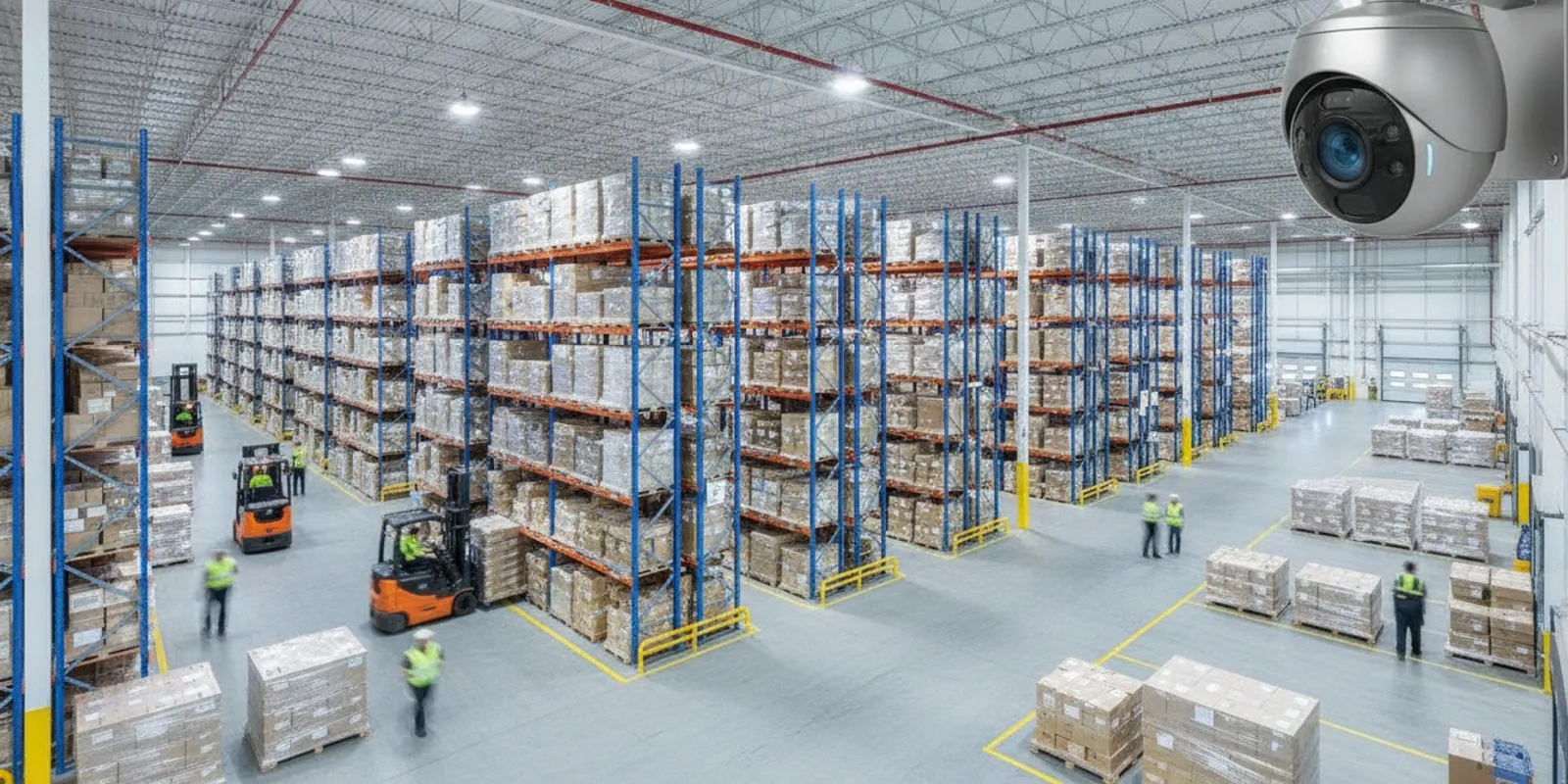
Commercial security cameras are easier to compare when the equipment list starts with what a business needs to see and do. A useful inventory connects each proposed camera to a location, a purpose, a recording plan, and the network and power that support it. That makes it easier to spot missing views, incompatible parts, and assumptions that should be checked before installation.
Request your free security assessment now
What belongs in a commercial camera inventory?
A camera inventory is more than a shopping list. It is a working record of how the system is intended to function, from the view at each location to the people who can review footage. Begin with a current floor plan and mark entrances, delivery points, cash-handling areas, production spaces, storage, corridors, exterior approaches, and other places where visibility serves a defined business purpose.
For each area, describe the question the view should help answer. For example, a camera may provide an overview of movement through a loading area, show the approach to a staff entrance, or help a supervisor understand how a production space is being used. These are different purposes. An overview that shows general activity may not provide enough detail to assess a particular interaction, so avoid treating one camera as a solution to every visibility need.
Then assign each planned device a unique name or number and record its location on the drawing. A practical inventory entry can include:
- Purpose and view: the area or activity to observe, intended direction, approximate coverage, and any adjacent view it overlaps.
- Physical requirements: camera format, lens or field-of-view considerations, mounting position, mounting hardware, and housing needed for the environment.
- Operating conditions: day and night lighting, glare, vibration, dust, temperature variation, weather exposure, and potential obstructions.
- System connections: power source, cable route, network switch or connection, recorder channel, and any dependency on an outside connection.
- Recording and access: recording schedule, expected retention, authorized users, playback method, and process for exporting footage.
- Ownership and upkeep: responsible team, inspection notes, service history, replacement status, and changes to the surrounding area.
Keep confirmed facts separate from open questions. If the proposed route crosses a restricted production zone, mark that for site review. If the drawing assumes a switch has spare capacity, label that assumption until it is verified. This small distinction helps prevent a preliminary inventory from being mistaken for a final installation plan.
How do you turn site needs into a camera count?
Do not begin by assigning a device to every room or choosing a total camera count from a generic package. Start with the activities and routes the business needs to observe, then sketch possible views on the plan. Consider entrances, intersections, changes in floor level, delivery paths, and the way staff, visitors, vehicles, or materials move during ordinary operations.
Walk the facility if possible, and review more than one operating condition. A doorway may be open during deliveries and closed for most of the day. A production line can shift position, a vehicle can block an exterior view, and storage levels can change the sightline through an aisle. Lighting may differ between a day shift and an overnight shift. Include typical busy periods as well as less frequent activities that still matter to the business.
For each possible view, note the camera position, direction, distance to the activity, and likely obstructions. Mark where views overlap and why. A modest overlap can preserve visibility at a route junction or reduce the chance that a moving object disappears between views. Overlap without a clear purpose can duplicate coverage while increasing the number of devices and the amount of video to manage.
Check the drawing against the purpose. If the goal is to see activity at a particular doorway, ask whether the proposed angle and distance make that area the focus rather than a small part of a broad scene. A view intended to observe general movement will be designed differently from one intended to cover a narrow point of passage. InVision Systems has a practical explanation of security camera field of view that can help frame those design questions.
Finally, write down areas that the proposed views will not cover. A clear limitation is more useful than an unrealistic promise of complete visibility. It gives the owner and designer a chance to decide whether the gap is acceptable, whether a camera should move, or whether another approach is needed.
Which equipment choices should you compare?
Compare equipment as a connected system, not as isolated model numbers. A camera may fit the intended view but still be unsuitable if the recording platform cannot support it, the cable route is impractical, or the environment exceeds its operating conditions. The comparison table below gives the inventory a structure for those decisions.
| Choice | Record and compare | Question to resolve |
|---|---|---|
| Camera and view | Format, lens or field of view, mounting, lighting, and environmental exposure | Does the device serve the intended purpose at this exact location? |
| Recorder or hosted service | Compatible devices, channels, access, retention assumptions, and export process | Can authorized staff retrieve the footage they need? |
| Network | Connection type, cable route, switch location, available capacity, and segmentation plan | Can the planned video traffic be supported reliably? |
| Power | Power source, distance, backup arrangements, and failure notification | What happens if normal power is interrupted? |
| Storage | Camera count, image settings, recording schedule, activity, and retention target | What assumptions support the capacity estimate? |
| Maintenance | Inspection owner, cleaning access, testing, support, and replacement records | Who will keep the inventory and system current? |
Camera format and recording compatibility deserve explicit attention when a business plans to keep existing equipment. List the recorder model, its available channels, the camera types it supports, and any known configuration limits. Ask the designer to explain which existing cameras can remain, which need replacement, and whether all devices will be viewed and recorded as expected. For background on recorder architecture, consult this NVR versus DVR guide.
Wired network, analog, wireless, and hybrid options have different installation implications. A wireless connection may reduce the need for a data cable to a particular location, but it still depends on a suitable power plan and a dependable signal path. A wired design needs a practical cable route and adequate network capacity. A hybrid design may reuse compatible equipment while addressing weak or outdated views. The right comparison depends on the facility, equipment already in place, and the intended operation.
For a commercial property, review the proposal alongside InVision Systems’ commercial security services and its business security camera services. The service pages provide context for discussing a system designed for the business rather than assuming that a preselected equipment bundle will fit every site.
How should you estimate recording and retention?
Recording capacity depends on several inputs: the number of cameras, image settings, how much activity appears in each scene, whether recording is continuous or event-based, and how long the business wants footage available. A busy receiving area and a quiet corridor may generate different amounts of video. Higher image detail and longer recording schedules can also change the estimate.
First, define retention by operational need. Consider how quickly an incident is usually reported, who is responsible for reviewing footage, whether the business needs time to investigate events after a weekend or holiday, and which locations have different requirements. Do not select a retention period merely because it appears in a product description. Record the business’s target and ask the system designer to explain the capacity assumptions used to meet it.
A useful estimate states the camera count, recording schedule, image settings, expected activity, and retention target. It should also explain what happens when the available capacity is used. Ask whether older video is overwritten automatically, whether any footage is stored separately, and who is authorized to preserve or export a clip. If the number of cameras or their settings change later, the inventory should show why the estimate needs to be revisited.
Test retrieval as carefully as recording. During acceptance, choose a sample date and camera, locate the relevant footage, play it back, and complete the intended export process with an authorized user. A system can be recording as designed and still frustrate staff if camera names are unclear or people do not know how to find the right time period. Add training and the retrieval procedure to the handoff documentation.
What network and power details should the plan include?
For network-connected cameras, document switch locations, available ports, cable routes, and the path to the recorder or hosted service. Confirm who will check network capacity and whether video devices will be separated or otherwise managed according to the organization’s network practices. Do not assume that an existing office connection has capacity simply because it is nearby. InVision Systems discusses cable planning in its guide to structured cabling for new businesses.
For every camera and supporting device, record how it receives power. Identify any backup power arrangement and the equipment it is intended to support. Ask which functions continue during a network interruption: some designs may retain local recording, while remote viewing or hosted functions may depend on the connection. Write down what users should expect during an interruption and how the system reports a failure.
Network-connected video equipment should also be treated as part of the organization’s technology environment. Use named accounts and appropriate permissions, keep an owner responsible for access changes, and ask who handles updates and support. CISA provides general cybersecurity guidance at its official website; consult current guidance with the organization’s IT team when planning connected equipment. This reference is not a substitute for a site-specific network review.
Industrial locations introduce practical details that a spreadsheet cannot settle. Cameras may be near vibration, airborne dust, moving equipment, changing temperatures, or elevated mounting points. InVision Systems works with industrial clients including Woodharbor Doors & Cabinetry and Hyson USA Inc. A site walkthrough can identify where mounting, cable protection, access for maintenance, and production schedules affect the proposed plan.
How can the inventory support maintenance?
The inventory should stay useful after commissioning. Record the installed model, device identifier, precise location, installation date, configuration notes, and service history. Keep the coverage drawing and the equipment list together, and update both when a camera moves, a recorder is replaced, a room is renovated, or operations change.
Set a repeatable review process that matches the facility and the team’s responsibilities. During a check, confirm that each camera is online, its view is unobstructed and correctly aimed, and the recorded image remains useful under the site’s usual conditions. Review storage status and test a sample playback. Lenses and housings should be cleaned according to equipment guidance and the site’s environment, not by an improvised schedule that risks damaging the device.
- Check camera status and confirm that names match the floor plan.
- Look for new obstructions, changed lighting, or movement of shelving and machinery.
- Verify playback, user permissions, alerts, and the authorized export workflow.
- Review recording capacity against the documented settings and retention target.
- Record repairs, replacements, moves, and the person who confirmed the revised view.
A change log gives future staff a reason for differences between the drawing and the live system. For example, if a storage rack is moved and a camera is repositioned, note the previous and current locations, what changed, and who checked the new view. If a device is temporarily offline, note the time, the affected area, and the follow-up action. That record helps the business distinguish a deliberate system change from an unnoticed fault.
Include maintenance responsibility in the original proposal review. Clarify who receives fault alerts, who can request service, what routine checks are expected of staff, and what support is available for configuration or repair. A dependable inventory should make those responsibilities visible rather than leaving them to memory.
What does a worked inventory look like?
Consider a distribution facility with a receiving door, several long storage aisles, a packing area, and an employee entrance. A quick first draft might put one camera in each zone and call the job complete. A more useful review begins with a list of operational questions: Can authorized staff review activity at the receiving door? Are aisle intersections visible when stock levels change? Does the packing area need a focused view in addition to an overview? Is the employee entrance view affected by glare at certain times?
The site team marks each intended view on a plan. It notes that pallets sometimes block a low sightline, that a door can create backlight, and that the packing tables move during seasonal changes. The designer compares possible positions and angles, identifies where an overlap at an aisle junction is useful, and records any remaining limits. The receiving-door view is given its own purpose and connection requirements rather than being treated as a generic camera location.
Next, the inventory connects proposed devices to their recorder channels, power sources, network routes, and recording assumptions. Staff identify which areas may have heavier activity and specify how long footage should remain available for the business’s review process. The capacity estimate notes the settings and schedules it assumes. Unknowns—such as whether a switch has sufficient capacity or whether a mounting point can be reached safely—remain listed for confirmation.
Before handoff, a staff member checks representative views during normal operations. The team tests camera naming, playback, user access, and export, and updates the floor plan to match what was installed. If the view at an aisle is blocked by a change in stock layout, the gap is recorded and assigned for review. The finished inventory is therefore both a record of equipment and a practical map of how the system supports daily operations. For a related perspective on site planning, see InVision Systems’ warehouse camera system guide.
What should you ask before approving the equipment list?
Ask the installer to explain the purpose of every camera and show how the intended view appears on the site plan. Request a list of known blind spots and assumptions that still need a site check. If the plan uses existing equipment, ask for a compatibility review that distinguishes devices to retain, supplement, or replace.
Review the recording estimate and ask what settings, schedules, activity levels, and retention expectations it assumes. Confirm how footage is searched and exported, which people receive access, and who can change permissions. Ask how network interruptions, power failures, and device faults are handled, and whether staff will be shown how to use the functions they need.
Before signing off, request a handoff package that includes an updated device list, marked coverage plan, recorder and camera compatibility notes, recording assumptions, user access summary, and a fault-reporting process. Compare the proposed equipment and questions against InVision Systems’ business security camera buyer’s guide. Businesses planning a project in the region can also check InVision Systems’ service areas and its industrial security services.
How can you review a proposal in a useful sequence?
A step-by-step review helps a team find gaps before focusing on individual model numbers. Start with the business purpose. For each camera, ask which area or activity it should show and whether that purpose is distinct from nearby views. If the answer is unclear, flag the location for discussion instead of approving it automatically. This also exposes the difference between a view intended for broad awareness and one intended to focus on a specific doorway or work area.
Next, review the site plan. Compare the marked views with entrances, routes, storage, machinery, and operating conditions. Ask the people who work in those areas whether equipment or daily routines could block a proposed view. Review the plan under more than one condition, such as a delivery period and a typical shift. A drawing that appears complete in an empty facility may not reflect the scene once vehicles, products, and people are present.
Then follow the system connections in order: camera to power and network, network to recorder or hosted service, and recording to an authorized user’s playback and export process. At each step, ask what capacity or compatibility assumption has been confirmed and which remains open. Confirm how the design behaves when a network path, power source, or camera is unavailable. This sequence can identify dependencies that are easy to miss when the proposal is reviewed as a list of separate products.
Finally, review operations and handoff. Name the team that will maintain device labels, user permissions, footage retrieval instructions, and the change log. Agree on what staff should test at sign-off and what documents they will receive. For example, an operations manager might verify that a sample clip can be located and exported, while the facilities team checks that maintenance access is practical. Assigning clear reviewers makes acceptance more than a visual check of whether cameras are mounted.
Keep a short decision register with the question, owner, answer, and date for each open item. If a proposed view changes after a walkthrough, record the reason and update the drawing and equipment list together. This helps the business compare the approved design with the installed system and prevents unresolved assumptions from disappearing into email or meeting notes.
Schedule your free security assessment today
Frequently asked questions
Should every camera use the same model?
Not necessarily. Different locations may have different viewing distances, lighting, mounting, and environmental conditions. A consistent system can make management simpler, but each device still needs to fit its location and work with the recorder and network plan.
Can existing cameras be included in a new inventory?
Yes. Record each existing device, its condition, current view, compatibility, and support status. Then decide which equipment can remain, which views need adjustment, and where a replacement or additional device is justified.
How often should a business review its camera inventory?
Update it whenever equipment is moved or replaced and when a renovation, new machinery, changed storage layout, or operational change affects coverage. Include a regular review in the maintenance process so that smaller changes do not leave the drawing out of date.
Does an inventory replace a site assessment?
No. The inventory records requirements and decisions; a site assessment helps determine whether those requirements fit the actual facility. A walkthrough can uncover lighting, mounting, cabling, access, and obstruction issues that a list alone will not show.
What should the inventory say about access to recordings?
It should identify who may view or export footage, how permissions are granted or removed, and who handles authorized requests. Workplace recording policies and legal obligations depend on the circumstances and location, so review those questions separately with appropriate guidance. A clear inventory supports that review but does not replace it.
A well-maintained inventory ties each commercial security camera to a defined purpose and gives the business a practical reference for installation, recording, access, testing, and future changes.