
Church Security System Guide for Chicago Churches

A church is more than a building with one front entrance.

Worship services, childcare, offices, classrooms, parking areas, and community events create different security needs throughout the week.

A thoughtful church security system protects people and property while preserving the open, welcoming character of a place of worship.

Request your free security assessment

A well-planned church security system combines cameras, access control, alarms, intercoms, and proactive monitoring around the property’s layout, schedule, and operating needs. The objective is coordinated protection, not dependence on one device.

Churches in Chicago, the surrounding suburbs, Northwest Indiana, and Southeast Wisconsin can begin with a site assessment. Mapping real movement patterns shows which technologies belong at each entrance, room, parking area, and shared facility. It also helps leaders improve safety without making normal visitors feel watched or unwelcome.

How to Plan a Church Security System Around Your Property

Begin with the property and its routines, rather than a list of devices. A useful church security system reflects how people enter, move through, and use the building during worship, weekday programs, childcare, meetings, and community events.

Map entrances and daily schedules

Document every public, staff, delivery, and emergency entrance. Note which doors are used during services, which remain unlocked for activities, and which connect to offices, classrooms, kitchens, or storage. Multi-entry buildings need more than a single front-door solution.

Review a typical week, including early setup, evening services, youth programs, and quiet periods when only a few staff members are present. Access permissions, camera views, lighting, and alarm zones may need to change with the activity. A design based only on Sunday worship can miss the periods when fewer people are available to notice a problem.

Include childcare and shared facilities

Childcare rooms, nurseries, classrooms, and youth areas deserve careful planning. Identify the entrances parents use, the doors staff must control, and the routes between classrooms, restrooms, fellowship spaces, and sanctuary areas. Camera placement should support awareness at appropriate transition points, not record rooms where privacy is expected.

Shared facilities need the same attention. Churches may host outside groups, rent rooms, or operate food-service and community spaces at different times. A group may need access to one room without access to offices, classrooms, or storage. That distinction can guide door hardware, credentials, intercom coverage, and alarm zones.

Assess parking and create a risk map

Extend the assessment beyond the walls. Mark parking areas, drop-off lanes, sidewalks, exterior doors, playgrounds, and poorly observed approaches. Note lighting conditions, landscaping, sightline obstructions, and locations where visitors gather before or after events. Rank each area by activity, sensitivity, visibility, and the impact of a coverage gap.

Use that map to set priorities instead of trying to cover every location equally. Reliable recording and clear identification are core requirements for church security cameras. Camera placement should work alongside access control, alarms, intercoms, and network infrastructure. Leave capacity for future changes to the property and congregation.
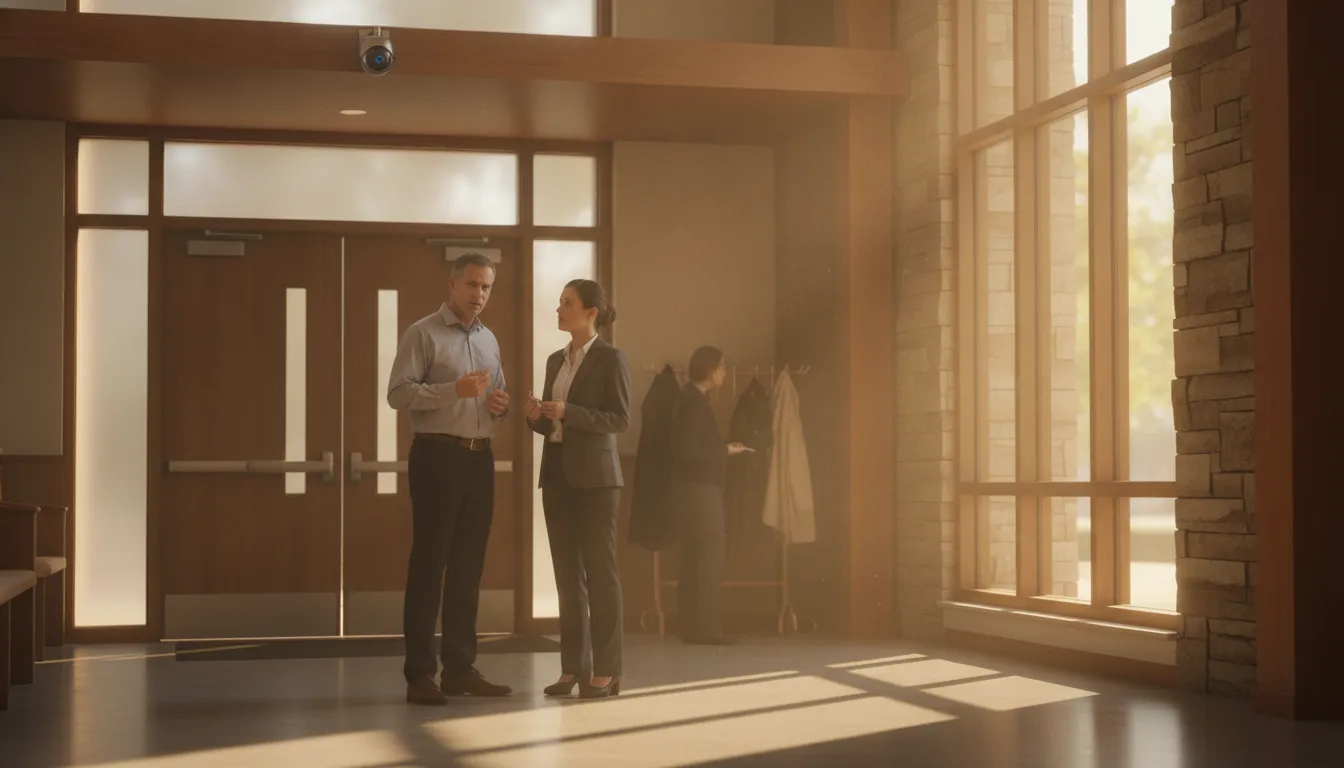
Church facilities team reviewing entrance security camera placement
A site walkthrough aligns camera views and access decisions with how a church uses its property.

What Should a Church Security System Include?

A complete church security system brings together several connected layers, including security cameras, access control, intrusion and fire alarms, intercoms, structured wiring, and a monitoring plan. The right combination depends on the church’s entrances, childcare check-in, classrooms, offices, parking, shared spaces, schedule, and privacy practices.

For a Chicago-area church, a site assessment should map where people arrive, which doors need different permissions, which areas need visibility, and how staff will respond to alerts. InVision Systems can design and install a custom security camera system as part of a coordinated plan. Learn more about custom security camera system design and installation.

Core components of a church security system
Component Primary role Planning consideration
Security cameras Show entrances, exterior approaches, parking, and selected interior transition points. Match views to lighting, identification needs, recording, and privacy.
Access control Manage designated doors and permissions for staff, volunteers, classrooms, offices, and shared spaces. Use schedules and credentials that reflect the church’s operating patterns and emergency access needs.
Intrusion and fire alarms Alert designated people to unauthorized entry, alarm events, or fire-related conditions. Coordinate zones, schedules, contacts, and emergency procedures.
Intercoms and audio Support communication and controlled entry at doors or between key areas. Place communication points where greeters, administrators, or security personnel can use them.
Structured wiring and network Provide dependable connections for IP cameras and connected devices. Review cabling, power, equipment locations, and room for future expansion.
Monitoring and response Help staff assess events and follow a defined response process when an alert needs attention. Decide who reviews alerts, when to use voice intervention, and how an event is escalated.

Video surveillance for awareness

Cameras should answer practical questions. Who approached an entrance? Was a side door left open? What occurred in a parking area? Reliable recording and clear identification can deter unwanted activity and provide useful evidence after an incident. Cameras remain one layer, not a guarantee that an incident will never occur.

Selection should match the scene. An entrance may need a view that shows faces, while a parking area may need wider coverage across an approach. Glare, nighttime lighting, weather, mounting height, and network capacity all affect usefulness. Professional design accounts for those details before installation.

Access, alarms, and communication

Access control can help staff apply different permissions to offices, classrooms, storage rooms, and other restricted areas without making every entrance feel closed. Churches evaluating access control systems should consider credentials, schedules, lost-card procedures, emergency access, and volunteer responsibilities.

Alarms add notification when monitored events need attention. Intercoms give staff a way to communicate before granting entry or coordinating a response. These systems work best when alerts, user permissions, and response steps are designed together rather than installed as isolated devices.

The network foundation

Many modern security devices depend on a stable IP network. Structured wiring should be evaluated as part of the security design, especially when a church is upgrading cameras or adding connected devices. Review structured cabling and network planning alongside the building’s current infrastructure and planned use.

Professional integration ties each component to the building’s routines. A site-specific design can account for service schedules, events, volunteer roles, privacy expectations, and future changes. InVision Systems provides customized design, installation, and support for organizations across the Chicago area and nearby communities.

Where Should Churches Place Security Cameras?

Camera placement should follow how people move through the building, not simply where wiring is easiest to install. A useful layout gives staff visibility at key transition points while preserving the welcoming character of worship and community spaces.

Cover entrances and arrival points

Start with every public entrance, side door, staff entrance, and door connecting the sanctuary to another part of the building. Cameras should show faces as people approach, rather than capture only the tops of heads. Include vestibules, reception areas, and exterior approach paths where practical.

Avoid placing a camera directly behind a bright doorway or window. Backlighting can make identification difficult. A professional assessment can account for daylight, nighttime illumination, sight lines, and changing service schedules. Cameras should support greeters and facilities staff, not replace clear policies or trained judgment.

Use extra care around childcare areas

Childcare entrances, hallways, check-in points, and room approaches often benefit from carefully controlled coverage. Cameras can help authorized staff understand who is entering and leaving without recording private activity inside classrooms, changing areas, or restrooms. Keep lenses outside rooms whenever possible.

Establish written rules for who may view recordings, how long footage is retained, and when it may be shared. Communicate those rules to staff and volunteers so security practices remain consistent across services, programs, and events. Access control can reinforce the policy by limiting entry to authorized team members.

Extend coverage to parking and shared facilities

Parking lots, drop-off lanes, accessible entrances, and paths between buildings are important parts of the plan. Use overlapping views where vehicles, pedestrians, and deliveries converge, while accounting for glare, weather, landscaping, and seasonal changes. Inside, consider fellowship halls, kitchens, offices, storage areas, gyms, and rooms used by outside groups.

Shared facilities may have different schedules and access expectations. Camera views should support accountability without monitoring spaces where privacy is reasonably expected. A clear map helps leaders decide what must be covered now and what can be included in a later phase.

Pair appropriate camera views with alarm monitoring for church security when the church needs an additional response layer for after-hours activity or alarm events. Cameras create awareness. Coordinated procedures determine what happens next.

How Can Proactive Monitoring Support a Welcoming Environment?

Security should help people feel comfortable entering and using a place of worship. Proactive monitoring adds attentive oversight while allowing gatherings, classes, counseling, and community events to continue. Instead of relying only on a response after an alarm or incident, monitoring can help staff recognize unusual activity and assess what is happening in the moment.

Use existing cameras where practical

Virtual Guarding can often leverage an existing camera system. That may reduce the need to replace every device before improving oversight. A professional review can identify whether current cameras provide useful views of entrances, hallways, parking areas, and other priority spaces. It can also reveal gaps caused by poor angles, limited nighttime visibility, or outdated equipment.

The goal is not to watch every person or treat ordinary activity as suspicious. It is to establish clear, privacy-aware coverage of locations where timely response matters. Camera placement and monitoring rules should reflect the church’s schedule, volunteer roles, and sensitive areas.

Combine detection with human judgment

AI human detection can identify movement that deserves attention, giving remote security personnel a practical starting point. The technology does not replace judgment. A trained human can review the situation, consider context, and determine whether activity appears routine, needs communication, or should be escalated according to the response plan.

This combination can help when a building is open but staff members are occupied elsewhere. Someone lingering near a restricted entrance, approaching after hours, or moving through a quiet area may receive attention without requiring volunteers to patrol every part of the property.

Intervene early and calmly

Remote human voice intervention adds a visible and audible deterrent. When appropriate, a remote operator can address a person through an integrated speaker system and ask them to leave a restricted area or identify their purpose. A calm, timely message may resolve an issue before it develops further while preserving a welcoming experience for legitimate visitors.

No monitoring approach can guarantee that an incident will never occur. Its value is improving awareness, shortening the time between detection and action, and supporting consistent procedures. Churches evaluating virtual guarding for places of worship should consider existing cameras, operating hours, privacy expectations, speaker placement, and escalation steps.

How Much Does a Church Security System Cost?

There is no responsible one-size-fits-all price for a church security system. Costs vary with property size, design complexity, protected areas, existing infrastructure, and whether professional monitoring is included. A small building with one primary entrance has different requirements than a multi-building campus with classrooms, childcare areas, offices, parking, and several worship spaces.

Evaluate coverage and infrastructure

The number of cameras is only one part of the calculation. Coverage depends on how many entrances, hallways, exterior approaches, parking areas, and shared spaces require visibility. Each camera should support a practical outcome, such as recognizing a person at an entrance or reviewing activity near a side door.

Existing infrastructure can affect installation effort. Usable network cabling, appropriate equipment locations, and reliable power may reduce the work required. An older or spread-out building may need new structured wiring for IP cameras and security networks. The budget can also change when cameras must work with access control, alarms, intercoms, or a monitoring platform.

Compare proposals by outcomes

Professional monitoring is another important decision. A church may choose alarm monitoring, video verification, or proactive service that uses existing cameras, AI human detection, and human voice intervention. The right choice depends on staffing, hours of operation, response procedures, and desired support.

  • Which entrances, rooms, outdoor areas, and schedules need coverage?
  • What existing cameras, cabling, alarms, or access hardware can be reused?
  • Which systems should share alerts, video, credentials, or operator controls?
  • Does the church need recording only, event response, or professional monitoring?
  • What installation, testing, maintenance, and expansion costs belong in the proposal?

These questions help leaders compare proposals on coverage, reliability, integration, and ongoing support rather than equipment counts alone.

How to Implement Security Without Losing the Welcome

A thoughtful church security system should support ministry rather than make visitors feel processed. Implementation works best when leaders define simple practices around the building’s real operating patterns, then explain those practices clearly to staff, volunteers, members, and guests.

  1. Build an emergency operations plan. Address situations such as a medical emergency, severe weather, fire, suspicious activity, or unauthorized entry. Identify decision-makers, notification methods, evacuation or shelter locations, reunification procedures, and responder access. The FBI resource Developing Emergency Plans for Houses of Worship can serve as a planning reference. Adapt it to the building, congregation, and local emergency contacts.
  2. Communicate in welcoming language. Tell greeters, ushers, ministry leaders, childcare teams, and facilities staff what to notice, whom to contact, and how to communicate during an incident. A short orientation, clear escalation path, and discreet communication method can help volunteers respond calmly. The DHS Center for Faith-Based and Neighborhood Partnerships provides preparedness resources for faith communities.
  3. Train staff and volunteers by role. Greeters may need visitor-flow and emergency-notification guidance. Childcare teams may need room-specific access and pickup procedures. Facilities staff may need to operate locks, alarms, intercoms, or camera views. Include when to call emergency services, what information to share, and what not to do.
  4. Test the system and procedures. Confirm camera views, recording, user permissions, alarm contacts, intercom audio, speaker placement, and network reliability. Test procedures at different times of day and during representative events. Record gaps, assign owners, and set a review schedule.
  5. Review privacy and access policies. Define who can view footage, how credentials are issued, how lost credentials are handled, and how long records are retained. Revisit the rules when the building, staff, technology, or programming changes.

These steps make security part of responsible facility stewardship rather than a barrier to hospitality. A Chicago-area integrator can help church leaders connect the plan, technology, and training to the property’s actual needs.

Schedule your free church security assessment today

FAQs About Church Security Systems

What is the most important part of a church security system?

The most important part is a site-specific plan that connects people, procedures, and technology. Cameras, access control, alarms, intercoms, and monitoring are more useful when they address actual entrances, schedules, sensitive areas, and response responsibilities.

Should cameras record inside childcare rooms?

Camera coverage should be designed with privacy in mind. Many churches prioritize entrances, check-in points, hallways, and room approaches instead of recording private activity inside classrooms, changing areas, or restrooms. Written viewing, retention, and sharing policies should accompany any installation.

Can a church use its existing cameras for proactive monitoring?

Often, yes. A professional review can determine whether existing cameras provide useful views, adequate image quality, suitable lighting coverage, and the connectivity needed for monitoring. The review can also identify gaps that require repositioning, new equipment, or additional speakers.

How can security remain welcoming during worship services?

Use discreet equipment, simple visitor procedures, clear volunteer training, and privacy-aware policies. Layered security should support greeters and ministry teams rather than turn every visitor into a subject of suspicion. Communication and calm response matter as much as the devices.
Home Security System Chicago: A Homeowner’s Buying Guide

Choosing a home security system in Chicago starts with the property, not a device count. A downtown condo, a Chicago bungalow, and a suburban home with a detached garage can have very different entry points, sightlines, lighting, and daily routines. The strongest plan combines the right layers and keeps them practical for the people who use them.

Discuss a residential security assessment for your home

The best home security system Chicago homeowners can choose is a customized combination of alarms, strategically placed cameras, controlled entry, monitoring, and professional installation. A property assessment identifies vulnerable doors, windows, outdoor areas, lighting conditions, and household priorities before equipment is selected.

This guide explains what each layer does, when professional design adds value, and which questions to ask before choosing a residential security provider. The goal is a coordinated system that helps detect activity, provide useful visibility, control entry, and support an appropriate response.

What Should a Home Security System in Chicago Include?

A complete residential security system should match how a home is occupied, accessed, and exposed. The design may include several technologies, but each component should have a defined job. Cameras can provide visual context, alarms can identify an intrusion attempt, access controls can manage entry, and monitoring can add oversight after an alert.

Burglar alarms for immediate detection

Door and window contacts, motion sensors, glass-break detection, and a central alarm panel can identify an intrusion attempt even when a camera does not have a useful view. A professional design can account for primary entrances, basement windows, patio doors, and detached garages. Review burglar alarm systems as one layer of a broader residential plan.

Cameras for visibility and verification

Cameras can provide context around front and rear doors, driveways, walkways, garages, and other exterior areas. Depending on the property, a system may use IP, HD-TVI, analog, wireless, or hybrid equipment. Night vision, people detection, line crossing, and intrusion detection may be useful when selected for a specific coverage goal. InVision’s security camera systems can be evaluated around the home’s layout and lighting.

Access control for safer entry

Residential access control may include smart locks, controlled gates, video doorbells, phone entry, or a managed entrance to a detached structure. These options can help households with multiple residents, frequent deliveries, caregivers, or shared entrances. Consider access control systems alongside cameras and alarms so convenience does not create an unmonitored gap.

Monitoring and remote access

Cloud-connected systems can let authorized homeowners review activity and manage selected functions remotely. Monitoring choices should clarify who receives alarm signals, what events are covered, and what happens after an alert. Some properties may also benefit from virtual guarding, which can use existing cameras, AI-assisted human detection, and remote human voice intervention through speaker systems. Suitability depends on the property and service design.

InVision Systems designs and supports residential security systems across Chicago, nearby suburbs, Northern Illinois, Northwest Indiana, and Southeast Wisconsin. A site assessment can identify the right balance of alarms, cameras, entry controls, and remote access.

How Do You Choose the Right Security Cameras and Alarms?

Cameras and alarms answer different questions. Cameras help you see what is happening, while alarm devices identify a suspected intrusion and create an alert. Using both can provide a fuller view of activity around a Chicago-area home. The correct mix depends on the property and household priorities, not on reaching a particular camera count.

Map the areas that matter most

Start with front and rear doors, a driveway, detached garages, side yards, basement entries, and other areas that are difficult to observe from inside. Note where lighting changes, where landscaping blocks a view, and where an alert would matter most. Camera placement should cover meaningful approach routes without creating unnecessary overlap.

Viewing distance, mounting height, glare, shadows, and nighttime conditions affect whether footage is useful. A camera selected only by resolution may perform poorly if it is aimed at headlights or placed too far from the subject. Coverage and positioning should come before equipment quantity.

Use alarms to protect entry points

Alarms protect doors, windows, and monitored zones that may be outside a camera’s view. Contacts and motion detection can provide an alert in low-light areas or inside rooms where a camera is not appropriate. When comparing alarm options, consider how residents move through the home and how the system should behave when the home is occupied.

Define the response to each alert

A useful plan considers what happens after detection. A camera alert may prompt a homeowner to review footage. An alarm may trigger a monitoring workflow. A controlled entry event may require a user to verify a visitor. Write down who receives notifications, who can access footage, and what the household should do when an alert is genuine or unexpected.

Why Does Professional Security System Design Matter?

Standard equipment packages can be useful, but they do not account for every entry, sightline, lighting condition, ceiling height, or family priority. Professional design begins with the property and translates those conditions into a system in which each component has a clear purpose.

The property determines the coverage plan

An assessment should consider primary entrances, side and rear doors, garage access, basement windows, stairways, driveways, and exterior approaches. The installer also needs to evaluate mounting surfaces, obstructions, power, network performance, and the difference between daytime and nighttime visibility. This reduces the risk of installing devices where they are convenient instead of where they are useful.

The design should reflect household priorities

One homeowner may focus on package deliveries and the front entry. Another may prioritize a detached garage, a large yard, a basement, or controlled access for service providers. Discussing these priorities helps create a system that residents can operate consistently. InVision’s residential security services approach considers the wider property rather than treating one device as the entire solution.

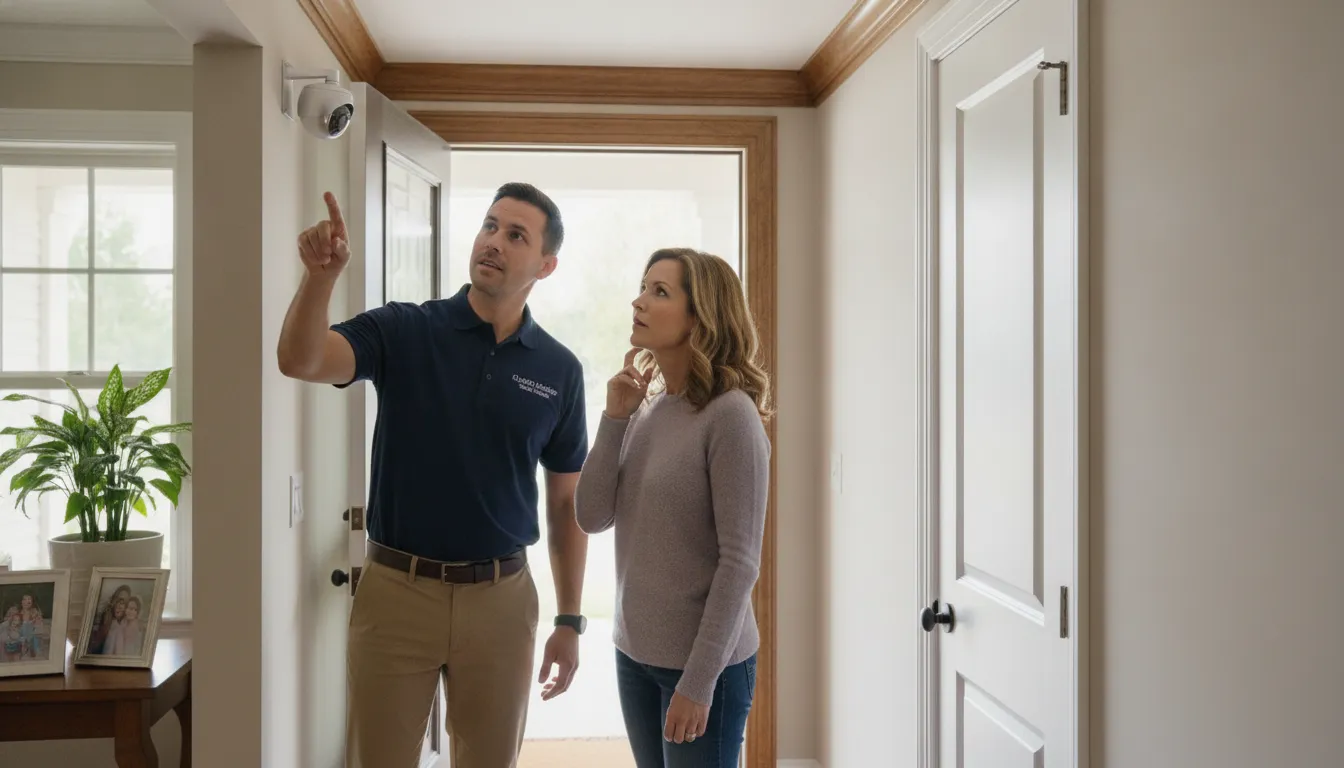
Security technician discussing camera placement with a Chicago homeowner

Professional planning also creates a clearer basis for discussing equipment, placement, configuration, and future needs. Rather than guessing which package will work, homeowners can identify the areas that need attention and request a recommendation built around the home.

Is Professional Installation Better Than DIY for Chicago Homes?

DIY security equipment can be practical for a smaller home with straightforward entry points, reliable Wi-Fi, and a homeowner who is comfortable mounting devices and managing an app. It can also make it easy to start with a limited number of sensors or cameras.

Professional installation becomes more valuable when a home has several entrances, detached structures, multiple floors, difficult exterior surfaces, or a mix of cameras, alarms, locks, and other controls. The difference is not simply who mounts the device. It is whether the system is planned, configured, tested, and explained as one working solution.

A typical professional installation process

  1. Assessment: Review the home’s layout, entry points, exterior areas, lighting, existing equipment, and household priorities.
  2. Design: Turn the assessment into a plan showing equipment, locations, connectivity, integration points, and future expansion options.
  3. Installation: Mount equipment, connect power and wiring, position cameras, and install sensors and control devices correctly.
  4. Configuration and testing: Configure alerts, recordings, sensors, user permissions, and remote access. Test coverage and unwanted triggers.
  5. Homeowner training: Show residents how to arm and disarm the system, review footage, manage notifications, and handle common issues.
  6. Ongoing support: Adjust the system when remodeling, landscaping, household routines, or security priorities change.

DIY is not automatically inadequate, and professional installation is not a substitute for choosing suitable equipment. The right choice depends on property complexity, technical comfort, and the level of support desired after setup.

What About Monitoring, Access Control, and Remote Management?

A security system should remain useful when residents are away, not only when someone is standing in front of a camera or keypad. Monitoring, access control, and remote management solve different problems. Together, they can help homeowners understand what is happening, control who can enter, and respond more consistently when an event needs attention.

Monitoring beyond a notification

An app notification can tell a homeowner that a door opened, motion was detected, or an alarm was triggered. The homeowner still needs to review the alert and decide what to do. Before selecting a monitoring plan, ask who receives alarm signals, which events are covered, how notifications are handled, and what happens if internet or household power fails.

Remote access for everyday control

Cloud-connected systems may allow homeowners to view cameras, receive alerts, and manage selected functions while away. Ask whether remote access applies to every device or only certain components. Also clarify how user permissions, temporary access, passwords, and software updates are managed. Remote control is most useful when the household has a clear response plan.

Access control and virtual guarding

Residential access control may help manage a driveway gate, exterior door, detached garage, or shared entrance. Virtual guarding may fit some properties that need remote human voice intervention through speakers and camera-based detection. InVision describes virtual guarding as a proactive option that should be evaluated against the property’s layout, equipment, and monitoring objectives. It is not an automatic substitute for every residential security need.

How Much Should a Home Security System Cost?

A responsible estimate for a home security system in Chicago should reflect the home’s coverage needs and the work required to install and support it. Instead of comparing a package price or device count, compare proposals across these four categories:

  • Coverage: Doors, windows, driveways, garages, yards, basements, and other priority areas.
  • Equipment: Cameras, alarm sensors, control panels, communication devices, and any access controls needed.
  • Installation: Mounting, wiring, network or power requirements, configuration, testing, and homeowner training.
  • Ongoing service: Monitoring, remote access, maintenance, support, and future changes.

What changes the price of a residential security system?

System scope changes with the home’s size and layout, the number and type of entry points, detached structures, mounting surfaces, lighting, existing wiring or network conditions, and whether cameras, alarms, access controls, and monitoring need to work together. More devices do not automatically mean better protection. The goal is purposeful coverage and a system residents can use consistently.

How should Chicago homeowners compare security quotes?

Ask each provider to show the recommended coverage, device locations, installation tasks, configuration, training, monitoring, support, and future expansion in writing. Confirm which items are one-time costs and which are recurring. If budget flexibility matters, ask which payment options, if any, apply to your residential project rather than comparing only a device count or introductory price.

InVision Systems can evaluate the property and recommend a residential plan built around its layout and the household’s priorities. Learn more about residential security services or request a residential security assessment.

Discuss your Chicago home security needs with InVision Systems

Frequently Asked Questions

What is the best home security system for a Chicago homeowner?

The best system is the one designed around the home’s entry points, lighting, layout, occupancy, and priorities. Many homes benefit from coordinated alarms, cameras, controlled entry, remote access, and an appropriate monitoring plan.

Do I need both cameras and an alarm system?

Cameras and alarms provide different types of protection. Cameras offer visual context, while alarms can detect activity at doors, windows, and monitored zones that may not be visible on camera. A professional assessment can show where both layers add value.

Is professional installation worth it for a residential system?

It can be valuable when a property has multiple entrances, detached structures, difficult sightlines, or several technologies that need to work together. Professional design also includes configuration, testing, and homeowner training.

Can a home security system be monitored remotely?

Many cloud-connected systems allow authorized users to view cameras, receive alerts, and manage selected functions remotely. Ask which devices support remote access and how user permissions, outages, and alert response are handled.

How should I compare security system proposals?

Compare the proposed coverage, device locations, integration, installation scope, training, monitoring, support, and expansion options. A lower device count or lower initial price does not necessarily provide better protection for the property.

Discuss your residential security assessment today

Commercial Parking Lot Security Cameras for Chicago

A parking lot can be the first and last part of a customer’s visit, yet it is often treated as an afterthought in a commercial property’s security plan. Poor visibility, dark corners, and limited oversight can leave staff and customers exposed before they reach the building. Research from the National Institute of Justice identifies parking facilities as more frequent settings for violent and property crime than most other real estate, apart from residences.

Effective commercial parking lot security cameras work as part of a complete site design, not as isolated recording devices. The strongest approach combines appropriately placed cameras, balanced lighting, and monitoring that helps identify suspicious activity and support a timely response. That coordinated strategy also improves visibility for entrances, walkways, loading areas, and other high-priority zones.

Before selecting equipment, it is important to understand why parking lot security deserves focused attention and how visible surveillance can influence both risk and confidence on the property.

Investing in commercial parking lot security cameras and lighting is one of the highest-value safety upgrades a Chicago-area property can make. InVision Systems designs, installs, and supports commercial security camera systems built around your lot’s layout, traffic flow, and risk profile. Every system begins with an on-site assessment so the cameras, lighting, and monitoring are placed where they protect staff and customers most effectively.

Request your free security assessment now

Why Commercial Parking Lot Security Cameras Matter

A parking lot is often the first and last part of a customer or employee’s experience at a commercial property. It is also a difficult area to supervise consistently. Vehicles, pedestrians, loading activity, and changing light conditions create opportunities for theft, vandalism, assaults, and disputes that may occur outside the main building. The National Institute of Justice identifies parking facilities as settings where violent and property crimes occur more frequently than in most other types of real estate, excluding residences. That makes parking-lot security a core business responsibility, not an afterthought. Read the National Institute of Justice research on parking-facility security.

Visible commercial parking lot security cameras can change how people perceive and use the property. A well-placed camera signals that activity is being observed, which can discourage opportunistic behavior before it becomes an incident. Cameras also create a record when an event does occur. That evidence can help a property manager understand what happened, support a police report, and resolve questions involving vehicles, deliveries, employees, or customers. The most effective design combines visible coverage with the right lighting, clear sightlines, and a plan for reviewing or escalating alerts.

Protecting people during vulnerable moments

Employees and customers are often most exposed while walking between a building and a vehicle. Arriving before daylight, leaving after closing, or moving through a remote section of a large lot. Cameras do not replace responsible site design or appropriate response procedures, but they improve visibility in areas that staff cannot watch from a front desk. Coverage at entrances, exits, pedestrian routes, and isolated parking rows can help identify unusual activity and give decision-makers better information when a concern is reported.

This approach aligns with Crime Prevention Through Environmental Design, or CPTED. The U.S. Department of Justice explains that incorporating CPTED in parking facilities can significantly reduce both the fear and actual risk of crime. Along with the costs associated with relying on security personnel alone. The Office of Justice Programs CPTED guidance supports treating visibility, access, and the surrounding environment as parts of one security strategy.

Reducing liability and insurance pressure

When a property has repeated incidents or an avoidable blind spot, owners and operators may face complaints, claims, legal scrutiny, and difficult conversations with insurers. No camera system can guarantee that an incident will not happen, and coverage decisions depend on the property, policy, and insurer. However, documented security improvements can demonstrate that management is taking reasonable steps to identify risk, protect occupants, and investigate reported events. A professional assessment can also reveal where existing cameras fail to capture useful detail, rather than simply adding more devices.

For Chicago-area businesses, a customized plan is more valuable than a generic camera package. Commercial security camera systems should be designed around the lot’s traffic patterns, building use, lighting, and operational risks, with a clear path from detection to response.

How to Choose the Right Parking Lot Camera Placement and Camera Types

The right commercial parking lot security cameras are chosen by the detail each area requires, not by camera count alone. A site plan should cover vehicle entrances and exits, pedestrian routes, building approaches, loading areas, and perimeter zones, then match each view to distance, lighting, weather, and the property’s response plan.

Where should parking lot cameras be placed?

Begin with every vehicle entrance and exit, then map walkways, stairwells, loading areas, remote rows, and lot edges. Aim each view along the traffic or pedestrian path rather than directly into headlights. Check proposed angles at different times of day and account for poles, landscaping, parked vehicles, structures, and seasonal changes that could create blind spots.

Which camera types fit commercial parking areas?

  • Fixed cameras: continuous coverage of entrances, drive aisles, building fronts, and pedestrian routes.
  • PTZ cameras: flexible live observation across expansive areas, used to supplement fixed cameras rather than replace them.
  • Wide-angle cameras: broader views for suitable smaller zones, after confirming that faces and plates remain large enough to identify.
  • Dedicated entrance cameras: focused views where license plate or vehicle detail matters, with lens and angle matched to lane speed and distance.

What should outdoor cameras capture after dark?

Use high-definition equipment where the goal is detail at a distance, and evaluate infrared capability, exposure, lighting, and camera angle together. Weather-resistant housings can help protect outdoor equipment from rain and dust, but the correct enclosure and configuration depend on the location. Test faces, plates, vehicle paths, and bright-to-dark transitions at night before finalizing the design.

InVision Systems can assess the lot’s layout, traffic flow, lighting, and blind spots, then recommend a commercial security camera plan. Explore business security camera systems or request a free security assessment.

The Role of Parking Lot Lighting in Deterrence and Camera Performance

Lighting is not simply an amenity for customers walking to their vehicles. It is a core part of a commercial security plan. The National Institute of Justice identifies lighting as the single most important Crime Prevention Through Environmental Design (CPTED) security feature for parking facilities. And recommends meeting standards established by the Illuminating Engineering Society of North America (NIJ guidance on parking-facility CPTED).

For businesses evaluating security camera systems, the practical benefit is twofold. Consistent, well-positioned illumination makes people more visible and signals that the property is cared for and monitored. It also gives cameras a usable scene after sunset. Poorly placed fixtures can leave dark pockets, create deep shadows, or produce glare that washes out faces and vehicle details. The right combination of lighting and cameras supports both deterrence and reliable evidence.

Parking lot lighting strategies and their effect on security cameras
Strategy Coverage Energy cost Deterrence Camera performance
Constant high-output lighting Broad and predictable coverage when fixtures are correctly spaced and aimed. Highest ongoing consumption, especially when the lot is empty overnight. Strong visible presence that discourages activity in exposed areas. Stable illumination supports consistent color, detail, and motion capture.
Motion-activated lighting Brightens selected zones when movement occurs, but inactive areas may remain dim. Lower consumption than continuous high-output lighting; performance depends on sensor placement and settings. Sudden illumination can draw attention to movement and alert occupants or security personnel. Can improve event footage when activation occurs early enough, but transition timing must be tested.
Timer or digital control Scheduled coverage follows operating hours and can be adjusted by zone. Digital controls can improve energy efficiency while maintaining adequate security levels, according to the U.S. Department of Energy parking-lot lighting guide. Reliable during planned risk periods, but schedules must account for seasonal darkness and late activity. Predictable lighting helps cameras maintain consistent exposure when the schedule matches actual site use.

In practice, a layered design often works better than choosing one strategy for every zone. Main drive lanes, entrances, pedestrian paths, and loading areas may need dependable base lighting. Motion sensors or digital controls can then increase output where movement or activity warrants it. Fixture height and placement also matter. Proper positioning minimizes shadows and glare, while CPTED planning should avoid poles, landscaping, or structures that create surveillance blind spots.

Lighting should be evaluated from the camera’s point of view, not only from ground level. During a night test, review faces, license plates, vehicle paths, and transitions between bright and dark areas. If a fixture points toward a lens, the resulting glare may reduce useful detail even when the lot appears bright to visitors. A professional design for commercial parking lot security cameras should coordinate fixture locations, camera angles, infrared capability, and monitoring requirements before installation.

Capturing License Plates at Parking Lot Entrances

Entrance cameras have a focused job: capture a readable image of every vehicle as it enters or leaves. Even when traffic is moving, headlights are pointed toward the lens, or daylight is fading. For commercial properties, that evidence can help connect a vehicle to a time, direction of travel, and access event. Entry and exit points should be monitored specifically to document vehicle flow and visitor activity, rather than relying only on wide views of the entire lot.

Use a dedicated camera for each traffic lane

A general-purpose overview camera is useful for showing the gate, driveway, and surrounding activity, but it may not provide enough detail for license plate recognition. A dedicated entrance camera should be aimed at the capture zone where vehicles naturally slow, stop, or pass through a controlled lane. If a lot has separate entry and exit lanes, each should have its own properly aligned view. This approach also makes searches more efficient because operators can review a specific lane instead of scanning hours of wide-angle footage.

High-definition video is essential. InVision Systems recommends 1080p or 4K cameras when a system must identify details such as license plates at a distance. A competitor guide notes that 4K systems may identify plates from approximately 50 feet away, depending on the camera, lens, lighting, vehicle speed, and installation conditions. That distance should be treated as a planning reference, not a guarantee. The source guide on parking lot camera types also reinforces that resolution must be matched to the intended coverage area.

Position the lens for the plate, not the pavement

Camera height and angle directly affect whether characters remain legible. Mount the camera high enough to discourage tampering, but avoid an extreme downward angle that compresses the plate into a narrow shape. The lens should face the vehicle path as squarely as site conditions allow, with enough distance for the plate to occupy a useful portion of the image. An installer should account for lane width, gate hardware, speed bumps, turning radii, and the likely plate position on different vehicles.

Balance exposure, shutter speed, and lighting

At night, headlights can wash out a plate while an overly dark setting hides the vehicle body. A dedicated capture camera should be configured for the actual entrance conditions, with exposure and shutter settings that limit motion blur without producing a bright, unreadable rectangle. Infrared capability can support visibility in darkness, but it still requires careful positioning and testing. Lighting should illuminate the capture zone evenly, without placing a bright fixture directly behind or beside the lens. Correct light positioning minimizes shadows and glare, which helps cameras produce clearer nighttime images.

A complete design pairs entrance capture with broader business security systems with cameras covering the lot, walkways, and perimeter. That combination preserves both the close detail needed for plates and the wider context needed to understand what happened before and after a vehicle passed.

How Live Monitoring and Virtual Guarding Improve Response Times

A camera that records an incident can provide valuable evidence. But recording alone does not stop a person who is breaking into a vehicle, entering a restricted area, or damaging property. Passive surveillance stores footage for review after the fact. Active live monitoring adds a response layer by allowing a trained person to see developing activity and take action while it is happening. For commercial parking lots, that distinction can reduce the time between detection and intervention.

IP-based commercial parking lot security cameras can send live video over the internet, allowing authorized owners or security personnel to view a property remotely. A manager does not need to be in the office or on site to check an after-hours alert. The monitoring team can assess the scene, determine whether activity appears legitimate, and follow the property’s response plan.

From passive recording to active intervention

Passive recording is useful when an incident must be investigated. It can help identify a vehicle, establish a timeline, or show what happened near an entrance. Its limitation is timing. By the time someone reviews the footage, the person involved may already be gone.

Virtual Guarding changes that sequence. The service can work with a property’s existing camera system, combining remote monitoring with human voice intervention. When an unauthorized person is detected, a remote operator can use connected speakers to issue a clear warning. Direct the person to leave, or communicate that the area is being monitored. That immediate human response can deter an incident before it becomes a theft or trespass event. Learn more about how virtual security guards work in commercial settings.

This approach is especially useful for lots that are empty overnight, serve multiple tenants, or have limited staff available after business hours. It supplements physical security without requiring a guard to remain at every location. The system can also support escalation procedures when an event continues, such as notifying a designated contact or emergency services according to the agreed response plan.

Using AI to focus human attention

Not every movement in a parking lot represents a threat. Wind-blown materials, changing shadows, and wildlife can create nuisance alerts that make it harder for a monitoring team to focus on meaningful activity. AI-powered human detection helps distinguish people from non-human movement, reducing false alarms caused by wildlife or wind. That filtering supports faster review and more consistent attention to activity that warrants a response.

CCTV is recognized as both a deterrent and a monitoring tool in high-risk parking facilities, alongside emergency communication measures. A properly designed system brings those capabilities together: visible cameras discourage opportunistic crime, live monitoring identifies activity, and remote audio gives an operator a way to intervene. Explore virtual guard monitoring to evaluate how live response could strengthen security across your parking areas.

Keeping Your Parking Lot Camera System Reliable and Compliant

Even a well-designed system can lose value when a lens is dirty, a camera drops off the network, or landscaping creates a new obstruction. Routine maintenance keeps commercial parking lot security cameras ready to capture useful video when an incident occurs. Clean exterior lenses on a regular schedule, inspect housings for weather damage, and confirm that each camera remains connected to the recording or monitoring platform. These checks are especially important after severe weather, construction, or changes to site lighting.

Coverage should also be reviewed periodically rather than treated as permanent. Walk the property during both daylight and nighttime conditions, checking entrances, exits, pedestrian routes, loading areas, perimeter edges, and active parking zones. A coverage audit helps identify blind spots caused by moved light poles, new structures, tree growth, glare, or a camera that has shifted out of position. A full commercial parking lot security audit should evaluate camera performance, lighting adequacy, and overall site visibility, not just whether a video feed appears on a monitor.

For a repeatable process, property managers can maintain a simple inspection record that notes the date, camera location, image quality, nighttime visibility, network status, and corrective action. Test playback as well as live view. A camera may appear online while recording is incomplete, storage is unavailable, or the image is too obscured to support identification. Professional commercial security camera systems can be reviewed as part of a broader maintenance plan that accounts for the property layout and operating hours.

Apply CPTED and local requirements before making changes

Reliability is only part of compliance. Crime Prevention Through Environmental Design, or CPTED, uses visibility, lighting, access patterns, and environmental layout to reduce opportunities for crime. Before installing or relocating cameras, verify applicable Chicago-area municipal building codes, zoning requirements, lighting rules, and other local ordinances. The National Institute of Justice notes that these requirements can influence security facility design: review its CPTED guidance for parking facilities and confirm the final plan with the appropriate local authority.

Make monitoring visible without overstating what the system does. Place high-visibility signs that clearly warn unauthorized individuals that the property is monitored. Signs support a visible security strategy and may deter opportunistic activity, while cameras, lighting, and responsible access practices provide the operational protection behind that notice. Coordinate signage placement and wording with the property owner, counsel, and local requirements so the system communicates accurately.

A well-designed commercial parking lot security camera system combines the right cameras, the right lighting. And active monitoring so you deter crime, protect staff and customers, and respond fast when something happens. The team at InVision Systems has designed and installed security systems for industrial, commercial, and residential clients across the Chicago region for more than two decades. Start with a free assessment and find out exactly where your parking lot is at risk.

Schedule your free security assessment today

Frequently Asked Questions

What are the most effective security cameras for parking lots?

Commercial parking lots usually need a combination of fixed outdoor cameras for continuous coverage, dedicated entrance and exit cameras for vehicle and license-plate detail, and PTZ cameras for flexible views across larger areas. The right mix depends on the lot’s size, traffic flow, mounting points, lighting, weather exposure, and the level of detail the property must capture. Wide-angle cameras can cover open areas, but they should not replace closer views where identifying a vehicle or person matters.

After-dark coverage should pair infrared capability with lighting that limits glare and shadows. Fixed cameras create the baseline recording, while live monitoring or Virtual Guarding can add a response layer when staff are not on site. InVision Systems can design a commercial security camera system around your property’s layout and operating needs.

How do parking lot cameras improve commercial security?

Visible cameras can discourage people from targeting a property, while recorded footage can support an investigation after an incident. IP-based systems also allow authorized owners or security personnel to view activity remotely. A well-designed system therefore supports deterrence, live awareness, and evidence retrieval rather than simply storing video.

Do I need lighting for my parking lot security cameras to work?

Yes. Adequate lighting improves visibility for people and cameras, especially at entrances, walkways, and other areas used after dark. Light placement should minimize shadows and glare, while camera selection should account for low-light conditions. The National Institute of Justice identifies lighting as the most important CPTED security feature for parking facilities: NIJ parking-facility research.

Are wireless parking lot security cameras reliable?

Wireless cameras can work in select locations, but wired systems are generally the stronger long-term choice for commercial lots. A professional design should account for distance, power, network reliability, weather exposure, and maintenance access. The best connection method depends on the property layout, existing infrastructure, and coverage required.

How can I integrate AI with parking lot surveillance?

AI human detection can distinguish likely human activity from movement caused by wind or wildlife, helping reduce unnecessary alerts. It can be paired with remote monitoring and two-way audio so an operator can assess activity and use a voice warning when appropriate. This adds a proactive response layer to recorded video.