
Security System Integrator Chicago: What to Look For

A single unwatched blind spot can risk an entire warehouse or business office in seconds. Standard security systems often fail because they lack a custom layout built for a building’s ceiling height and lighting.

A professional security system integrator Chicago businesses select serves as a trusted partner to design, install, and manage your business safety network. Rather than selling boxed alarm gear, a skilled integrator builds a custom plan made for your building’s exact layout and needs. A deep local check finds weak spots like poor lighting, low gates, and camera blind spots across your property. As noted by the National Center for Biotechnology Information, complex security systems must be custom designed to stop real threats. Choosing a good partner needs checking their license, local Chicago experience, past track record, and twenty-four hour support. This total care keeps your business safe.

Knowing how to handle this choice is key to protecting your local assets, and you must first understand their exact daily role. We will explore What Does a Security System Integrator Do? to show how they build your defenses. Your journey begins by choosing the right partner. Contact InVision Systems today for a free security assessment with a security system integrator.

Request your free security assessment now

What Does a Security System Integrator Do?

A security system integrator does more than sell alarms. This expert acts as a single-source partner to secure your property. They design, install, and manage your entire safety system as one connected network. This approach changes the old way of buying separate tools that do not talk to each other.

Custom security planning

An integrator starts by checking your site layout. Every system must be custom-designed for weak spots like lighting and ceiling height. For example, a camera placed in a dark corner or too high on a wall will not capture clear images. An expert plans for these issues before placing any gear.

Off-the-shelf packages from big-box stores often fail because they assume every building is the same. An expert integrator knows that a warehouse needs a unique layout than a retail store or a home. They walk your site to spot blind zones, poor lighting, and entry points. This careful design ensures that your cameras cover every angle without leaving weak spots.

Custom plans are vital for firms. Chicago firms need commercial security solutions that match their work. A retail store needs to prevent theft near doors and registers. An automotive lot or industrial site looks at outer fences and outdoor assets. Custom setups ensure total site integrity.

Integration of security technologies

A real integrator connects other safety tools. Modern sites need a single framework that links access control, alarms, and security camera systems. This system can also tie in virtual guarding to watch your property after hours. If a person tries to open a locked door, the system triggers a camera to record the event. It also sends a fast alert to your phone. These proactive steps are key to protecting high-value equipment in warehouses and offices.

In the past, you had to use other apps for your cameras, door locks, and alarms. An integrator combines these systems into one platform. This lets you view camera feeds, lock doors, and check alarm status from one screen. It makes your daily tasks simple and helps your team act fast during an alert.

Structured wiring and networks

A stable network is the backbone of any security setup. Integrators do not just install wireless tools that can lose a signal or drop feeds. They run structured wiring, like high-speed Ethernet cables, to link every device to a central hub. This wired network ensures your cameras and alarms stay online. It prevents data loss and lag.

This wiring is a key service for new commercial builds in the Chicago area. Running strong cables inside your walls before you finish a space saves time and money. It keeps your security data off public networks. This protects your firm from hacking. A secure, wired system is the safest way to guard your building and your private data.

What to Look For in a Security System Integrator in Chicago

Choosing the right partner to secure your building is a big decision. The right team does more than sell parts; they build a shield for your business. When you choose a security system integrator in Chicago, you must look for proven local skills. A local firm knows the layout, the climate, and the risks of the city.

Every commercial or industrial space has unique needs. A physical break or system failure can cause deep losses. So you must build a system that stops unwanted entry. The National Institutes of Health warns that security breaches can have serious or catastrophic results for site safety. To avoid these gaps, you must check your provider before you sign a contract.

Credentials and years of service

The first step is to check the legal status of the firm. Do not work with a team that lacks proper licenses. A valid provider must hold a state license, such as Alarm Agency Lic #127.001456, to work in Illinois. This proof shows they meet strict safety standards.

Years in business also matter. A team with decades of work shows they can handle new tech and stay reliable. Look for a firm with deep roots, like one founded in 2002 with over 23 years of local work. These teams know how to run lines, install gear, and keep systems online through cold winters.

You should also look for a wide reach. The best team serves a wide area, covering 35 cities across Illinois, Wisconsin, and Indiana within 50 miles of Chicago. This big footprint shows they have the staff to reach your site fast when you need help.

Custom designs and client care

Avoid big-box brands that sell standard packs. A great partner plans each layout for your specific space. They check each room to find weak spots, testing ceiling height and light levels. For example, integrating your business security system with smart cameras takes precise work to cover entry points.

Client loyalty is the best sign of quality. Look for a firm with a client retention rate of over 95%, which beats the industry average of about 88%. This high rate proves that clients stay because they get great care. When the company owner, like Raz Meliach, stays involved in daily work, you can trust that your safety comes first.

Here is a quick checklist of what to seek in your local partner:

  • Proper State Licensing: The firm must show active credentials like Alarm Agency Lic #127.001456.
  • Decades of Experience: Seek a provider with over 23 years of history, showing they can adapt to new tech.
  • Custom Layouts: Do not accept basic packages; require a custom plan made for your ceiling height and light levels.
  • High Client Retention: Choose a team with over 95% client retention, which beats the 88% industry average.
  • Direct Owner Care: Ensure the leadership team stays involved in your project to keep standards high.
  • Proactive Support: Choose a partner that offers ongoing help and system checks instead of just a one-time setup.

By checking these points, you can find a true partner. They will keep your site secure over the long term.

Why Local Expertise Matters for Chicago Security Integrators

A Chicago security team must know the area to protect it. Large national firms often use basic plans that do not fit your real needs. A local integrator designs systems based on the specific layout and history of the community.

Understanding neighborhood risk profiles

Local risk factors vary from block to block in a large city. A local team knows where crime trends are rising and how local history impacts security. For example, research shows that studying a history of local theft helps teams build a proper and fit security response.

This local focus helps a local partner set up commercial security solutions that keep assets safe. They spot weak spots like dark alleys or low ceiling heights that national firms miss.

Local expertise also means knowing which threats are active near Chicago suburbs. An integrator based in the city can assess weak spots with direct local knowledge. They do not rely on remote maps to plan your coverage. Instead, they visit your site to build a defense that fits your physical space. This process moves you toward residential security that protects your family from real, local risks.

Navigating local codes and compliance

Chicago has strict building codes and licensing laws for security systems. A local firm knows how to design and run structured wiring without delaying your project. They make sure every wire and sensor meets city rules. This knowledge prevents fines and ensures your system works when you need it most.

Integrators must follow specific rules across the Greater Midwest region. A local integrator serves about 35 cities across Illinois, Wisconsin, and Indiana, covering a 50-mile core radius around Chicago. This broad yet local reach means they know the distinct permit needs in each suburb. A national team will struggle to track these local rules, which can lead to compliance issues for your business.

Ensuring rapid on-site support

When a system needs service, time is critical. A local team can dispatch a technician to your site within hours rather than days. They offer proactive security support that national firms cannot match. Proactive support means fixing issues before they cause system downtime.

With a local partner, you also get ongoing system maintenance and quick upgrades. You can easily update camera angles, adjust sensors, or add new access points. This fast response keeps your facility secure and gives you peace of mind. Your security remains active and effective because your partner is just down the road.

Red Flags and Warning Signs to Avoid

When you search for a partner to secure your building, you must watch out for bad signs. Some firms focus only on sales and do not offer long-term help. Choosing the wrong dealer can leave your site open to threats.

Lack of licensing and transactional focus

A major red flag is when a dealer lacks a license. In Illinois, a trusted firm should show their license number, like Alarm Agency Lic #127.001456, to prove they are real. If a team is vague about their license, do not hire them. You should also avoid teams that only care about a quick sale. A sales-only group will sell you hardware but will not offer ongoing support.

Choosing a long-term partner is much better than buying a pre-made box of cameras. Your provider must help with integrating your business security system to keep it running well. A sales-only shop will often go away after they install the gear. This leaves you with no help if the system fails or if a camera stops working.

One-size-fits-all hardware packages

Some vendors try to sell standard packages that are not made for your layout. But every building has unique needs. A good security system integrator Chicago can find your weak spots and place cameras where they work best. They will look at ceiling height, entry points, and lighting before they start.

If a dealer does not visit your site before giving a quote, that is a warning sign. They cannot design a setup that protects you without seeing your space. If they avoid a site visit, they are likely trying to make a fast sale without doing the real work.

No clear plan for long-term support

A solid integrator will give you clear plans for system design and care. Vetting a security system integrator Chicago requires checking their long-term plans. You need to know who will service your cameras and who you can call when an alarm fails. If they are vague about who installs or services your system, you should look elsewhere.

Your security needs will change over time, and regular checks keep your systems strong. Security integrators who offer ongoing help with updates and care give much better value than hardware-only sellers. This ongoing care is vital because new guidelines and security standards are released every year to handle new threats. A true partner will keep your system safe and up to date for years to come.

Local Integrator vs. National Provider vs. DIY

Choosing how to protect your Chicago business or home is a major decision. Investing in security is not just about buying hardware. It is about building a system that keeps your assets and your team safe every single day. You can work with a local expert, sign a contract with a big national firm, or set up a retail kit yourself. Each path has distinct trade-offs in design, support, and long-term value.

Comparing the three security paths

To get the best protection, you must weigh how each option handles key factors. Big-box retail kits are cheap, but they lack expert setup. Large national brands offer brand-name gear, but they often lock you into rigid plans. By contrast, a local security system integrator in Chicago creates custom setups and deep local care.

Service Factor Local Integrator National Provider DIY Kit
Custom design Full custom fit for every weak spot. Fixed pre-set gear bundles. Basic off-the-shelf parts.
Local support Fast, on-site help from local techs. Slow call-centers and long wait times. No on-site help available.
Licensing Fully licensed and locally compliant. Licensed but remote staff. No expert license or oversight.
System updates Proactive care and regular tune-ups. Rare, charge-by-visit service. User must manage all updates.
Long-term value High return with lasting, durable systems. High monthly fees for years. Low cost but short shelf-life.

Why a customized partnership wins

A robust system must do more than sound an alarm after a break-in. For high-value sites, safety depends on checking local threat history and finding where valuable assets sit. This research is detailed in academic studies on site safety. A true local expert will custom-design your system based on specific physical weak spots. They check details like room lighting and ceiling height to place cameras in the best spots. A standard DIY kit or rigid national package does not account for these unique site traits. This neglect leaves blind spots that smart intruders can easily exploit.

This custom care is the heart of proactive security. National firms often sell reactive alarm-monitoring that only alerts you after a theft has begun. By contrast, a local integrator acts as a long-term partner who focuses on active prevention. When integrating your business security system, you want a partner committed to your growth rather than a quick, one-off sale. A strong partnership ensures your security evolves as your needs change over time. Ongoing support means your software, hardware, and networks stay up to date and fully secure.

Virtual Guarding: A Cost-Effective Modern Option

Many Chicago business owners face rising costs for on-site guards. On-site guards need high wages, but they cannot watch every part of your property at the same time. To solve this issue, a professional security system integrator in Chicago can help you move from old tactics to smart technology. This is where remote monitoring changes how we protect our sites.

Integration of existing hardware and intelligence

One of the best paths is Virtual Guarding. This service is a proactive, cost-effective option to live guards. Instead of paying for staff to stand at your gate, this system uses your existing security cameras. Local software adds AI to these cameras to find movement. If the system finds a person in a restricted area, it lets a remote operator know. This setup makes your safety plan both faster and more affordable.

Live voice intervention as a proactive shield

A good security integrator in Chicago should give you proactive tools rather than simple alarms. A reactive system only rings after a crime has happened. In contrast, virtual setups use speaker systems for remote human voice intervention. When the AI finds a threat, a real guard talks through the speaker. They warn the intruder that police are on the way. This quick voice can stop a break-in before any damage is done.

Proactive security measures are crucial to stop unauthorized entry and protect high-value assets. According to guidelines from the National Institutes of Health, physical security designs must adapt to new risks to keep facilities safe. By adding speaker tools to your cameras, you build a strong barrier. An integrator can tailor these tools to your exact yard or building. This custom care makes remote guarding a high-impact upgrade for local firms.

Evaluations for modern operational needs

A professional security integrator can help you see if your current setup meets your needs. They will check your building for blind spots and old hardware. If your business needs a boost, they can show you if virtual guards are right for you. They can also offer ongoing maintenance to keep your system running well. With the right team, you can build a safe environment that protects your staff and your bottom line.

Schedule your free security assessment today

Frequently Asked Questions

Do security system integrators in Chicago need a state license?

Yes, professional security firms in Illinois must hold a state license to do work legally. In Chicago, a trusted integrator should show an active license such as Alarm Agency Lic #127.001456. This license proves the team meets state laws for safety and background checks. Working with an unlicensed company can put your business at risk.

How does an integrated security system improve business operations?

A unified system links cameras, alarms, and access control on one network. This reduces risk and simplifies daily management. By using expert system integration services, your team can monitor multiple sites from a single dashboard. This clean setup saves time, cuts errors, and helps your business run smoothly.

What is a cost-effective alternative to physical security guards?

For many firms, physical guards are too costly. A great alternative is Virtual Guarding, which uses your existing cameras and smart AI. This system can find threats and let remote agents speak to intruders in real time. It offers strong, proactive security for a fraction of the price of on-site guards.

How do integrators design security for sensitive facilities?

To secure sensitive sites, an integrator must study local threat history and find key weak points. According to research published by the National Institutes of Health, systems in high-value places must protect against theft, vandalism, and safety breaches. This requires custom designs that fit the unique layout and threat level of the property.

Why is structured wiring important for business security systems?

Structured wiring means running clean Ethernet and internet lines through a new or existing facility. This physical framework ensures your cameras, access points, and alarms stay on a fast, secure network. Using professional business security systems wiring avoids signal loss, prevents downtime, and supports future technology upgrades.

Ready to Secure Your Chicago Business or Home?

Leaving your Chicago business or home open to risks can lead to costly theft, severe property damage, and lost peace of mind. Starting your custom design today ensures complete coverage for your assets and gets your protection in place before any issues arise. Do not wait for a critical break-in to show you exactly where your current security cameras or building alarms fall short.

Ready to secure your property? Our local team has designed and installed custom systems for twenty-three years with a ninety-five percent client retention rate. We will help you identify key vulnerabilities and build a system that fits your needs. Contact InVision Systems today to schedule a free security assessment for your Chicago business or home.
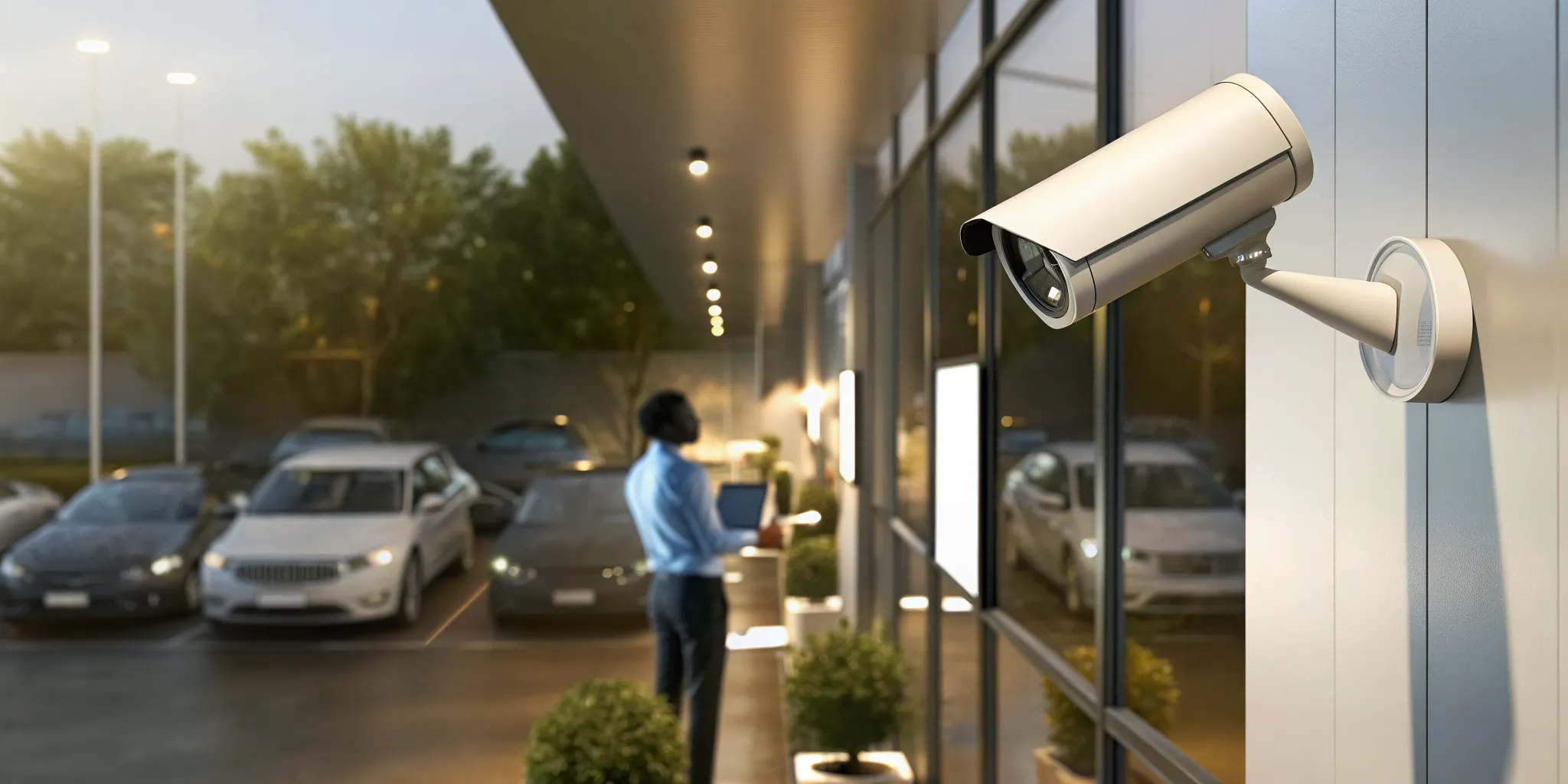
Car Dealership Security Camera System Chicago: Full Guide

A dealership lot can hold millions of dollars in movable inventory, with exposure changing from a busy sales day to a largely unattended property after closing. Effective protection therefore needs more than a few cameras pointed at the showroom. It should help management see activity across the lot, service areas, entrances, and offices, while supporting a fast, informed response.

A car dealership security camera system Chicago businesses rely on should combine high-definition video, wide-area coverage, license plate recognition, and live monitoring. That combination deters theft, documents incidents, and protects vehicles, customers, and staff. When integrated with alarms, access control, and speaker intervention, the system can help verify suspicious activity and address it before a situation escalates.

Get a free dealership security assessment to map your lot and close coverage gaps before theft or damage occurs.

For Chicago dealerships, the first design question is not simply how many cameras to install. It is how the lot’s layout, inventory flow, lighting, and after-hours risks should shape coverage and response.

Why Does a Chicago Car Dealership Need a Security Camera System on Its Lot?

Vehicle theft is not a distant risk for dealerships. The National Insurance Crime Bureau reported that dealership thefts increased by about 60% in 2023, contributing to more than $1 billion in annual industry losses. Chicago has faced its own serious vehicle-theft pressure. Local reporting and competitor research indicate that thefts reached an all-time high in 2023, while early 2024 activity averaged roughly 65 vehicle thefts per day citywide. Those figures should prompt dealership owners to review how well their lots are protected after business hours.

A dealership lot concentrates valuable, movable inventory in a large outdoor area. Vehicles may be spread across customer parking, display rows, service entrances, and rear sections that are difficult for staff to observe continuously. Without clear coverage, thieves and vandals can exploit dark corners, perimeter gaps, or predictable closing routines. A properly designed security camera system can make the property less attractive to criminals while helping management understand what happened when an incident occurs.

Deterrence, evidence, and inventory protection

Visible, well-positioned cameras create a practical deterrent, particularly when they cover vehicle rows, driveways, gates, and other likely approach routes. High-resolution footage can also document suspicious activity, property damage, unauthorized access, and vehicle movement. That evidence may support an internal investigation, an insurance claim, or a report to law enforcement. Clear timestamps, usable night footage, and reliable recording matter more than simply having cameras mounted on a building.

Security cameras also help protect the dealership during ordinary operations. Management can review lot activity, monitor deliveries, and investigate customer or employee safety concerns without relying solely on memory or occasional patrols. Some insurance providers may offer premium discounts of roughly 10% to 20% for secured properties. Eligibility and savings vary by carrier, policy, and system design. Dealership owners should confirm any available incentive directly with their insurance representative.

Lot protection works best as part of a broader security plan that considers lighting, alarms, access points, and response procedures. For a related look at camera planning for commercial retail properties, review this comprehensive retail security guide.

How Does License Plate Recognition Keep Dealership Inventory Accountable?

A dealership lot changes constantly. Vehicles arrive for delivery, move between display rows, leave for test drives, and return to service or storage areas. License plate recognition (LPR) adds an identifying data point to those movements by reading the plate on a vehicle and recording the event in the security system. Modern dealership camera systems can monitor vehicles entering and leaving the property, giving management a searchable record that complements inventory and key-control procedures.

That record is especially useful during test drives. When a vehicle leaves the lot, the plate read can be paired with the time of departure and the designated exit lane. A later read can document its return. If a vehicle does not come back as expected, staff have a starting point for reviewing the related video, confirming which vehicle moved, and determining when it left. The same information can help identify vehicle swaps, unauthorized exits, or activity that does not match the dealership’s normal operating procedures.

Design the camera around the lane, not the whole lot

LPR is not simply a software feature added to any wide-angle camera. The camera needs a narrow field of view aimed at a defined entry or exit lane, where vehicles pass through a predictable capture zone. The installation should account for the approach angle, vehicle speed, lane width, mounting height, and potential glare from headlights or wet pavement. A camera pointed across a broad parking area may show that a vehicle is present, but it may not capture a plate reliably enough to support an investigation.

Resolution matters after dark

High-resolution imaging is necessary to read plate details accurately, including at night. Exposure, infrared performance, lens selection, and positioning all affect whether a plate is legible when headlights, shadows, or low light create difficult conditions. These details make choosing outdoor surveillance cameras an important part of the design rather than an afterthought.

Each read should include a timestamp, vehicle image, and associated video when available. Together, those records establish a clear event timeline. If inventory disappears, a vehicle leaves without authorization, or a theft-of-service allegation requires review, management can move from assumption to verifiable evidence. LPR does not replace good key, employee, or test-drive controls. It gives a Chicago dealership security camera system another accountable checkpoint at the places where inventory crosses the property boundary.

How Do Live Video Monitoring and Virtual Guarding Protect After Hours?

A dealership lot can be difficult to protect after the showroom closes, especially when inventory is spread across large outdoor areas. Live video monitoring adds an active response layer to the security stack overnight. Remote monitoring staff watch for activity in real time, assess what is happening, and respond before a suspicious event becomes theft, vandalism, or property damage.

Security technician monitoring live camera feeds near a car dealership showroom at dusk

What Virtual Guarding Looks Like in Action

Virtual Guarding combines trained remote operators, high-definition cameras, analytics, and two-way audio. When AI-powered human detection identifies a person in a restricted area. The system can alert the monitoring team while filtering out much of the movement that causes traditional motion sensors to trigger unnecessarily. Operators can then assess the live video and use existing speakers or a connected speaker system to address the person directly.

A clear, immediate voice intervention may tell a trespasser that the lot is monitored and instruct them to leave. This proactive step can interrupt behavior before someone reaches a vehicle or building. Because the service can often leverage a dealership’s existing cameras and speaker infrastructure, it may provide a cost-effective alternative or supplement to an on-site physical guard. Learn more about how virtual guarding works before deciding which level of coverage fits the property.

Virtual Guarding is especially useful for rear lots, perimeter areas, and other locations that are difficult for staff to observe after hours. AI-based vehicle detection can also alert the monitoring team to unauthorized vehicle movement, helping operators focus attention on activity that matters instead of watching every frame manually.

When an alarm event occurs, remote staff can verify the situation through video before dispatching police or other emergency services. That verification reduces false dispatches and gives responding authorities useful context about whether a crime may be in progress. Video-verified alarms can also receive priority police response, making accurate detection and rapid communication valuable parts of a dealership’s after-hours plan.

InVision Systems treats Virtual Guarding as a major differentiator because it connects technology with human judgment. Its virtual guarding services can be designed around the dealership’s cameras, lot layout, operating hours, and risk points, creating a more proactive security strategy without requiring a full replacement of existing equipment.

Where Should Cameras Go in a Car Dealership Security Camera System Chicago?

A dealership camera plan should follow how people, vehicles, and valuables move through the property. Proper placement covers showroom entrances, service bays, office access points, lot perimeters, and the rear lot, where inventory can be more vulnerable when visibility and staff presence are limited. A professional security camera system should reduce blind spots without making the showroom feel overly industrial.

A Checklist for Dealership Camera Placement

  • Showroom entrances: Position cameras to capture faces as customers and employees enter, while also viewing the approach to the building. Use discreet, well-finished housings where appearance matters, but do not sacrifice image quality or useful angles. Showroom cameras should balance aesthetic design with high-performance surveillance.
  • Service bays: Cover bay doors, vehicle handoff areas, customer reception points, and the approaches between the shop and office. These views can help document vehicle movement and identify unauthorized access.
  • Office and cash-handling points: Monitor entrances to administrative offices, finance areas, and other locations where keys, records, deposits, or sensitive customer information may be handled. Aim cameras at access paths and transactions without unnecessarily recording private workspaces.
  • Lot perimeter and rear lot: Use overlapping views along fences, gates, drive aisles, and vehicle rows. Include the entire perimeter, not only the customer-facing frontage. Rear-lot access deserves specific attention because inventory may be most vulnerable there.
  • Wide-area lot coverage: Select outdoor cameras with wide-area lenses for broad vehicle-row and perimeter views. Dealership lots also require infrared (IR) night vision so surveillance remains useful in low-light conditions after closing. Review the outdoor surveillance camera guide when comparing weather-resistant equipment.

Wide-angle cameras are appropriate for general lot coverage, but they are not the right choice for every task. Entry and exit lanes used for license plate recognition typically need a narrow-angle camera aimed at the lane with enough resolution and the correct angle to capture plates accurately. Separating these purposes produces more reliable evidence than asking one camera to cover an entire driveway and read plates at the same time.

Before installation, walk the property after dark and during the busiest service periods. Check glare from showroom glass, headlights, lighting changes, obstructions from parked vehicles, and areas where landscaping or signage may create shadows. The final layout should combine performance, maintainability, and a clean customer-facing appearance.

Request a free lot walkthrough and camera design recommendation for your dealership today.

Why Does a Dealership Security System Need to Work Together as One Layer?

A dealership needs more than a collection of camera views. Cameras document activity, but they do not necessarily control who enters a service area, identify an alarm as a real threat, or help a manager review an incident across several properties. A coordinated system connects detection, verification, access control, recording, and response so each layer strengthens the next.

Why Integration Outperforms Standalone Cameras

How dealership security layers compare
Approach What it provides Where it falls short
Cameras only Visual evidence and the ability to review recorded activity. Cannot independently restrict access or verify an alarm in real time.
Cameras + alarm monitoring Video coverage paired with alarm notification and monitored response. Access permissions and incident workflows may remain separate.
Fully integrated Cameras, access control, alarms, and remote monitoring working from one security strategy. Requires professional design, installation, network planning, and ongoing support.

For example, integrated access control systems can restrict and record entry to service bays and administrative offices. When a credential is used, management can associate the access event with nearby video. That creates a more useful audit trail than either a badge report or a camera clip alone.

Video-verified alarms add another important layer. Monitoring personnel can review an alarm event through the camera system before emergency services are dispatched, helping distinguish an active intrusion from an animal, weather event, or equipment issue. With remote monitoring, a trained operator may also use speaker intervention to address an unauthorized person in real time. High-definition cameras with human detection can help reduce false alarms compared with basic motion sensors.

The infrastructure behind the system matters just as much as the devices. A dense camera network generates substantial video traffic, so structured cabling should be designed to support high-bandwidth transmission and dependable recording. In a multi-location operation, cloud-based surveillance and video management software can give authorized managers one interface for viewing sites and searching for specific incidents quickly. The right security camera systems should be planned as part of that complete architecture, not installed as isolated equipment.

InVision Systems designs, installs, and supports integrated security stacks for Chicago-area dealerships, with experience serving clients including Martin Nissan, Webb Chevy, and Napleton’s Northwestern. That end-to-end approach helps dealers protect inventory, staff, customers, and facilities with technology that works together.

Frequently Asked Questions

What features matter most in a dealership camera system?

Prioritize high-resolution video, dependable low-light performance, wide coverage of the lot perimeter, and clear views of entrances, service bays, offices, and rear access points. AI-based human or vehicle detection can help distinguish meaningful activity from routine motion. A searchable video management platform, secure storage, and integration with alarms or access control make incidents easier to verify and investigate.

Can license plate cameras read plates at night?

Yes, when the system is designed for the entry and exit lanes. License plate recognition works best with high-resolution cameras, suitable illumination, and a narrow viewing angle focused on the vehicle path. A general-purpose camera pointed across a large lot may not produce reliable plate details, so placement and calibration should be part of the design.

How does live video monitoring protect a dealership after hours?

Live monitoring can combine AI detection with trained human verification. When an unauthorized person or vehicle is detected, a remote specialist can assess the event and use connected speakers for real-time voice intervention. The team can also verify an alarm before emergency dispatch, helping reduce false alarm responses while creating an active deterrent.

How long should a dealership keep surveillance footage?

There is no single retention period that fits every dealership. The right period depends on camera coverage, storage capacity, incident-response needs, insurance requirements, and applicable policies or regulations. Ask your integrator to document retention settings, protect recordings from unauthorized access, and confirm that footage can be quickly searched and exported when an incident occurs.

Design Your Chicago Dealership Security System With a Team That Knows the Lot

Every dealership lot has its own layout, inventory flow, and after-hours risks. A system built for one property does not automatically fit another. InVision Systems designs, installs, and supports integrated camera, access control, and alarm systems, plus remote monitoring for Chicago-area auto dealers, with experience serving clients including Martin Nissan, Webb Chevy, and Napleton’s Northwestern.

Schedule a free dealership security assessment to map your lot, review coverage gaps, and get a recommendation that fits your budget. Contact the InVision Systems team today to talk through your options and get a plan for protecting your inventory around the clock.

Warehouse Security Camera System for Distribution Centers

A distribution center can be busy, well lit, and staffed during the day, yet still have blind spots around high-bay storage, loading docks, restricted rooms, and exterior approaches. Security planning has to account for how the facility actually operates, not simply add cameras wherever power is available.

A warehouse security camera system should combine strategically placed surveillance with access control, alarms, and monitoring. This gives security teams the ability to see activity, verify who is entering sensitive areas, and respond to problems before they affect inventory or operations.

For large industrial facilities, the right design begins with a practical review of ceiling heights, lighting, traffic patterns, doors, and valuable inventory. That assessment determines where high-resolution coverage is needed, which camera technology fits each space, and how the system should connect with controlled access and response services.

Designing a Warehouse Security Camera System for Large Facilities

A large warehouse needs more than a few cameras pointed across the main floor. The system should be planned around the building’s layout, workflow, storage configuration, and highest-risk points. The average U.S. warehouse exceeds 15,000 square feet, so a camera plan must deliver useful coverage across high-traffic and high-risk areas. A security camera system for your warehouse should be designed to support clear identification, dependable oversight, and practical day-to-day operations.

Why placement matters in high-bay facilities

High ceilings and varying lighting conditions make warehouse camera placement especially important. A camera mounted too high or aimed across a bright loading-door opening may produce a broad image that offers little useful detail. Racking, suspended equipment, columns, and changing daylight can also create blind spots or reduce visibility at the exact locations where activity needs to be reviewed.

Design begins with a coverage map. The installer should identify entrances, employee and visitor access points, aisles, picking areas, inventory storage, packing stations, loading docks, and other high-traffic zones. Cameras can then be positioned and angled to reduce overlapping blind spots while preserving the view needed for identification. Lighting should be evaluated at different times of day, not just during a single walkthrough.

HD-TVI cameras can be a practical option when a facility has compatible coaxial infrastructure and needs a focused upgrade without replacing every cable. They can provide high-definition coverage for indoor areas while fitting into an existing system design. IP cameras use network cabling and can offer greater flexibility for camera placement, expansion, and integration with other network-based security tools. The right choice depends on the warehouse’s existing wiring, network capacity, desired resolution, and future expansion plans.

Large facilities often benefit from combining camera types instead of forcing one technology into every location. A detailed design can match cameras to aisle views, wide open spaces, entrances, and areas where close visual detail matters. That planning helps the camera investment remain useful for both security investigations and operational oversight.

This approach has worked for manufacturers and industrial operators across the region. InVision Systems has installed camera and security systems for clients such as Woodharbor Doors and Hyson USA. Woodharbor asked for dependable coverage across multiple plants, while Hyson valued a project handled with professionalism from start to finish. The same planning discipline that guided those industrial jobs applies to distribution centers of nearly any size.

Access Control for Restricted Zones and Inventory Storage

A warehouse does not have the same security needs in every part of the building. Reception areas, employee entrances, inventory aisles, high-value storage, and loading docks each present different risks. Access control creates boundaries around those areas so authorized employees, contractors, and visitors can enter where they belong, while sensitive zones remain protected.

For example, a facility can require credentials for entry to a high-value inventory cage, limit dock access to shipping staff, or assign temporary credentials to a contractor that expire after a scheduled project. These controls help reduce opportunities for inventory theft and make it easier to identify unusual access activity. They also support accountability when several shifts, vendors, and delivery teams use the same facility.

Control entry where inventory changes hands

Loading docks deserve special attention because products move between the warehouse, delivery vehicles, and outside personnel. An access-controlled dock door can restrict entry to approved users instead of relying on an open doorway or shared key. Pairing that credential event with a camera view gives managers useful context: who entered, when the door opened, and what was happening around the transaction.

The same approach applies to receiving offices, returns areas, tool rooms, and inventory storage zones. Access permissions should reflect job responsibilities, not simply convenience. A warehouse employee may need access to a picking area but not to a cage containing high-value equipment. Reviewing permissions regularly is important when employees change roles, leave the company, or when temporary workers finish an assignment.

Connect access events with video and alarms

Access control is most effective when it works with the rest of the security system. Comprehensive warehouse security integrates surveillance, access control, and alarm systems into a unified platform, supporting both protection and logistics management. When a forced door, invalid credential, or after-hours entry occurs, the system can connect the event to relevant video and alert responsible personnel.

This integrated approach also supports supply-chain continuity. U.S. Customs and Border Protection identifies robust physical access controls as a supply-chain security best practice because protecting facilities helps prevent costly interruptions to trade. For a warehouse evaluating an access control system for restricted zones, the goal is not to slow daily work. It is to make authorized movement efficient while creating a clear barrier around inventory and operationally sensitive areas.

Integrating Monitoring and Virtual Guarding Into Daily Operations

Warehouse surveillance becomes more useful when it supports daily decisions, not just post-incident investigations. Intelligent monitoring can help teams watch entrances, aisles, staging areas, and loading activity while maintaining a clearer view of what is happening across a large facility. High-resolution surveillance is valuable for both security and operational oversight, particularly where managers need dependable visual information from busy or widely distributed areas.

Virtual Guarding adds a human response layer without requiring a guard to be physically stationed at the property. The service can use the warehouse’s existing camera infrastructure, which may make it a cost-effective way to supplement or replace some traditional guard coverage. AI detection helps identify potential human activity, while trained remote personnel can assess the event and respond according to the site’s procedures. For additional background, see this guide to virtual security guards.

AI human detection and live voice intervention

AI human detection can help distinguish a person entering a monitored area from routine movement that does not require attention. That distinction is especially useful around restricted storage, after-hours entrances, and zones that should be empty during certain operating periods. The system can route relevant activity to a remote monitoring team for review instead of treating every camera event as an emergency.

When intervention is warranted, live voice communication through connected speakers gives the remote operator a way to address the situation immediately. A clear announcement can challenge an unauthorized person, direct a driver or visitor to a designated area, or tell someone that the property is being monitored. This proactive response may deter unwanted activity before it becomes theft, trespassing, or an operational disruption.

Virtual Guarding can also be tailored to warehouse workflows. Monitoring protocols may prioritize alarm events, movement near sensitive areas, or activity outside approved schedules. InVision Systems can evaluate the camera views, speaker placement, detection rules, and escalation steps together through its virtual guarding service. The result is a coordinated approach that supports site security while giving warehouse leaders better visibility into daily operations.

Protecting the Perimeter and Loading Docks

A warehouse can have strong interior coverage and still leave important exposure outside the building. Perimeter areas, vehicle entrances, employee parking, fencing, and approaches to the property should be included in the camera design. Effective warehouse security extends beyond the walls to help identify unauthorized access before someone reaches inventory, equipment, or staff.

Outdoor-rated cameras are built for changing weather, temperature shifts, dust, and variable lighting. Their placement should account for the distance from the building, mounting height, available light, and the direction people and vehicles travel. A carefully designed system can monitor gates, corners, drive lanes, and other approach points without creating unnecessary overlap or blind spots. InVision’s outdoor surveillance cameras guide provides additional information about features to consider for exterior coverage.

Loading docks need focused coverage

Loading docks are particularly important because goods, drivers, vendors, and employees converge there throughout the day. Cameras should provide useful views of dock doors, trailer positions, staging areas, and the paths between the dock and interior storage. The goal is not simply to record activity. It is to create a clear visual record of who approached a dock, which vehicle was present, and when materials moved through the area.

Camera angles should minimize obstruction from trailers, raised doors, forklifts, and stacked pallets. Dedicated views may be needed for dock approaches and close-range activity, while wider views can show movement across the yard. Nighttime performance also matters, since exterior lighting and vehicle headlights can change what the camera captures. Outdoor coverage is most useful when the image remains identifiable in the conditions the facility actually experiences.

Perimeter and dock cameras can also support daily operations by helping teams review delivery activity, investigate damaged shipments, and resolve disputes. When surveillance is connected with access control and alarms, an unusual event can be evaluated in context instead of as an isolated video clip. That coordinated design gives warehouse leaders a more complete view of activity from the property line to the storage floor.

Stopping Inventory Theft With Intelligent Surveillance

Inventory theft is easier to investigate when a camera system captures more than a vague movement in the distance. High-resolution surveillance can help maintain security while improving operational oversight, giving warehouse leaders a clearer view of activity around merchandise, staging areas, and employee work zones. It also creates a visible deterrent. When cameras are positioned where people can see them and footage is available for review, the opportunity for unnoticed removal becomes less attractive.

Coverage must follow the way inventory moves through the facility. Large warehouses average more than 15,000 square feet, so a few cameras aimed at broad open areas will leave important gaps. Systems should be designed around high-traffic aisles, picking and packing stations, pallet staging areas, and storage locations where valuable or frequently handled products are concentrated. The goal is not simply to install more cameras. It is to produce usable coverage at the points where loss is most likely to occur. Careful warehouse camera planning helps align coverage with high-traffic and high-risk zones.

Detail that supports identification

Camera resolution matters when a supervisor needs to review an incident and identify what happened. HD-TVI cameras can provide detailed video over existing coaxial infrastructure, making them a practical option for some warehouse upgrades. Depending on the facility and its cabling, an installer may position HD-TVI cameras to capture faces, labels, package handling, or movement through an aisle without requiring a complete infrastructure replacement. Camera selection should still account for mounting height, lighting, viewing angle, and the distance to the subject.

For a more complete plan, combine clear video with appropriate recording, retention, and review procedures. A well-planned camera deployment should help answer who entered a zone, when an item moved, and which route activity followed. InVision Systems can evaluate the layout and recommend a security camera system for your warehouse that supports both theft prevention and day-to-day oversight.

Choosing the Right Warehouse Security Camera System

The right camera platform depends on the facility’s construction, existing wiring, viewing distances, lighting, and how much integration the operation needs. Large warehouses often average more than 15,000 square feet, so a reliable design should prioritize high-traffic and high-risk zones rather than simply adding cameras wherever cable is convenient. See our business security systems with cameras for a broader look at commercial camera planning.

HD-TVI vs IP cameras at a glance

Warehouse camera and access-control options
Option Best for Strengths Notes
HD-TVI cameras Facilities with existing coaxial cabling or a phased upgrade plan. High-definition video over familiar cabling, with practical coverage for aisles, dock approaches, entrances, and other indoor areas. Confirm cable condition, power requirements, recorder capacity, and viewing distance during the site assessment.
IP cameras New construction, network-ready facilities, or sites needing flexible expansion. Network-based deployment, easier scalability, and strong support for detailed views across broad warehouse spaces. Plan network bandwidth, storage, power, and cybersecurity as part of the camera design.
Camera plus access control Restricted inventory rooms, offices, server areas, employee entrances, and receiving zones. Connects a recorded view with permission-based entry, helping teams review who accessed a sensitive area and when. Add when cameras alone cannot control entry or when accountability around high-value goods matters.

HD-TVI and IP are both viable choices for large indoor spaces. The better fit is determined by the building and the operational objective, not by the label on the camera. High ceilings and changing lighting conditions can make placement and image quality difficult, so the design should account for mounting height, aisle sightlines, glare, shadows, and identification needs. These considerations are especially important where a distant overview is not enough and the team may need usable detail at a doorway, workstation, or loading point.

Access control becomes the logical addition when the security objective includes preventing unauthorized entry, not just documenting it. Pairing cameras with controlled doors can create a more complete record around restricted zones and inventory storage. A unified platform that connects surveillance, access control, and alarms can also support security response and logistics management instead of leaving each system as an isolated record. A professional assessment can compare the reuse of existing infrastructure with the long-term flexibility of a networked design. Then place coverage where it supports both protection and daily warehouse operations.

Frequently Asked Questions

Which camera is best for a warehouse?

The right camera depends on ceiling height, lighting, viewing distance, and the area being monitored. IP cameras offer flexible network-based placement and high-resolution views, while HD-TVI cameras can be a practical choice when using existing coaxial infrastructure. A professional design should match each camera to aisles, inventory areas, entrances, and loading docks rather than use one model everywhere.

How much does a commercial security camera system cost?

There is no responsible flat price because cost changes with facility size, camera count, resolution, storage, lighting conditions, access control, alarm integration, and monitoring. A site assessment can identify priority zones and separate essential coverage from optional additions. That approach produces a system aligned with operational risks instead of an underbuilt installation that leaves blind spots.

Are there cameras in warehouses?

Many warehouses use cameras to monitor entrances, aisles, inventory storage, shipping areas, and perimeter approaches. Coverage should be planned around high-traffic and high-risk locations. The average US warehouse is more than 15,000 square feet, so camera placement and coverage design matter when protecting a large facility. Source.

Why does a warehouse need a reliable security camera system?

Reliable surveillance helps deter unauthorized activity, document incidents, and improve visibility into daily operations. It becomes more effective when integrated with access control and alarms, allowing a facility team to connect video with restricted-area access or an alert. Remote monitoring and AI detection can add timely human intervention when an event requires attention.

Ready to strengthen your warehouse security?

A security assessment can help your team identify coverage gaps across cameras, access points, loading areas, and other priority zones. InVision Systems can review your facility and recommend a practical approach for your distribution center. Contact InVision Systems to schedule your free warehouse security assessment.