
Hotel Security Camera Systems: A Complete Guide for Owners

A single guest room theft can quickly destroy a hotel’s good name and drive away future bookings. Busy lobbies, dark halls, and quiet parking lots need constant watch to keep guests and staff safe.

Hotel security camera systems are the central backbone of modern hotel safety, protecting guests, staff, and property from theft and damage. These systems use sharp HD cameras to monitor busy areas like lobbies, front desks, and parking lots in real time. According to National Park Service guidelines, putting cameras at cash registers and main doors is vital to stop theft and keep people safe. By pairing these cameras with smart software and remote watch services, hotel owners can spot risks early, prove what happened, and build guest trust. This complete guide shows you how to design a custom security network that meets the unique layout, size, and safety needs of your hotel.

How do you plan a security layout that protects your hotel without ruining the guest experience? Start with your lobby and entrances. That is where every guest’s first impression meets your first line of defense.

Ready to protect your hotel? InVision Systems designs custom surveillance solutions for properties of every size. Call 773-733-0970 for a free on-site consultation.

Lobby, Entrances, and Common Areas

Lobby and reception coverage

A hotel lobby is a busy space where guests check in and meet with friends. This constant flow of people makes the lobby a main area for risk. To protect everyone, you will need hotel security camera systems. These tools monitor guest actions and protect hotel assets.

Security cameras also help lobby staff manage daily work. Reception workers can see when a long line forms at the desk or when the lobby gets too crowded. This real-time view lets managers send more staff to the desk quickly, which cuts down guest wait times and improves service.

Interior layout design plays a big role in guest comfort, so you do not want bulky security gear to ruin the room look. Because of this, installers use small dome-shaped cameras on the ceiling. A public interior safety plan suggests dome cameras that measure about 4 inches in diameter. These compact tools blend into the ceiling and do not bother your guests.

Front desk and point of sale security

The front desk is where hotel staff handle guest cash and card details. This area faces key risks from theft and disputes. Cameras must monitor registers to stop loss. Strategic camera placement helps you track every card payment and cash drop.

A clean look at the front desk also builds guest trust. To keep wires out of sight, technicians run cables through the crawl space above the ceiling. This hidden wiring keeps the lobby clean and protects cables from tampering.

  • Point of sale registers to track all cash payments.
  • Key card holders to see who gets room access keys.
  • Safe deposit boxes to protect guest valuables.

Main entrance and exit monitoring

Entrances and exits are key zones for any security system. You must capture clear video of everyone who walks into the building. Competitor systems like Lorex use wide-angle lenses to cover these doors. For example, a 180-degree field of view lets you see the door and the sidewalk at the same time.

Entrances often face lighting challenges because of bright sun or dark night. To capture clear faces, your cameras need good wide dynamic range technology. This feature balances bright and dark spots in the video. It ensures that glare from glass doors does not blind the camera when guests enter.

Good door coverage helps you verify who comes and goes. This clean setup stops outsiders from slipping into guest rooms. It also gives you clear evidence if an incident occurs near the door. By placing cameras at high-traffic exits, you secure the first line of defense for your hotel.

Parking Lots and Exterior Perimeters

The outer parts of a hotel have clear safety risks. Dark parking lots, busy loading docks, and remote paths can attract crime. You must keep these spots safe. Setting up strong hotel security camera systems in these spaces is crucial for your guests.

Securing Guest Vehicles and Loading Docks

Your parking lot is the first space a guest sees when they arrive. It must be safe. To keep guests safe, hotels must use smart camera placement for back-of-house and outer areas. You need to watch spots like loading docks and side exits.

This strategy is shown by a security project on the National Park Service website. These spots are busy. Thieves can target cargo or unwatched luggage in these zones if no cameras are present. Clear views protect your assets and guests.

Basic retail systems from brands like Lorex often focus only on simple zone coverage for parking lots. But hotels need a more robust setup. You must watch every driveway, fence line, and loading bay to see every car. Staff can then check damage claims with solid proof.

Weatherproof Cameras and Smart License Plate Tech

Outdoor cameras must withstand harsh weather. Chicago winters bring heavy snow, strong wind, and freezing cold that can destroy standard gear. Rain and heat also ruin cheap hardware in these outer zones. You need rugged, waterproof cameras with strong metal cases to resist both storms and vandals.

Smart tools help you track cars. License plate recognition cameras read and log plates as vehicles enter the lot. Your staff gets an alert if a banned car enters, helping them stop banned people before they ever reach the lobby. This tech also settles parking lot disputes.

Lighting Integration and Remote Patrols

Cameras work best when they sync with outdoor lights. Motion sensors can trigger bright floodlights when someone enters a dark zone. This sudden flash scares off intruders and gives your cameras a clear, full-color view. Standard black-and-white night views often miss key details like clothing color.

To boost safety, hotels can use virtual guarding services to watch their outer areas after hours. This AI service spots threats along fences and in dark corners. If a threat is found, a live guard can speak through outdoor speakers to warn intruders to leave. This stops crime before it starts, keeping your property safe all night long.

Back-of-House Security: Kitchens, Storage, and Staff Areas

Guests only see the public areas of a hotel, but the busiest zones are behind closed doors. Keeping these spaces safe is a major challenge for any hotel brand. Setting up modern hotel security camera systems in back-of-house areas helps protect valuable goods and keeps staff safe. These tools give security teams full sight of zones where guests do not go.

Inventory protection in storage and retail spaces

Storage rooms, loading docks, and gift shops hold thousands of dollars in goods. Without eyes on these spots, stock can disappear with no trace. Strategic camera placement helps maintain safety and security across the site. This setup watches key back-of-house areas, including kitchens, bars, and gift shops. Placing cameras near stock shelves and cash registers stops theft from the outside and the inside. It also ensures that every shipment at the loading dock is fully tracked.

Staff safety and accountability in busy work zones

Kitchens and bars are fast-paced work zones with constant movement. Hot surfaces, sharp tools, and wet floors create risks for staff. Installing a professional business security camera system in these spots improves worker safety. If an injury or accident happens, managers can review the footage to see what went wrong. This helps the hotel team make shifts safer and stop future mishaps.

These cameras also help keep staff accountability high. When workers know that cameras cover key work areas, they are more likely to follow proper safety and service rules. This cuts cash drawer shortages at the bar and stops food waste in the kitchen. Clear standards lead to better work and fewer disputes during busy shifts.

Verifiable evidence for incident resolution

Even with the best training, issues will occur behind the scenes. Broken dishes, lost keys, and staff arguments can disrupt daily tasks. HD security cameras integrated into a hotel-wide network provide verifiable evidence of security incidents and support staff accountability. When a problem comes up, managers do not have to rely on guesswork or conflicting stories. They can look at the HD video to find the truth.

Having clear proof protects the hotel from false claims. It can show if a worker followed safety steps during a fall, or if a vendor actually brought the right amount of goods. Linking these cameras to a single network allows hotel leaders to check live feeds from any device. This proactive style turns a simple camera setup into a complete safety system.

Integrating Access Control with Surveillance

A modern hotel needs more than just video recording to keep its property safe. When you link door sensors and smart locks to your hotel security camera systems, you build a better shield for your guests. This pairing lets your team see who enters a room in real time and find security issues before they grow.

Camera verification of door entry events

When a guest or staff member taps a key card at a restricted door, the event is saved in a log. But a card tap only tells you that a card was used, not who used it. By linking video with door sensors, a nearby camera can turn toward the entrance on its own. This helps you check that the person with the card is the real owner. High-definition cameras in a hotel network give verifiable evidence of security incidents to stop card sharing and theft.

Audit trails and visitor tracking

Linking cameras with access control systems makes guest check-ins and staff shifts easier to track. The software pairs each door activity log with a video clip. If a door is left propped open or opened by force, the system alerts your team and shows the live video feed. This helps managers track staff work and guest safety in back-of-house areas like offices, kitchens, and supply rooms.

Access Method Key Benefit Core Risk Camera Integration
Key Cards and Fobs Low cost to buy and hand out to guests. Cards can be lost, stolen, or shared. Cameras capture video when doors open.
Biometric Scans Very high safety because prints cannot be shared. High setup costs and privacy worries for guests. Cameras check the scanner area for tailgating.
Mobile App Access Easy for guests to use on their own phones. Depends on phone battery and Bluetooth range. System tracks phone ID and records entry.

Securing restricted hotel zones

A hotel has many areas that guests should not enter, like laundry rooms and server rooms. Setting up smart locks on these doors keeps guests out and protects key assets. Connecting these locks to your cameras creates a strong barrier. If an unapproved person tries to enter a restricted area, the system logs the attempt and flags the video for review.

Virtual Guarding: AI-Powered Remote Monitoring for Hotels

Many hotels now face high costs to keep their sites safe. Standard guards can only watch one spot at a time. This is where remote monitoring helps. Known as virtual guarding services, this tool works to boost your team. It connects on-site cameras with smart software. This layered path blends real staff with camera tools to stop threats before they start.

How virtual guarding works

Virtual guarding does not need you to buy new gear. Instead, it works with your current hotel security camera systems. This setup uses smart software to find human shapes or cars in restricted zones. When the software spots a threat, it alerts off-site guards. These remote agents can use cloud-based surveillance features to see the live feed right away.

Once the agent gets an alert, they look at the live video to verify the threat. This process stops false alarms and helps get fast police help if needed. The smart tools watch your parking lots, side doors, and back exits. This means your hotel has active eyes on all key spots day and night.

Comparing virtual guards with physical guards

Choosing the right safety plan is a main goal for hotel owners. To make the best choice, you must balance cost with how much of your site you can protect. While physical guards can only be in one spot at a time, remote camera tools can watch every corner at once. Any safety plan must also balance guest privacy with needed protection, as noted by the National Park Service.

Feature Physical Security Guards Virtual Guarding Services
Monthly Cost High hourly rates per guard. Up to 60% lower than physical guards.
Site View Limited to one area at a time. Full view of all cameras at once.
Response Time Delayed by foot patrol speed. Instant alerts with voice warnings.
System Growth Requires hiring more staff. Easy to add more camera feeds.

Core benefits for hotel safety

One big benefit of virtual guarding is real-time voice intervention. Remote agents can speak through on-site speaker systems to stop intruders. If a trespasser enters a restricted zone, the agent can issue a direct voice warning. This fast action stops crimes before they occur, keeping your staff and guests safe.

Standard guard services are costly and can have gaps in coverage. In contrast, virtual guarding gives you full, constant site checks for a fraction of the cost. Because the system runs on reliable network setups, you never have to worry about missed shifts or late patrols. It is an on-time, on-budget way to secure your entire hotel property.

Privacy Compliance and Guest Trust

Hotels must protect their guests and staff, but they must also respect guest privacy. Finding the right path is key to building trust. When you set up hotel security camera systems, you must weigh guest comfort against active safety needs. High safety should not get in the way of a warm and calm stay.

Legal lines for hotel cameras

State and local laws set clear rules on where you can and cannot put cameras. Guests have a legal right to privacy in rooms and bathrooms. This means you must never place cameras in any private guest zones. Instead, keep your lenses focused only on public spaces. These spaces include lobby desks, hallways, and stairs.

When you plan the layout, you should work with experts to avoid risk. A smart business security camera system helps you meet all local codes. This ensures that you stay on the right side of the law. Keeping your system within the law prevents lawsuits and protects your hotel from big fines. Most of all, it shows guests that you value their safety and their rights.

You should also think about staff zones. Break rooms and back desks need a soft touch. While you want to stop loss, you must not make your staff feel watched at all times. Set clear rules for who can view the live video feeds to build a strong, honest workplace.

Clear signs and guest comfort

Clear signage is a major part of meeting the law. Most states require hotels to tell guests when cameras are in use. You should post clear signs at all main entry points and lobbies. A simple, polite note is enough to meet the law while keeping guests at ease.

Placing signs in clear view helps stop crime. When bad actors see that a hotel has active cameras, they are much less likely to commit a crime. At the same time, honest guests feel more at ease because they know you are taking safety steps. This turns a legal rule into a tool that builds guest trust.

By using simple signs, you respect your guests and show that you care. It is a smart way to run your business and keep everyone safe.

Case Study: The Drake Hotel, Chicago

Historic hotels in Chicago face a tough task because they must keep guests safe while guarding their classic look. Setting up modern hotel security camera systems needs special care. Standard mounting and exposed wires can ruin the design of a vintage building. A bad setup can soon turn a grand lobby into an eyesore.

Preserving Historic Architecture

The National Park Service states that changes to historic spaces should be kept small to protect old materials (NPS Guidelines). Security teams cannot just drill holes into plaster or run wires along grand walls. Instead, they must hide the wires in crawl spaces above the ceiling. This keeps the cameras out of sight while still giving a full view of the rooms.

Using modern dome cameras helps solve this problem. These small, ceiling-mounted units blend into the room. They give a clear view without drawing the eye away from historic features. This smart design choice keeps the space safe while keeping its look intact.

The Four-Step Implementation

InVision Systems used a structured path to install 17 HD cameras at The Drake Hotel in Chicago. Our commercial security experts handled every phase of the project with care. We made sure that each step of the setup matched the strict rules of the historic venue.

  1. On-site survey: Firm owner Raz Meliach walked the historic hotel himself to find security risks and blind spots.
  2. Custom layout design: The team made a plan for 17 cameras to watch the lobby, doors, back-of-house spaces, and parking zones.
  3. Careful setup: Techs set up the cameras on time and on budget while keeping guest noise low and saving old decor.
  4. Staff training and care: Techs trained the hotel staff to run the new system and offered ongoing help.

Results and Feedback

The project at The Drake Hotel shows how custom design makes hotel security camera systems work without hurting the guest stay. J. Pickett from The Drake praised the work, saying that our coordination and planning was nothing short of excellent. By choosing a custom plan, the hotel got total site safety while keeping its historic Chicago charm. Now, the staff can watch all high-traffic spots with ease.

Frequently Asked Questions

Can hotels upgrade existing analog cameras to an IP security system?

Yes, hotels can upgrade to modern IP systems without replacing all of their old cables. Using hybrid video recorders or special converters lets you run high-definition cameras over your current wiring. This hybrid approach helps hotel owners get smart video features and remote viewing while saving money on setup costs.

Is it legal to put security cameras in hotel hallways?

Yes, hotels can legally place cameras in hallways, lobbies, stairwells, and other public areas. Guests do not have a legal right to privacy in these shared spaces. However, cameras are strictly banned in private areas like guest rooms and restrooms. The National Park Service recommends balancing guest safety with building design to protect the property’s look.

How does virtual guarding help hotels reduce security costs?

Virtual guarding uses smart cameras with AI to watch your property in real time. Instead of paying for guards to walk the site, remote security pros monitor your cameras. They can use live speakers to talk to people on site and stop crime before it happens. This smart setup keeps your guests safe at a fraction of the cost of physical guards.

What are the best locations for hotel security camera systems?

Hotels should install cameras at all lobbies, guest entrances, exits, and elevators to track everyone who enters the building. It is also important to cover cash desks, parking facilities, and loading docks. For indoor areas, ceiling-mounted dome cameras work best to monitor the site without making guests feel uncomfortable.

Ready to upgrade your hotel security camera systems?

Leaving gaps in your hotel surveillance can cost you. Theft, property damage, and guest safety issues can hurt your business overnight. When you act now, you protect your staff and keep your hotel safe. Do not wait for a major incident to happen before you take action.

We design custom security camera systems for Chicago area hotels. Our team will look at your property and find the best camera spots. You will get clear views and peace of mind on a budget that works for you. Our experts make sure the install is done on time and on budget. We also offer ongoing support to keep your system running without any issues.

Ready to secure your property? Call 773-733-0970 to schedule a free on-site security consultation.
How Do Virtual Security Guards Work? A Complete Guide for Commercial Properties

Business property theft often happens because standard security systems react too slowly to stop crimes. Virtual guarding changes this by using live video to stop intruders. This active approach keeps your business safe without the high cost of on-site staff.

How do virtual security guards work is the question at the heart of modern business protection. These systems use AI models to find problems in real-time video and alert remote experts who use audio to speak to intruders. This live talk-down audio bridges the gap between basic alarms and physical guards while tracking movement across many cameras to prevent blind spots. This system provides constant protection that is more stable and costs less than hiring a full team of on-site staff.

While the tech sounds complex, the goal is to keep your site secure. Understanding What Is a Virtual Security Guard? is the first step in learning how this solution helps your business. The path begins with seeing how these systems work.

How Do Virtual Security Guards Work: What Is a Virtual Security Guard?

A virtual security guard is a remote watching service that uses live video and AI to protect sites. Unlike a physical guard who walks a beat, these experts watch your site from a remote work center. They use high-clear cameras and smart tools to spot threats as they happen. This setup allows for 24/7 safety without the high cost of on-site staff. Many firms now use virtual security guard services in Chicago to secure their assets well.

A bridge between alarms and guards

Old alarm systems are slow to act. They only go off after a door is forced open or a glass pane is broken. By then, the crime is already in progress. Virtual guards change this by acting fast. These systems bridge the gap between old alarms and human security through real-time verbal intervention. When a system finds a threat, a remote expert can speak directly to the person on-site. This fast response often stops a crime before any damage occurs.

The main goal is to stop crimes, not just record them. Per industry experts, this path provides real-time verbal intervention that old sensors cannot offer. By using two-way audio, a remote guard can warn a trespasser that they are being watched. Most crooks will flee as soon as they know a live person is watching their every move.

Smart technology and AI alerts

New virtual guarding relies on smart vision tools. These tools watch every camera feed at once to look for signs of trouble. AI models can automatically find objects in live video and send alerts when they find an issue. This tech helps human monitors focus on real threats rather than false alarms like wind or stray pets. The Department of Homeland Security notes that these AI tools help people stay aware of events in real time.

This speed is vital for business sites. An AI system never gets tired and never blinks. It can watch many cameras for hours with the same level of care. When the tool sees a person where they should not be, it flags the event for a human guard. This mix of tech and human skill makes the system much faster than a person watching a wall of screens alone.

The role of the remote guard

While the tech is smart, the human part remains key. When an alert is sent, a trained pro reviews the live video feed. These guards act on alerts triggered by smart person detection tools on your cameras. They can quickly tell if a person is a staff member or a thief. If they see a crime, they can call the police and give live updates. This video check ensures that police treat the call as a priority.

Remote guards also handle daily tasks. They can perform virtual tours of a lot or check that all doors are locked at night. They can even escort staff to their cars via camera to make sure they are safe. This level of care gives owners peace of mind. It ensures that a pro is always looking out for their team and their site.

How Virtual Security Guards Work: A Step-by-Step Breakdown

Virtual security guarding combines smart tech with human skill. It turns your cameras into active tools that stop crime before it starts. This approach uses a clear set of steps to keep your site safe at all times.

Initial detection and AI analysis

The process starts when smart cameras detect motion on your land. Modern AI models automatically identify objects in live video to find strange activity. These tools use person detection to spot intruders while ignoring small animals or wind.

When the system finds a person, it sends a real-time alert. This speed allows for a fast response that manual checks cannot match. By using live security camera monitoring, the system ensures that every threat gets seen the moment it occurs.

Remote guard assessment and intervention

Once the AI flags an event, a live specialist takes over. These trained intervention specialists work from remote centers to review the video feed. They look at the live footage to confirm if the person is a real threat or a staff member.

If the specialist sees an intruder, they act fast. They use two-way audio to speak directly to the person on your site. This “talk-down” alert warns the intruder that they are being watched and that police are on the way. Most criminals flee once they realize a live person is watching them.

  1. Motion Detection: Cameras with sensors pick up movement in restricted areas after hours.
  2. AI Classification: The system looks at the video to confirm a human presence and filters out false alarms.
  3. Alert Trigger: A signal goes to a remote center for a guard to review in real time.
  4. Live Assessment: A remote guard views the live video feed to judge the level of the threat.
  5. Verbal Intervention: The guard speaks over site speakers to tell the intruder to leave the area.
  6. Emergency Dispatch: Guards call the police with video proof to ensure a fast and priority response.

Ongoing site protection and tours

Beyond responding to alerts, virtual guards provide constant care. They perform remote guard tours by checking cameras at set times to ensure all areas are secure. This keeps your site safe without the high cost of an on-site team.

Guards also help with daily tasks like opening and closing escorts. They watch staff enter and leave the site to make sure they are safe. This proactive care builds a full wall of safety around your business day and night.

The Technology Behind Virtual Security Guard Systems

Modern security relies on a mix of smart hardware and software to keep sites safe. To understand how do virtual security guards work, you must look at the tools they use. High-definition IP cameras, motion sensors, and two-way audio systems act as the eyes and ears for remote guards. These parts work together to create a full security net that covers every corner of a site.

Smart Cameras and AI Analytics

Advanced IP cameras capture clear video in any light. Some units offer a full view or can read license plates and faces from far away. These cameras use AI models to find objects and send real-time alerts when they see something strange. By using AI to check for specific patterns, these systems can find threats much faster than a human watching a screen could alone.

This tech lets the system tell the difference between a person, a car, and a stray animal. When the AI finds a person in a restricted area, it flags the event for a live expert. This blend of live security camera monitoring and computer vision ensures that no threat goes unseen. It stops the flood of false alarms that often haunt older systems.

Audio Systems and Cloud Platforms

Two-way audio is a key part of a proactive plan. If a guard sees a trespasser, they can speak directly to them through loud, clear speakers. This verbal warning often stops a crime before it even starts. The guard can tell the intruder they are being watched and that the police are on the way. Most people will leave as soon as they hear a human voice.

All of these tools connect through a cloud-based platform. This setup lets remote guards manage many spots at once from a central ops center. The cloud keeps the video safe and makes it easy to find and review past events. It also allows for human analysts to review the AI work to make sure every alert is real. This layered approach creates a reliable way to protect sites at any hour.

Virtual Security Guards vs. Traditional On-Site Guards: A Cost and Capability Comparison

Picking the right way to protect your Chicago firm depends on your budget and needs. Both virtual and on-site guards offer ways to keep your land safe. But they differ in cost and how they work. You must know these facts to pick the best commercial security solutions for your site. A clear match between your needs and your guard type is key for long-term safety.

Comparing Guard Types and Features

Feature Virtual Security Guard Traditional On-Site Guard
Cost Low (up to 90% savings) High ($180,000+ per year)
Coverage Multi-site and all angles Single site and line of sight
Response Time Instant live audio alert Physical travel time to incident
Reliability 24/7 with no breaks or fatigue Limited by fatigue and human error
Scalability Easy to add new cameras Hard to find and train new staff
Deterrence AI alerts and talk-down audio Physical presence and rounds

Major Cost Savings

The biggest gap between these two paths is the price tag. Human on-site guards can cost a firm over $180,000 each year for a single place. This high cost comes from paying for hourly wages and health perks. You also have to pay for insurance for a full team to cover every shift. These costs add up fast for small or mid-sized firms in the Midwest area.

Virtual guard services are much better for most building bosses who want to save money. These systems are often 50% to 75% less costly than hiring a person to stand at your gate. In some cases, firms can cut their guard costs by 90% while still getting top safety results. This lets you put your funds into other parts of your work while keeping your lot safe.

Saving money does not mean you lose out on quality. In fact, many firms find that virtual tools do a better job than a single person on foot. You can cover more ground without the high price of a large staff. This makes it a smart choice for car lots and big stores that need 24-hour eyes on their goods. It offers a way to grow your safety net without a huge jump in your monthly bill.

Reliability and Site Reach

Many people ask, how do virtual security guards work across large plots of land? Unlike a person who can only see what is right in front of them, a virtual system sees all spots at once. Special AI models help find odd sights in live video and send alerts to experts right away. This tech ensures that no corner of your lot stays in the dark or goes un-checked.

Virtual guards do not get tired and they never take lunch breaks. They can watch many spots from a remote hub with the same focus all night long. This wide reach is vital for large lots like car sales sites or big sheds in Chicago. You get an active team that stops crime before it starts. They use live audio to warn crooks to leave before they can do any harm to your site.

The tech used in these systems is built to last. It works in the cold and rain of the Midwest. A human guard might miss things due to bad weather or dark spots on the land. But HD cameras and smart sensors keep watch in all states. This means your site stays safe even when the weather is at its worst. It is a robust way to shield your assets and your team every day.

Top Benefits of Virtual Guarding for Commercial Properties

Virtual guarding offers clear wins for business owners who need to protect their sites. These systems do more than just record crime. They stop it before it happens. By using smart tools and remote teams, you get a full safety net for your site. This setup works well for many types of buildings, from car lots to large storage hubs.

Constant 24/7 Watch

On-site guards need breaks and shifts. They can get tired, distracted, or sick. A virtual security guard stays active all day and all night. This system never blinks or looks away from the feed. It can monitor many spots at once from a single hub. This makes it a great fit for industrial security camera installation projects. One center can watch your front gate, your warehouse, and your back fence all at the same time.

The systems use AI models to find strange things in live video. This tech helps human teams spot trouble fast. Because the guards are remote, they cannot be bribed or scared by intruders. They stay safe in a high-tech center while they keep your site secure. This ensures your site has a high level of safety that does not rely on one person walking a beat. It provides a constant eye on your assets without any gaps in coverage.

Real Time Voice Alerts

One of the best tools for a virtual guard is live audio. Most security systems only record what happens. They are reactive. Virtual guards take action early. When the AI finds a person after hours, a remote guard gets an alert. These guards often work in TMA 5 Diamond-rated centers to give the best service. They can look at the live video and speak directly to the person on your site. This is a key part of how these systems stop crime before it starts.

This live talk-down can end a threat in seconds. A guard might say, “You are being filmed. Leave the area now.” This is often enough to make a thief run away. It bridges the gap between a basic alarm and a physical guard. You get the power of a human voice without the high cost of an on-site team. It is a smart way to use how live security camera monitoring works to keep your business safe from harm.

Fast Police Response

False alarms are a big problem for police. They take up time and waste city funds. Virtual guards help fix this issue. They provide live video proof for every alert. When a guard calls the police, they can say they see a crime in progress. This leads to a fast response from local teams. They know the call is real because a human has checked it through the camera feed. This proof makes the call a high priority.

This fast response is vital for business sites. Every minute counts when a break-in occurs. With a virtual guard, you don’t wait for a door sensor to trip. You get eyes on the scene the moment a threat is seen. This speed can save thousands of dollars in stolen tools or broken windows. It is an early step that gives you peace of mind and better results from your local police. By cutting out false alarms, you help the police focus on real threats.

Which Industries Benefit Most from Virtual Security Guards?

Many businesses now use remote video to stop crime before it happens. This tech works best for sites with high-value items kept outdoors or in large open spaces. By using AI to spot threats, owners can protect their property without the high cost of on-site staff. Learning how do virtual security guards work in these settings helps managers choose the right tools for their needs. AI tools spot risks in high-traffic spots by checking movement patterns against normal acts. This is vital for hard sites where a human guard might miss a small detail.

InVision Systems serves many types of clients who benefit from this tech, such as:

  • Car lots with large outdoor spaces
  • Building sites and lumberyards
  • Warehouses and trade centers
  • Manufacturing plants and factories
  • Retail stores and parking lots

Car Dealerships and Retail Spaces

Car lots are often targets for night theft and crime. Dealers like Martin Nissan and Webb Chevy rely on clear video to watch their stock across many acres. Virtual guards can see the whole lot at once. If someone walks onto the property after hours, the system alerts a remote guard. The guard can then speak through a speaker to tell the person to leave. This fast move often stops a crime before a window is broken or a car is stolen. In the Midwest, these systems must work in heavy snow and rain. High-end cameras ensure the guard has a clear view even in bad weather.

Building Sites and Outdoor Storage

Building sites hold tools and metals that are easy for thieves to sell. Lumberyards and outdoor storage lots face similar risks. These sites often lack walls or gates, making them easy to enter. Virtual guards fix this by creating a digital fence. When sensors catch motion, a live guard checks the feed to see if it is a real threat. This is much safer than just recording the theft for later. It gives owners peace of mind that their gear is safe even when the crew is home for the night. Since these sites change fast, the system is easy to move as the work moves.

Manufacturing and Industrial Plants

Large plants and warehouses have many doors and loading docks to watch. Companies like Woodharbor Doors and Hyson USA need a full view of their site to keep assets safe. Professional industrial security camera installation makes this possible. High-tech cameras use AI to find risks in busy areas. This helps teams manage risks in high-traffic zones and ensures only the right people are on site. Warehouses also benefit from watching loading docks to prevent loss or theft during night shifts.

Parking Lots and Rural Properties

Public parking lots and storage units are hubs for crime due to their size and low light. High-quality virtual security guard services in Chicago can watch these areas 24/7 without getting tired or losing focus. For farms and large rural sites, this tech provides a way to watch miles of land from one central point. Instead of driving the edge of the land, a manager can get a phone alert if a gate is opened. This coverage saves more money than hiring a team of human guards to watch a large farm or a multi-acre lot.

Frequently Asked Questions

Are virtual security guards cheaper than on-site guards?

Yes. Virtual guard services cost much less than on-site staff. A 24/7 human guard post can cost over $180,000 each year for one site. In contrast, virtual guarding can cut security costs by up to 90 percent. These systems use remote agents to watch many sites at once. This makes them a great choice for firms that need high quality safety without the high price of a large team on the property.

Can virtual security guards stop theft?

Yes. These systems work to stop crime before it starts. When a camera finds a threat, a remote agent can speak to the person through a speaker. This verbal talk-down often stops theft and damage on the spot. Unlike a standard alarm that only records what happened, virtual guards take action in real time. They can also call the police and share live video to help them respond fast.

Do virtual guards talk to people on the property?

Yes. Remote guards use two-way audio to talk to people at your property. If a guard sees someone in a private area, they can give a loud warning. This shows the person that they are being watched by a live human. They can also help staff or visitors with gates or doors after hours. This mix of live audio and video makes the system much more than just a camera on a wall.

How do virtual security guards handle false alarms?

These systems use smart tools to check for real threats. The tech can tell the difference between a person and a pet or a tree branch. According to the DHS, AI models can find objects in video to spot real risks. This helps reduce false alarms. If the tech finds something odd, a live guard reviews the video. This human check ensures that the police are only called for a true security breach.

Ready to schedule a free security consultation?

Leaving your business at risk with old alarms means you only find out about a crime after the damage is done. Every night you wait gives thieves a new chance to target your site and costs you money. Our Chicago team has spent over twenty years helping local businesses stay safe with custom designs. We know the unique risks of the Midwest and how to build a plan that works for your specific site. By picking live security camera monitoring services now, you gain a team that stops threats in real time. This helps you protect your assets and have peace of mind starting tonight.

Ready to schedule? Call 773-733-0970 to schedule a free security consultation.

Building Access Control Systems Reduce Risk

Lost keys and outdated permissions turn ordinary doors into preventable operational risks. The right access control plan replaces blind spots with clear rules, timely records, and a stronger response.

Schedule a free on-site consultation with InVision Systems to review your building’s entry points and security priorities.

Building access control systems reduce operational risk by limiting entry to authorized people, recording access activity, and helping teams respond when credentials or roles change. They replace the uncertainty of physical keys with managed permissions for doors and sensitive areas, including storage rooms, server rooms, and industrial workspaces. Permissions can reflect job duties, time, and location; the NIST economic analysis of role-based access control explains how RBAC helps organizations manage access effectively. A well-designed system can also connect with cameras, support cloud or on-premise management, and provide records for incident reviews. For organizations comparing security solutions and local providers, expert design, correct installation, and ongoing support matter as much as the credential technology.

The practical question is not whether every facility needs the same system. It is which risks your organization must control and which local provider can design around them. How building access control systems reduce risk is the next step in making that decision. Here’s how.

How building access control systems reduce risk

Building access control systems reduce risk by managing who can enter each area and by recording access activity. This gives organizations a more consistent way to protect entry points than relying on mechanical keys alone. The right setup also limits access to sensitive spaces without adding needless steps for every employee.

Controlled entry for each space

Not every employee, contractor, or visitor needs access to every door. A warehouse storage area, server room, and office suite may each call for different permissions. Building access control systems let an organization match access rules to the needs of each area.

Those rules can be more precise than a simple list of badge holders. For example, NIST defines attribute-based access control as a method that grants rights through policies which combine attributes. A careful site assessment helps determine where this level of control is useful. Simpler access rules may be enough elsewhere.

Less manual key administration

Mechanical keys can create extra work when employees change roles, leave the organization, or need temporary access. An electronic system gives facility teams a clearer way to manage permissions for specific entry points. This helps teams avoid treating every access change as a lock-and-key project.

  • Set permissions around job needs and sensitive areas.
  • Review access when a role or staffing need changes.
  • Choose cloud or on-premise management based on the organization’s requirements.

InVision Systems offers cloud and on-premise options for different organizational security needs. Its key card and fob access control options are designed around the site’s actual entry points, workflows, and security priorities.

Visibility after an access event

A locked door can stop entry, but it does not explain what happened later. Modern access control systems can provide an audit trail of entry activity. That record helps security and facility teams review an incident with more context.

Visibility also supports day-to-day oversight. Teams can review access patterns and decide whether permissions still fit current operations. NIST’s analysis of role-based access control found that RBAC helps organizations manage access effectively and improve security management. The practical goal is straightforward: grant the right access, keep a usable record, and make changes when operations change.

How does a building access control system work?

A building access control system checks a credential before releasing a secured door. The reader captures the request, the controller compares it with stored rules, and the lock hardware responds. The software also records the event so authorized teams can review activity.

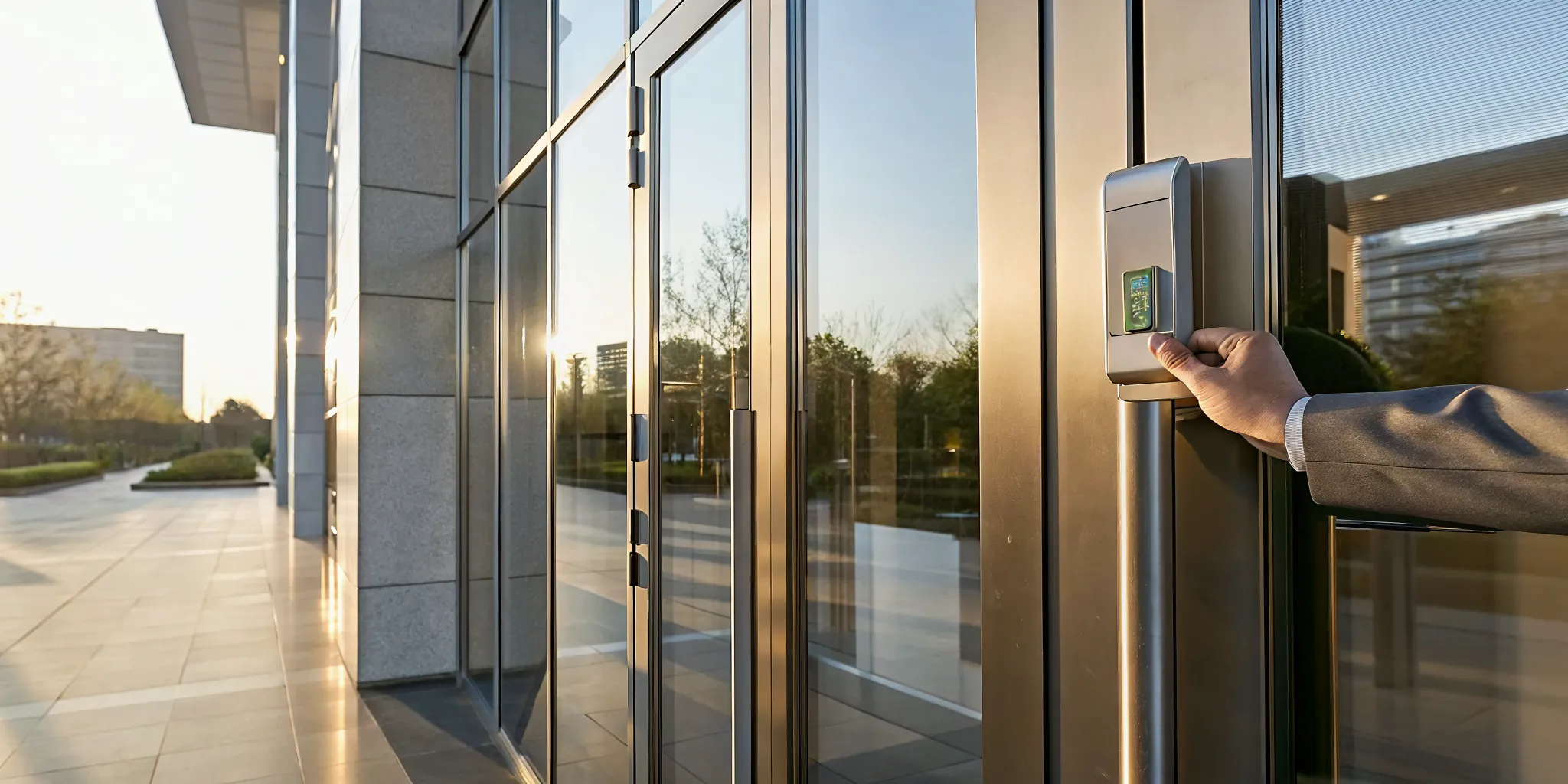
Employee using a badge reader for building access control systems at a commercial entrance

The parts behind each door decision

A building access control system checks a person’s credential before it releases a secured door. The credential may be a badge, fob, mobile pass, PIN, or biometric record. A reader at the entry point captures that credential and sends the request to a controller.

The controller is the decision point. It compares the request with the permissions stored in the system. Then it tells an electric strike, magnetic lock, or other release device what to do. A properly designed system connects each part to the needs of the site. InVision Systems plans and installs tailored access control solutions for that purpose.

  • Credential: Identifies the person requesting entry.
  • Reader: Captures the credential at the door or gate.
  • Controller: Checks the request against stored permissions.
  • Lock hardware: Keeps the opening secure or releases it after approval.
  • Management software: Lets authorized staff manage users, doors, schedules, and records.

What happens after someone presents a credential?

The process takes place in a short sequence. First, the reader sends the credential data to the controller. Next, the controller checks whether that user can enter that door at that time. If the request meets the set rules, the controller releases the lock. If not, the door stays secured.

The software also records the event. That record can show the credential, door, time, and whether access was granted or denied. This audit trail gives security teams a practical way to review activity after an incident. It also helps them spot repeated denied attempts or access outside an expected schedule.

Electronic permissions versus traditional keys

A mechanical key can open a matching lock, but it does not explain who used it. It also cannot apply rules for a person’s job, location, or approved schedule. Electronic permissions add that control layer. For example, NIST defines attribute-based access control as a method that grants rights through policies combining attributes.

This difference matters when staff, tenants, contractors, or vendors change. An authorized manager can update or remove an electronic credential in the software. The team can also limit access to selected doors instead of issuing a key with broader reach. The lock remains in place while the permission changes.

Traditional keys vs. modern access control

Mechanical keys can still fit a small site with few doors and stable access needs. The risk picture changes as staff, vendors, and tenants move between areas. Building access control systems give managers a more structured way to set entry rules and review activity.

Permission changes and lost credentials