
Cloud Video Surveillance System Guide for Business

For a business, video surveillance is only useful when the right people can access the right footage after an incident. The storage decision affects remote viewing, backup protection, maintenance, internet requirements, and long-term cost.

A cloud video surveillance system sends camera footage through your network to secure remote servers, where it can be stored, managed, and accessed from authorized devices. Unlike a local NVR or DVR that keeps recordings on equipment at the property, cloud storage can preserve footage if a recorder is damaged, stolen, or destroyed. It can be a strong fit for multi-site businesses, facilities that need remote oversight, or teams that prefer managed updates and storage. Limited bandwidth, strict data-ownership requirements, or a preference for one-time hardware costs may favor local or hybrid storage instead.

The best choice depends on how your cameras connect, how quickly you need footage, and what happens if the local recorder or internet connection fails. Start by looking at what cloud storage actually does, how footage moves from the camera to the server, and how that compares with an on-site recorder.

Schedule your free security assessment now

What Is a Cloud Video Surveillance System?

A cloud video surveillance system stores and manages recorded footage on remote servers through an internet connection instead of relying entirely on a DVR or NVR located at your Chicago-area facility. Cameras still capture activity on site, but the video is sent to a hosted platform where authorized users can review, manage, and share it. That distinction changes how a business handles access, storage, maintenance, and recovery after an incident.

Cloud video surveillance is also commonly described as Video Surveillance as a Service, or VSaaS. In this model, a provider hosts the surveillance software and supporting infrastructure rather than requiring your business to purchase and maintain every storage and computing component locally. Research published through the National Science Foundation’s public access repository describes VSaaS as a hosted cloud-based service that uses cloud computing for video surveillance infrastructure. Read the research overview of VSaaS for additional technical context.

What changes for a business?

The most practical difference is where the system’s operational burden sits. A traditional local setup can require onsite recording hardware, storage management, firmware updates, and troubleshooting when equipment fails. A cloud-based approach reduces dependence on local NVR/DVR maintenance and physical storage hardware. Depending on the platform and system design, subscription services may also include software updates, maintenance. And storage capacity, giving facility managers a more predictable way to manage the surveillance environment.

Off-site storage adds another layer of resilience. If a fire, theft, flood, or other event damages the recorder inside your building, footage stored only on that device may be lost or inaccessible. Cloud backups keep surveillance data away from the local incident, which can be especially valuable for warehouses. Industrial sites, retail locations, and offices that need evidence after a break-in or property loss.

Cloud surveillance is more than remote video storage

A cloud platform can also support broader security operations. Authorized managers may be able to review footage from multiple facilities through one interface, collaborate with an integrator, and connect video with monitoring or alert workflows. Some solutions can use existing camera hardware, while others require upgrades for compatibility, resolution, analytics, or network performance. A professional assessment should determine what can be retained and what should be replaced.

Cloud computing can help organizations modernize their IT infrastructure and use internet-based computing resources, but it is not automatically the right choice for every property. Ongoing subscription costs, dependable upload speeds, privacy controls, and the provider’s security practices all deserve review. For a broader look at cloud video surveillance system options in Chicago, compare the technology with your site’s layout, bandwidth, retention needs, and operating priorities.

How a Cloud Video Surveillance System Streams Your Footage

A cloud video surveillance system moves video from the camera to a remote platform rather than relying entirely on a recorder inside your building. The camera captures footage, sends it across your network, and streams it to a remote server. That server handles storage, system management, and access, allowing authorized users to review video without being physically beside an NVR or DVR.

For a business, the practical benefit is a simpler path from an event to a useful response. A facility manager can check a loading dock, entrance, or production area from an approved device. While an owner or security team can review the same system without traveling to the property. The exact viewing experience depends on the camera system, network design, permissions, and service configuration, but the core workflow remains the same: capture, transmit, store, and retrieve.

What happens between the camera and the cloud?

Each camera sends its video stream over the business network and internet connection to the remote server. The cloud platform then organizes the footage, applies the selected retention settings, and makes it available through its management interface. This removes much of the dependence on local storage hardware and reduces the need to maintain every recording component onsite.

Network capacity matters. Real-time viewing and multiple simultaneous streams rely on steady, high-speed internet, particularly when a business has many cameras or needs to monitor high-activity areas. Before selecting a platform, an integrator should review upload speeds, camera resolution, retention goals, and the number of users who may access video at once. That assessment helps prevent a system that looks capable on paper but performs poorly during a real incident.

Can cloud surveillance use existing cameras?

In some applications, cloud services can leverage cameras a business already owns. Reusing compatible equipment may reduce replacement costs and limit disruption during an upgrade. Compatibility still needs to be verified, because camera models, recording protocols, network requirements, and available analytics vary. A professional assessment can identify which devices can remain, which need additional equipment, and whether the current network can support the planned streams.

Cloud connectivity can also support more proactive security services. Existing cameras may be paired with AI human detection to help distinguish people from less relevant motion. A speaker system can add remote human voice intervention, allowing an authorized remote operator to address activity at the property. This is one way virtual guarding can build on a camera system instead of requiring a business to start over with entirely new hardware.

The result is not simply footage stored somewhere else. It is a connected security workflow that can make video easier to access, manage. And act on, provided the cameras, network, cloud platform, and response procedures are designed together.

Cloud Video Surveillance System vs. Local NVR and DVR

Both cloud and local recording can provide dependable video evidence, but they place storage, access, and maintenance responsibilities in different places. A cloud video surveillance system sends footage to remote servers, while a local NVR or DVR stores recordings on hardware installed at the property. The right choice depends on your internet capacity, number of locations, data-control requirements, and long-term operating priorities.

Cloud storage is often attractive for businesses that need to review cameras away from the property or manage several sites from one interface. Local recording can be a better fit where upload bandwidth is limited or the organization requires direct control over its recorded data. The comparison below outlines the practical trade-offs before you invest in either approach.

Consideration Cloud video surveillance system Local NVR or DVR
Remote access Footage can generally be viewed from authorized devices away from the property, supporting managers, owners, and security teams who need access while traveling or overseeing another location. Access is centered on the recorder and onsite network. Remote viewing may be possible, but it requires additional configuration and depends on the local system’s capabilities.
Off-site backup Recordings are stored away from the building. That can help preserve evidence if a fire, theft, or hardware failure affects the onsite equipment. Recordings remain at the property unless the business separately creates an off-site backup. A stolen or damaged recorder can therefore remove access to local footage.
Hardware maintenance The service provider typically handles storage infrastructure, software updates, and much of the platform maintenance through the subscription. The business or its security partner remains responsible for recorder health, storage capacity, firmware, replacement drives, and physical protection.
Bandwidth needs Steady upload bandwidth is important because cameras send footage to remote servers. Slow or unreliable internet can affect real-time viewing and cloud uploads. Most recording occurs on the local network, which can reduce dependence on internet upload speeds for recording. Remote viewing still uses network bandwidth.
Data ownership and control Data is managed through a third-party platform. Review the provider’s retention, access, export, security, and account-termination policies before signing up. Recordings stay on equipment controlled by the business, which may better suit organizations with strict internal ownership or retention requirements.
Ongoing cost Recurring subscription charges commonly cover storage, updates, and maintenance. Costs can be easier to forecast, but continue as long as the service is active. Local systems usually require more upfront hardware investment, followed by maintenance, storage expansion, and eventual equipment replacement.

For many Chicago-area businesses, the decision is not strictly cloud or local. A security integrator can evaluate bandwidth, retention needs, site conditions, and existing cameras to determine whether a cloud. Local, or hybrid design provides the strongest balance of access, resilience, and control.

When Should Your Business Choose a Cloud Video Surveillance System?

A cloud solution is often the strongest fit when your security operation needs to grow beyond one building or one onsite recorder. Businesses with multiple offices, warehouses, or commercial properties can manage cameras through a centralized dashboard instead of logging into separate systems at each location. That gives authorized users a clearer view of activity across the organization and makes it easier to review footage when an incident occurs.

Multi-location management is especially valuable when leadership, facilities teams, or security personnel work from different places. A cloud video surveillance system can support remote access and centralized oversight without requiring every decision-maker to be physically present at the property. It can also reduce dependence on maintaining storage hardware at each site, although the system still depends on reliable internet service and appropriate upload capacity.

Cloud surveillance fits remote monitoring needs

Consider cloud video surveillance for warehouses and distribution centers where a large footprint makes local oversight difficult. Remote access can help teams monitor loading areas, entrances, inventory zones, and other critical points without placing a supervisor in every area. Cloud-based tools can also support a broader warehouse surveillance strategy, particularly when facilities operate across multiple shifts or locations.

The same reasoning applies to commercial properties. Property owners and facility managers may need to check conditions between onsite visits, coordinate response across sites, or give a security partner access to relevant footage. Cloud monitoring can make those workflows more practical. Businesses evaluating broader business security systems should consider how camera access will work for managers, technicians, and other authorized users, not only where the recorder will sit.

When local storage may be the better choice

Local storage can be more appropriate when a property has limited bandwidth, unreliable internet service, or strict requirements for maintaining direct control over video data. Cloud systems rely on steady upload speeds for dependable remote viewing, and ongoing subscription costs should be included in the long-term budget. Some organizations may also prefer local NVR or DVR storage because their policies or compliance obligations require tighter control over data ownership and access.

The right decision depends on the property, network, staffing model, and risk profile. A hybrid design may also make sense, combining local recording with selected cloud access or off-site backup. A security assessment can compare those options before equipment is selected, so the system supports daily operations rather than creating new network or data-management problems.

What Does a Cloud Video Surveillance System Cost?

The cost of a cloud video surveillance system is usually split between implementation and an ongoing subscription. That differs from a traditional local system, where a business may pay more upfront for recording hardware, storage, configuration, and future replacement. Neither model has one universal price. The right budget depends on the number of cameras, retention period, video quality, site conditions, and network capacity.

Cloud providers commonly use subscription models that bundle storage with software updates and maintenance. This can make expenses easier to forecast and reduce the need for your team to maintain an onsite recorder. It may also include features such as remote viewing, user management, health alerts, analytics, or centralized administration, depending on the service plan. Instead of purchasing additional storage hardware as footage needs grow, you typically adjust the service to match your retention and camera requirements.

Subscription costs are ongoing

A cloud subscription is not a one-time purchase. Monthly or annual charges continue for as long as the business needs hosted storage and management. The total can increase as you add cameras, extend retention, select higher-resolution streams, or enable more advanced analytics. Ask for a clear explanation of what the recurring fee covers, including storage duration, software updates, support, replacement policies, and any charges for additional users or locations.

This recurring cost can still be practical when it replaces several responsibilities that would otherwise fall on the business. Local NVR and DVR systems require upfront hardware investment and may bring separate costs for installation, storage expansion, maintenance, repairs, and eventual replacement. A cloud plan can simplify those responsibilities, but it does not eliminate the need to budget for the service.

Account for bandwidth and site infrastructure

Internet service is another important part of the cost calculation. Cloud cameras rely on dependable upload capacity to send footage off site, particularly when several cameras record continuously or when staff need real-time viewing. If a facility has limited bandwidth, upgrading the connection may be necessary. That expense should be included alongside the subscription rather than treated as an afterthought.

Local storage may be more economical for a site with constrained bandwidth or a strong requirement for direct control over data ownership. A hybrid design can also balance the two approaches, keeping selected recording capabilities onsite while using cloud services for remote access, backup, or management. An experienced security integrator can compare camera count, retention needs, network conditions, and operating priorities before recommending a system that fits both the facility and the budget.

Is a Cloud Video Surveillance System Secure and Reliable?

A cloud video surveillance system can be secure and dependable, but its performance depends on thoughtful design, trustworthy providers, and a network that can support the cameras. Because footage moves between cameras and remote servers over internet-connected networks, security and privacy cannot be treated as automatic features. Research on cloud-based surveillance specifically cautions that video may travel across insecure public networks, making protection measures essential. Security research on cloud video surveillance identifies authentication, confidentiality, integrity, and session-key management as core requirements.

Encryption and authentication protect footage in transit

Encryption during transit helps prevent intercepted video from being easily read as it moves from a camera to the cloud. However, encryption is only one part of a secure design. The camera and cloud service should also verify each other’s identity before exchanging footage. Mutual authentication helps ensure that encrypted video frames come from approved cameras and are sent to an authorized cloud device. It also supports verification that footage has not been altered during transmission.

When evaluating providers, ask how they authenticate cameras, manage session keys, protect user accounts, and preserve data integrity.

These questions help confirm whether the safeguards apply to the complete path from the camera and local network to the hosted service. They are more useful than relying on a general claim that a platform is secure.

IP protocol risks require practical mitigation

Cloud connectivity expands access, but it also creates additional pathways that attackers may attempt to exploit. A National Science Foundation-hosted study found that vulnerabilities in Internet Protocol and related protocols could provide unauthorized access to hosted surveillance files in tested environments. That finding does not mean every cloud deployment is unsafe. It means the system should be reviewed as an integrated technology stack, rather than treating the cloud platform as a substitute for security planning.

Mitigation starts with selecting a provider that documents its authentication, encryption, access-control, monitoring, and incident-response practices. The installation should also be configured so only authorized users and approved devices can reach footage. A professional security integrator can review camera compatibility, account permissions, network requirements, and the provider’s maintenance process before the system goes live. That assessment is especially important for industrial and commercial properties where video may be sensitive.

Reliability includes bandwidth and latency

Cloud video also has an honest trade-off: live viewing depends on a stable connection and sufficient upload capacity. If the connection is congested or interrupted, remote viewing may be delayed or temporarily unavailable. Streaming video is delay-sensitive, and added security processing can create a balance between stronger protection and fast access. Businesses should test expected camera counts, resolution, retention settings, and peak network demand instead of assuming an existing connection will be enough.

For some properties, a cloud, local, or hybrid design may provide the right balance. The goal is reliable evidence, secure access, and a recovery plan that matches the building’s risks and operating needs.

Schedule your free security assessment today

Frequently Asked Questions

Can a cloud surveillance system use our existing cameras?

In some installations, yes. A cloud platform can integrate with compatible cameras and use their video feeds for remote viewing, storage, and management. An assessment should confirm camera compatibility, network capacity, retention needs, and whether added features such as AI human detection or remote speaker intervention are supported.

What happens if our internet connection goes down?

Cloud systems depend on a steady network connection for streaming footage to remote storage and for real-time viewing. If connectivity is limited or unreliable, a local or hybrid design may be more appropriate. Your security integrator can evaluate upload capacity and determine whether local recording should provide continuity during an outage.

Is cloud storage better than a local NVR or DVR?

Neither option is best for every business. Cloud storage is useful when managers need remote access, centralized oversight across locations, or off-site backup that is less exposed to theft or damage at the property. Local recording may be preferable when bandwidth is limited or the organization requires direct control of data ownership.

What should a business evaluate before choosing a cloud system?

Review the number of sites and cameras, required retention period, internet upload performance, access permissions, privacy safeguards, and ongoing subscription costs. Also ask how the provider handles encryption, authentication, software updates, maintenance, support, and migration if your needs change.

Get Clarity on Your Cloud Video Surveillance System

Choosing between cloud, local, and hybrid video storage does not have to be a guessing game. A professional assessment maps your camera count, bandwidth, remote-access needs, and budget to the setup that protects your business without overpaying.

Our team designs, installs, and supports cloud-ready surveillance for commercial, industrial, and residential properties across the Chicago area, Southeast Wisconsin, and Northwest Indiana.
Request your free security assessment today

Commercial Intercom System Buyer’s Guide for Businesses

The front door is often a business’s first security decision. When visitors, deliveries, employees, and tenants arrive at different times, staff need a reliable way to communicate, verify identity, and control entry without sending someone to every entrance.

A commercial intercom system connects an entry point with the people and security tools responsible for it. Depending on the building, that may mean two-way audio, video verification, remote access from a phone or web portal, and integration with access control and cameras. Cloud-based options can also help property managers handle visitors across multi-tenant buildings while supporting straightforward entry workflows in single-tenant facilities.

The right design depends on more than choosing an audio or video station. Placement, lighting, network infrastructure, tenant needs, and the relationship between communication and door hardware all affect how well the system performs. Understanding those components makes it easier to evaluate options before selecting equipment or planning an installation.

Request your free commercial security assessment now

What Is a Commercial Intercom System and How Does It Work?

A commercial intercom system is a communication and security device that helps a business communicate with visitors and manage access at an entry point. Instead of allowing unknown visitors to walk directly into a lobby, office, warehouse, or multi-tenant property, staff can verify who is requesting entry and decide how to respond. Depending on the building and its operating needs, the system may provide two-way audio, video identification, remote door release, or a combination of these functions.

For businesses evaluating IP phone entry and commercial intercom systems, the most important distinction is how the entry station communicates with the people and devices inside the facility.

How network-based entry works

In a network-based setup, an exterior or interior entry station connects to the building’s Ethernet network rather than relying only on a dedicated central intercom panel. A visitor presses a call button or selects a tenant. The request then reaches an authorized employee through an indoor station, desk phone, computer, or mobile application, depending on the system design. The employee can speak with the visitor, view a camera image when video is included, and release the door if the person should be admitted.

Cloud-based systems extend this process beyond the property. Property managers can manage entry points through a web portal or mobile application from any location. That can be useful when a manager is off-site, when a building has more than one entrance. Or when a multi-tenant property needs a consistent way to handle visitors without staffing a reception desk at every hour.

Why design and placement matter

The hardware is only one part of the solution. An installer should assess where visitors approach, how employees receive calls, and which doors require controlled release. Intercom placement should be tailored for both usability and security, so the station is easy for authorized visitors to find while still covering the relevant vulnerability point. Lighting conditions, ceiling heights, sightlines, traffic patterns, and the distance between the entry station and controlled door can all affect performance.

For example, a camera positioned too high may not provide a useful view of a visitor’s face. A call station placed behind a vehicle lane or in a poorly lit vestibule may create confusion and missed calls. A professional site assessment helps align the entry experience with the property’s actual layout instead of forcing an off-the-shelf configuration into an unsuitable space.

Once the call is answered, the intercom can become part of a broader security workflow. It may connect with access control, cameras, or monitoring so staff can communicate, verify, and authorize entry through coordinated systems. The result is a more deliberate process for managing visitors at single-tenant offices, industrial facilities, and multi-tenant buildings.

Should Your Business Choose an Audio or Video Intercom?

Audio-only intercoms can be a practical choice when staff need to speak with visitors before unlocking a door. They are straightforward, familiar, and often sufficient for a small office with one controlled entrance. However, an audio conversation leaves an important question unanswered: who is actually waiting outside?

Video intercoms add visual verification before access is granted. Staff can see whether the visitor is an expected delivery driver, a known tenant, or someone who should not enter. That extra context supports more deliberate access decisions, especially at entrances that are unattended, busy, or exposed to the public. Visual verification is a central security benefit of video intercoms for commercial properties.

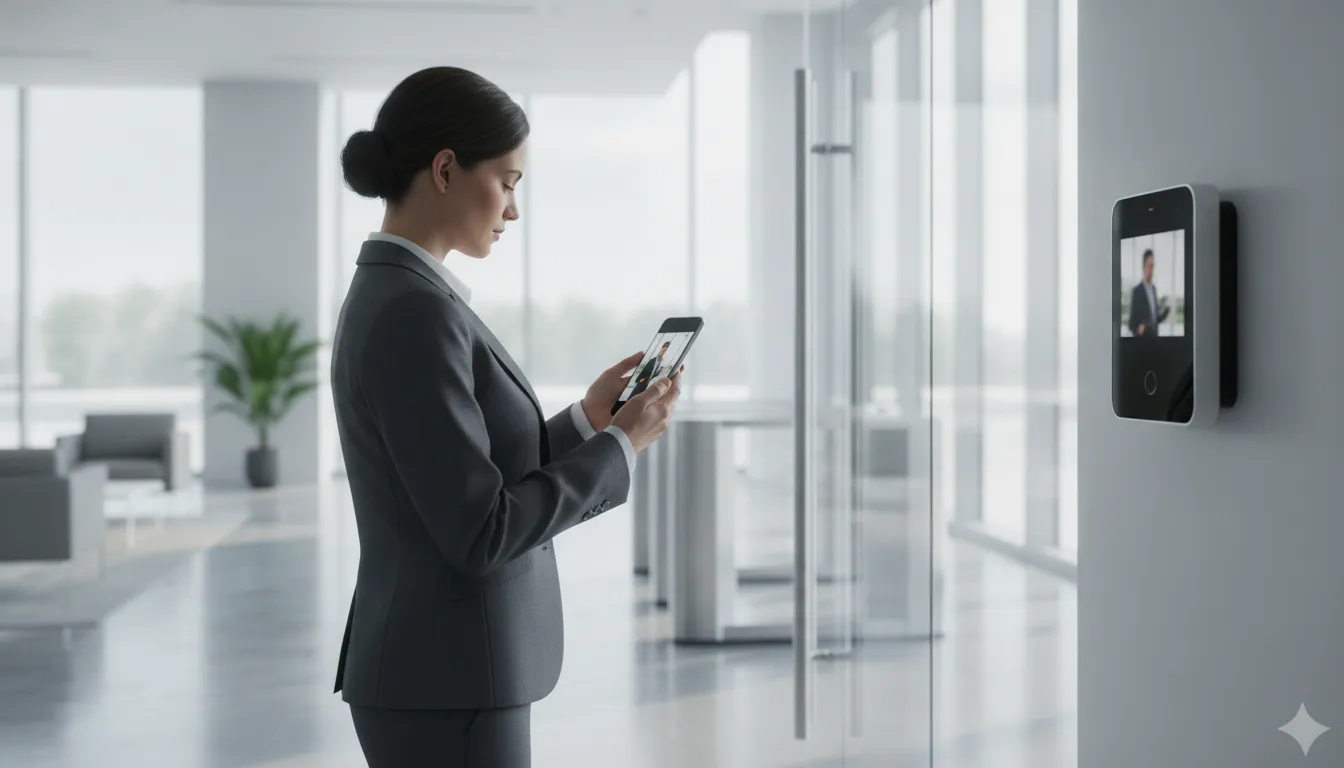
Property manager viewing a visitor at a commercial video intercom from a mobile app

When audio-only entry may be enough

An audio system can make sense for a single-tenant business with a clear reception process, limited visitor traffic, and good visibility around the entrance. It may also fit a back entrance used primarily by employees who already know the communication procedure. In these situations, the priority may be reliable two-way communication rather than identifying every visitor on screen.

Audio can be less useful when the entrance is shared by several businesses or when employees must make decisions from different locations. Without a visual feed, staff may need to rely entirely on a visitor’s description and voice. That can slow down entry decisions and create uncertainty during deliveries, after-hours visits, or unexpected arrivals.

Why video is often the stronger commercial option

Modern IP intercoms generally provide better video quality, greater scalability, and easier integration with other security devices than traditional analog, audio-only systems. Higher-resolution video helps staff identify relevant details at the entry point, while an IP platform can connect communication with cameras, access control, and monitoring. These capabilities make the system more useful as a security tool, not just a door-release device.

Video is particularly valuable for multi-tenant properties, warehouses, medical offices, and businesses with entrances that cannot be continuously staffed. A manager can verify the visitor visually, communicate through the intercom, and then authorize entry according to the property’s procedures. The system can also provide a more consistent experience for visitors without requiring a receptionist at every door.

Scalability should also influence the decision. A network-based platform can support expansion as a business adds doors, readers, or additional controlled areas, rather than forcing a complete replacement when the property grows. That flexibility is useful for organizations planning renovations, additional suites, or multiple sites.

The right choice depends on the building, entrance layout, traffic patterns, lighting, and security objectives. A professional assessment can determine whether audio meets the need or whether video verification and IP integration provide a more appropriate long-term foundation.

How IP Intercom Systems Integrate with Access Control and Security Cameras

An IP commercial intercom system connects entry communication, identity checks, door hardware, and video on the same network. Instead of treating the call station, door reader, and camera as separate tools. An integrated design lets staff respond to a visitor, review live video, and manage entry through a coordinated workflow. Modern intercoms can also integrate directly with existing access control software, which helps businesses improve security without replacing every component at once.

Network-based infrastructure can use existing Ethernet, reducing the need for dedicated wiring back to a central controller. The approach can be flexible and scalable, particularly when a building needs additional doors or readers over time. A structured wiring review is still important for new construction or major renovations, because dependable connectivity is foundational to IP intercom, access control, and camera performance. Research on IP-enabled access control also identifies the flexibility of network-based installations compared with proprietary, hard-wired approaches.

Integrated IP security versus standalone entry equipment.
Consideration Integrated IP approach Standalone approach
Visitor verification Staff can communicate with a visitor and view live video from the intercom or connected camera before deciding whether to grant access. Communication and video may require separate devices or manual coordination, making verification less consistent.
Door management The intercom can work with access control software and door hardware, linking the conversation to the entry decision. The call station may operate independently from readers, locks, and access permissions.
Security visibility Managers can coordinate entry-point monitoring, camera streams, and access activity through a unified security workflow. Operators may need to move between systems to understand what happened at an entry point.
Expansion Network infrastructure can support incremental growth, such as adding a door or reader as the facility’s needs change. Expansion may involve duplicating equipment or upgrading systems that were not designed to communicate with one another.

The practical benefit is not simply having more devices. It is giving staff better context at the moment access is requested. A visitor can use the intercom, staff can confirm the person’s identity through video, and authorized personnel can use the access control system to release the appropriate door. Integrated cameras may provide live streaming through a video intercom, while properly planned IP surveillance can deliver high-resolution monitoring without overwhelming the shared network. IP video surveillance guidance emphasizes the importance of a proper network framework and planning for both IT and security needs.

For a commercial property, the design should match the building rather than follow a generic device list. InVision Systems can coordinate an access control system with commercial security cameras, considering entry-point vulnerabilities, lighting, placement, and the way employees and visitors actually move through the site.

How Does a Commercial Intercom System Improve Visitor Management?

Visitor management is often the first point where convenience and physical security meet. A commercial intercom system gives staff a consistent way to communicate with people at an entrance, confirm why they are there, and decide whether access is appropriate. Instead of relying on an unlocked lobby, a propped-open door, or an employee recognizing someone from a distance, businesses can establish a clear process for each arrival.

Verify visitors before opening the door

Video intercoms add visual verification before access is granted, allowing staff to see who is requesting entry and assess the situation before releasing a door. This is especially useful at side entrances, loading areas, employee entrances, and facilities where the front desk does not have a direct view of every access point. Better visibility can help staff distinguish a scheduled visitor, delivery driver, tenant, employee, or unfamiliar person who needs additional screening. Modern IP intercoms can also provide higher video quality than traditional analog systems, supporting more reliable identification when lighting and distance make recognition difficult. Visual verification is a core benefit of IP phone entry and video intercom systems, but it works best when the camera, intercom, and entry point are positioned for the actual conditions of the property.

Support a more accountable entry process

When the intercom is connected with access control, visitor activity can be handled as part of a broader building-entry process rather than as an isolated phone call. Staff can communicate with the visitor, verify authorization, and release the appropriate door through the connected system. Where the platform supports access logging, the business can maintain a clearer record of entry events and review activity when a question arises. This accountability helps create consistent procedures across shifts and reduces dependence on informal handoffs.

The same controlled process can make tailgating more difficult. Staff are prompted to grant access for a specific interaction instead of opening a door for an unknown group. While no intercom can eliminate every security risk, deliberate verification and controlled release reduce opportunities for unauthorized people to follow an approved visitor into a secured area. Businesses can strengthen that protection further through a coordinated access control system and properly managed door hardware.

Reduce front-desk interruptions

A well-planned visitor system also improves the daily workflow for reception and property-management teams. Staff can handle routine arrivals without walking away from their post, searching for a key, or calling multiple departments to confirm an appointment. In a multi-tenant property, cloud-based entry tools can support remote visitor management, giving authorized managers a way to respond even when they are not physically at the entrance. That can be valuable when different tenants have different schedules, access rules, or designated contacts.

  • Visitors can be directed to the correct person or tenant before entry.
  • Staff can manage secondary entrances without leaving the main desk.
  • Property managers can apply clearer procedures across multiple tenants or buildings.
  • Access decisions can be coordinated with cameras, monitoring, and door controls.

The strongest results come from designing the system around the building’s traffic patterns, lighting, staffing, and vulnerable points. A customized installation makes visitor management easier to follow, which improves both usability and security in everyday conditions.

Why Do Businesses Choose Cloud-Based Entry for Multi-Tenant and Single-Tenant Properties?

Cloud-based entry gives property managers a practical way to oversee building access without being tied to a desktop at the property. Authorized users can manage entry points through a web portal or mobile application from virtually any location. Which is especially useful when a manager oversees multiple buildings, works off-site, or needs to respond to an access request outside normal office hours. InVision Systems provides cloud-based access control and phone entry systems that support remote visitor management in multi-tenant environments.

For a multi-tenant building, the cloud platform can help organize access across tenants, common areas, and designated entry points. A property manager may need to coordinate visitors for several businesses, update permissions when tenants change, or provide access without sending staff to the lobby. Centralized management reduces that administrative burden while keeping entry decisions connected to the building’s broader security plan. A commercial access control system can be planned alongside the intercom so communication, authorization, and door release work together.

Why cloud entry works well for multi-tenant properties

Multi-tenant facilities often have changing users, varied schedules, and more than one entrance. Cloud-based management makes it easier to handle those moving parts from a single interface rather than relying on separate, isolated devices. It can also support remote visitor management, helping property managers and facility owners keep entry procedures consistent across suites and shared spaces.

The architecture is also easier to scale than a system built around a fixed, proprietary central panel. IP-based access control can use existing Ethernet infrastructure, reducing wiring requirements and supporting flexible expansion. Network-based systems can be enlarged one door and one reader at a time, rather than requiring a full panel upgrade whenever the property adds a controlled opening. That approach can help a growing building avoid overbuilding on day one while preserving a clear path for future improvements. See the discussion of IP infrastructure from EDUCAUSE Review for additional technical context.

How single-tenant businesses benefit

Single-tenant offices, dealerships, warehouses, and other commercial facilities may have fewer occupants, but they still benefit from remote control and centralized visibility. A facilities leader can manage the main entrance, employee doors, delivery access, and restricted areas without maintaining an on-site server for the entry application. If the business expands, adds a new wing, or needs to secure another door, an IP-based design can provide a more straightforward growth path.

Cloud entry should not be treated as a one-size-fits-all product. Network conditions, door hardware, tenant workflows, visitor volume, and the location of vulnerability points all affect the right design. New construction may also require structured wiring to provide dependable connectivity for intercoms and other networked security devices. A professional assessment helps align the cloud platform with the building’s actual use, rather than simply adding remote access to an unsuitable entry layout.

What to Look For When Choosing a Commercial Intercom System Installer

The installer you choose can matter as much as the intercom equipment itself. A capable integrator should help you solve a specific entry, communication, and security problem, not simply recommend a device from a product catalog. Before accepting a proposal, ask how the company will evaluate your property, plan the system, connect it to other security tools, and support it after installation.

Will you assess the building before recommending equipment?

A site assessment should be more than a quick measurement of the lobby. Ask the installer to examine entrances, employee and visitor traffic, door hardware, sightlines, lighting, ceiling heights, network availability, and locations where unauthorized entry could occur. Intercom placement needs to support clear communication and practical use while also addressing security needs. Poorly placed equipment can create blind spots, make conversations difficult, or force staff to manage visitors from an inconvenient location.

InVision Systems designs IP intercom systems around a building’s vulnerability points, including environmental details that an off-the-shelf recommendation may overlook. That customized approach is especially important for warehouses, manufacturing facilities, dealerships, offices, and multi-tenant properties with different entrance and visitor patterns.

Can you explain how the system will work with our existing security?

A commercial intercom should not operate as an isolated speaker and call button if your property already uses access control or security cameras. Ask whether the installer can connect the intercom to door hardware, credential systems, cameras, and monitoring workflows. Modern systems can integrate with access control software to manage building entry, while video intercoms may provide live visual verification before staff grant access. A unified design can help your team communicate with visitors, view an entry point, and release a door through a coordinated process.

Request a clear explanation of what your staff will see and do during a normal visitor call, an after-hours request, and a suspected unauthorized-entry attempt. Also ask whether the proposed system can use your existing network responsibly. IP-based security infrastructure can leverage Ethernet and reduce reliance on proprietary central wiring, but the installer should still account for bandwidth, network segmentation, power, and future maintenance. The principles of IP-enabled access control emphasize flexibility and expansion without requiring a complete panel replacement.

What network and expansion plan is included?

Ask what happens when you add a door, tenant, building, or remote entry point. A scalable design should allow the system to grow without forcing an unnecessary replacement of functioning equipment. Discuss device capacity, licensing, cabling, power, software updates, and compatibility with future cameras or access-control components. If the property is being renovated or built out, ask whether the installer provides structured wiring. Running properly planned Ethernet and internet wiring for a new business can provide the connectivity foundation an IP intercom and related security systems require.

What experience do you have with properties like ours?

Experience should be specific to your building type and operating conditions. Ask for examples involving similar entrances, tenant arrangements, traffic volumes, and security concerns. A company with more than two decades of industry knowledge should be able to explain its decisions in practical terms. Identify tradeoffs, and coordinate installation with your staff and other contractors. It should also define training, warranty coverage, service response, and system documentation before work begins.

  • Request a documented site assessment, not a one-size-fits-all quote.
  • Confirm integration with access control, cameras, and monitoring.
  • Ask how structured wiring, network capacity, and future expansion are handled.
  • Verify experience with your property type and a clear post-installation support plan.

The strongest installer connects equipment choices to real workflows, building conditions, and long-term security goals. That is the standard to use when comparing proposals.

Request your free commercial intercom assessment now

Frequently Asked Questions

Can a commercial intercom system work with existing access control?

Yes. Many modern IP intercoms integrate with access control software, allowing authorized staff to communicate with visitors and manage building entry through a connected system. The right configuration depends on the current readers, doors, controllers, credentials, and network infrastructure. A site assessment can identify which components can remain in place and where upgrades are needed.

Should a business choose an audio or video intercom?

Audio systems can be a practical choice when voice communication is the primary need or when the entry environment is straightforward. Video adds visual verification, which can help staff assess a visitor before granting access. IP video systems also tend to offer stronger scalability and integration options than traditional audio-only systems, making them useful for businesses planning broader camera or access control improvements.

How does a cloud-based intercom help multi-tenant buildings?

A cloud-based system lets property managers handle entry points and visitor requests through a web portal or mobile application rather than relying on a single on-site station. This can simplify remote management across tenant spaces, support changing user permissions, and give staff a more consistent way to respond to visitors. Single-tenant businesses can use the same approach to manage remote offices, deliveries, or controlled entrances.

Can an intercom connect with security cameras?

Yes. A video intercom can connect with security cameras to provide live views of entry areas and support visual visitor verification. Linking cameras, intercom communication, access control, and monitoring creates a more coordinated view of activity at the door. The installation should account for lighting, camera placement, network capacity, and the building’s specific vulnerability points.

What should businesses consider before installing an IP intercom?

Start with the building layout, entry traffic, tenant or employee workflows, accessibility needs, existing security equipment, and future expansion plans. Professional design should also evaluate network connectivity, structured wiring, lighting, and the placement of stations and cameras. A customized plan helps ensure the system is easy to use while supporting the property’s actual security requirements.

Design a Commercial Intercom System That Fits Your Building

A modern commercial intercom system does more than buzz people through a door. Chosen and installed correctly, it becomes the front layer of your building’s security, giving your team a fast. Reliable way to screen visitors, manage entry, and keep a record of who comes and goes.

The right system starts with a site-specific plan, not a one-size-fits-all package. An experienced integrator reviews your entry points, foot traffic, lighting, ceiling heights, and how you want staff to verify visitors. Then designs an audio or video IP intercom setup that fits the way your business actually operates.

Request your free commercial security assessment now

At InVision Systems, we design and install IP phone entry and intercom systems for commercial, industrial, and multi-tenant properties throughout the Chicago area and the surrounding region. With more than two decades of security integration experience and a client retention rate above 95 percent. We take the time to understand your building before we recommend a solution.

Schedule your commercial intercom consultation today

Structured Cabling for New Businesses: A Complete Guide

Opening a new business is the right time to plan the infrastructure your team, customers, and security systems will depend on. Installing network wiring after walls are finished can create avoidable disruption, added labor, and limitations that are difficult to correct.

Structured cabling for new businesses is a planned network wiring system that connects data, communications, and security devices through organized, scalable pathways. Although cabling is often a small part of the total network investment, it can influence nearly 80% of network efficiency, according to Teleco.

For a new commercial space, the goal is not simply to run Ethernet from one room to another. It is to create a dependable foundation that can support today’s operations and future cameras, access control, phones, wireless access points, and other connected systems. Understanding the structure behind that foundation makes it easier to plan the right installation from the start.

What Is Structured Cabling for New Businesses?

Structured cabling is the organized network backbone that connects a new business’s essential technology. Instead of running separate, improvised wires whenever a need appears, the system uses a planned layout of cables, pathways, termination points, and equipment spaces. That backbone can support voice and data networks, wireless access points, security cameras, access control systems, and other connected devices.

Request your free structured cabling consultation today

For a new business, the value starts before the walls are closed or employees move in. A cabling plan maps where people will work, where network equipment will live, and where cameras, readers, phones, and other devices may be needed. Installers can then place the right cable types and capacity in the right locations, label the infrastructure, and leave room for future growth. This is far easier than opening finished walls or routing exposed cable after operations begin.

A planned backbone for voice, data, and security

Modern commercial systems are interconnected. A camera may need a network connection and power. An access control reader may communicate with software located elsewhere in the building. Staff may rely on wired connections for dependable voice and data service, even when much of the workforce uses Wi-Fi. Structured cabling gives these systems a consistent physical foundation, so each can be designed as part of the building rather than added as an isolated project.

That foundation also helps protect performance. According to Teleco, structured cabling may represent a small portion of the overall network investment while accounting for nearly 80% of network efficiency. The exact result depends on the design, equipment, installation, and operating environment. But the principle is important: inexpensive shortcuts in the infrastructure can limit the performance of more expensive technology. See InVision Systems’ commercial security camera installation for a closer look at how professional wiring supports connected facilities.

Why planning before construction matters

Planning early allows a cabling professional to coordinate pathways, equipment rooms, power requirements, ceiling access, firestopping, and security-device locations with the rest of the build. It also creates a documented system that technicians can troubleshoot and expand later. Without that planning, a business may face cable congestion, inconsistent labeling, difficult repairs, or expensive rework when it adds staff and devices.

The broader market reflects how central this infrastructure has become. North America held a 34.2% share of structured cabling market revenue in 2024, according to City Source Solutions. For a new business, the practical takeaway is not the market statistic itself. It is that reliable connectivity is core operating infrastructure, not an optional finishing detail. A site-specific plan gives the business a cleaner, more scalable starting point.

Why Proper Network Wiring Matters Before You Open Your Doors

Opening a new business involves choosing a location, preparing work areas, and connecting the systems your team and customers will rely on every day. Network wiring belongs in that planning stage, not as a last-minute detail after the walls are finished. Professional structured wiring gives your business a dependable infrastructure for internet access, voice communications, security devices, and future technology.

The risk of postponing this work is measurable. Networking and connectivity issues accounted for 31% of IT service-related outages in the Uptime Institute’s 2024 Resiliency Survey, making them the leading reported cause of these incidents (source). A poorly planned network can turn a simple cable problem into lost productivity, interrupted communications, or a security system that cannot reliably transmit video and alerts.

Build for the applications your business will use

Many older networks still operate at 10/100 Mbps speeds. Which can be too slow for the bandwidth demands of modern applications, according to structured cabling guidance from Teleco (source). New businesses should plan cabling around the systems they need now and the systems they may add later. That can include cloud software, point-of-sale devices, wireless access points, VoIP phones, high-resolution cameras, access control panels, and other connected equipment.

Structured cabling also makes these systems easier to expand. When cable pathways, termination points, and network locations are planned in advance, a company can add a workstation. Camera, or access-controlled door without opening finished walls or stringing improvised cables across a facility. This reduces disruption and helps avoid the higher labor and repair costs associated with retrofitting a completed space.

Connect security and communications from the start

Security technology depends on the network beneath it. Cameras need consistent bandwidth to send video, while access control and alarm systems need dependable connections to communicate events and receive commands. A professionally designed wiring plan can coordinate these requirements with business phones and data, rather than treating each installation as a separate project.

For example, businesses planning surveillance should consider cable routes, equipment locations, and capacity before construction is complete. InVision Systems can connect the underlying infrastructure with commercial security cameras and other security components as part of a site-specific design. Planning early creates a cleaner installation, a more serviceable system, and a stronger foundation for the business to grow.

The Core Components of a Structured Cabling System

A structured cabling system is easier to plan when you view it as a set of connected zones rather than a pile of individual cables. Each zone has a specific job, from bringing service into the building to connecting an employee’s computer or phone at the desk. For a new business owner, this approach creates a clean foundation that can support internet access, voice systems, security devices, and future growth.

  • Entrance facilities: The point where outside provider services enter the building. This area helps transition incoming fiber, copper, or other service connections into the internal network.
  • Equipment room: A secure, central location for core network equipment, such as racks, patch panels, switches, and related hardware. It should have suitable power, ventilation, and room for organized expansion.
  • Telecommunications rooms: Intermediate connection points that serve different floors, wings, or work areas. A larger facility may need more than one room so cable runs remain manageable and within design limits.
  • Backbone cabling: The vertical or building-wide connections between the entrance facility, equipment room, and telecommunications rooms. Backbone pathways carry traffic between the network’s main distribution points.
  • Horizontal cabling: The cable runs from a telecommunications room to outlets or connection points in offices, conference rooms, reception areas, and other spaces. Planning these routes before walls and ceilings are finished can reduce disruptive retrofits.
  • Work-area components: The outlets, patch cords, faceplates, and equipment connections used by people and devices at their workstations. These components should be placed where employees and technology will actually be located, not simply wherever installation is easiest.

Plan the pathways, not just the outlets

Good design accounts for pathways, cable capacity, separation from electrical systems, rack location, and access for future service. It also considers how the business may add workstations, meeting-room technology, wireless access points, cameras, or other networked devices. The goal is a system that is accessible and adaptable, rather than one that works only on opening day.

Documentation is part of the installation

Every cable should be labeled consistently at both ends, and the finished system should include updated diagrams or records showing where connections run. Proper labeling and documentation are essential for efficient troubleshooting and maintenance, a requirement covered in university structured cabling standards. Without those records, a simple move or failed connection can become a time-consuming search through an unlabeled bundle.

Before opening a new location, ask your installer to explain what each room and pathway will support. How the cables will be tested, and what documentation you will receive. That practical review helps ensure the infrastructure matches the way your business will operate.

Structured Cabling vs. Ad-Hoc Wiring: What New Owners Should Know

New business owners often begin with the fastest available connection: a few wireless access points. Exposed Ethernet runs, and additional cables added whenever a new workstation or device appears. That approach can work temporarily, but it makes the network harder to understand and more difficult to expand as the business grows. Structured cabling for new businesses creates an organized physical foundation for internet access, phones, cameras, access control, and other connected systems.

The difference is not simply whether a business uses cable or Wi-Fi. It is whether the infrastructure is designed as a complete system, installed consistently, tested, documented, and prepared for future changes. A professional design can account for the building layout, equipment locations, current bandwidth needs, and planned growth. InVision Systems develops custom, site-specific designs rather than treating every new space as the same installation.

Structured cabling compared with ad-hoc or Wi-Fi-only wiring
Consideration Structured cabling Ad-hoc or Wi-Fi-only setup
Cost Requires planned installation at the outset, which can reduce costly rework and retrofit labor later. May have a lower initial cost, but additions, relocations, and troubleshooting can create unplanned expenses.
Reliability Dedicated, tested pathways provide consistent connections for critical equipment and help reduce avoidable network issues. Performance may vary with distance, interference, congestion, improvised connections, and changing device locations.
Scalability Organized pathways and room for planned expansion make it easier to add users, devices, and services. Growth often means adding visible cables, extra wireless equipment, or disconnected workarounds.
Troubleshooting Consistent labeling, documentation, and testing help technicians isolate problems efficiently. Unlabeled or mixed connections can increase diagnostic time and make ownership of each cable unclear.
Future-proofing Planning around current standards and anticipated bandwidth supports future technology changes. Older cable types, limited pathways, and equipment-dependent layouts may restrict later upgrades.
Integration One infrastructure plan can support data, voice, cameras, and access control as the business evolves. Each new system may be added separately, creating compatibility and management challenges.

Professional structured cabling should follow recognized requirements such as TIA-568 and BICSI standards, which provide benchmarks for design and installation quality. Review the referenced cabling standards for the technical framework. Installation, testing, and ongoing support are equally important, not optional finishing steps. InVision’s structured wiring services are planned around the specific site and the systems the business needs to operate reliably.

How Structured Cabling Supports Phones, Cameras, and Access Control

A new business rarely needs separate, disconnected networks for every low-voltage system. A well-designed structured cabling backbone can carry voice, data, and security communications through an organized infrastructure that is easier to manage and expand. That unified approach supports VoIP phones at workstations, IP cameras throughout the property, alarm communications, and access control systems at doors and restricted areas.

For example, an Ethernet run can connect a desk phone and a computer at the same workstation. While separate runs serve cameras, card readers, intercoms, and wireless access points. The exact layout depends on the building, equipment, bandwidth requirements, and security objectives. The important point is that each endpoint has a planned path back to the appropriate network equipment, rather than relying on improvised extensions added after the business opens.

One backbone, multiple business systems

IP security devices depend on reliable network wiring. Cameras must transmit video consistently, access control readers must communicate with controllers, and alarm systems must report events without unnecessary interruptions. A structured design also makes it easier to separate traffic logically, apply appropriate power and network controls, and identify the source of a problem when troubleshooting is necessary.

This is especially valuable when a business adds more cameras, doors, phones, or connected devices over time. Cabling routes, equipment locations, and spare capacity can be considered during the initial buildout, reducing the need to open walls or run visible cable later. Proper labeling and documentation further support efficient troubleshooting and maintenance, a practice included in university structured cabling standards.

Reliability matters during disruptions

Communications and security systems are not merely conveniences. During an emergency or network disruption, personnel may need phones, cameras, alarms, and controlled entry points to remain available at the same time. The CDC notes that continuity facilities depend on the availability and redundancy of critical communications systems: interoperable communications worksheet. A cabling plan can support that objective by organizing critical connections, allowing appropriate redundancy where required, and making service paths easier to inspect.

InVision Systems designs infrastructure around the complete security ecosystem, including Ethernet wiring for complex installations. If your new facility needs a coordinated camera plan, review the options for commercial security cameras alongside the cabling design. Planning both together helps ensure that the network can support the systems your business depends on from opening day.

What to Look For When Choosing a Cabling Installation Partner

The right cabling partner should do more than pull cable from one room to another. For a new business, the installation becomes part of the building’s operating infrastructure, supporting internet access, phones, cameras, access control, and future expansion. A thoughtful partner will ask how your team works today, where you expect to grow, and which systems must remain available during an outage.

Use the following checklist when comparing providers:

  • Recognized qualifications: Ask who will design, install, and test the system, and whether the technicians maintain relevant industry training. BICSI certification is one useful qualification to look for because it indicates specialized knowledge of cabling design and installation practices. BICSI-certified technicians are supported as a quality benchmark in the structured cabling field.
  • Custom design: Avoid a one-size-fits-all proposal that lists equipment without showing where pathways, outlets, racks, and network drops will go. The design should reflect the floor plan, construction materials, device locations, bandwidth needs, and likely changes to the space. InVision Systems creates site-specific designs rather than treating every commercial property as the same.
  • Commercial and industrial experience: A provider should understand the demands of offices, warehouses, production areas, and multi-entry facilities. Experience with commercial and industrial environments matters when cable routes must coordinate with security devices, active work areas, ceiling conditions, and expansion plans. InVision serves industrial, commercial, and residential clients throughout Chicagoland and the Greater Midwest.
  • A complete lifecycle process: Look for a defined process that covers site assessment, design and planning, installation, testing and certification, then documentation and support. This sequence, reflected in a five-step cabling installation process, reduces the chance that important details are missed after the cable is installed.
  • Post-installation support: Confirm who will troubleshoot issues, label changes, document additions, and help when your business expands. Proper documentation makes future maintenance faster and less disruptive.

InVision Systems combines custom site planning with direct owner involvement and local Chicagoland market knowledge. That accountability is reinforced by a client retention rate of over 95%, a sign that customers continue to rely on the company after the initial installation. For a new business, selecting a partner that can support the full infrastructure journey is often more valuable than choosing the lowest installation quote. Explore InVision’s structured cabling services to evaluate how your new space can be prepared for reliable connectivity and security.

A Simple Network Wiring Checklist for Your New Space

Planning structured cabling before a new business opens gives your network, phones, security devices, and access systems a dependable foundation. Use this checklist during site planning, and involve your installer before walls, ceilings, and floors are closed.

  1. Assess the layout and device needs. Walk the space with your IT, operations, and security stakeholders. Mark workstations, wireless access points, printers, phones, cameras, card readers, alarm panels, servers, and equipment rooms. Consider how people and materials will move through the building, where devices need power and data, and which areas may need extra coverage. This early inventory turns an empty floor plan into a practical wiring map. It also helps coordinate network infrastructure with business security systems.
  2. Design the cabling plan. Map every outlet, pathway, termination point, rack, patch panel, and telecommunications room. Select cable types and routes that fit the expected bandwidth, distance, environmental conditions, and applicable standards. Keep data and security infrastructure organized so future service work does not disrupt daily operations. A complete plan should also show how Ethernet runs will connect cameras, access control, phones, and other business systems.
  3. Plan for growth and scalability. Do not design only for the devices you will install on opening day. Reserve pathways, rack space, patch-panel capacity, and cable runs for additional employees, cameras, doors, wireless access points, or future offices. Leaving sensible capacity now is usually less disruptive than opening walls later for an expansion. The goal is a network that can grow with the business without requiring a complete redesign.
  4. Label and document every run. Give both ends of every cable a consistent identifier, then record the cable route, termination point, connected device, and test result. Store updated diagrams and schedules where your facilities or IT team can access them. Properly labeling and documenting cabling is essential for efficient troubleshooting and maintenance, as covered in university structured cabling standards. Documentation is especially valuable when a business changes tenants, adds equipment, or needs emergency repairs.
  5. Schedule installation before build-out or construction. Coordinate the installation with the general contractor, electrician, ceiling contractor, and technology vendors. Confirm pathway access, sleeve locations, firestopping requirements, rack placement, and inspection milestones before construction limits access. Installing during the appropriate build-out phase reduces rework, visible cable clutter, and delays to opening.
  6. Test and certify the completed system. Require testing for each installed run, not just a visual inspection. Review results for continuity, performance, labeling accuracy, and compliance with the design. A structured cabling lifecycle should include site assessment, design and planning, installation, testing and certification, and documentation and support, according to the five-step installation process described by Shelby Communications. Keep the certification records with the final wiring documentation so future upgrades begin with reliable information.

With the plan, installation schedule, and documentation aligned, your new space is better prepared for dependable connectivity and secure expansion.

Request your free structured cabling quote for your new business

Frequently Asked Questions

What should a new business plan before cabling work begins?

Start with a site assessment and map work areas, equipment rooms, telecommunications spaces, wireless access points, and future expansion needs. Planning these paths before walls and ceilings are finished helps reduce rework and supports a cleaner installation.

How do Cat5e, Cat6, and Cat6a differ?

They are cable categories with different performance capabilities. Cat6 and Cat6a generally provide greater bandwidth and speed capacity than Cat5e, making them stronger candidates for modern business networks. The right choice depends on the planned applications, distances, equipment, and budget.

Can one cabling system support internet, phones, and security devices?

Yes. A properly designed low-voltage backbone can support data, voice, IP cameras, alarm equipment, and access control. Separating and documenting each system during design helps maintain reliable performance while allowing devices and services to be expanded later.

How long does a structured cabling installation take?

There is no reliable one-size-fits-all timeline. The schedule depends on the building’s size, construction stage, existing pathways, cable quantity, network design, and connected security requirements. A site assessment can establish the scope and identify work that should happen before other trades close walls or ceilings.

Ready to Plan Your New Business Network?

Reliable structured cabling gives your new space a practical foundation for connectivity, security, and future technology needs. Planning the wiring before opening can help your team avoid unnecessary rework as the business grows.

Schedule a free structured cabling consultation for your new business